Welcome to XboxIssues

Welcome. I decided to make this blog after being a Xbox Ambassador for a number of years.

If you don't know an Ambassador is a Volunteer that Microsoft uses to help ease the load on the actual hard working support people.

I noticed that alot of the questions I would get could easily be solved by using Microsofts Xbox.com site.

Since some of the help articles may be hard to find, understand or the issue may be called something different in the gaming community making it more difficult to solve, I've decided to make this blog to make it easier for fellow gamers to get xbox assistance, news and all things Xbox.

If you have any Xbox related question you can find the answer to feel free to contact me on YouTube, twitter or in the comments.
Showing posts with label System Update. Show all posts

Thursday, April 30, 2026

UPDATE: April 2026 Xbox Update

Xbox is expanding customization and control across console, PC, mobile, and handheld platforms, giving players more flexibility in how they manage and experience their games. Console improvements include the ability to pin more groups to Home, create custom color themes, disable Quick Resume on a per-game basis, and use an improved Play History along with better streaming controls. On PC, players can add any game to their library, pin favorites for quick access, navigate with a gamepad cursor, and reposition notifications. The mobile app now sends alerts for wishlist updates, while ROG Xbox Ally devices gain docking enhancements, improved audio features, and support for new PC tools, plus a preview of Auto Super Resolution. Additional touches like dynamic backgrounds and a Rewards sweepstakes round out the changes, all aimed at making the gaming experience more personalized and seamless.


Console Updates

More Groups on Home

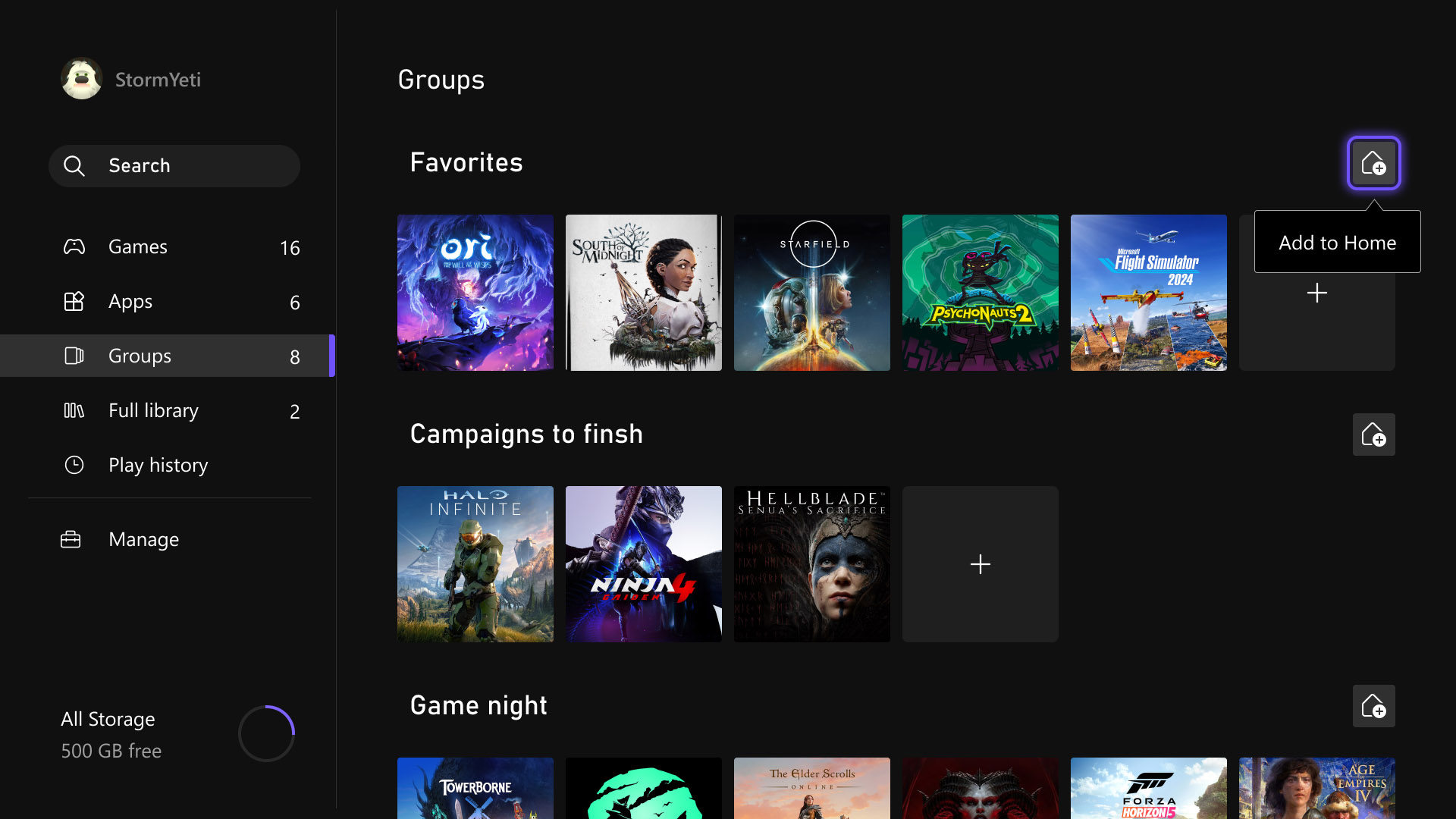
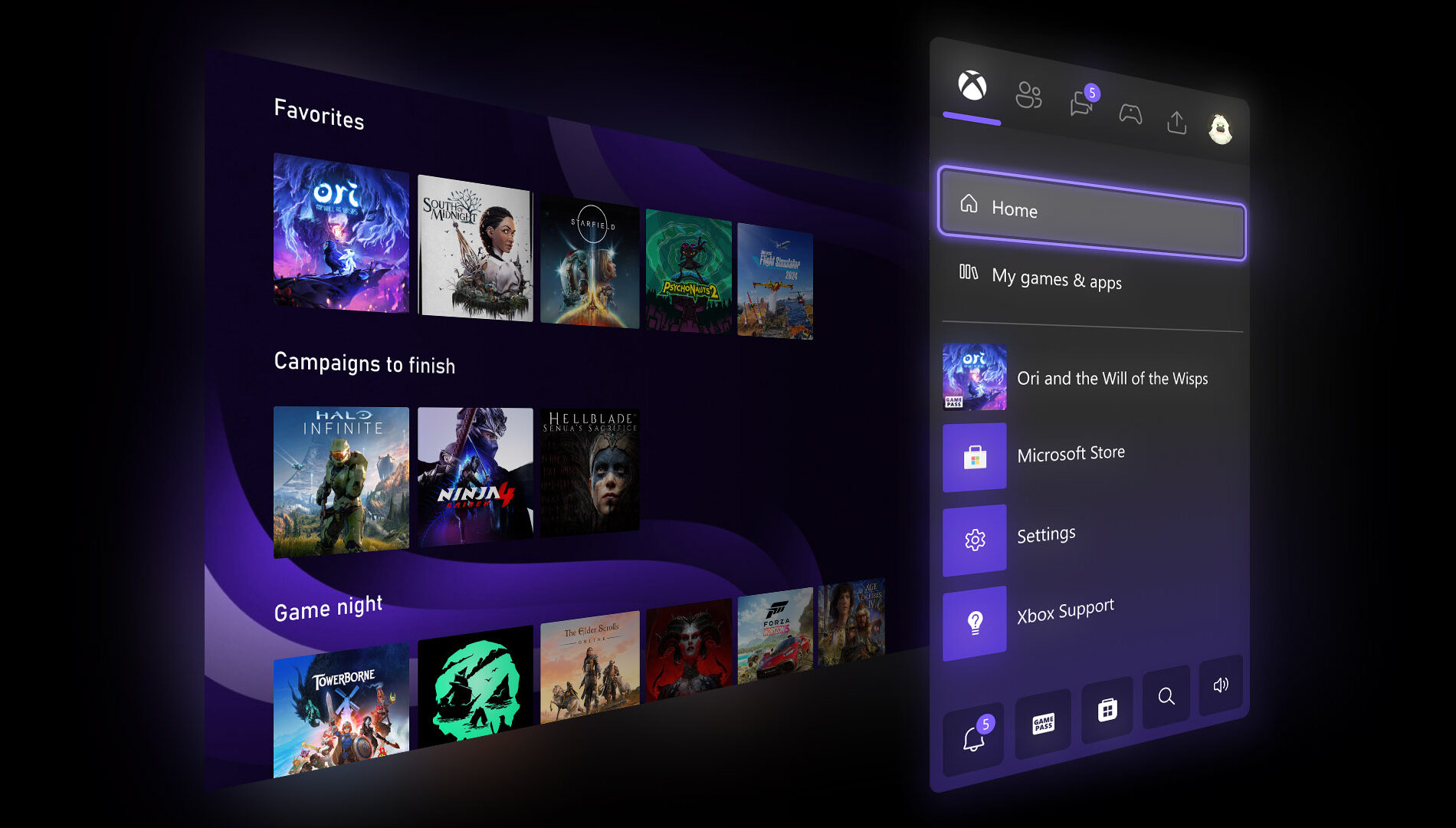
Last month, several highly requested console updates were introduced in the Xbox Insider preview, and they are now available to all players. Users can now add up to ten groups to their Home screen instead of two, allowing for greater flexibility in organizing games and apps. Group management has also been streamlined, with reordering now matching the familiar process used for moving games on Home. In addition, pinning groups has been improved with clearer indicators in My Games & Apps, making it easier to see which groups are already added and customize the layout more efficiently.

Custom Color

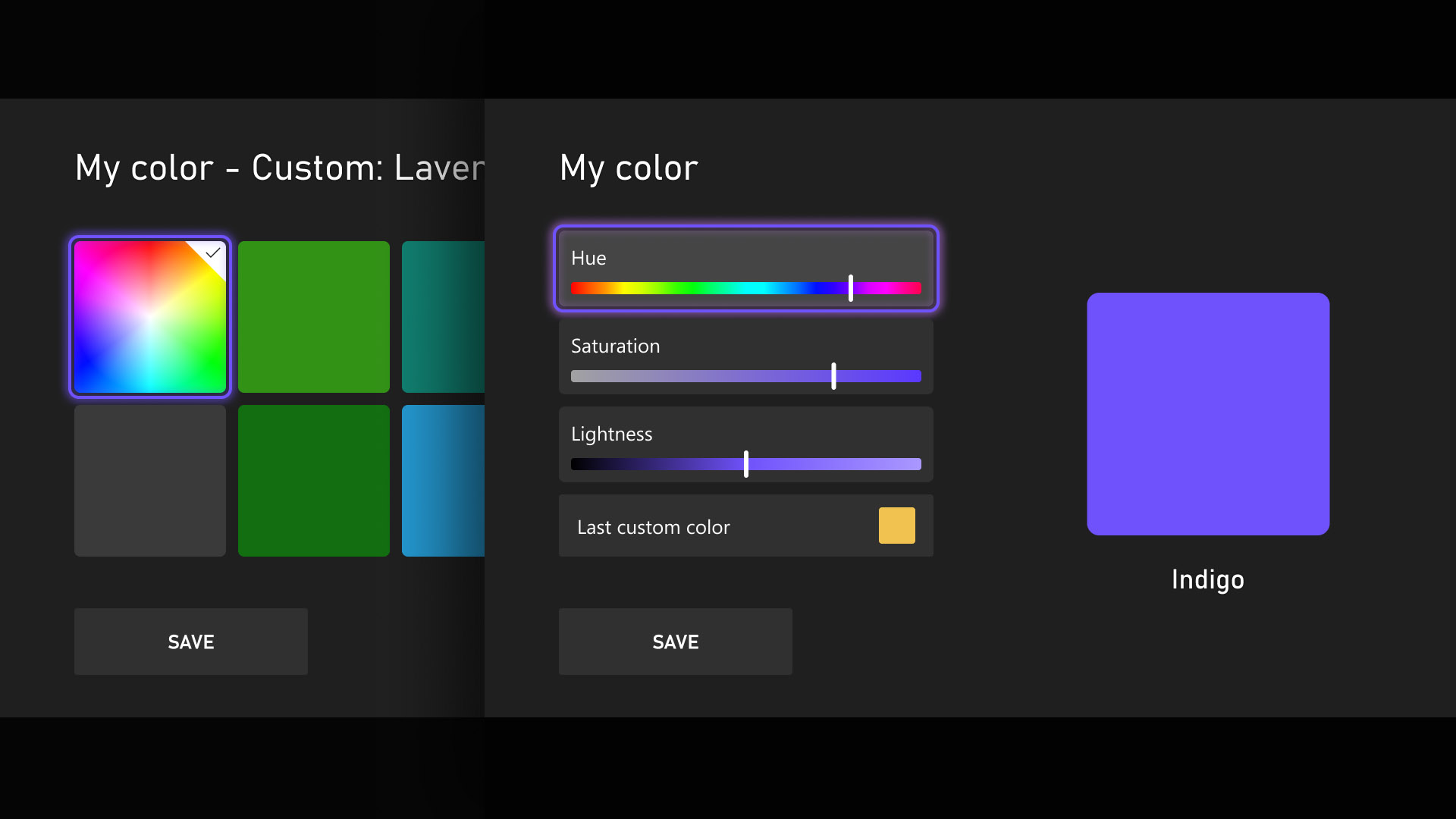
Personalization and self-expression are emphasized as key parts of the console experience, with the introduction of custom colors expanding options beyond the existing palette. Users can now design a personalized color by adjusting sliders to fine-tune hue and shade, with the selected color appearing subtly across the console, including as an accent in the Guide. Those who prefer a simpler interface can disable these accents through Settings > General > Personalization > Customize the guide. To ensure clarity and usability, several safeguards have been added, and previously chosen custom colors are automatically saved when switching back to system defaults, allowing easy reuse later.

Quick Resume Settings

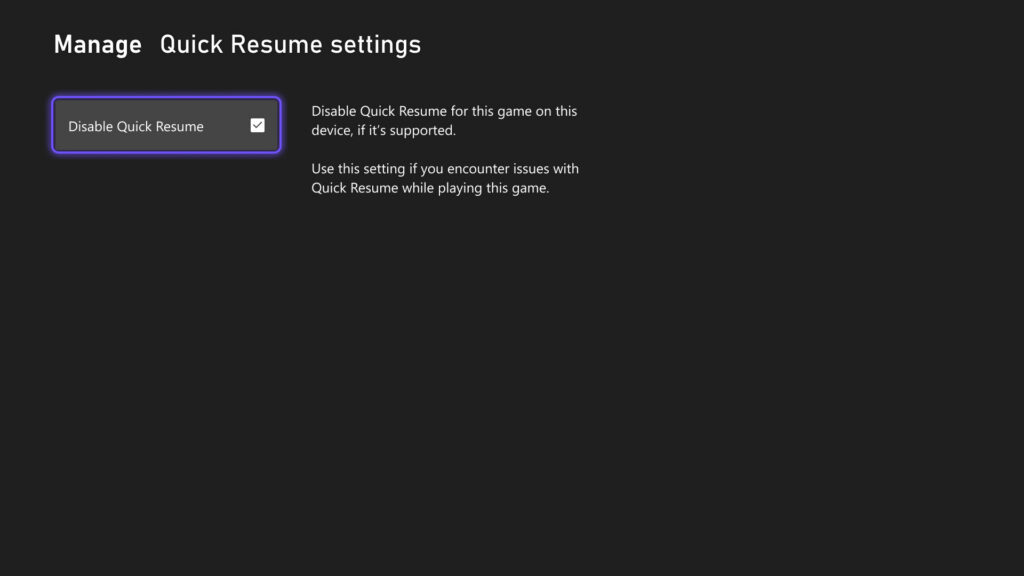
Quick Resume remains one of Xbox’s most popular features, though feedback has highlighted performance issues after long inactivity or with games that depend heavily on online connectivity. To address this, users can now disable Quick Resume on a per-game basis, ensuring selected games always start fresh. This option is accessible by opening More options on a game tile within the Quick Resume group and selecting Manage Quick Resume, or by navigating to any game tile and choosing Manage game and add-ons > Quick Resume settings.

Play History Update

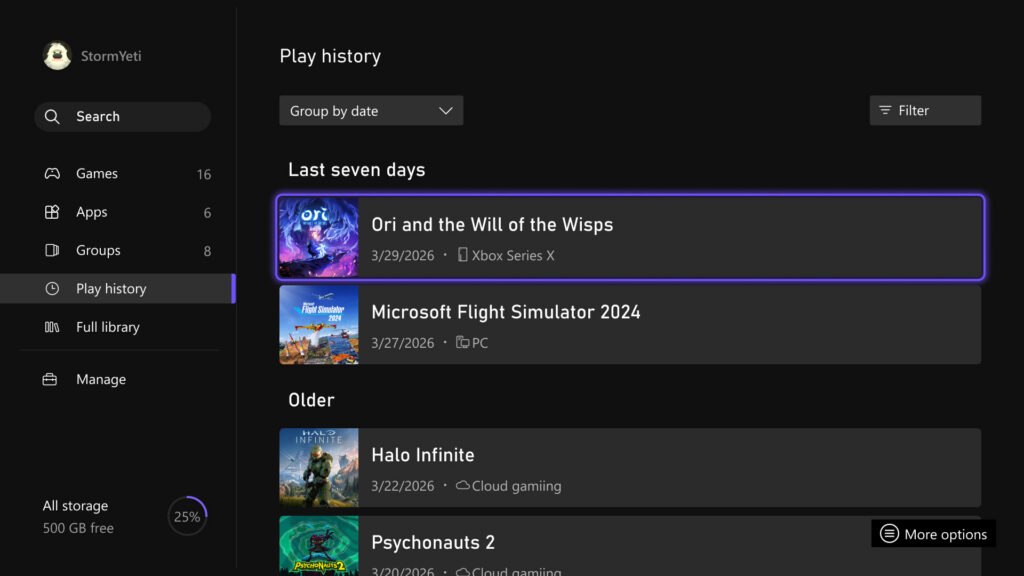
The Play History experience on console has been updated to make it easier to find, browse, and use from any entry point. A new Play History tab within My games & apps provides direct access without needing to return to Home. The layout has also been redesigned into a horizontal format with clearer grouping based on recency, allowing faster resumption of recently played games. Overall, the update delivers a more streamlined and accessible Play History experience that keeps recent gameplay readily available across devices.

User Selected Resolution and Network Quality Indicator

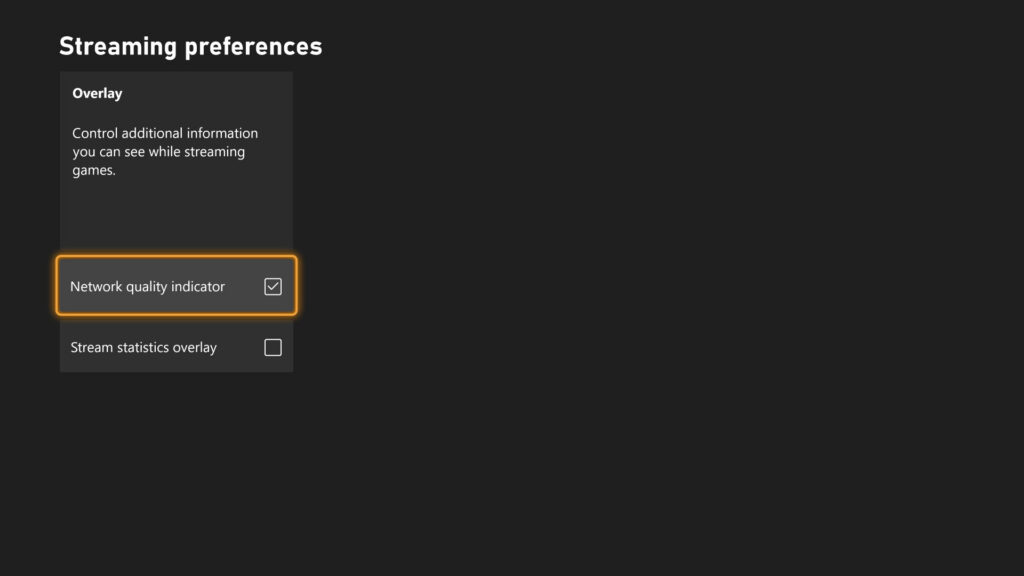
Streaming settings have been updated to provide clearer control and improved transparency over the gaming experience. New options include User Selected Resolution (USR), allowing players to choose their preferred streaming resolution in Console Settings > Cloud Settings before starting a session. A Network Quality Indicator (NQI) has also been introduced, offering real-time feedback on network performance while streaming to help users understand how their connection affects gameplay. These changes are designed to give players more insight and control, resulting in a more consistent and confident streaming experience.

CLICK "READ MORE" to See the Rest of the Updates

Wednesday, March 25, 2026

SYSTEM UPDATE: March Xbox Update

Xbox announced several March updates, including new customizable console features for Xbox Insiders like expanded Home groups, custom colors, per-game Quick Resume settings, and profile badges. At GDC, they previewed future plans such as the next-gen “Project Helix” console, broader Xbox Play Anywhere support, and Xbox mode coming to Windows 11 devices. New dynamic backgrounds were added for select games, and a handheld compatibility program now highlights games optimized for portable play, with recent additions like Crimson Desert, Kingdom Come: Deliverance II, and Towerborne.


Here’s What’s New

New Console Features for Xbox Insiders


Earlier this month, new features were introduced for select Xbox Insiders to test ahead of a broader console rollout. These include:
  • More Groups on Home. Players can now customize Home with up to 10 groups.
  • Custom Color. Players can now create a custom color that’s uniquely theirs to express themselves across the console.
  • Quick Resume Settings. Players can now disable Quick Resume on a per-game basis to ensure those games always launch fresh.
  • Profile Badges in Guide. See a player’s five most recently unlocked badges when viewing their profile.
Xbox at GDC


Earlier this month at GDC, more details were shared about how the next generation of Xbox is being developed for players and creators. This included an early look at Project Helix, a next-generation console designed to support both Xbox and PC games. It was also announced that Xbox mode will begin rolling out to all Windows 11 devices in April, alongside continued growth of Xbox Play Anywhere, which now includes over 1,500 titles.

Xbox Console – Dynamic Backgrounds

Crimson Desert, Sea of Thieves and Towerborne introduced new dynamic backgrounds for Xbox Series X|S consoles, allowing you to customize your console to celebrate these games.

CLICK READ MORE to Continue

Tuesday, December 16, 2025

SYSTEM UPDATE: Xbox December 2025 Update Brings Mobile Store Upgrade and Next-Gen Audio Enhancements

The Xbox December Update rounds out 2025 with quality-of-life upgrades across mobile, audio, and gaming features. The Xbox mobile app now includes a dedicated Store tab, making it easier to browse, wishlist, and purchase games, add-ons, and Game Pass subscriptions in one place. On the hardware side, a new firmware update for the Xbox Wireless Headset adds Bluetooth Low Energy (LE) Audio support for compatible Windows 11 devices, delivering lower latency, improved battery life, higher-quality stereo voice chat, and new shared audio capabilities.


Xbox Mobile App Updates

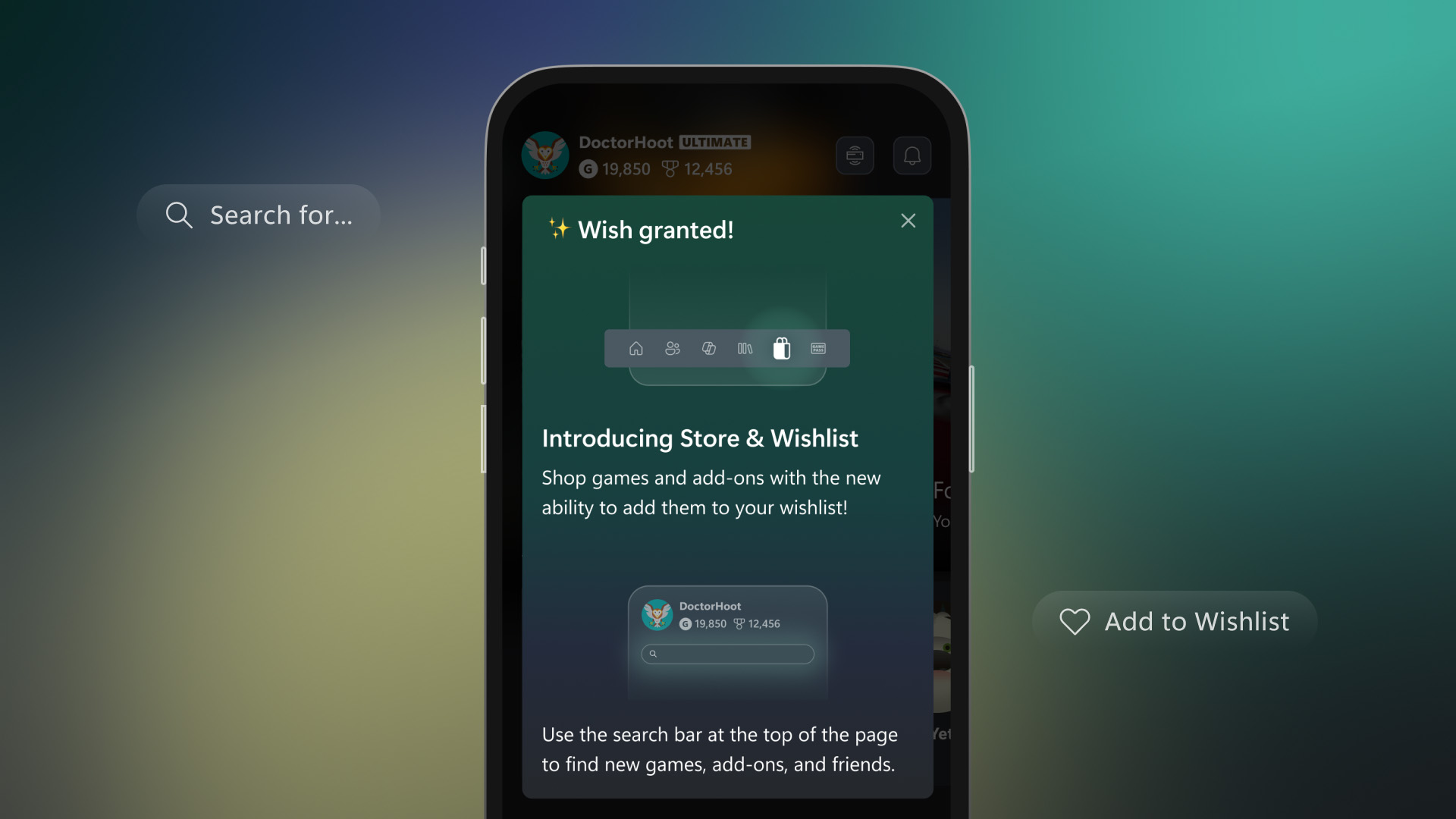
In April, Xbox added the ability to buy games and subscribe to Xbox Game Pass directly through the Xbox mobile app. A dedicated Store tab has now been introduced to make discovering and purchasing games, add-ons, and Game Pass subscriptions faster and more convenient. Additional browsing improvements include the ability to add games to a Wishlist and search for add-ons directly within the app, making it easier for players to explore and manage their content.

Xbox Wireless Headset: Next-Level Audio for Windows 11 Devices

The Xbox Wireless Headset was designed to put players right in the action with clear sound, easy controls, and smooth integration with their Xbox console. As Xbox gaming expands to Windows 11 PCs and handhelds like the ROG Xbox Ally and ROG Xbox Ally X, Xbox is bringing that same premium experience everywhere players choose to play.

Today, Xbox is excited to share a new firmware update for the latest Xbox Wireless Headset that adds Bluetooth Low Energy (LE) Audio support. This update, built in partnership with Windows, brings top-tier audio performance to the latest Windows devices.

Bluetooth LE Audio goes beyond saving battery life; it makes the audio experience better. With this update, players get:

  • Lower latency: Enjoy high fidelity wireless audio with less latency than Bluetooth Classic audio, staying perfectly in sync with what is seen on-screen.
  • Better battery life: Play longer between charges thanks to improved power efficiency.
  • Super wideband stereo voice: Enjoy richer stereo sound, even while chatting with a squad.
  • Broadcast audio: Shared audio (preview) on Windows 11 lets players share game audio across multiple compatible Bluetooth accessories.

Earlier this year, Xbox announced super wideband stereo audio on Windows 11, taking game chat to the next level. Here’s what that means for players:

  • Immersive game audio: Hear soundtracks, effects, and dialogue with greater clarity and depth. Subtle environmental cues and spatial details are more noticeable than ever.
  • Crystal-clear voice chat: Voices sound natural and sharp, making it ideal for team coordination.

How to experience the new features:

  • Firmware update: Available now via the Xbox Accessories app on console or Windows 11 devices. Requires the latest Xbox Wireless Headset (launched October 2024).
  • Bluetooth LE Audio: Requires a Windows 11 device that supports Bluetooth LE Audio.
  • Super wideband stereo audio: Requires the latest updates to Windows 11, version 24H2 or later, and audio driver support from the PC manufacturer. Coming soon to ROG Xbox Ally and ROG Xbox Ally X.
  • Shared audio (preview): Currently available to Windows Insiders on select Windows 11 PCs.

DON'T FORGET TO SHARE:

Monday, September 29, 2025

SYSTEM UPDATE: Xbox September Update Breakdown: Everything New Across PC, Console, and Mobile

The Xbox September Update is packed with features designed to make gaming more seamless and accessible. Players can now pre-order the new ROG Xbox Ally handhelds, launching globally on October 16. Gaming Copilot (Beta), a personal AI-powered sidekick, is rolling out on PC and coming soon to mobile to provide in-game help and recommendations. The Xbox PC app introduces an improved “My Library,” letting players organize third-party apps and aggregate all their games across platforms in one place, alongside cloud-play history. Other updates include refreshed social widgets, a network quality indicator for smoother cloud play, smarter game save syncing, and a redesigned Rewards hub that works across devices.


Xbox Console Updates
Offer Wallet – Now Available on Web and Xbox Consoles


Xbox has launched Offer Wallet, a unified digital wallet system that allows players to discover, redeem, and manage promotional offers and credits across both web and console platforms. Integrated directly with the user’s Xbox profile and backed by Xbox Purchase’s secure infrastructure, the feature eliminates the need to manually enter 5×5 token codes. Offers can now be claimed and tracked through a single, streamlined interface.

Players will find a new “Offers and Credits” section within their profile, where promotional gift cards, game discounts, and limited-time deals are organized in one place. Microsoft plans to expand the program with ongoing updates, including trials, in-game rewards, and seasonal drops for more regions and users.

PC Gaming Updates
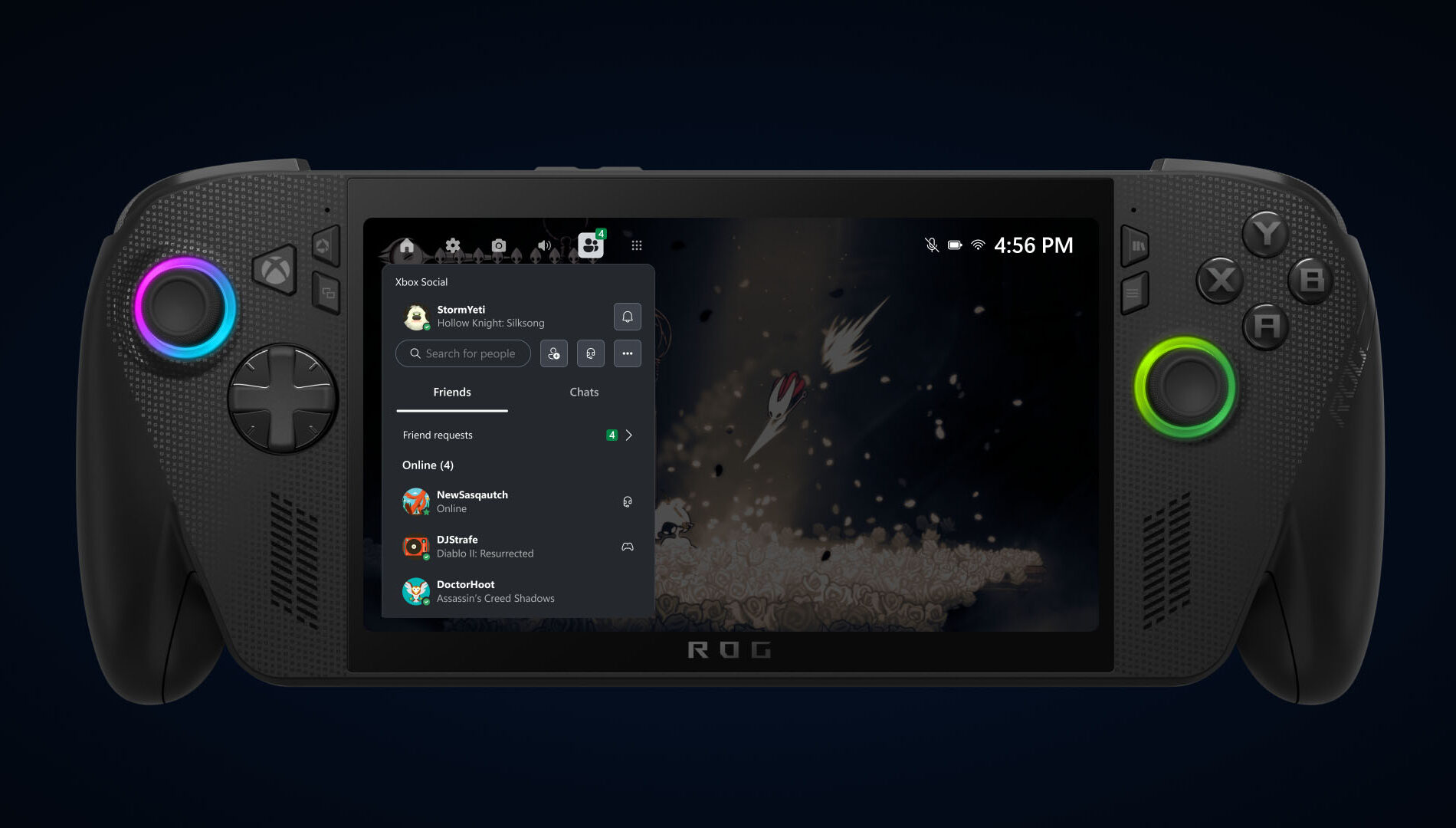
Game Bar – Social Widgets and Visual Updates


Xbox has completed a visual overhaul of its Social widgets, delivering a more unified and refined interface across both Compact and Desktop modes. Alongside the aesthetic improvements, controller navigation has been significantly enhanced, making it easier for players to chat, check activity, and interact with the overlay. The result is a smoother, more intuitive in-game experience that improves usability and elevates the overall feel of the Game Bar environment.

Network Quality Indicator Update

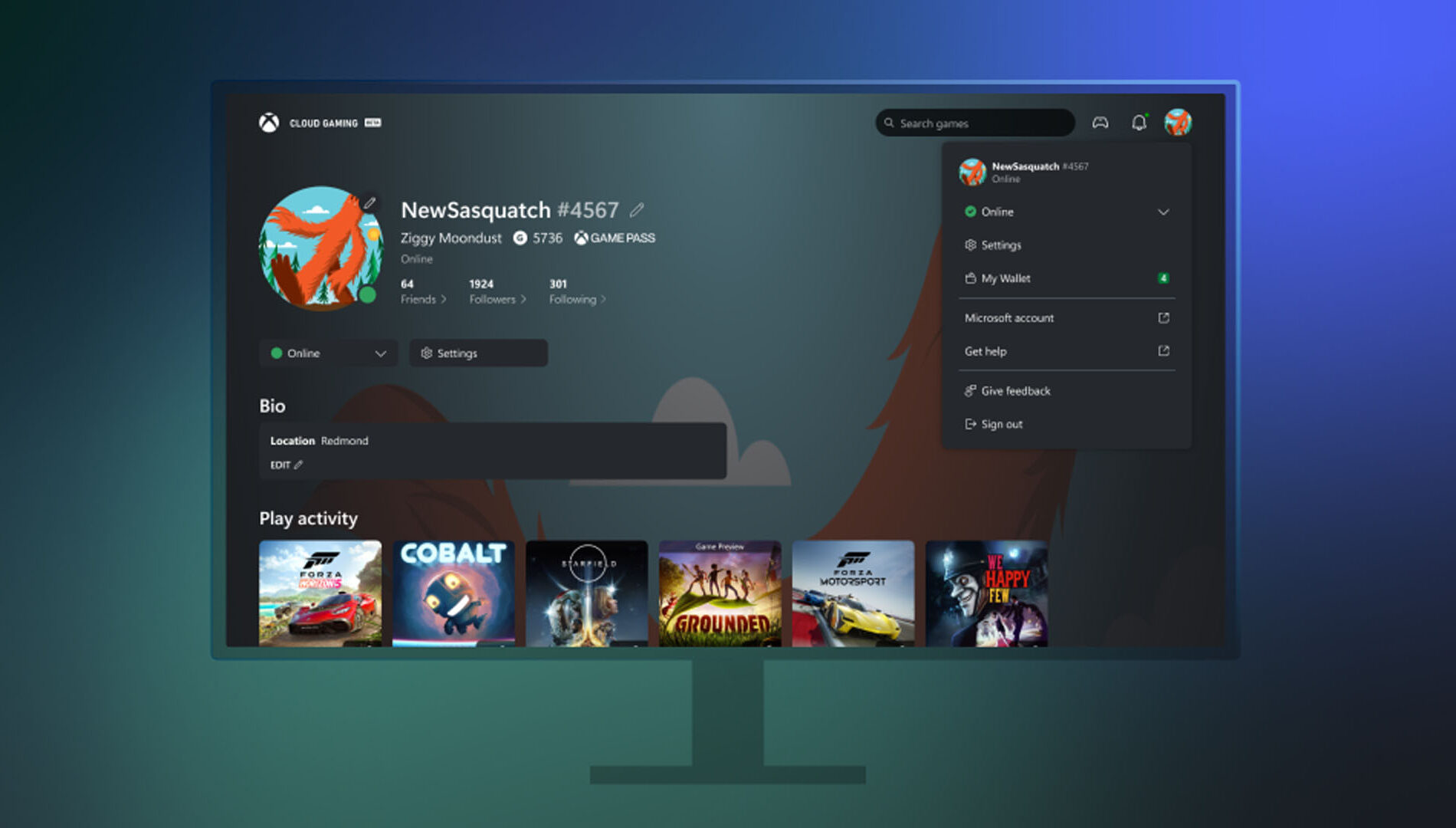
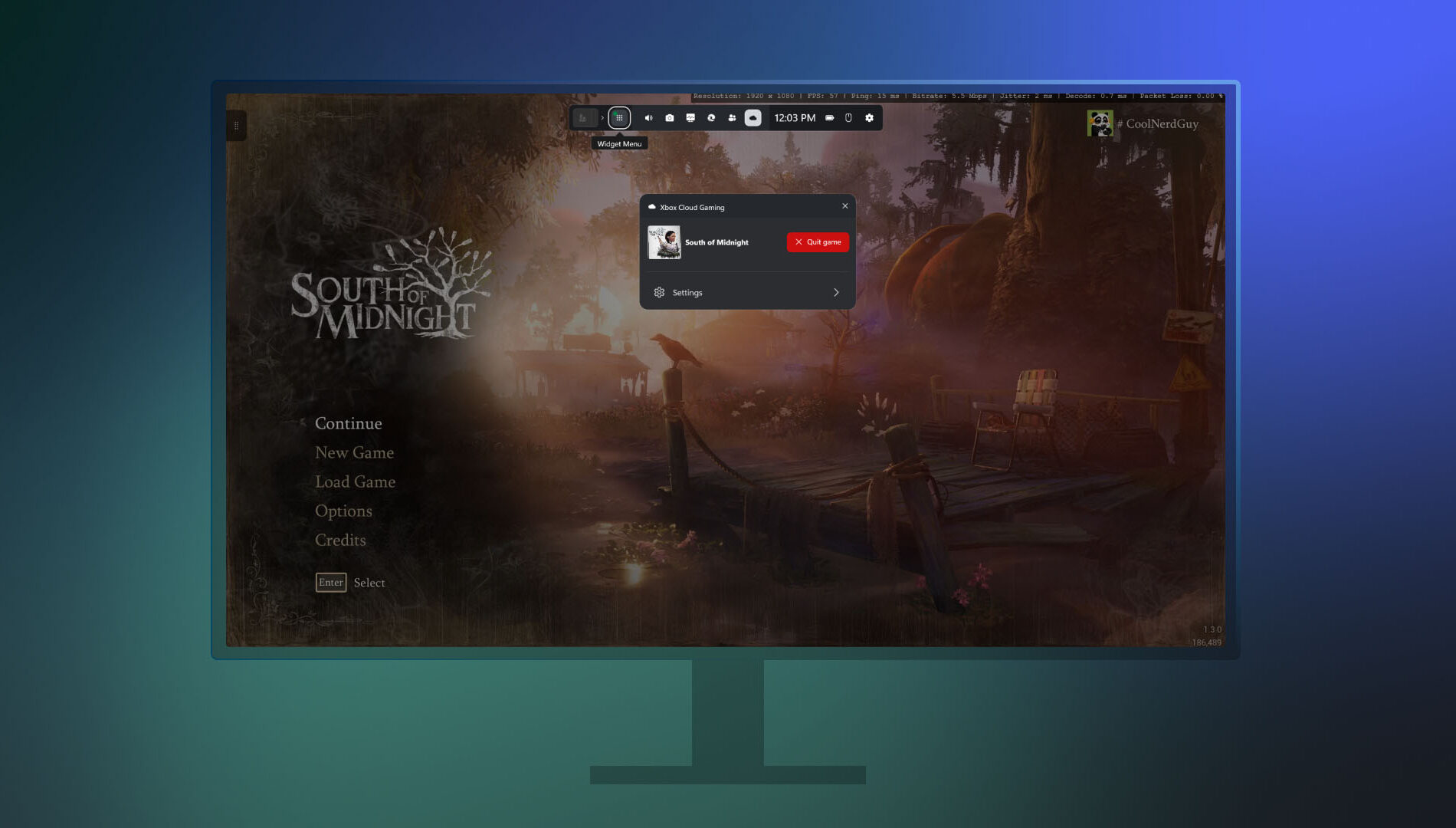
Xbox has introduced a new Network Quality Indicator (NQI) in its PC app, aimed at helping players diagnose and resolve common cloud gaming issues. The tool provides real-time feedback on network conditions, offering actionable insights to address audio and video disruptions often caused by connectivity problems.

Players can toggle the indicator via Settings under Cloud Gaming before launching a stream, or enable it mid-session through the Game Bar by pressing Win+G and navigating to the Xbox Cloud Gaming widget. With clearer diagnostics and easier access, NQI empowers users to optimize their streaming experience with minimal guesswork.

Smarter Game Save Syncing Starts Today


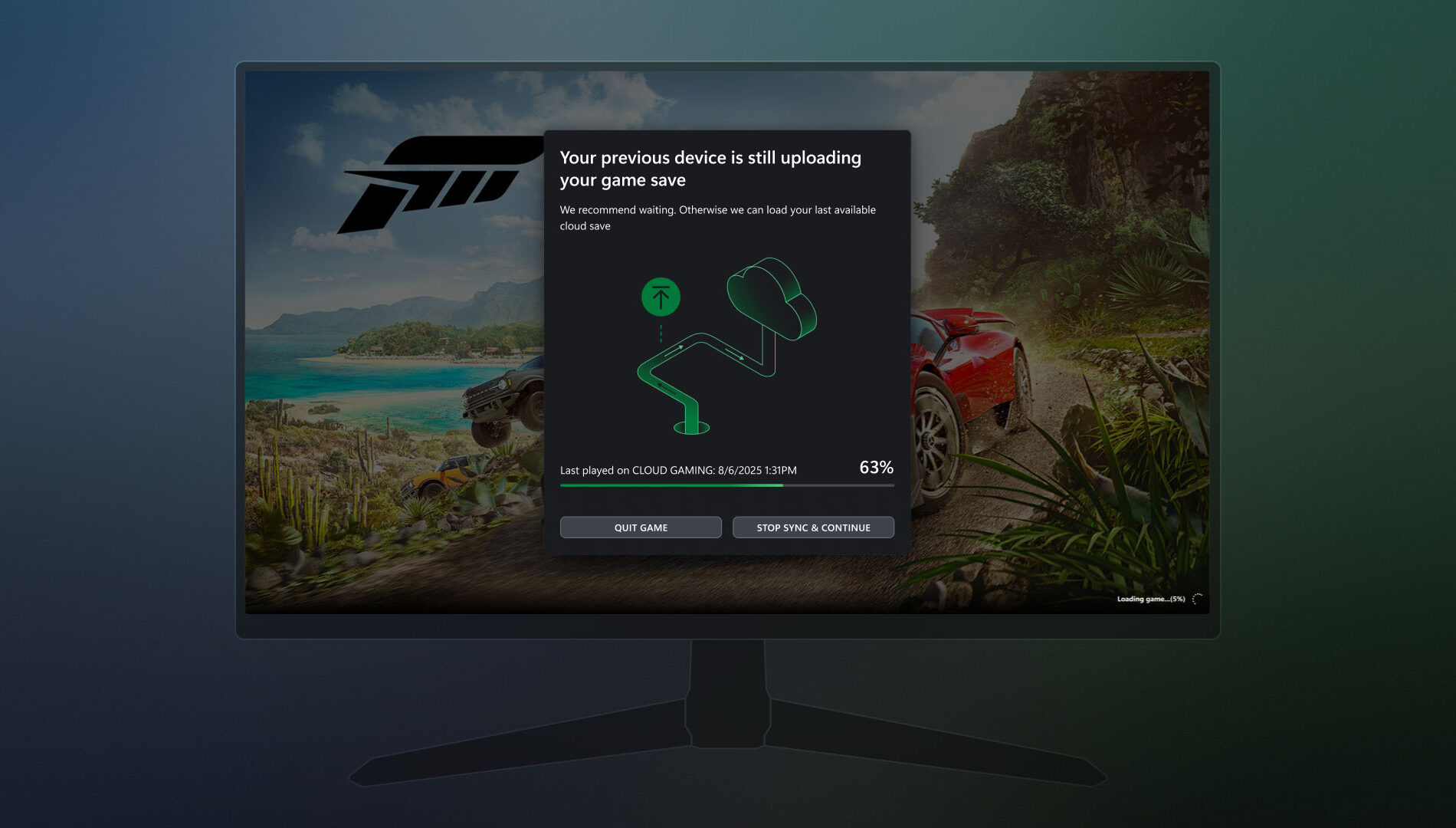
Xbox is enhancing its PC app with smarter game save syncing, aimed at resolving issues when progress fails to transfer between devices—especially in offline scenarios. If a save hasn’t synced from a previous session, players will now see a detailed progress bar, device name, timestamp, and contextual insights to clarify the sync status. The update also provides guidance on where the sync originated, how it's progressing, and what steps to take if it stalls. These improvements make it easier to recover unsynced progress and ensure a smoother transition between play sessions.

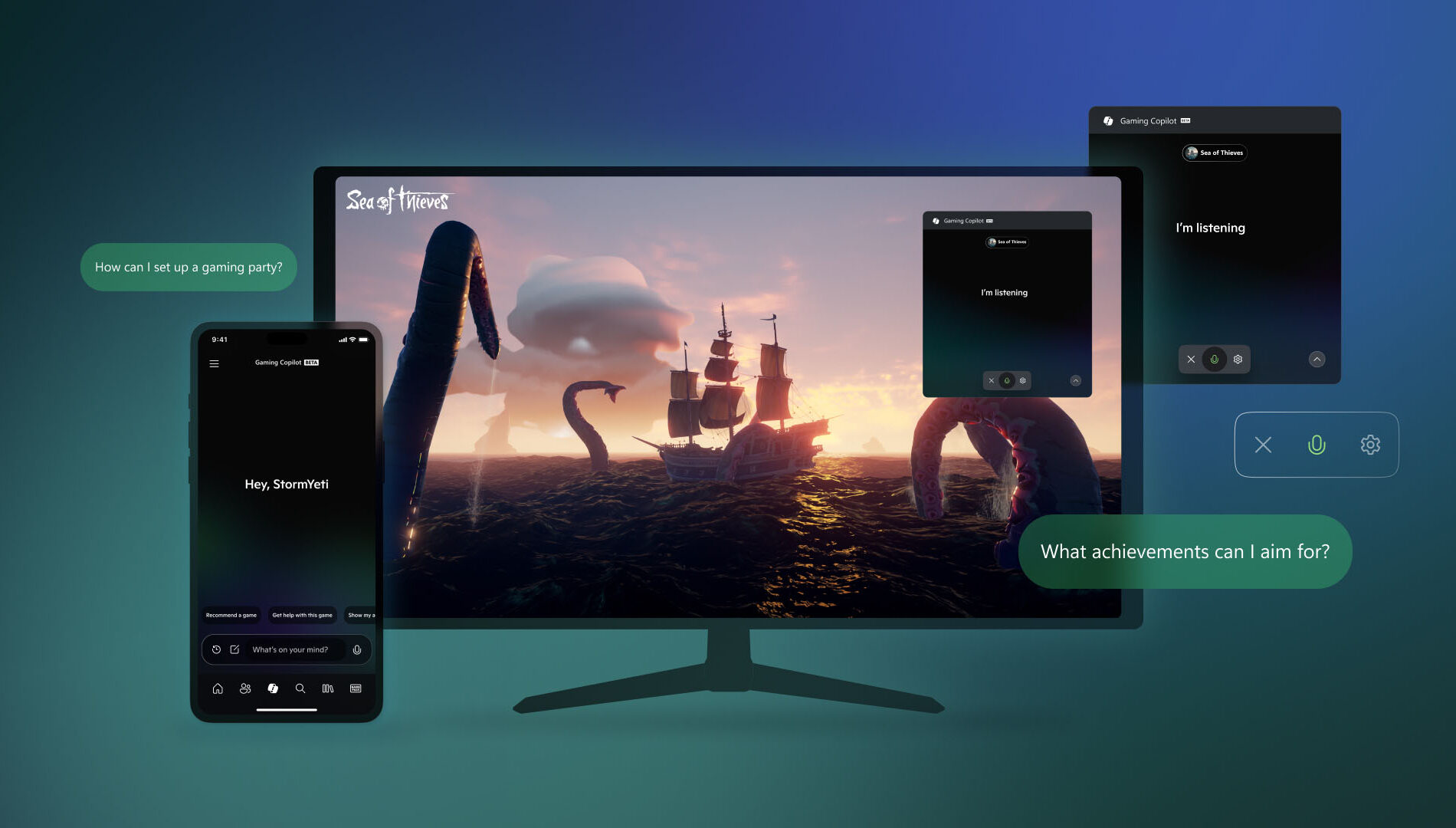
Gaming Copilot – Rolling Out on PC and Coming Soon to Mobile


Gaming Copilot (Beta) is expanding to Game Bar on Windows PC, with support for the Xbox mobile app expected next month. Designed to help players overcome in-game obstacles and spend more time enjoying gameplay, Gaming Copilot offers real-time assistance and personalized recommendations.

Based on early feedback from Xbox Insiders and mobile users, the feature now includes deeper in-game support, push-to-talk voice activation, and improved screen recognition. Whether players are stuck on a boss fight or searching for a new title, Gaming Copilot provides relevant insights when needed.

To access Gaming Copilot, users should install the Xbox PC app, press Windows + G, and launch it from Game Bar.

Seamlessly Access Your Gaming Library, Apps, and Play History in One Place

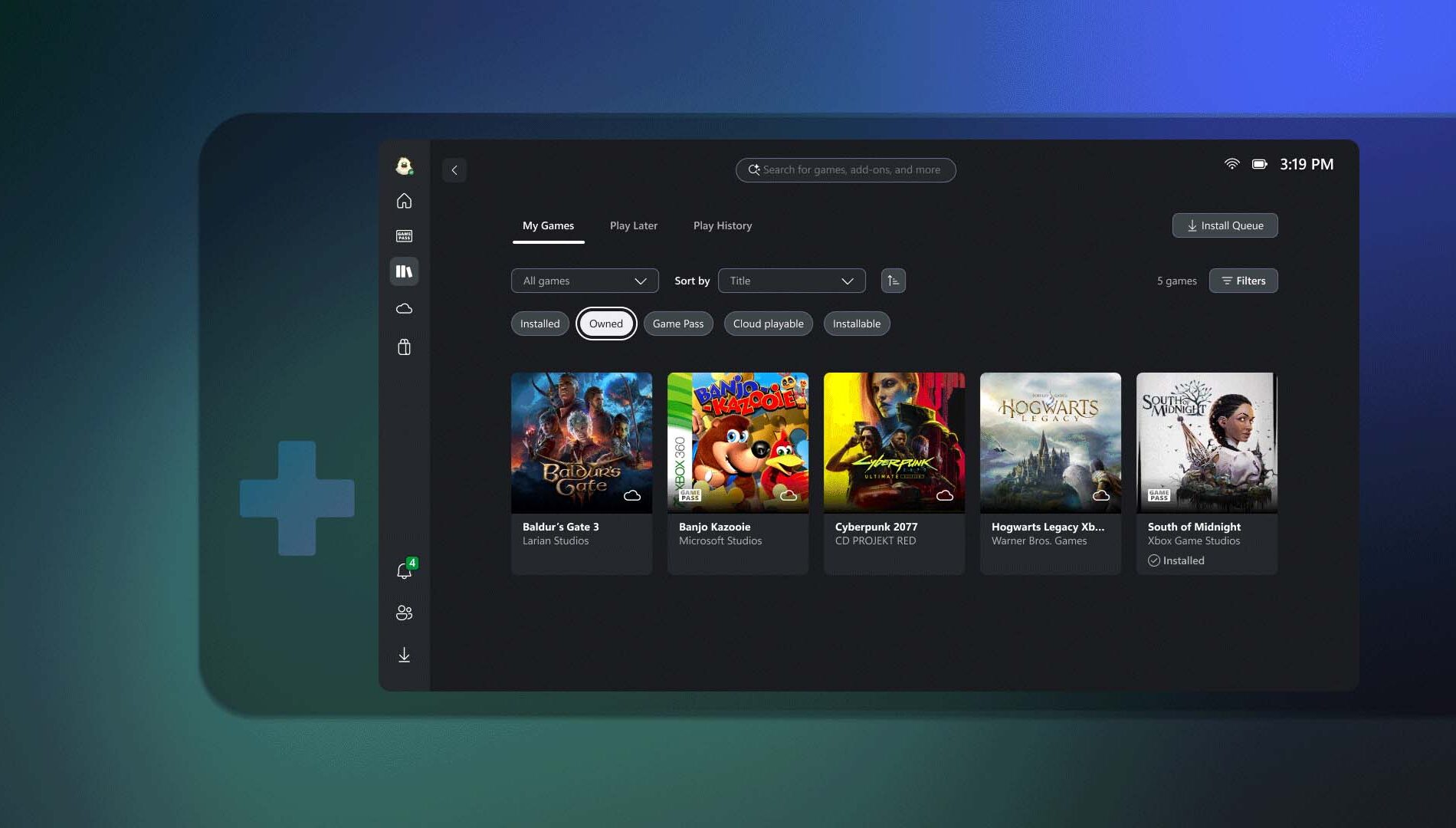
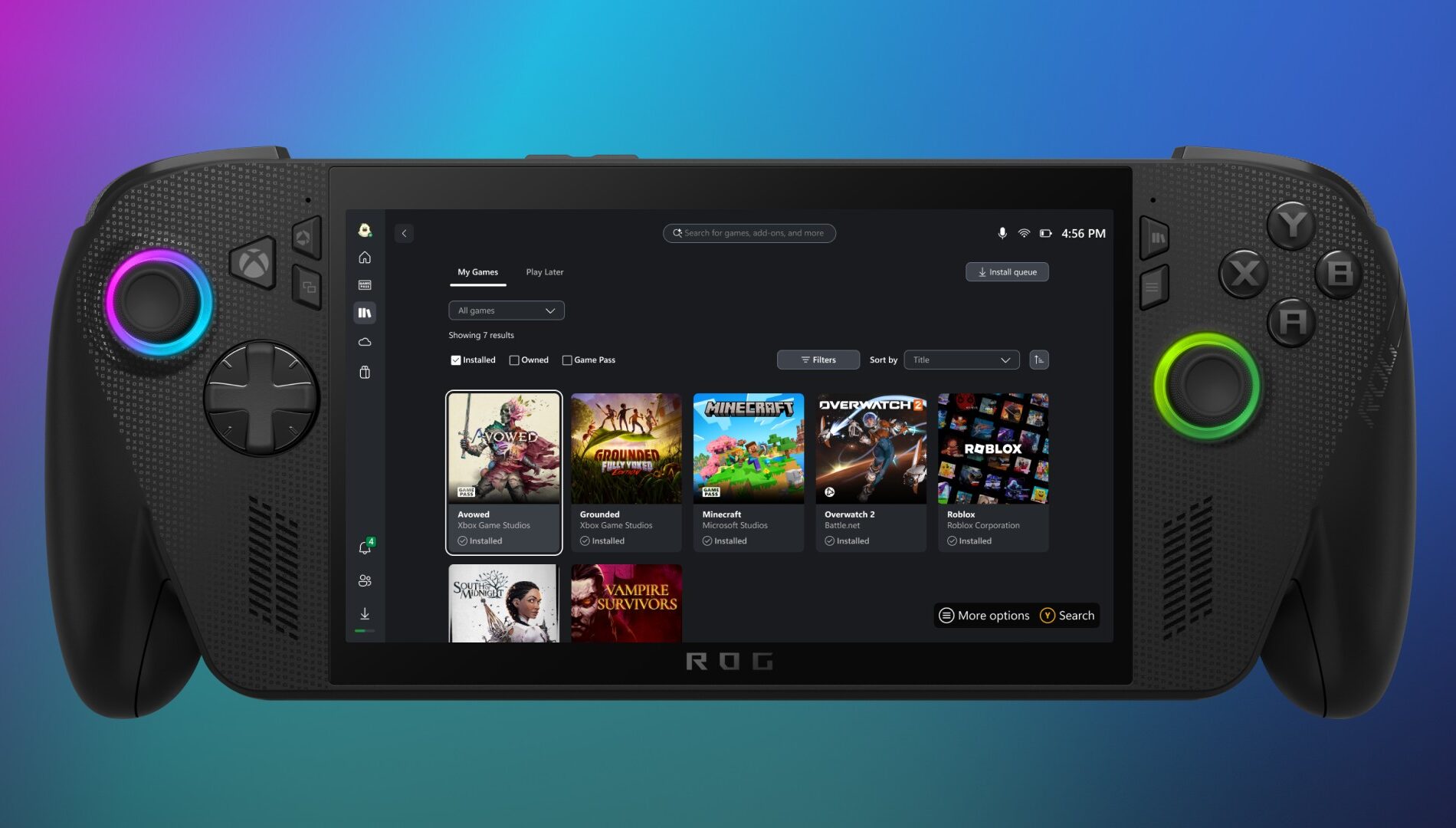
Xbox has introduced a streamlined My Library experience in its PC app, making it easier for players to access both third-party apps and games. Through the new My apps section, users can launch browsers, storefronts, and gaming utilities directly from the Xbox PC interface, eliminating the need to search across multiple platforms.

The My games section consolidates titles from Xbox, Game Pass, and other major PC storefronts into a single aggregated library. This unified view allows for quicker access and smoother game launches, reducing friction across platforms.

Available now on Windows 11 PCs and handhelds, the updated My Library supports a collective gaming experience. Players can also view their cloud-playable games and gameplay history across devices. On console, this appears as a Play history tile on the Home page, while PC users will find it in the Jump back in section and the Play history tab within My Library.

Rewards with Xbox
Revamped Rewards Hub – Level Up Your Rewards Experience on PC


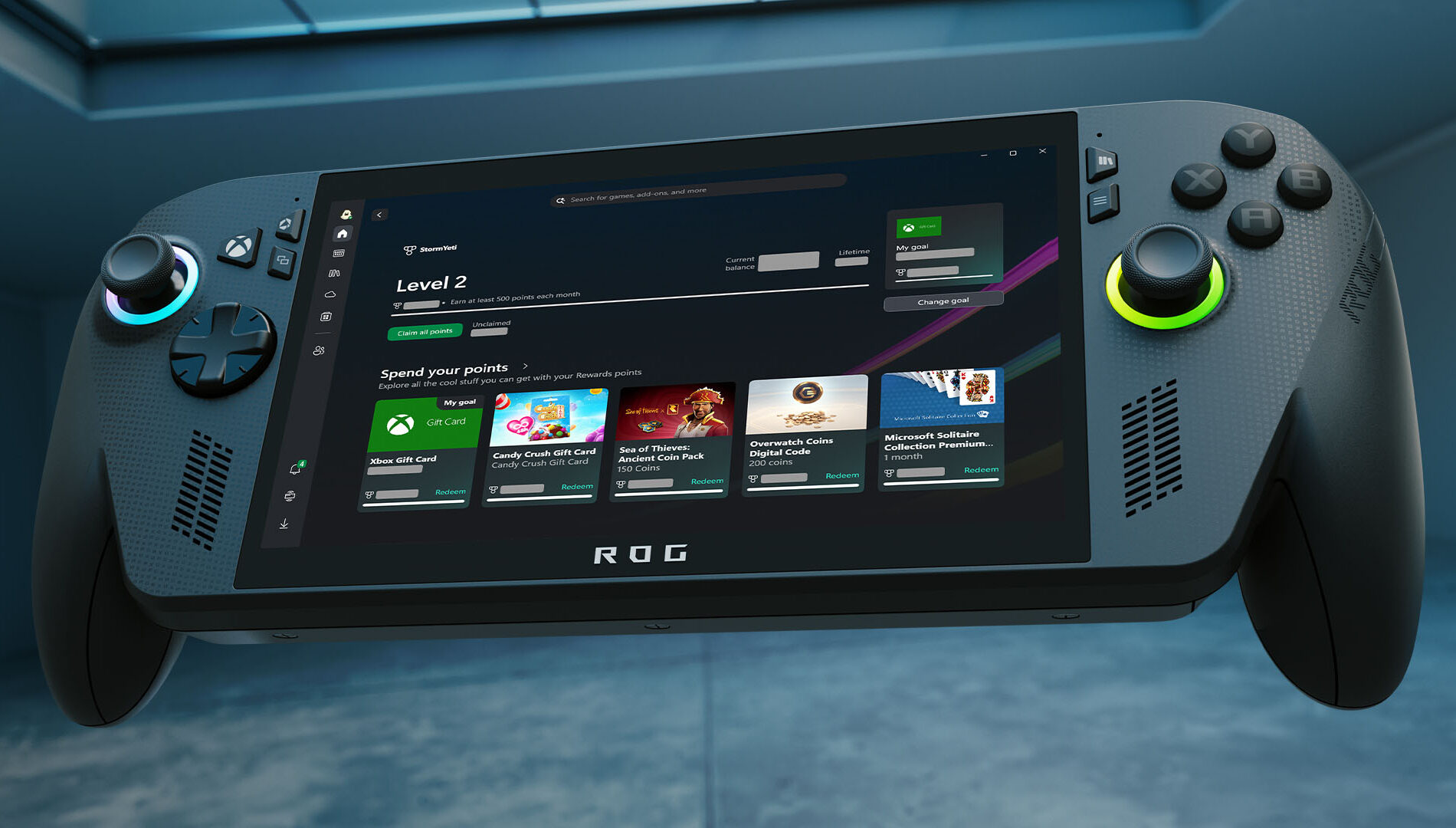
Xbox has rolled out a major redesign of its Rewards hub on PC, delivering a smoother, more intuitive experience across all screen sizes—including handhelds. The refreshed interface makes it easier to track progress, redeem points, and explore new ways to earn, with adaptive visuals that scale seamlessly from desktops to portable devices.

A new Goal Card feature lets players set personalized targets and monitor their journey toward high-value rewards. Meanwhile, the updated Microsoft Rewards Level view provides clear insight into current status and upcoming milestones.

To explore the new hub, users can open the Xbox app on their Windows PC or handheld, navigate to their profile, and select “My Rewards.” From there, they can play games, claim points, set goals, and redeem their balance for gift cards, in-game items, sweepstakes entries, charitable donations, and more.

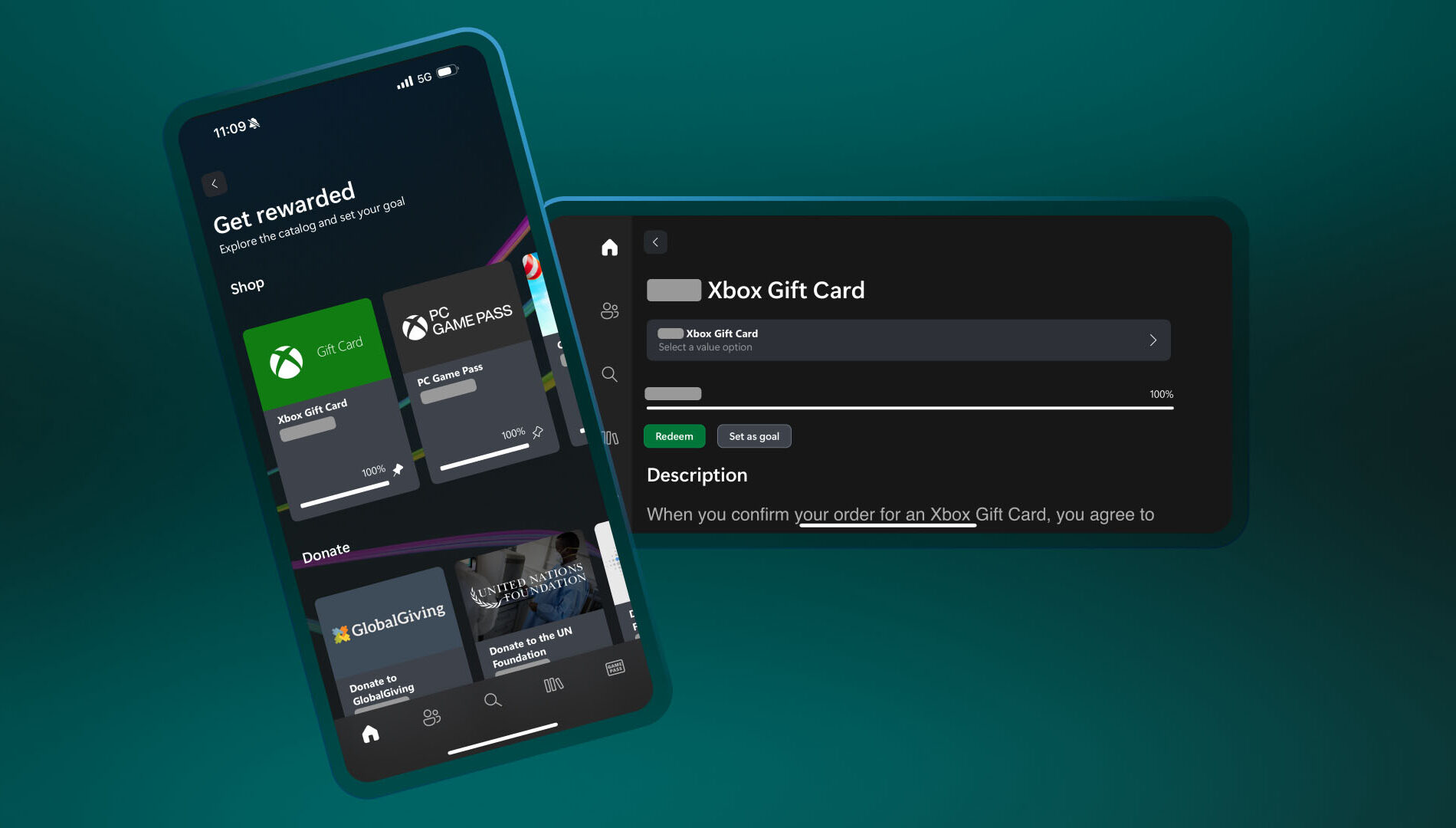
Redeem Rewards on the Xbox Mobile App


You can now redeem Rewards points directly on the Xbox mobile app. That means you can grab gift cards and put them toward game purchases – all without leaving the app. Simple, fast, and right where you’re already playing.

Here’s how to do it:

  1. Open the Xbox app
  2. Tap your profile icon (top left)
  3. Head to Rewards and tap “Get rewarded”
  4. Tap Redeem on the item you want, confirm, and you’re done!
  5. Simple, fast, and built for wherever you play.

DON'T FORGET TO SHARE:

Tuesday, July 29, 2025

SYSTEM UPDATE: Xbox Update Breaks Boundaries with PC Game Streaming

Xbox continues its mission to make gaming more meaningful, flexible, and enjoyable—no matter where or how players choose to play. This month’s update introduces new features to the Xbox PC app that reflect that vision, offering more ways for players to stay connected to their games and progress.

These enhancements are part of a broader initiative to improve the Xbox experience on PC and extend the platform’s most loved features to more places. Whether streaming owned games, jumping back into cloud play, or tracking progress across devices, the update empowers players with greater control, flexibility, and freedom to play their way.


PC Gaming Updates

Stream your own games on PC
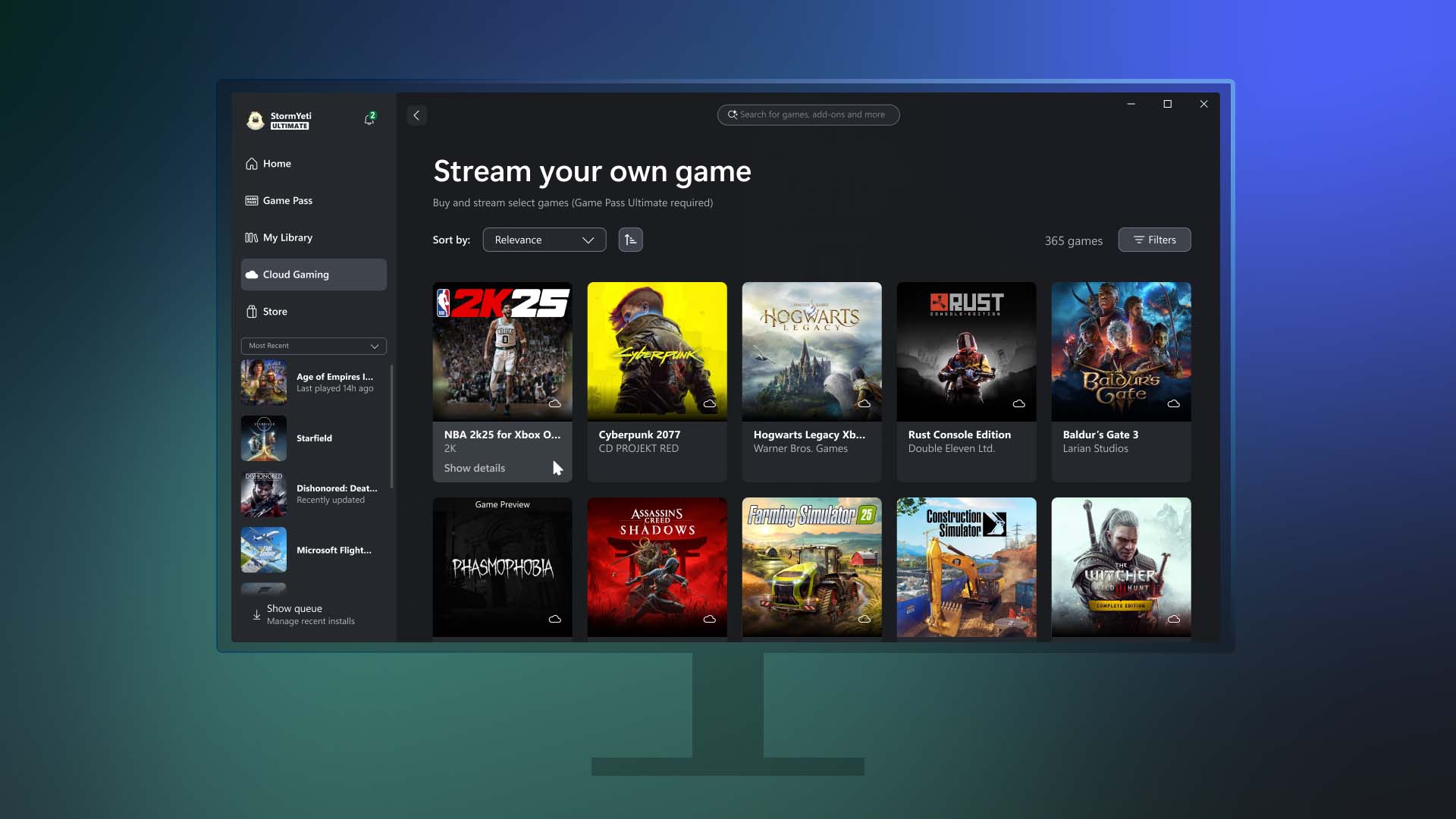
Earlier this year, Xbox introduced the ability for Game Pass Ultimate members to stream their owned games on Xbox Series X|S and Xbox One consoles, smart TVs, Meta Quest headsets, and other browser-supported devices such as PCs, smartphones, and tablets. That same level of flexibility is now coming to the Xbox PC app.

Starting today, Game Pass Ultimate members in the 28 countries where Xbox Cloud Gaming (Beta) is available can stream from a selection of over 250 owned titles directly through the Xbox PC app. This includes recently added games like Assassin’s Creed IV Black Flag, Mafia: Definitive Edition, The Callisto Protocol, and more—even those not included in the Game Pass catalog.

The new “Stream your own game” feature allows players to skip downloads, free up hard drive space, and enjoy greater access to their personal library, including console-only titles that were previously unavailable on PC.

Players can access this feature by visiting the Cloud Gaming section of the Xbox PC app, selecting a supported game they own from the “Stream your own game” list, and jumping into gameplay instantly.

Additionally, the update enhances cross-device play history and improves access to console cloud-playable games on PC.

In addition to being able to stream games you own on the Xbox PC app, we want to make playing Xbox games easier than ever across the Xbox platform. Xbox Insiders that are Game Pass Ultimate members have access to all cloud-playable games in their Xbox PC app library, including console-only games from the original Xbox through the Series X|S. Games that are either owned or available through Game Pass will all be in one place, so players can choose what and how they play. Also, Insiders can now preview their play history across devices, including on console and the Xbox PC app, displaying recently played games so players can pick up where they left off.

Explore these new capabilities on the Home page on console or on the Xbox PC app by going to “My Library” and jump back into gaming. Learn more details in the Xbox Insiders announcement post.

Rewards with Xbox – Get rewarded for playing games on the Xbox PC app

Tracking weekly point bonuses is now simpler with the addition of a new feature in the Xbox PC app. Players can now view their progress toward earning rewards directly within the app while they play.

This feature is currently rolling out in select markets for users aged 18 and older with a Microsoft account. Players should note that points must be claimed to be added to their Microsoft Rewards balance, and standard terms apply. To get started, users can open the Xbox PC app and visit the Rewards channel on the Home page to begin tracking progress and earning points.


DON'T FORGET TO SHARE:

Monday, June 23, 2025

SYSTEM UPDATE: Xbox June Update Brings Mouse & Keyboard Support, Copilot AI, Game Hubs & More!

The Xbox June 2025 Update is here with a wave of exciting new features!

First up, mouse and keyboard support is expanding to more titles like Assassin’s Creed Shadows, Smite 2, and Planet Zoo: Console Edition, while touch controls continue to enhance mobile gameplay for select games including Zenless Zone Zero and Avowed.

Xbox is also testing Copilot for Gaming on mobile — your personal AI sidekick that can offer real-time help, tips, and coaching across your games.

On PC, the Xbox app now features a new aggregated gaming library, letting you launch titles from Xbox, Game Pass, Battle.net, and other storefronts in one place, along with publisher channels to easily explore franchises. Console players can enjoy more customization on the Home screen, Game Hubs for detailed game stats, and better cloud save sync visuals to prevent data loss. Game Pass members also get in-game perks for free-to-play titles.


Click "READ MORE" to Read About Full Update

Thursday, April 17, 2025

SYSTEM UPDATE: Xbox April 2025 Update: Mobile Purchases and More Game Streaming Arrive

This month’s Xbox update brings a host of improvements across console and mobile experiences. Game Pass Ultimate members can now stream select owned titles directly from Xbox Series X|S and Xbox One consoles, expanding the existing cloud gaming library to over 100 games. Remote Play is now unified through xbox.com, with support expanding to more devices like Samsung Smart TVs, Amazon Fire TV, and Meta Quest headsets—plus new support for streaming original Xbox and Xbox 360 titles. A redesigned storage management tool helps free up space with smarter suggestions, and new game hubs provide quick access to achievements, friends, and more. On mobile, players can now purchase games, join Game Pass, and redeem Perks directly from the Xbox app, offering a faster, more seamless way to manage their library and subscriptions on the go.

Click "Read More" to see all the details

Thursday, March 27, 2025

SYSTEM UPDATE: Xbox March 2025 Update - In-Game Benefits, Xbox Cloud Gaming Enhancements and Free-to-Play Features

March is packed with exciting updates for Xbox players! From seamless game switching on Xbox Cloud Gaming to over 50 cloud-playable titles for Game Pass Ultimate members, the fun never stops. Unlock exclusive in-game rewards for free-to-play games, explore new dynamic backgrounds, and enjoy a fresh Game Bar design for PC. Plus, with the release of the Xbox Adaptive Joystick and more perks rolling out soon, there's no better time to level up your gaming experience. Get ready for a month of non-stop action and new features!

Click READ MORE to see full update details 

Wednesday, September 25, 2024

SYSTEM UPDATE: Xbox September Update – Game Bar Compact Mode Now Available & More

We’re continuing to bring new ways to make Xbox better based on your feedback. This month’s update has brand-new experiences across PC gaming, Xbox apps, consoles and more. Read on for all the details:


Xbox Consoles

Pre-download Your Games and Start Playing When the Update Is Live
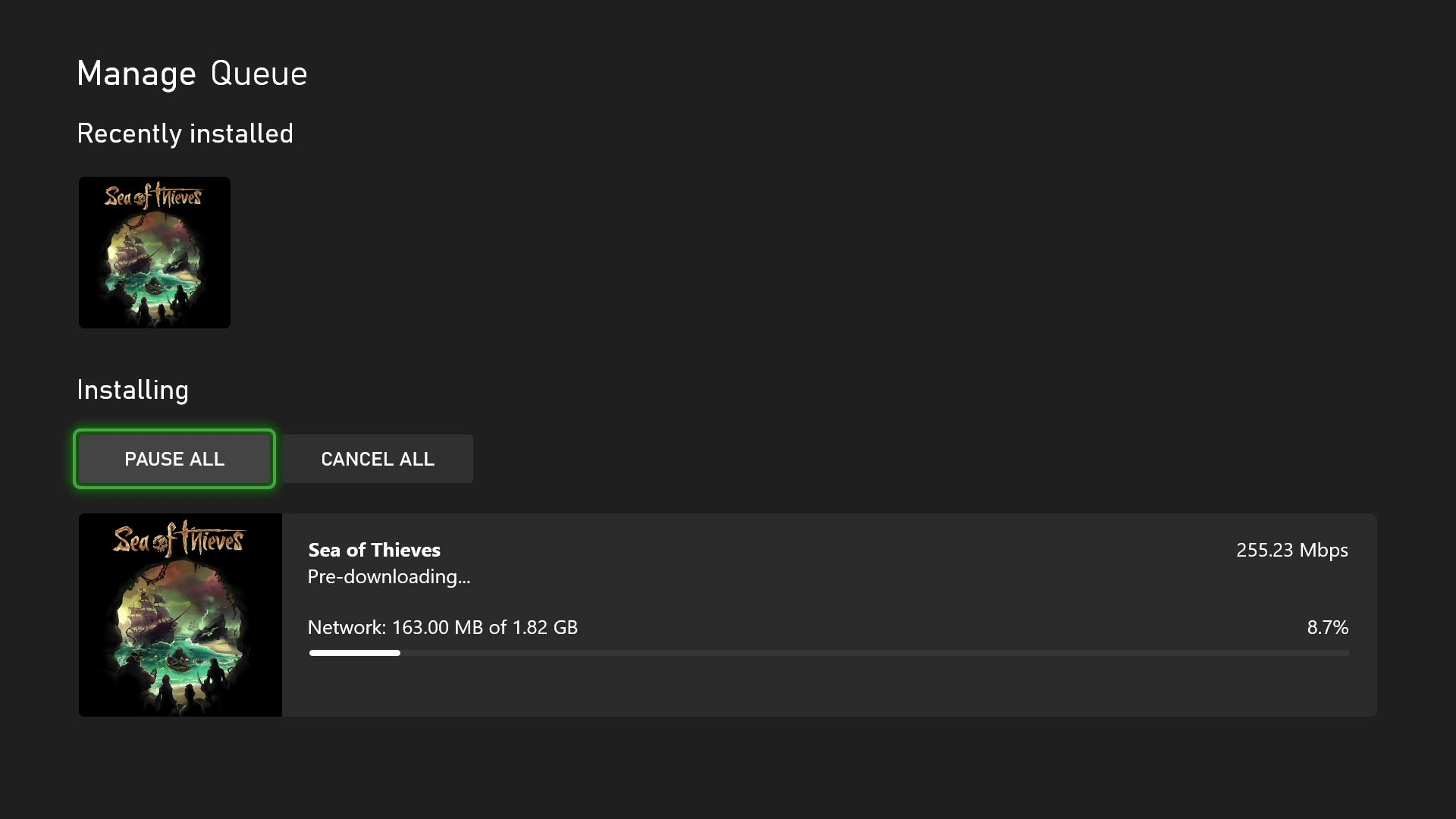
No more waiting for game updates to download. Now you can jump in and start playing right when the update goes live. To start using this new option on your console go to My Games & Apps > Manage > Updates where you’ll be able to see all available pre-downloads. This feature is supported by some of your favorite games now, including Sea of Thieves, Minecraft, Cassette Beasts – and expect many more titles to support it soon.

New Wish List Notifications for Free Play Days and More
Is your wish list up to date? Because it’s about to get even more helpful. Your wish list already lets you keep track of your most wanted games, Free Play Days, add-ons and more, and notifications will help you keep track of when those long-awaited games pop up. With the new update, when a game on your wish list is released, enters the Game Pass library, or becomes available as part of a Free Play Day promotion, you will now receive console notifications. These notifications can be enabled or disabled per your preference in your wish list notification settings.

PC Gaming

Game Bar Compact Mode Is Now Available for All PC Players on Windows.
In August, we announced that Game Bar Compact Mode, a new mode optimized for smaller screens and Windows handhelds, was available to Xbox Insiders.


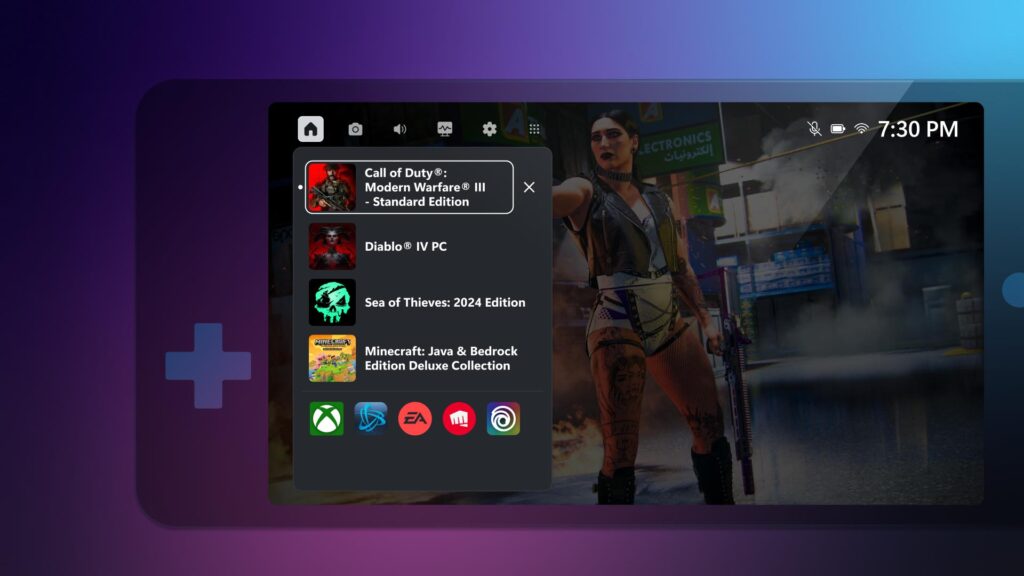
Today, we’re excited to share that all PC players can now enjoy Game Bar Compact Mode on their favorite Windows devices. You can view recently played games, access common game launchers and other gaming utilities, and explore the Widget Store, where you can discover and manage widget applications.

With Compact Mode enabled, access to widgets and navigation is simplified to ensure you can get to the content you want as easily as possible on smaller screens. Compact Mode is also optimized to navigate with a controller, and you can quickly switch between widgets with left and right bumpers (LB/RB).

We also added a new feature in Game Bar Compact Mode to allow you to quit a game that is running by going to the Home widget, selecting the game and pressing close – giving you a faster option than quitting from the game itself or navigating out to your desktop. To turn on Compact Mode, go to Game Bar Settings and, under the General tab, switch on the Compact Mode toggle.

We’re just getting started with Game Bar and can’t wait to share new improvements such as modernizing the look and feel and adding support for virtual keyboard navigation with future updates. You can learn more about Game Bar Compact Mode by visiting the feature overview page.

More Game Management Options Coming Your Way Via the Xbox App on PC
As we announced back in August, we are continuing to enhance game management experiences in the Xbox app on PC. This time, we have made additional improvements to save you download space and time managing your library of games on PC.

  • Easily view and install all add-ons upon game installation.
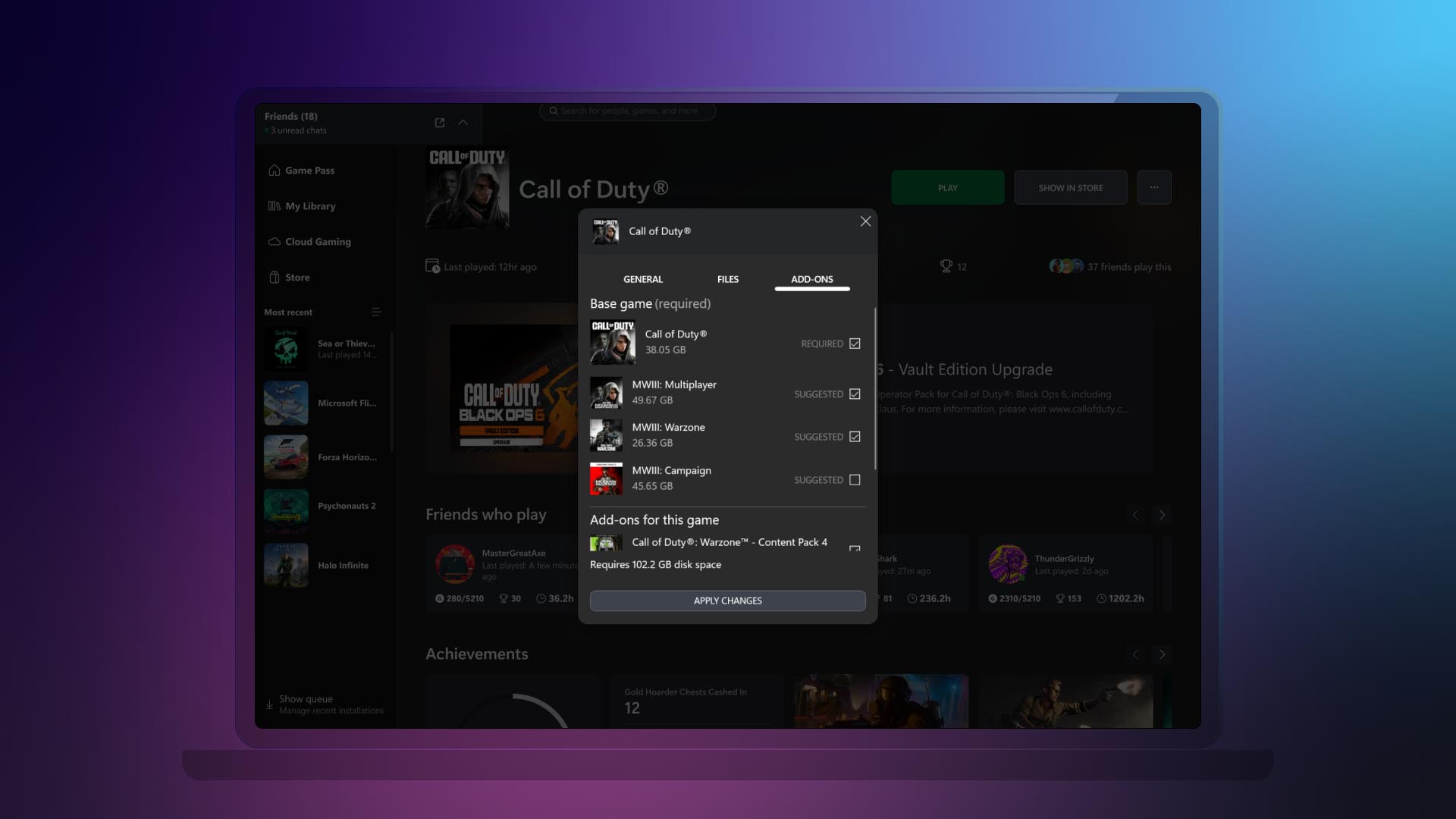
Now you can view and install all add-ons related to the game that you are installing, regardless of when you acquired them or if they were part of the same bundle. This helps you see all content related to the game you are installing at a glance, instead of having to navigate the app to see and install the different add-ons or content tied to the game you want to play.
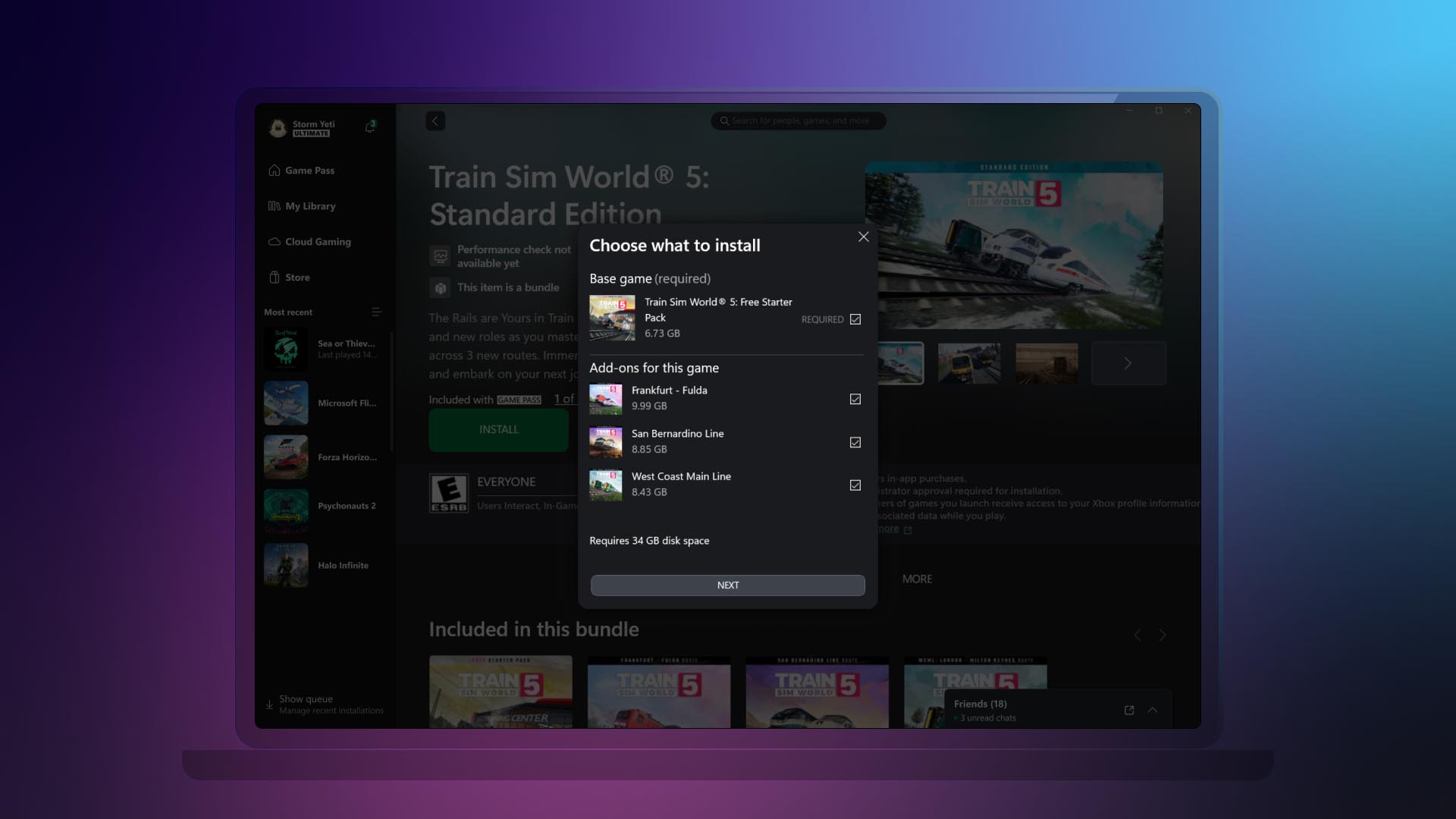
  • Ability to manage all your game content in one place.
If your installed game has add-ons or additional content, we’ll display it all in one place. This is also beneficial to manage any additional content you might have acquired after you added a game to your collection. To access this new view, right-click on any game that you have installed either going to your library or the left navigation panel. Then click on “Manage” and go to the new “Add-ons” section.

DON'T FORGET TO SHARE:


Thursday, September 12, 2024

NEWS: New Xbox Friends and Followers Experience

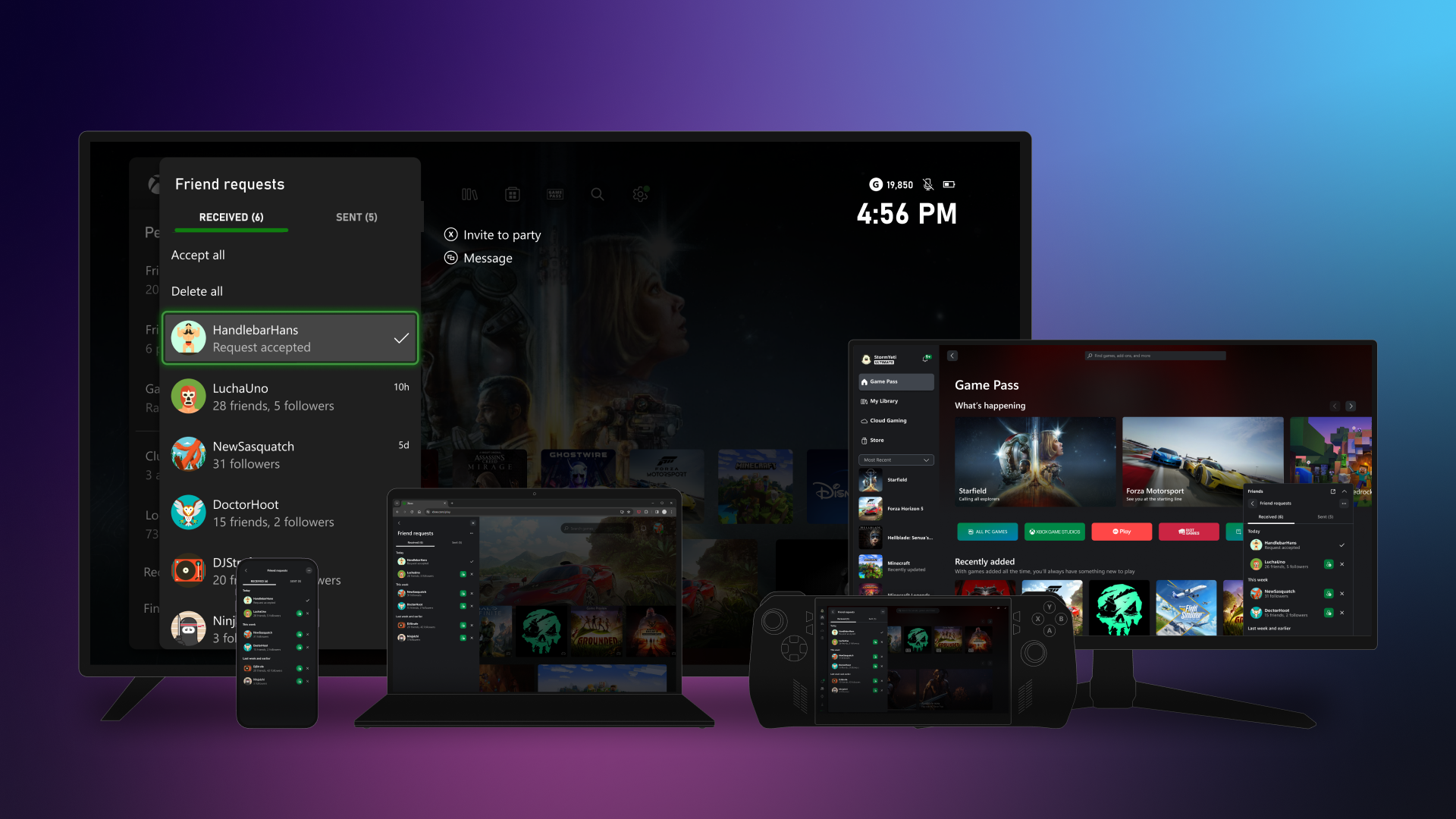
Beginning this week, starting with Alpha Skip-Ahead users on Xbox consoles, and users that have joined the PC Gaming preview on Windows PCs and handheld devices, Xbox Insiders will be able to preview an updated friends and followers experience! With updated relationships, and new privacy and notification settings, you can start managing your social experiences with Xbox just the way you like, from any device.


Friends and followers
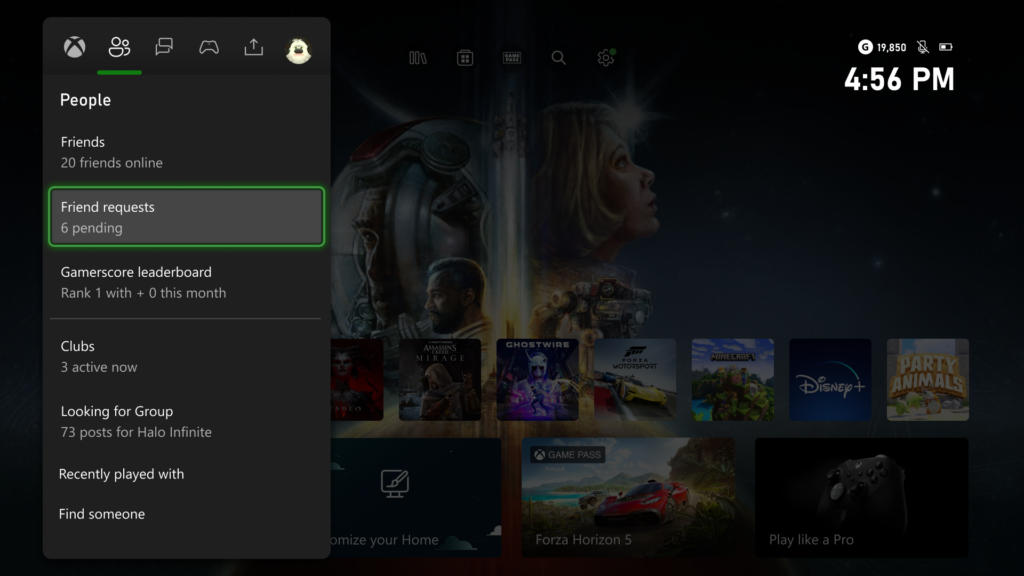
We’re thrilled to announce the return of friend requests! Now, you can easily send, accept, or delete friend requests, making it simpler to connect with others. Friends are now a two-way, invite-approved relationship, giving you more control and flexibility. Meanwhile, following someone remains a one-way connection, allowing you to stay updated with their shared content, whether it’s another player, club, or game.

Getting started is easy
Existing friends and followers will update automatically with this change. You’ll stay friends with people who had also added you as a friend previously and continue following anyone who hadn’t.

To start managing your friends and followers on Xbox consoles, press the Xbox button to open the guide and head to the People tab. Here, you can find all your existing friends in the Friends list, accept (or delete) new friend requests, or find someone new and send a friend request of your own.

It’s just as easy from all the devices you’re already using! Starting with Xbox consoles, Windows PCs and handheld devices, and coming to the rest of your devices later, you’re never far from your friends.


Managing your social experience
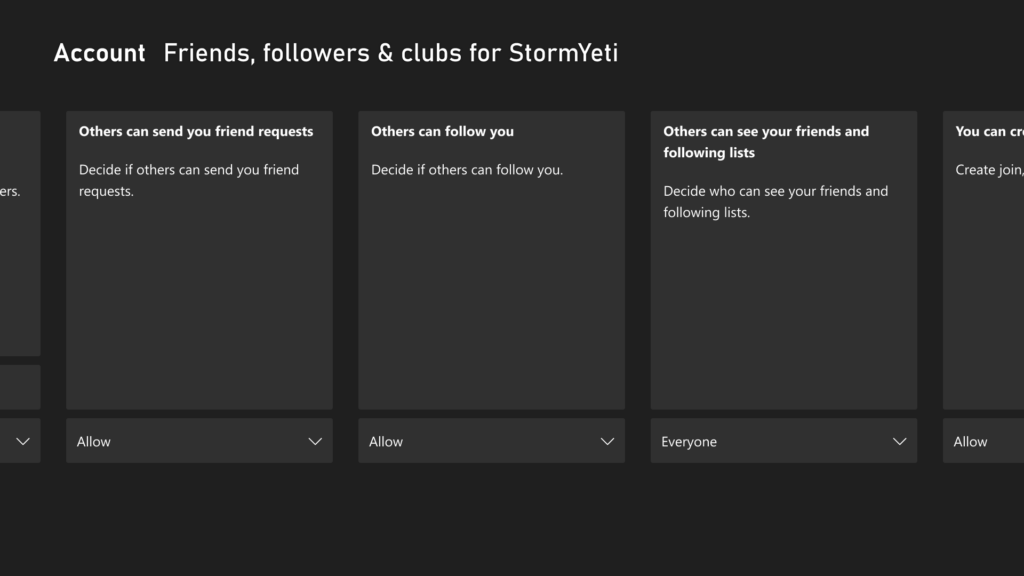
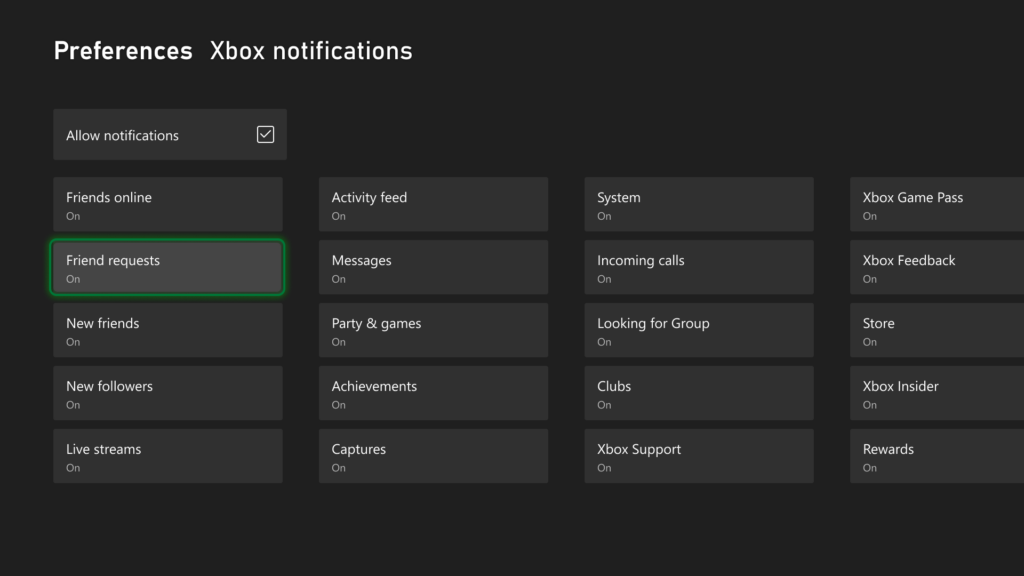
With these updates, we are also adding new privacy and notification settings, letting you decide who can send you friend requests or follow your account and which notifications you receive.

You can manage who can send you friend requests, or follow your account, directly from your Xbox console by navigating to Settings > Account > Privacy & online safety > Xbox privacy, then select View details & customize > Friends, followers & clubs to customize your settings. You can also update your notification preferences on Xbox consoles from Settings > Preferences > Notifications.

Additionally, you can manage your settings online by navigating to Privacy & online safety and signing in. Here, you can customize all your privacy settings, then select Submit when you’re done.

To learn more about managing your settings, visit: Manage Xbox online safety and privacy settings.


DON'T FORGET TO SHARE:


Wednesday, August 28, 2024

SYSTEM UPDATE: Xbox August 2024 Update Is Rolling Out with Updates to Cloud Gaming, Consoles, PC Gaming, and Accessories

Team Xbox is bringing new ways to make Xbox better based on your feedback. This month’s update has brand-new experiences across Xbox Cloud Gaming (Beta), consoles, PC gaming, and wireless controllers.


Xbox Cloud Gaming

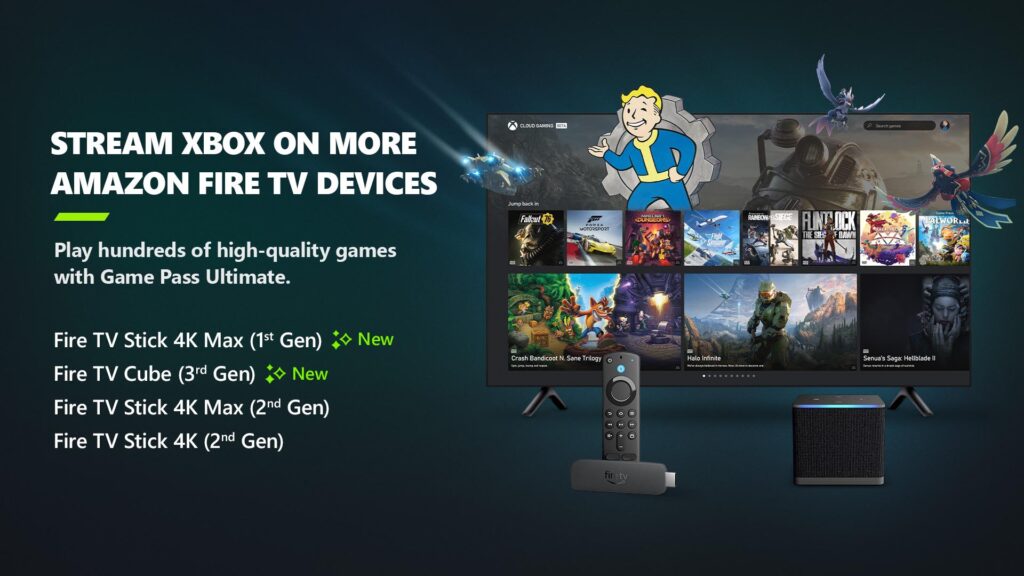
Xbox app on Fire TV now available on Fire TV Stick (1st Gen) and Fire TV Cube (2nd Gen)
Earlier in the year, Xbox announced a collaboration with Amazon where Xbox Game Pass Ultimate members in over 25 countries can play games directly from the Xbox app on select Fire TV devices via cloud gaming, giving people even more choice in how they play their favorite games. Now, alongside the Fire TV Stick 4K Max (2nd Gen) and Fire TV Stick 4K (2nd Gen), the Xbox app on Fire TV is available for customers with a Fire TV Stick 4K Max (1st Gen) and Fire TV Cube (3rd Gen). This expansion offers players even more choice in how they play their favorite games on devices they already own.

Players will have the opportunity to play current games in the Game Pass Ultimate catalog. To get started, download the Xbox app on your eligible Fire TV device via the Amazon Appstore. Once you install and open the app, you’ll be prompted to sign in with your Microsoft account. If you’re already an Xbox Game Pass Ultimate member, you’ll have instant access to stream and play any of the hundreds of cloud-enabled titles in the Game Pass Ultimate library.

Not a member yet? You can easily sign up for Xbox Game Pass Ultimate through the app.

Then, all you have to do is connect a compatible Bluetooth controller and you’re ready to start gaming! The Xbox Wireless Controller, Xbox Adaptive Controller, DualSense or DualShock 4 controllers all work seamlessly. Once connected, you’re all set!

Xbox Consoles

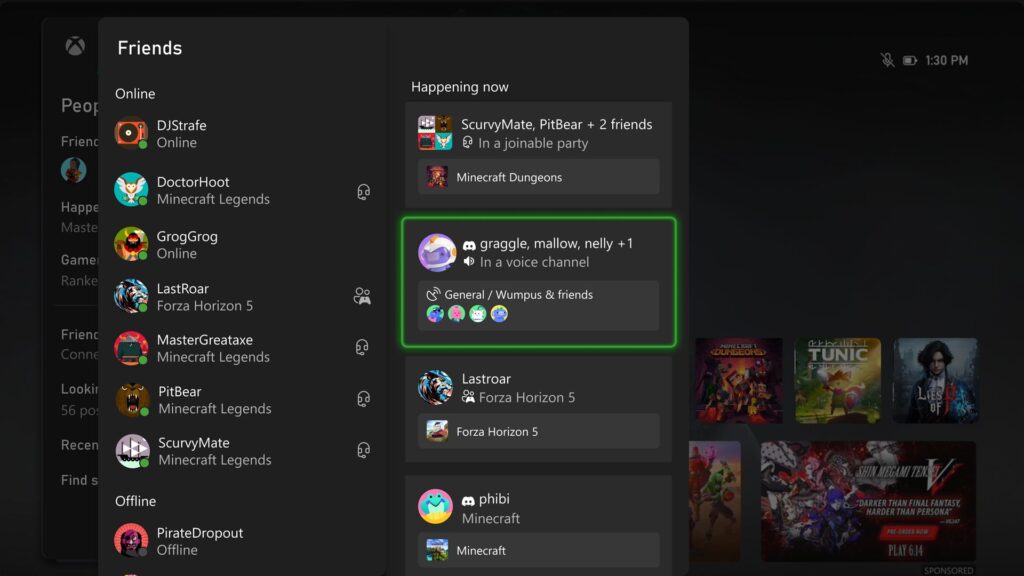
Happening Now – Find your Discord friends and channels from your Xbox
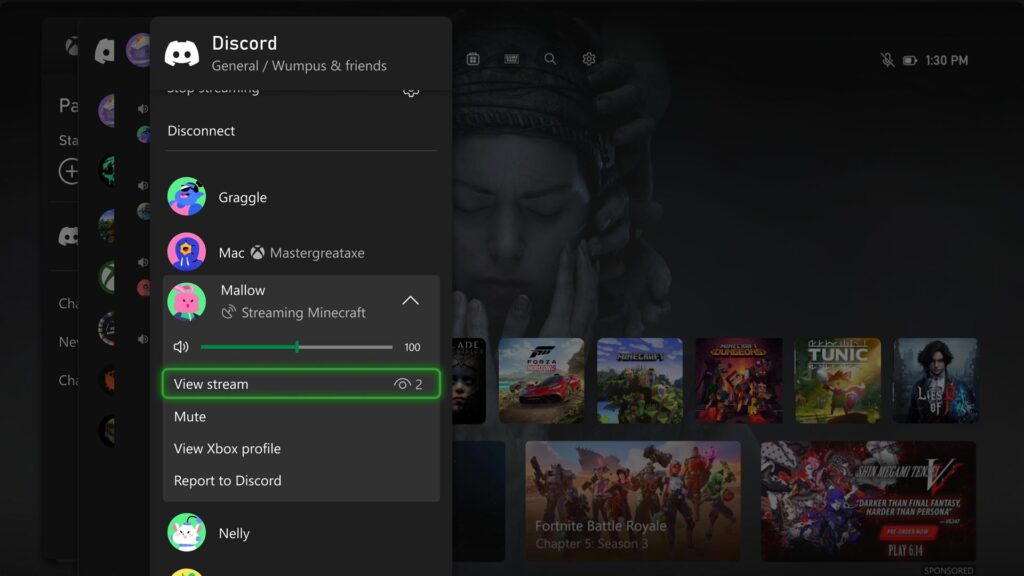
It’s now easier to get updates when one of your Discord friends is playing, chatting, or streaming. Now you can jump into voice chat with them or watch their stream – all on your Xbox console, without having to use the Discord app on PC or mobile.

If your Xbox and Discord accounts are linked, you can opt-in to have your Discord friends included in your Friends list on the Xbox guide by re-linking your accounts. Once you relink your Xbox profile and Discord account, head to the Friends list of the Xbox guide.

Your Discord friends will show up on the right side under “Happening now” whenever they’re playing a game or chatting in Discord voice.

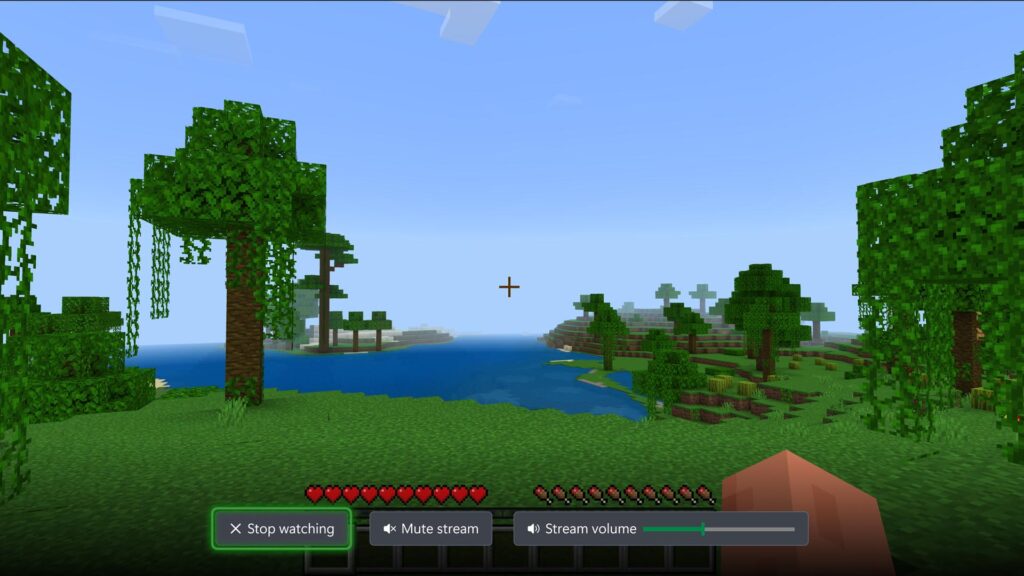
Watch Discord streams on your Xbox console
You can now watch anyone who is streaming directly on your Xbox console when you’re connected to a Discord call or in a voice channel! Are you having an epic moment you want to share? You can stream your gameplay to your Discord friends, too.
DON'T FORGET TO SHARE:


Wednesday, June 12, 2024

SYSTEM UPDATE: The Xbox June Update Is Rolling Out

Team Xbox is bringing new ways to make Xbox better based on your feedback. This month’s update has brand-new features and experiences across consoles, wireless controllers, PC gaming, and Xbox Cloud Gaming (Beta).


Xbox Console Updates

Personalize Your Home Backgrounds Even More
Do you have a favorite dynamic background? Or do you prefer to look at game art? Before today’s rollout, you had to decide whether you wanted to enjoy that dynamic background vs. rotating through all the game art. Now you can mix and match – no need to compromise. You can find the new options under Settings > General > Personalization > My Background > Show selected game art.

Want even more options? There’s also a new setting that lets you adjust your dynamic background color without changing your profile color.


Easily Connect Your Xbox to Your Wireless Networks
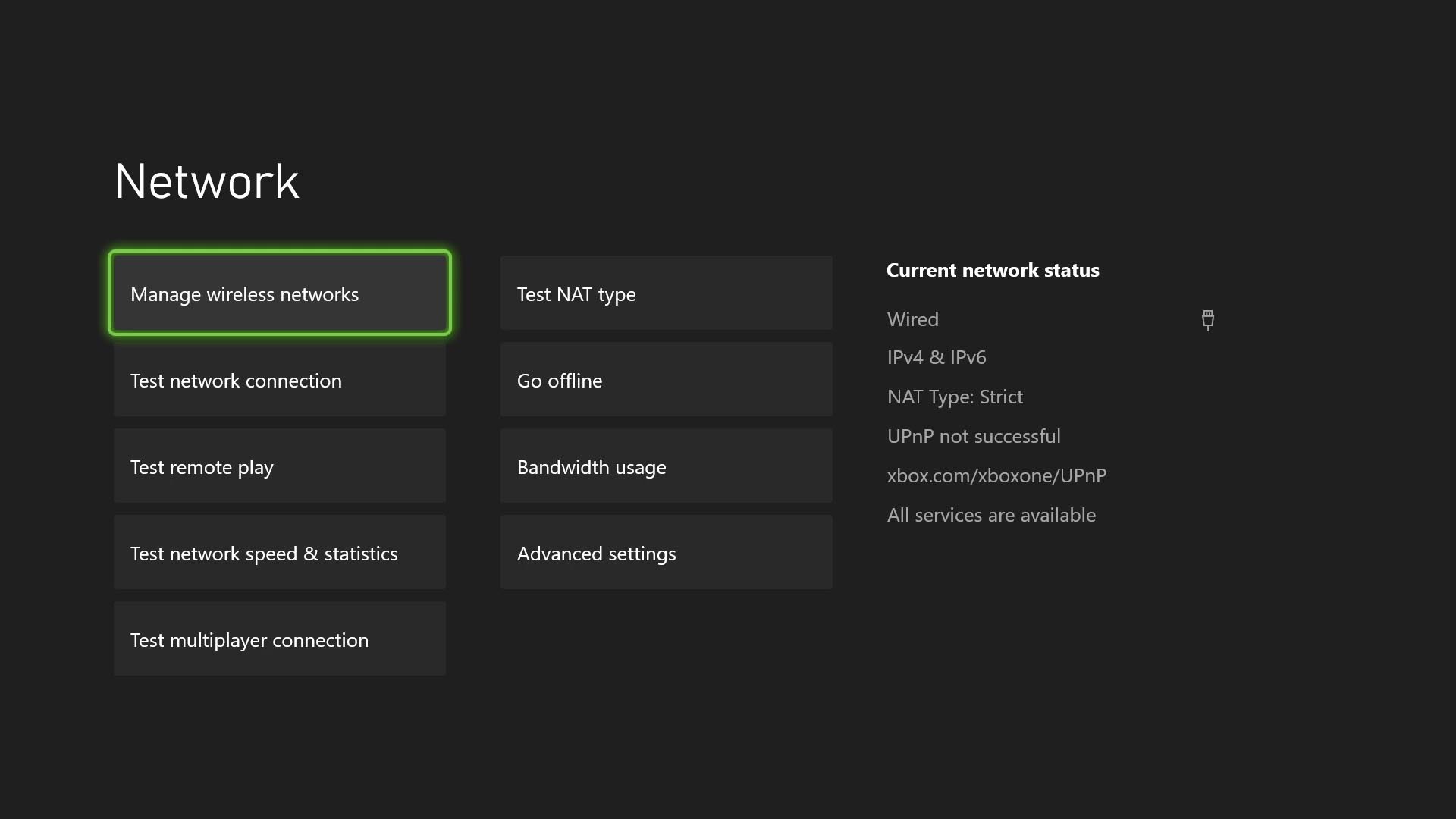
Switching between Wi-Fi networks just got a whole lot easier for your Xbox. You can now remember up to 10 wireless networks that you’ve used before and hop on them without typing the passwords again. It’s also easy to forget and disconnect from the wireless networks you’re done with. No need to remember the Wi-Fi from your trip – unless you plan to go back! To check this out, go to Settings > General > Network settings > Manage wireless networks > Manage my networks.


Manage Your Subscriptions Directly From Your Console
You can now update your subscription plan or turn on recurring billing within your console settings. Go to Settings > Account > Subscriptions, select your subscription, and then choose Change subscription. Once you’re there, you’ll be able to select the options that work best for you. 
Some Experiments You Might See on Your Console
We’re always experimenting and looking for ways to make your console experience even better. This month, you may notice updates such as the ability to find people using console search, updates to the Game Pass page layout and style, and additional information to search card results and flashcard store buttons. As we roll out these experiments, a random subset of players will be able to give them a try.

Wednesday, May 15, 2024

SYSTEM UPDATE: The Xbox May 2024 Update is Rolling Out with Updates for Cloud and PC

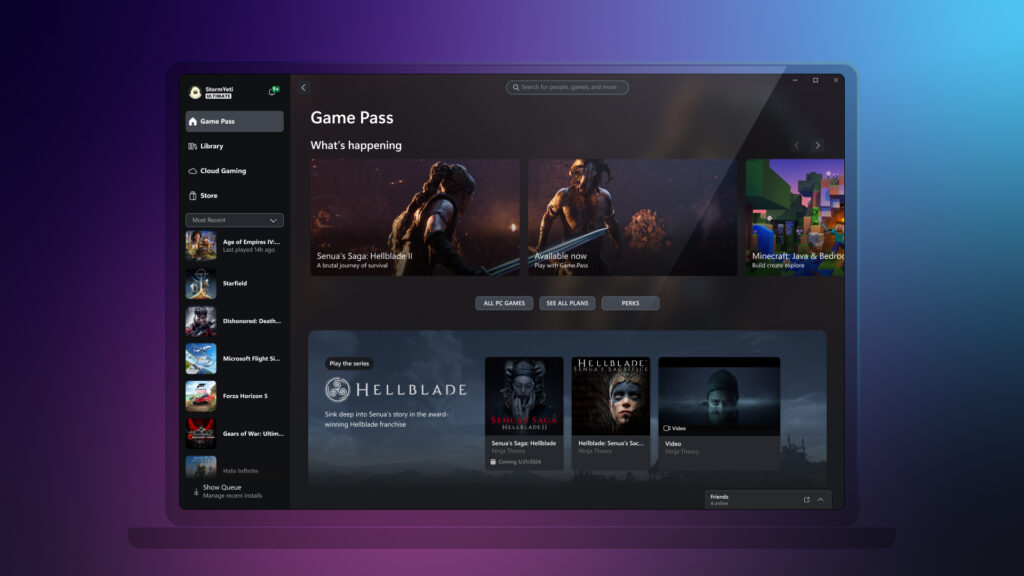
Starting today, Team Xbox is rolling out some highly requested features to continue to improve cloud gaming across devices and screens where Xbox is available. Also, to celebrate the upcoming game launch for Senua’s Saga: Hellblade II, you will be able to experience a new channel on the Xbox app for PC.


Xbox Cloud Gaming (Beta) Updates


Use Your Mouse and Keyboard with Xbox Cloud Gaming (beta)
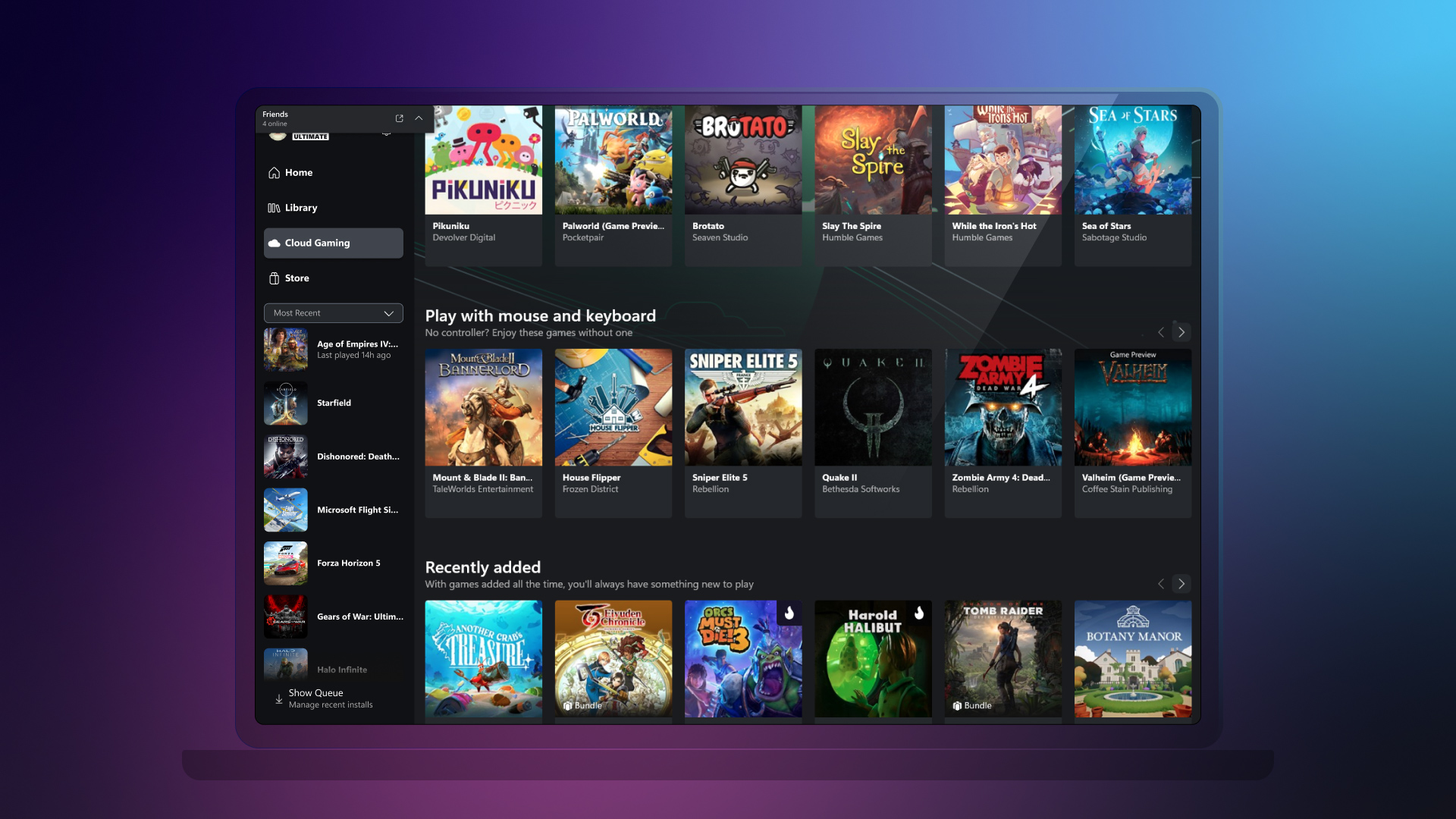
Mouse and keyboard support for cloud gaming will start rolling out today. You can now use your mouse and keyboard for your gaming experience on web browsers (Edge or Chrome).

To start gaming with your mouse and keyboard on web browsers, follow these steps:

  1. Go to xbox.com/play.
  2. Sign in with your Microsoft account.
  3. Select a mouse and keyboard-supported game.
Later this month, you’ll also be able to use the Xbox app on PC by selecting a game that has a mouse and keyboard badge. From there, you will be able to use your mouse and keyboard to control the game, just like you would on a PC game.

Pro Tip: You can also switch between using a mouse and keyboard combination and your controller at any time, by simply pressing any key on your keyboard or the Xbox button on your controller.