Welcome to XboxIssues

Welcome. I decided to make this blog after being a Xbox Ambassador for a number of years.

If you don't know an Ambassador is a Volunteer that Microsoft uses to help ease the load on the actual hard working support people.

I noticed that alot of the questions I would get could easily be solved by using Microsofts Xbox.com site.

Since some of the help articles may be hard to find, understand or the issue may be called something different in the gaming community making it more difficult to solve, I've decided to make this blog to make it easier for fellow gamers to get xbox assistance, news and all things Xbox.

If you have any Xbox related question you can find the answer to feel free to contact me on YouTube, twitter or in the comments.
Showing posts with label Xbox Series S. Show all posts

Thursday, April 30, 2026

UPDATE: April 2026 Xbox Update

Xbox is expanding customization and control across console, PC, mobile, and handheld platforms, giving players more flexibility in how they manage and experience their games. Console improvements include the ability to pin more groups to Home, create custom color themes, disable Quick Resume on a per-game basis, and use an improved Play History along with better streaming controls. On PC, players can add any game to their library, pin favorites for quick access, navigate with a gamepad cursor, and reposition notifications. The mobile app now sends alerts for wishlist updates, while ROG Xbox Ally devices gain docking enhancements, improved audio features, and support for new PC tools, plus a preview of Auto Super Resolution. Additional touches like dynamic backgrounds and a Rewards sweepstakes round out the changes, all aimed at making the gaming experience more personalized and seamless.

Console Updates

More Groups on Home

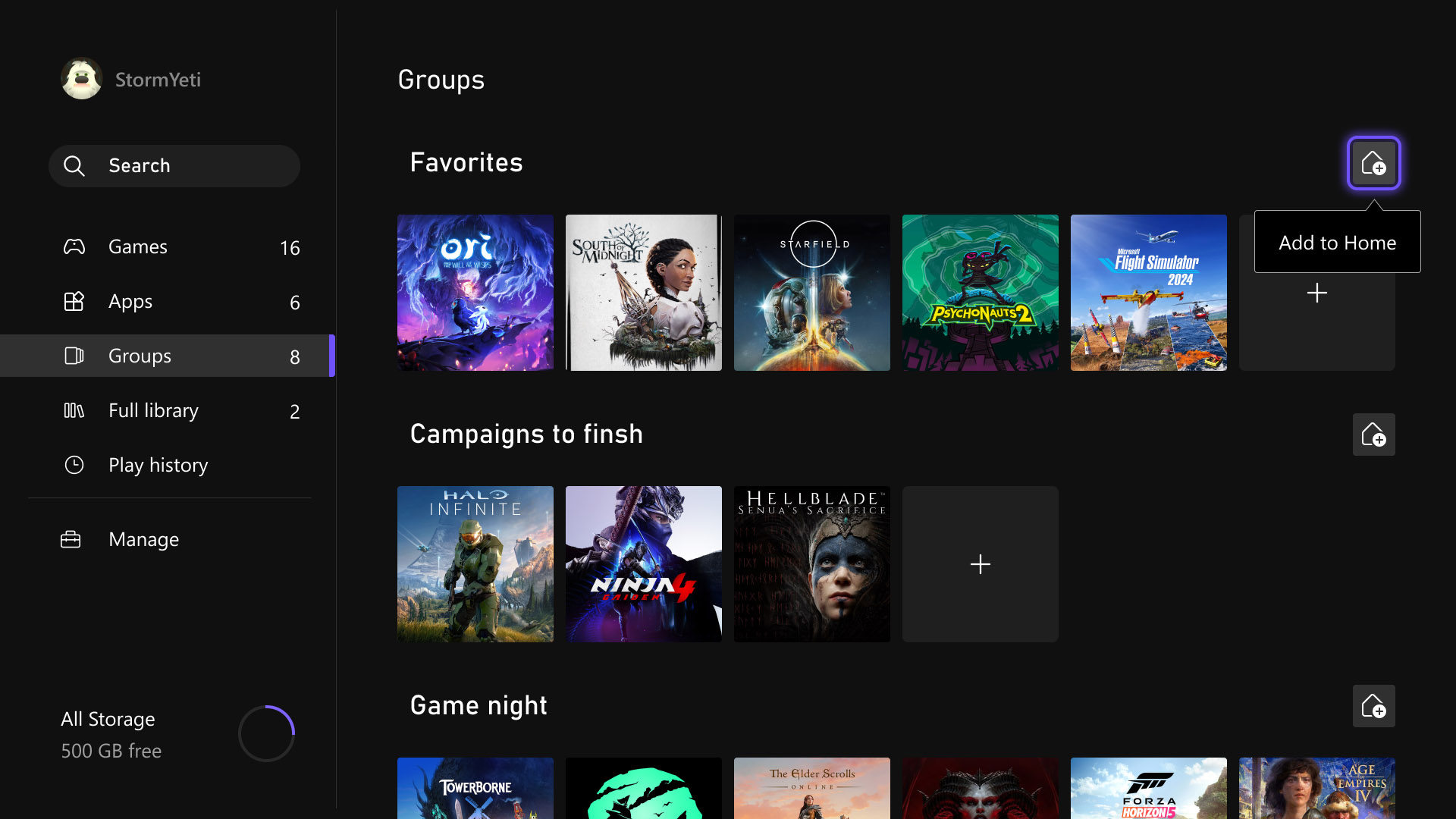
Last month, several highly requested console updates were introduced in the Xbox Insider preview, and they are now available to all players. Users can now add up to ten groups to their Home screen instead of two, allowing for greater flexibility in organizing games and apps. Group management has also been streamlined, with reordering now matching the familiar process used for moving games on Home. In addition, pinning groups has been improved with clearer indicators in My Games & Apps, making it easier to see which groups are already added and customize the layout more efficiently.

Custom Color

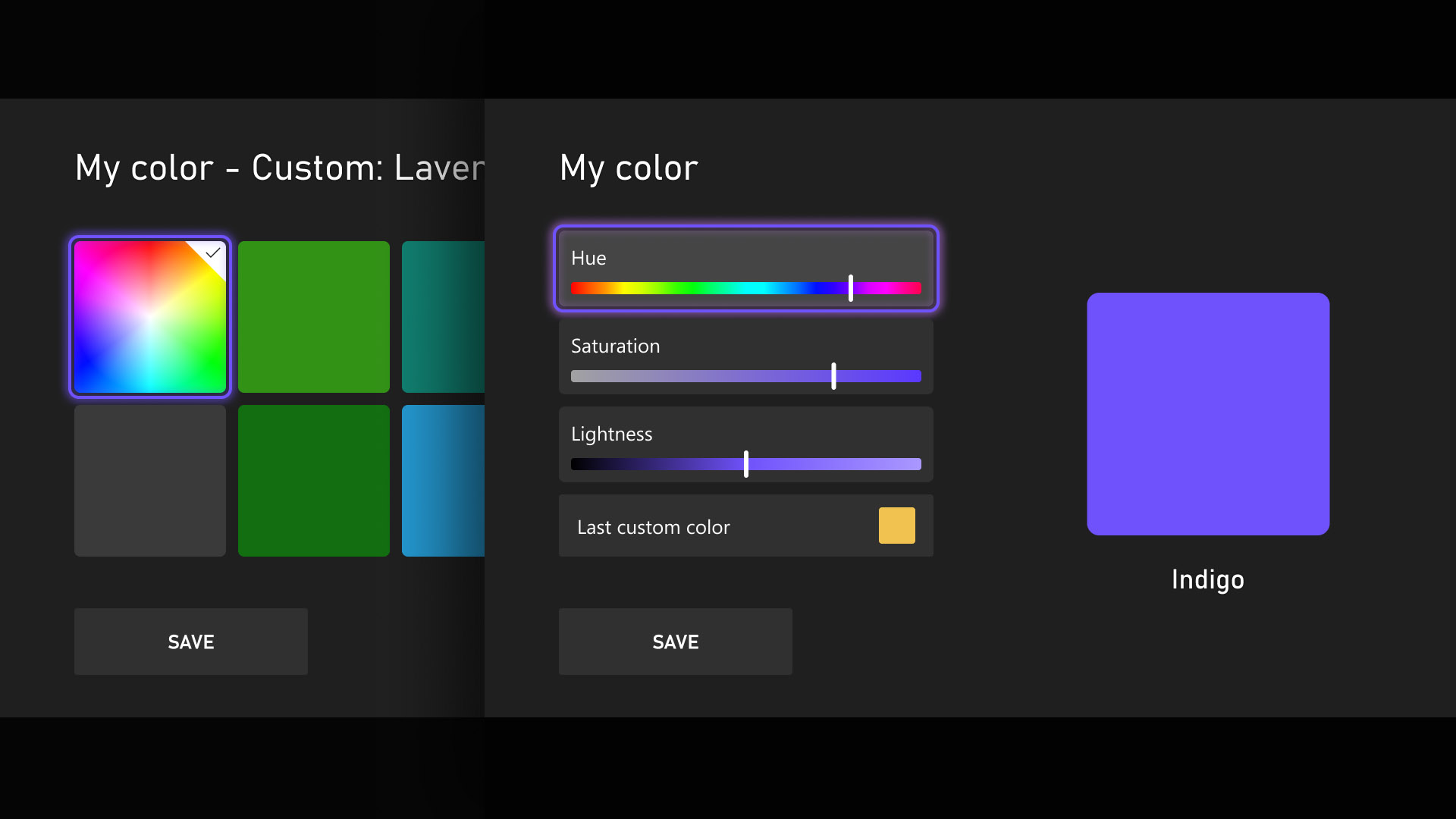
Personalization and self-expression are emphasized as key parts of the console experience, with the introduction of custom colors expanding options beyond the existing palette. Users can now design a personalized color by adjusting sliders to fine-tune hue and shade, with the selected color appearing subtly across the console, including as an accent in the Guide. Those who prefer a simpler interface can disable these accents through Settings > General > Personalization > Customize the guide. To ensure clarity and usability, several safeguards have been added, and previously chosen custom colors are automatically saved when switching back to system defaults, allowing easy reuse later.

Quick Resume Settings

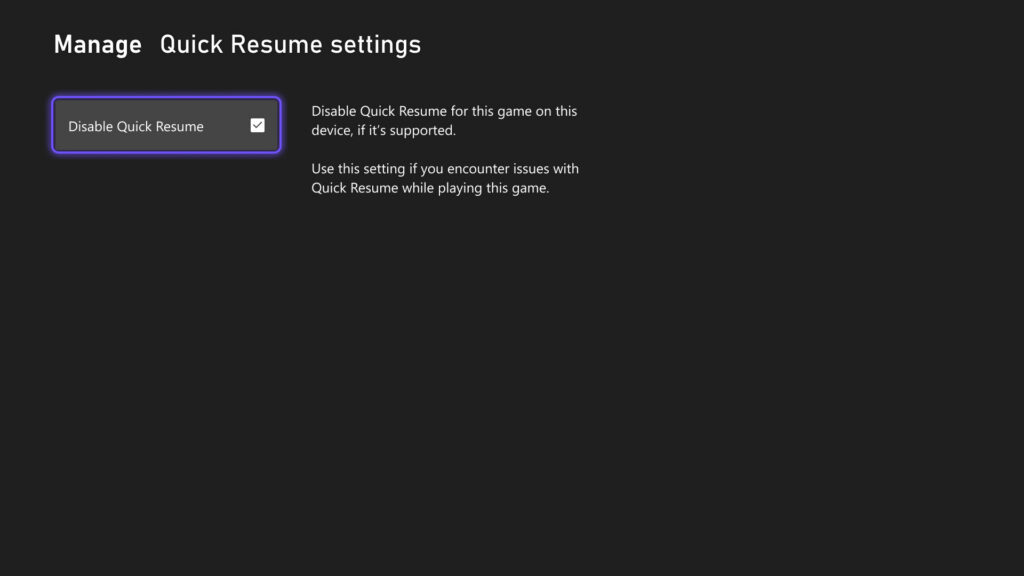
Quick Resume remains one of Xbox’s most popular features, though feedback has highlighted performance issues after long inactivity or with games that depend heavily on online connectivity. To address this, users can now disable Quick Resume on a per-game basis, ensuring selected games always start fresh. This option is accessible by opening More options on a game tile within the Quick Resume group and selecting Manage Quick Resume, or by navigating to any game tile and choosing Manage game and add-ons > Quick Resume settings.

Play History Update

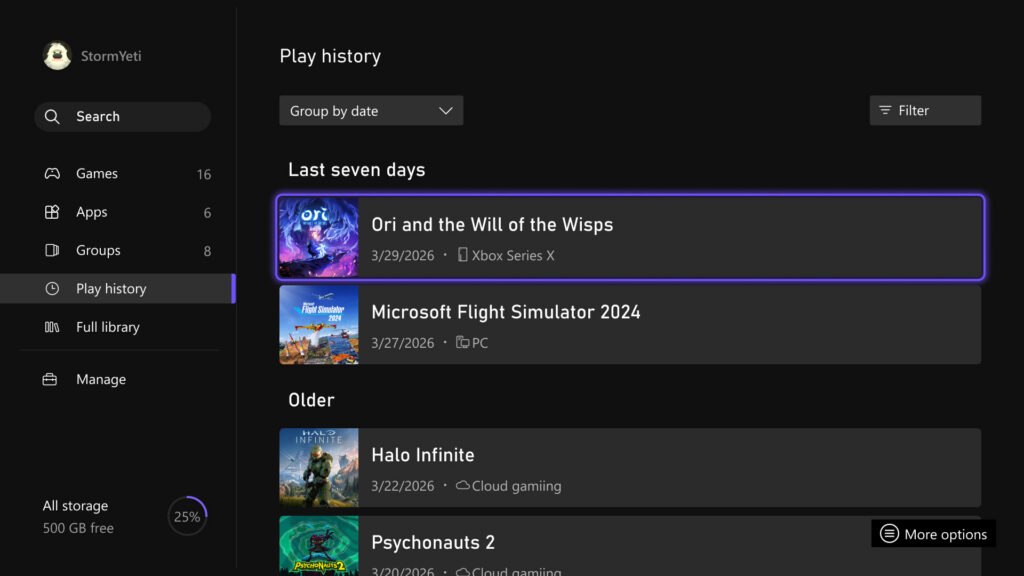
The Play History experience on console has been updated to make it easier to find, browse, and use from any entry point. A new Play History tab within My games & apps provides direct access without needing to return to Home. The layout has also been redesigned into a horizontal format with clearer grouping based on recency, allowing faster resumption of recently played games. Overall, the update delivers a more streamlined and accessible Play History experience that keeps recent gameplay readily available across devices.

User Selected Resolution and Network Quality Indicator

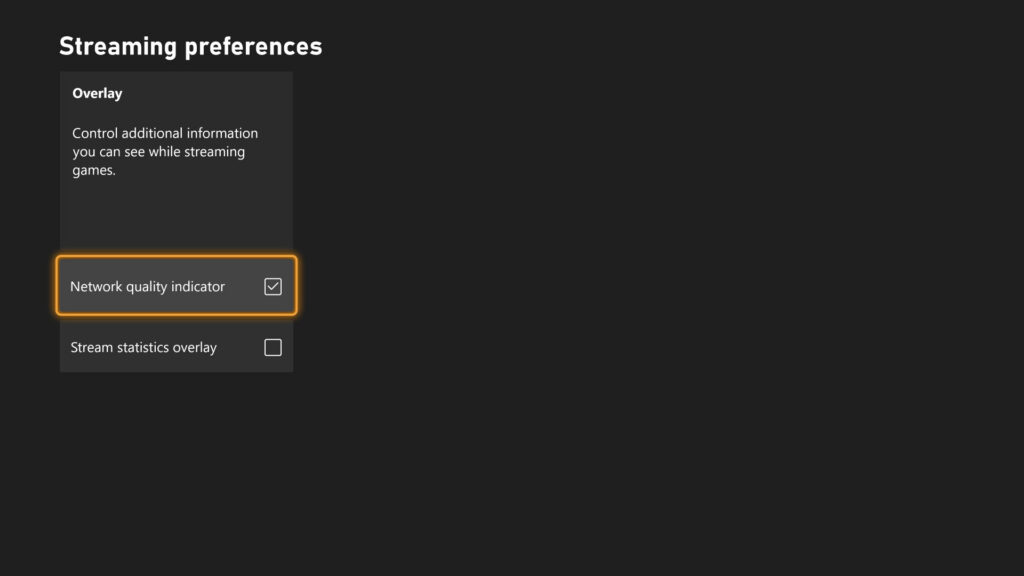
Streaming settings have been updated to provide clearer control and improved transparency over the gaming experience. New options include User Selected Resolution (USR), allowing players to choose their preferred streaming resolution in Console Settings > Cloud Settings before starting a session. A Network Quality Indicator (NQI) has also been introduced, offering real-time feedback on network performance while streaming to help users understand how their connection affects gameplay. These changes are designed to give players more insight and control, resulting in a more consistent and confident streaming experience.

CLICK "READ MORE" to See the Rest of the Updates

Monday, November 22, 2021

HOW TO: Turn off Cross Play on Xbox Series X|S & Xbox One

If you don't know a lot of modern video games have cross play.  Cross play is an option that allows you to play games with other systems, like Xbox playing with Play Station or PC users.  Even though  this is a great feature, you may want to turn it off.  Sometimes one system may have an advantage over another, some people think PC players have an advantage in FPS games when playing with console players. Some games give you the option to turn off cross play in their settings, however some games like Battlefield 2042 and MLB the Show 2021 do not, and you have to turn cross play off in the system settings.


Please Don't Forget To Share:

Thursday, October 21, 2021

SYSTEM UPDATE: October Xbox Update 4K Dashboard and more

Team Xbox is excited to continue bringing new ways to make Xbox better, with you at the center, as we refine the experience and deliver brand new features based on your feedback. This month’s update includes the natively rendered 4K dashboard on Xbox Series X consoles, Xbox night mode, Quick Settings and more.

4K Dashboard on Xbox Series X
One of the ways Xbox Series X delivers next gen gaming is with true-to-life 4K gaming. Prior to today’s update, the Xbox Series X dashboard, Guide, and other menus were upscaled from 1080p to 4K. We know players with an eye for detail and an appreciation for 4K wanted a crisp experience even when navigating the dashboard. We heard your feedback and started testing increased resolution for the dashboard.

We’re excited to share that starting today, players with an Xbox Series X connected to a 4K display will see the dashboard natively rendered in 4K. You can experience 4K while browsing the Home, My Games & Apps, Guide, and many other experiences. UI elements on the screen, such as game art and buttons, will have increased sharpness and improved text readability.


Xbox Night Mode


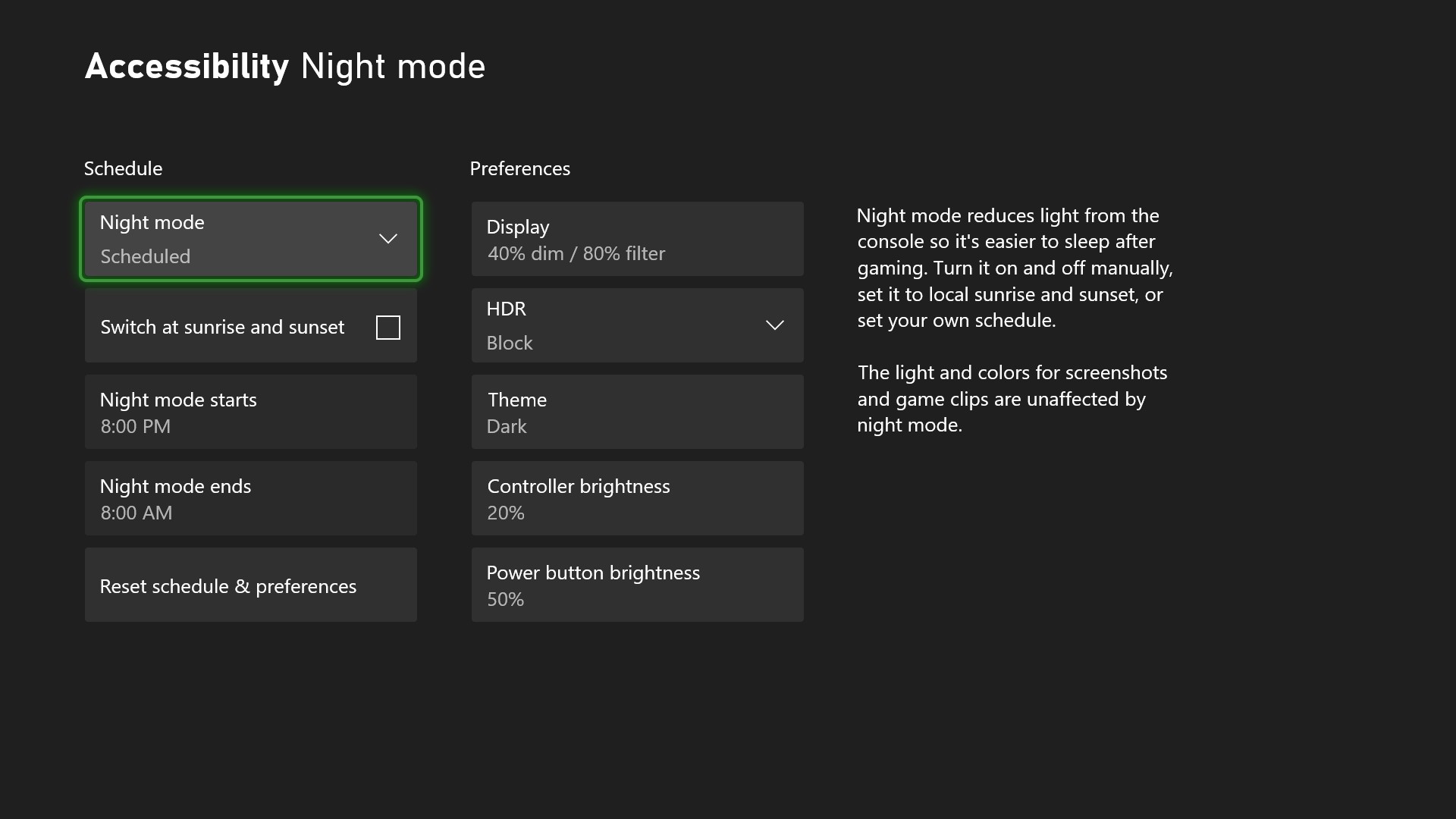
Xbox night mode is a suite of settings that adjusts light sources to help keep rooms dark at night and support gamers who are sensitive to light. You can dim and customize the light from the connected display, the power button on your controller, and the power light on your console. If you’re a movie fan, you can now enjoy theater-like total darkness while watching your favorite films!


In addition to dimming, Xbox night mode also adds a customizable blue light filter for your display. This feature is specific for Xbox Series X|S consoles.

All of this customization works across the Xbox system, apps, and games, and does not impact performance, screenshots or game clips.

You can also create a night mode schedule that will dynamically switch between Dark and Light theme. You can manually toggle night mode on and off, time it with the sunrise and sunset, or create your own schedule.


To start using Xbox night mode to dim and filter your screen, as well as dim your console & controller LED brightness, go to Settings > Accessibility > Night mode or Settings > TV & display options > Night mode.

Quick Settings
We are making it even easier for you to quickly access and customize your accessibility settings by adding the Quick Settings menu to the Xbox Guide. This allows you to quickly toggle accessibility features without leaving your game or app. It’s also a big benefit for families if you share a console with others who have different accessibility needs. You can use quick settings to switch features on or off, depending on who is currently using the console. That means everyone in the family can easily flip the settings to their tailored experience.


Please Don't Forget To Share:

NEWS: New 2TB and 512GB Seagate Storage Expansion Cards for Xbox Series X|S

Xbox Game Pass has made it possible for Xbox gamers to have a library of games at their very fingertips. Between Game Pass and four generations of game compatibility on Xbox Series X|S, there are thousands of games to choose from and play. With so many games available, we want to ensure there are also options when it comes to storage capacity and support to expand next-gen storage.

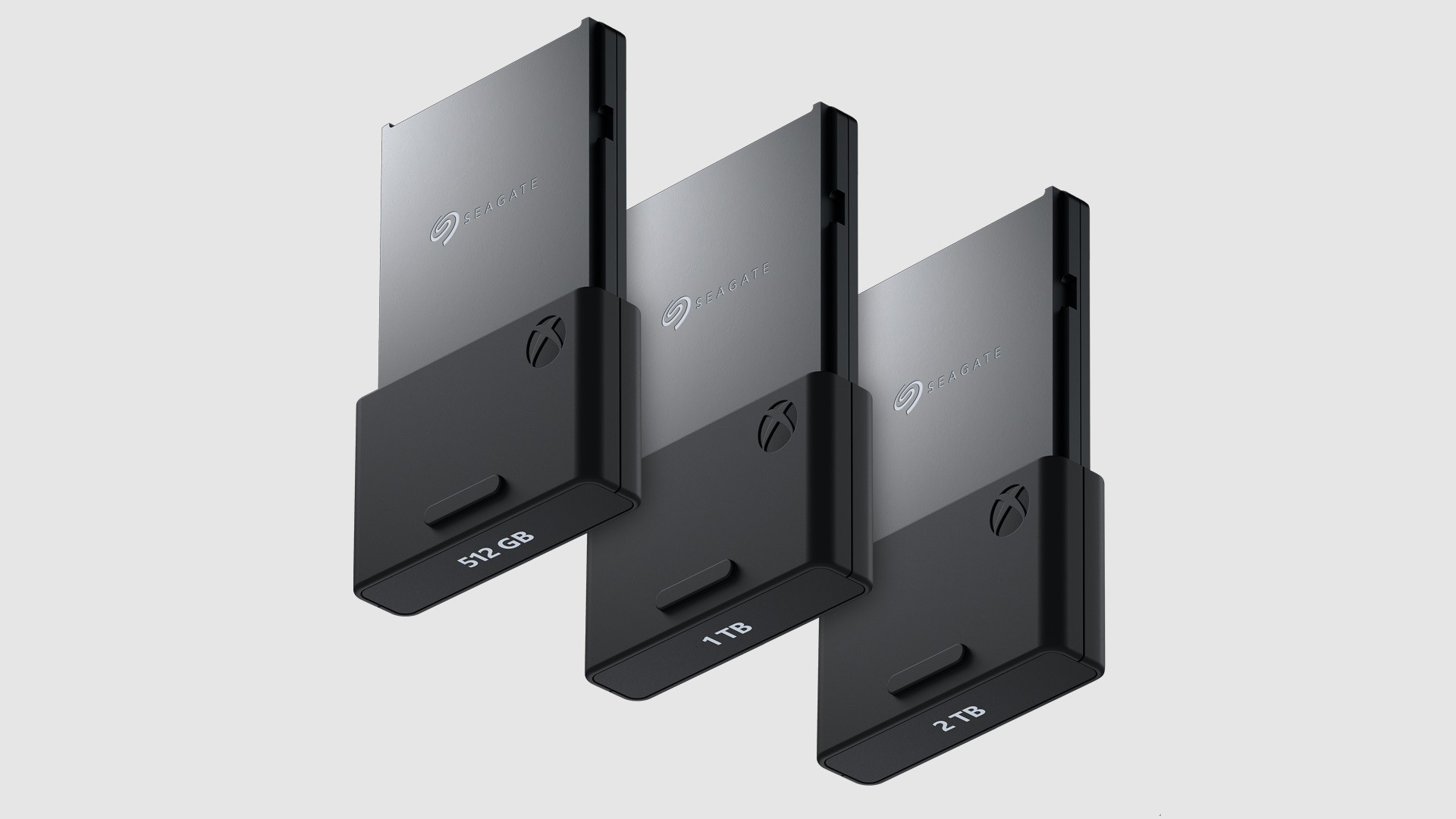
At the launch of Xbox Series X and Xbox Series S,  Microsoft announced the close collaboration with Seagate to expand next-gen storage with the 1TB Seagate Storage Expansion Card. Microsoft has collaborated with Seagate once again, and are excited to announce 512GB and 2TB Storage Expansion Cards for Xbox Series X|S will be available soon in all Xbox markets.


The Seagate 512GB Storage Expansion Card for Xbox Series X|S is available for pre-order today from Walmart in the United States for $139.99 USD (US Dollars) and will launch mid-November. For other markets and availability, please check your local retailer.

The Seagate 2TB Storage Expansion Card for Xbox Series X|S will be available for pre-order in November for $399.99 USD and will launch early December. The Seagate 2TB Storage Expansion Card will also be the next product featuring the Designed for Xbox Limited Series badge, ensuring premium product quality, performance, and design.


Please Don't Forget To Share:


Wednesday, July 28, 2021

FREEBIES: Xbox Live Games With Gold for August 2021

For the month of August 2021, Xbox Live Gold and Xbox Game Pass Ultimate members will receive four free games – two on Xbox Series X, Series S and Xbox One, and  two on Xbox 360 – as part of the Games with Gold program. You can play all four of the titles on your Xbox One or Xbox Series X|S with Backward Compatibility.

*Titles are available as free downloads for qualifying Xbox Live Gold and Game Pass Ultimate members in all markets where Xbox Live is available. Some regions may offer different titles depending on market availability.


Please Don't Forget To Share:

Tuesday, May 11, 2021

NEWS: Xbox "Insiders" are Getting First Dibs on Xbox Series X|S Restock...Here is how to get yours

Information about registering for a chance to reserve the Xbox Series X is located on the Xbox Insider Hub of the Xbox One interface, according to the official Xbox Insider Twitter account. The tweet notes that space will be limited and not all who register will be able to buy the console, which seems obvious at this point. 


Please Don't Forget To Share: