Welcome to XboxIssues

Welcome. I decided to make this blog after being a Xbox Ambassador for a number of years.

If you don't know an Ambassador is a Volunteer that Microsoft uses to help ease the load on the actual hard working support people.

I noticed that alot of the questions I would get could easily be solved by using Microsofts Xbox.com site.

Since some of the help articles may be hard to find, understand or the issue may be called something different in the gaming community making it more difficult to solve, I've decided to make this blog to make it easier for fellow gamers to get xbox assistance, news and all things Xbox.

If you have any Xbox related question you can find the answer to feel free to contact me on YouTube, twitter or in the comments.
Showing posts with label Xbox Update. Show all posts

Thursday, April 30, 2026

UPDATE: April 2026 Xbox Update

Xbox is expanding customization and control across console, PC, mobile, and handheld platforms, giving players more flexibility in how they manage and experience their games. Console improvements include the ability to pin more groups to Home, create custom color themes, disable Quick Resume on a per-game basis, and use an improved Play History along with better streaming controls. On PC, players can add any game to their library, pin favorites for quick access, navigate with a gamepad cursor, and reposition notifications. The mobile app now sends alerts for wishlist updates, while ROG Xbox Ally devices gain docking enhancements, improved audio features, and support for new PC tools, plus a preview of Auto Super Resolution. Additional touches like dynamic backgrounds and a Rewards sweepstakes round out the changes, all aimed at making the gaming experience more personalized and seamless.


Console Updates

More Groups on Home

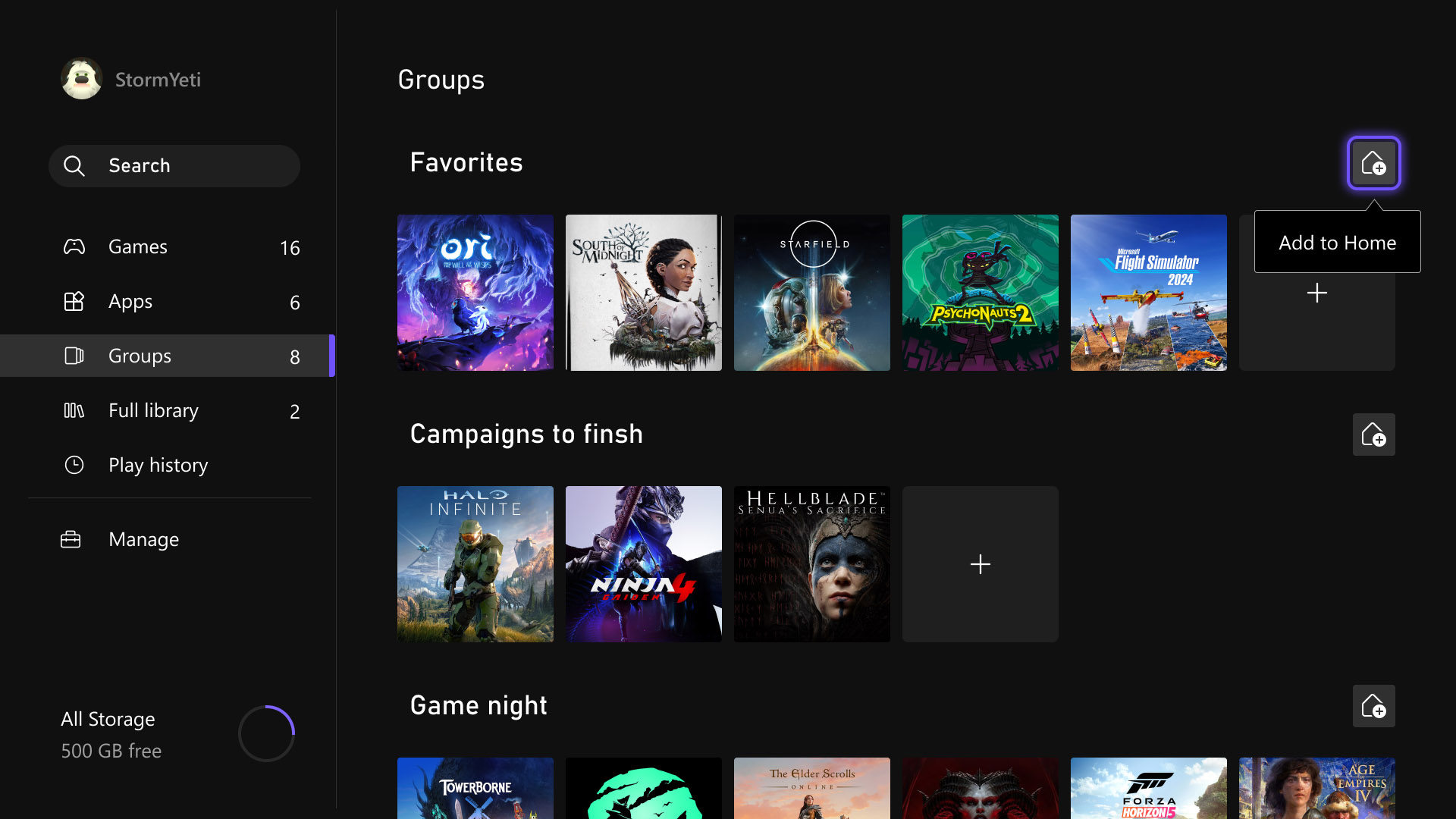
Last month, several highly requested console updates were introduced in the Xbox Insider preview, and they are now available to all players. Users can now add up to ten groups to their Home screen instead of two, allowing for greater flexibility in organizing games and apps. Group management has also been streamlined, with reordering now matching the familiar process used for moving games on Home. In addition, pinning groups has been improved with clearer indicators in My Games & Apps, making it easier to see which groups are already added and customize the layout more efficiently.

Custom Color

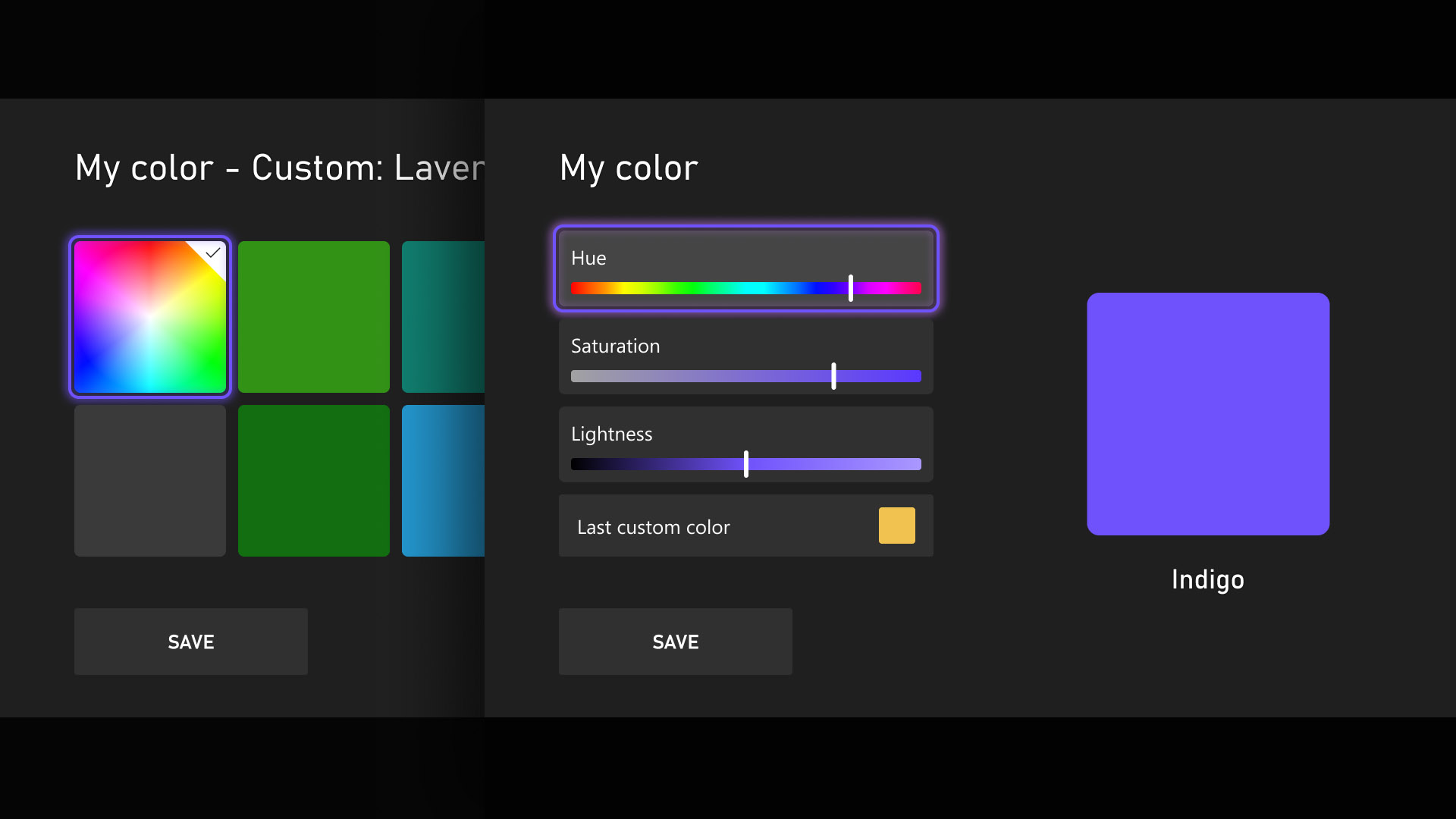
Personalization and self-expression are emphasized as key parts of the console experience, with the introduction of custom colors expanding options beyond the existing palette. Users can now design a personalized color by adjusting sliders to fine-tune hue and shade, with the selected color appearing subtly across the console, including as an accent in the Guide. Those who prefer a simpler interface can disable these accents through Settings > General > Personalization > Customize the guide. To ensure clarity and usability, several safeguards have been added, and previously chosen custom colors are automatically saved when switching back to system defaults, allowing easy reuse later.

Quick Resume Settings

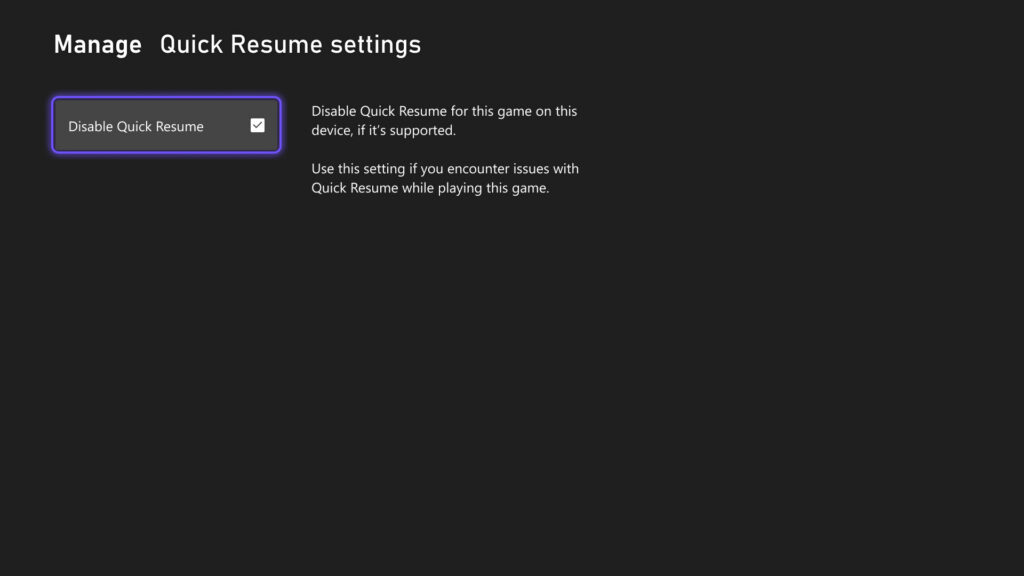
Quick Resume remains one of Xbox’s most popular features, though feedback has highlighted performance issues after long inactivity or with games that depend heavily on online connectivity. To address this, users can now disable Quick Resume on a per-game basis, ensuring selected games always start fresh. This option is accessible by opening More options on a game tile within the Quick Resume group and selecting Manage Quick Resume, or by navigating to any game tile and choosing Manage game and add-ons > Quick Resume settings.

Play History Update

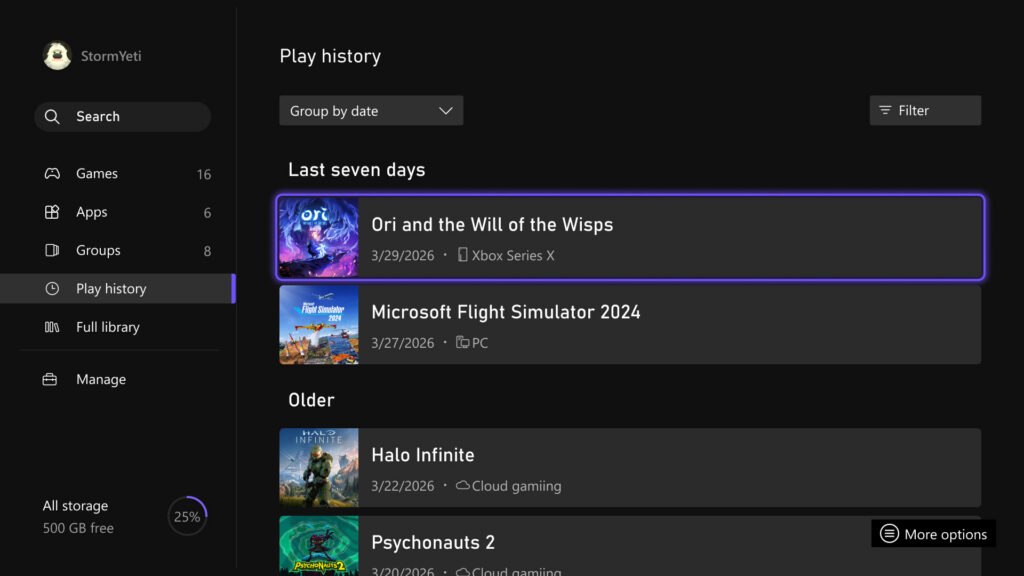
The Play History experience on console has been updated to make it easier to find, browse, and use from any entry point. A new Play History tab within My games & apps provides direct access without needing to return to Home. The layout has also been redesigned into a horizontal format with clearer grouping based on recency, allowing faster resumption of recently played games. Overall, the update delivers a more streamlined and accessible Play History experience that keeps recent gameplay readily available across devices.

User Selected Resolution and Network Quality Indicator

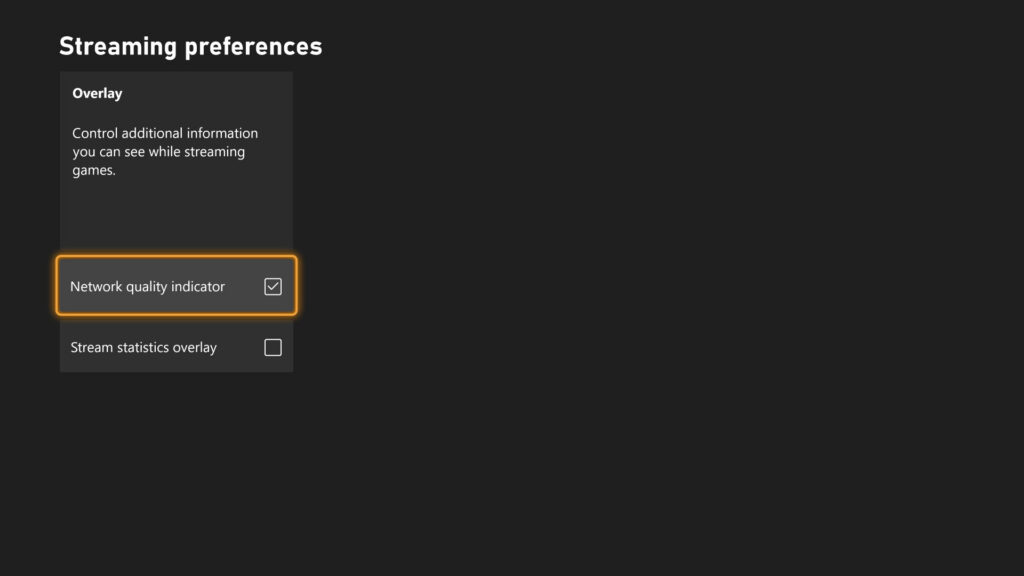
Streaming settings have been updated to provide clearer control and improved transparency over the gaming experience. New options include User Selected Resolution (USR), allowing players to choose their preferred streaming resolution in Console Settings > Cloud Settings before starting a session. A Network Quality Indicator (NQI) has also been introduced, offering real-time feedback on network performance while streaming to help users understand how their connection affects gameplay. These changes are designed to give players more insight and control, resulting in a more consistent and confident streaming experience.

CLICK "READ MORE" to See the Rest of the Updates

Tuesday, July 29, 2025

SYSTEM UPDATE: Xbox Update Breaks Boundaries with PC Game Streaming

Xbox continues its mission to make gaming more meaningful, flexible, and enjoyable—no matter where or how players choose to play. This month’s update introduces new features to the Xbox PC app that reflect that vision, offering more ways for players to stay connected to their games and progress.

These enhancements are part of a broader initiative to improve the Xbox experience on PC and extend the platform’s most loved features to more places. Whether streaming owned games, jumping back into cloud play, or tracking progress across devices, the update empowers players with greater control, flexibility, and freedom to play their way.


PC Gaming Updates

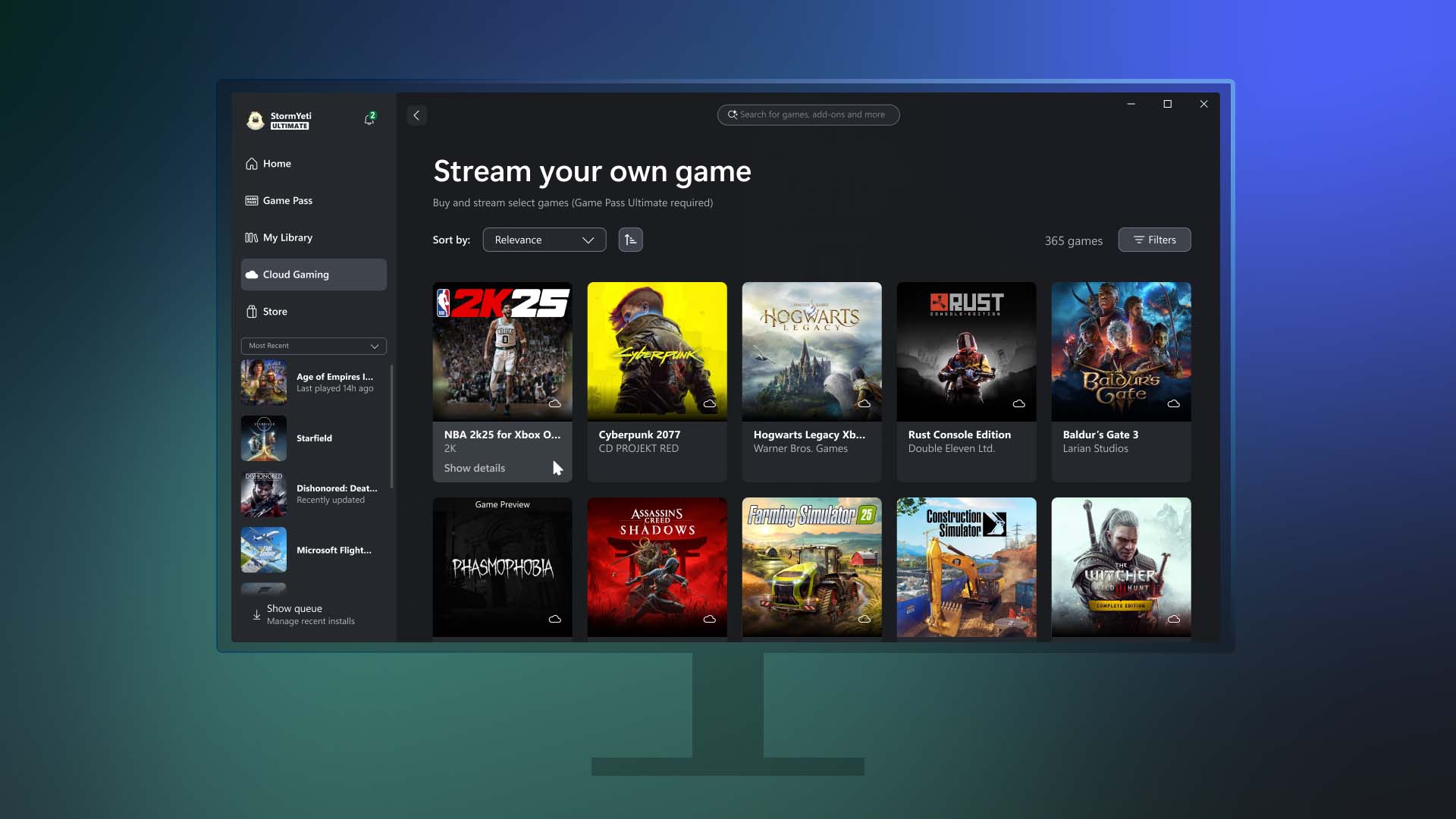
Stream your own games on PC
Earlier this year, Xbox introduced the ability for Game Pass Ultimate members to stream their owned games on Xbox Series X|S and Xbox One consoles, smart TVs, Meta Quest headsets, and other browser-supported devices such as PCs, smartphones, and tablets. That same level of flexibility is now coming to the Xbox PC app.

Starting today, Game Pass Ultimate members in the 28 countries where Xbox Cloud Gaming (Beta) is available can stream from a selection of over 250 owned titles directly through the Xbox PC app. This includes recently added games like Assassin’s Creed IV Black Flag, Mafia: Definitive Edition, The Callisto Protocol, and more—even those not included in the Game Pass catalog.

The new “Stream your own game” feature allows players to skip downloads, free up hard drive space, and enjoy greater access to their personal library, including console-only titles that were previously unavailable on PC.

Players can access this feature by visiting the Cloud Gaming section of the Xbox PC app, selecting a supported game they own from the “Stream your own game” list, and jumping into gameplay instantly.

Additionally, the update enhances cross-device play history and improves access to console cloud-playable games on PC.
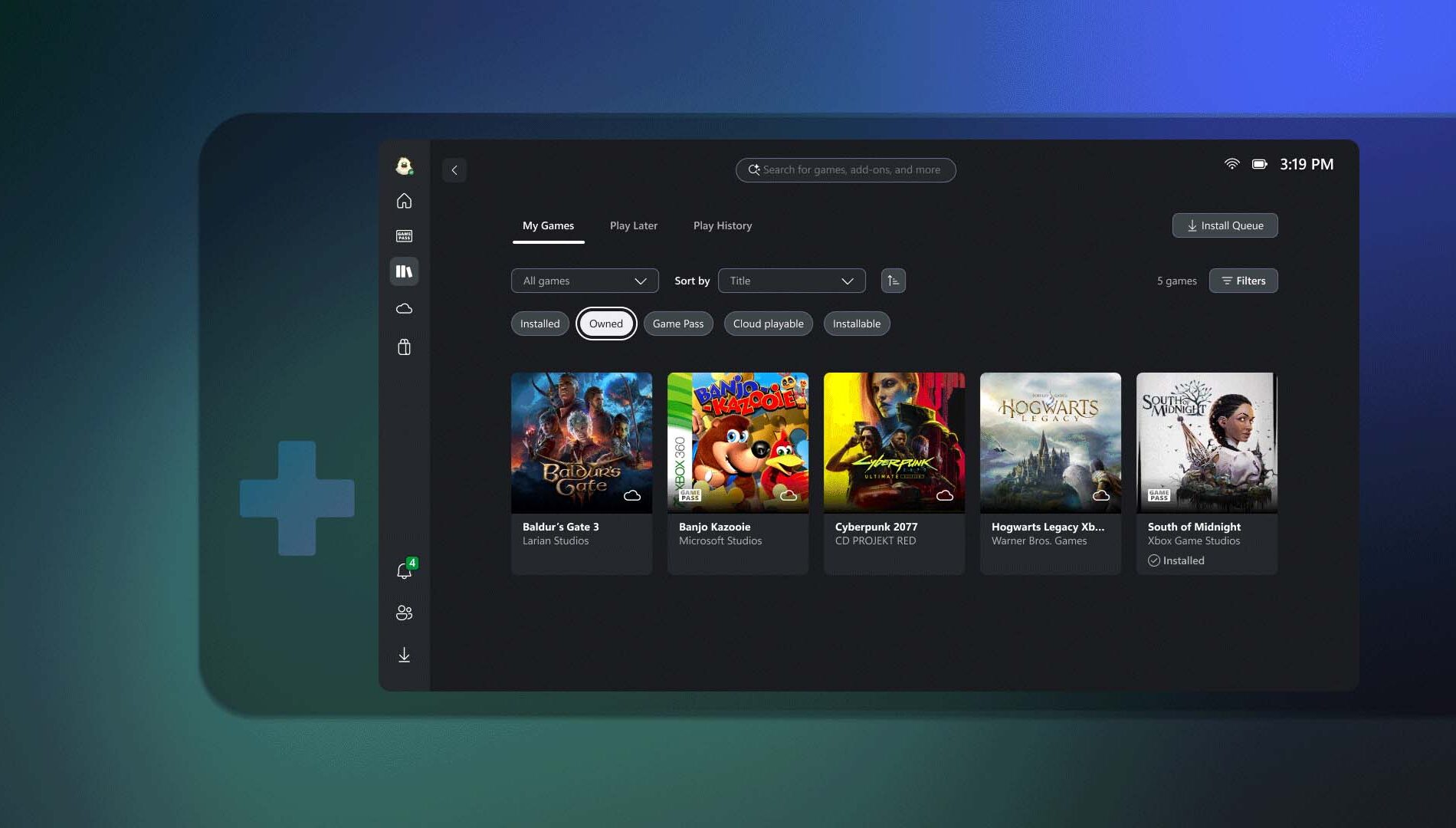
In addition to being able to stream games you own on the Xbox PC app, we want to make playing Xbox games easier than ever across the Xbox platform. Xbox Insiders that are Game Pass Ultimate members have access to all cloud-playable games in their Xbox PC app library, including console-only games from the original Xbox through the Series X|S. Games that are either owned or available through Game Pass will all be in one place, so players can choose what and how they play. Also, Insiders can now preview their play history across devices, including on console and the Xbox PC app, displaying recently played games so players can pick up where they left off.

Explore these new capabilities on the Home page on console or on the Xbox PC app by going to “My Library” and jump back into gaming. Learn more details in the Xbox Insiders announcement post.

Rewards with Xbox – Get rewarded for playing games on the Xbox PC app

Tracking weekly point bonuses is now simpler with the addition of a new feature in the Xbox PC app. Players can now view their progress toward earning rewards directly within the app while they play.

This feature is currently rolling out in select markets for users aged 18 and older with a Microsoft account. Players should note that points must be claimed to be added to their Microsoft Rewards balance, and standard terms apply. To get started, users can open the Xbox PC app and visit the Rewards channel on the Home page to begin tracking progress and earning points.


DON'T FORGET TO SHARE:

Monday, June 23, 2025

SYSTEM UPDATE: Xbox June Update Brings Mouse & Keyboard Support, Copilot AI, Game Hubs & More!

The Xbox June 2025 Update is here with a wave of exciting new features!

First up, mouse and keyboard support is expanding to more titles like Assassin’s Creed Shadows, Smite 2, and Planet Zoo: Console Edition, while touch controls continue to enhance mobile gameplay for select games including Zenless Zone Zero and Avowed.

Xbox is also testing Copilot for Gaming on mobile — your personal AI sidekick that can offer real-time help, tips, and coaching across your games.

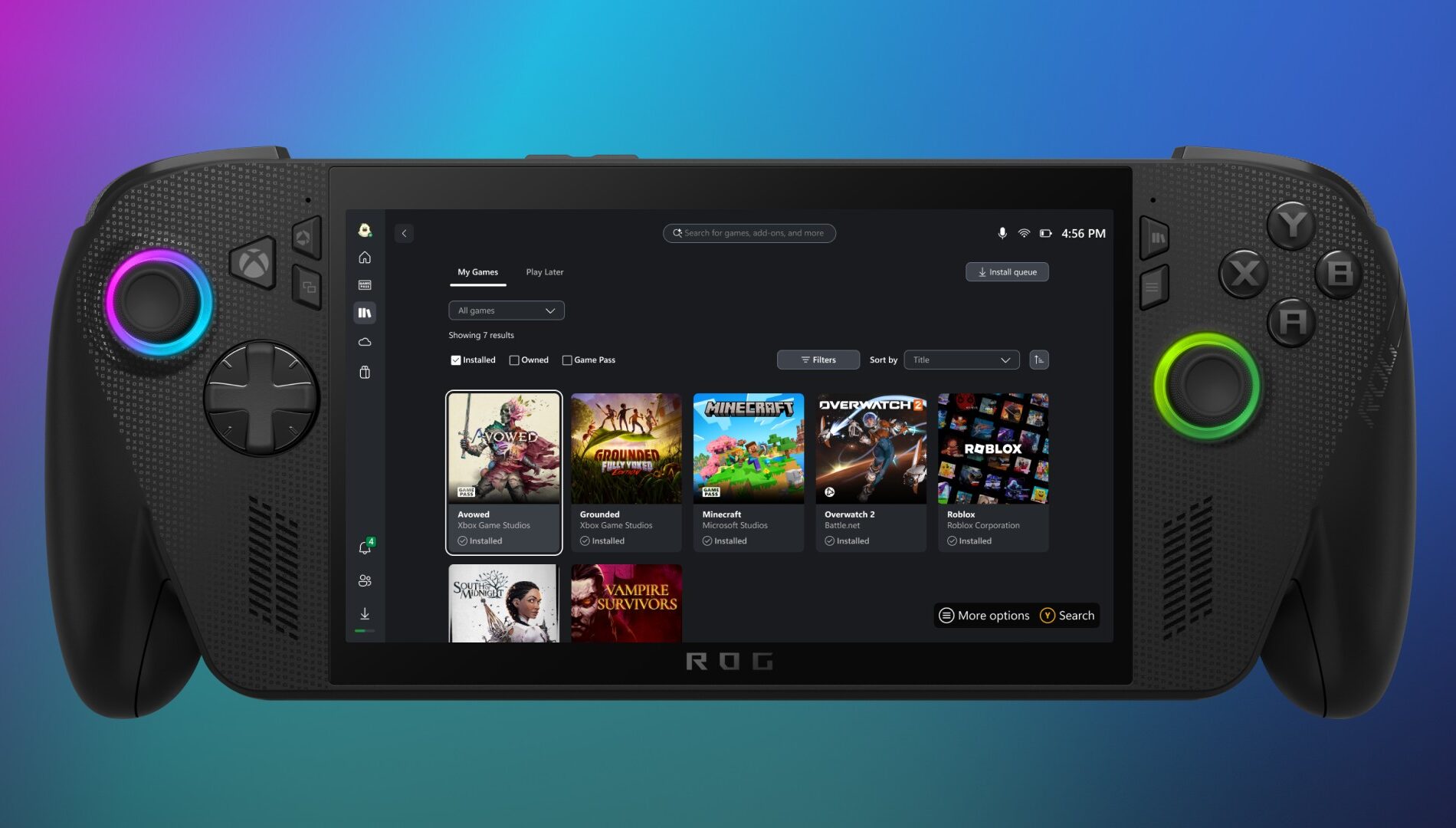
On PC, the Xbox app now features a new aggregated gaming library, letting you launch titles from Xbox, Game Pass, Battle.net, and other storefronts in one place, along with publisher channels to easily explore franchises. Console players can enjoy more customization on the Home screen, Game Hubs for detailed game stats, and better cloud save sync visuals to prevent data loss. Game Pass members also get in-game perks for free-to-play titles.


Click "READ MORE" to Read About Full Update