Welcome to XboxIssues

Welcome. I decided to make this blog after being a Xbox Ambassador for a number of years.

If you don't know an Ambassador is a Volunteer that Microsoft uses to help ease the load on the actual hard working support people.

I noticed that alot of the questions I would get could easily be solved by using Microsofts Xbox.com site.

Since some of the help articles may be hard to find, understand or the issue may be called something different in the gaming community making it more difficult to solve, I've decided to make this blog to make it easier for fellow gamers to get xbox assistance, news and all things Xbox.

If you have any Xbox related question you can find the answer to feel free to contact me on YouTube, twitter or in the comments.
Showing posts with label Microsoft Rewards. Show all posts

Monday, September 29, 2025

SYSTEM UPDATE: Xbox September Update Breakdown: Everything New Across PC, Console, and Mobile

The Xbox September Update is packed with features designed to make gaming more seamless and accessible. Players can now pre-order the new ROG Xbox Ally handhelds, launching globally on October 16. Gaming Copilot (Beta), a personal AI-powered sidekick, is rolling out on PC and coming soon to mobile to provide in-game help and recommendations. The Xbox PC app introduces an improved “My Library,” letting players organize third-party apps and aggregate all their games across platforms in one place, alongside cloud-play history. Other updates include refreshed social widgets, a network quality indicator for smoother cloud play, smarter game save syncing, and a redesigned Rewards hub that works across devices.


Xbox Console Updates
Offer Wallet – Now Available on Web and Xbox Consoles
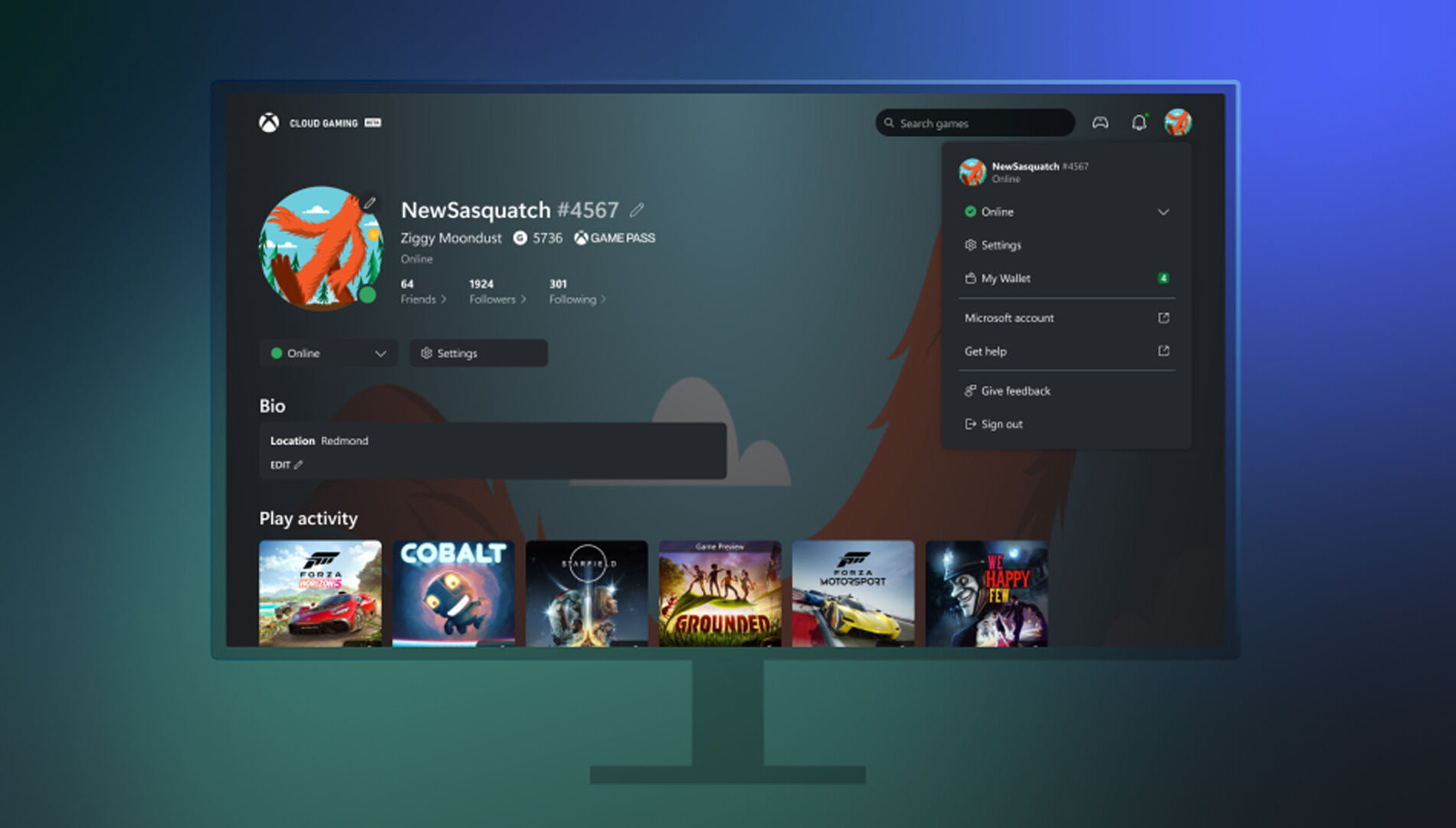

Xbox has launched Offer Wallet, a unified digital wallet system that allows players to discover, redeem, and manage promotional offers and credits across both web and console platforms. Integrated directly with the user’s Xbox profile and backed by Xbox Purchase’s secure infrastructure, the feature eliminates the need to manually enter 5×5 token codes. Offers can now be claimed and tracked through a single, streamlined interface.

Players will find a new “Offers and Credits” section within their profile, where promotional gift cards, game discounts, and limited-time deals are organized in one place. Microsoft plans to expand the program with ongoing updates, including trials, in-game rewards, and seasonal drops for more regions and users.

PC Gaming Updates
Game Bar – Social Widgets and Visual Updates
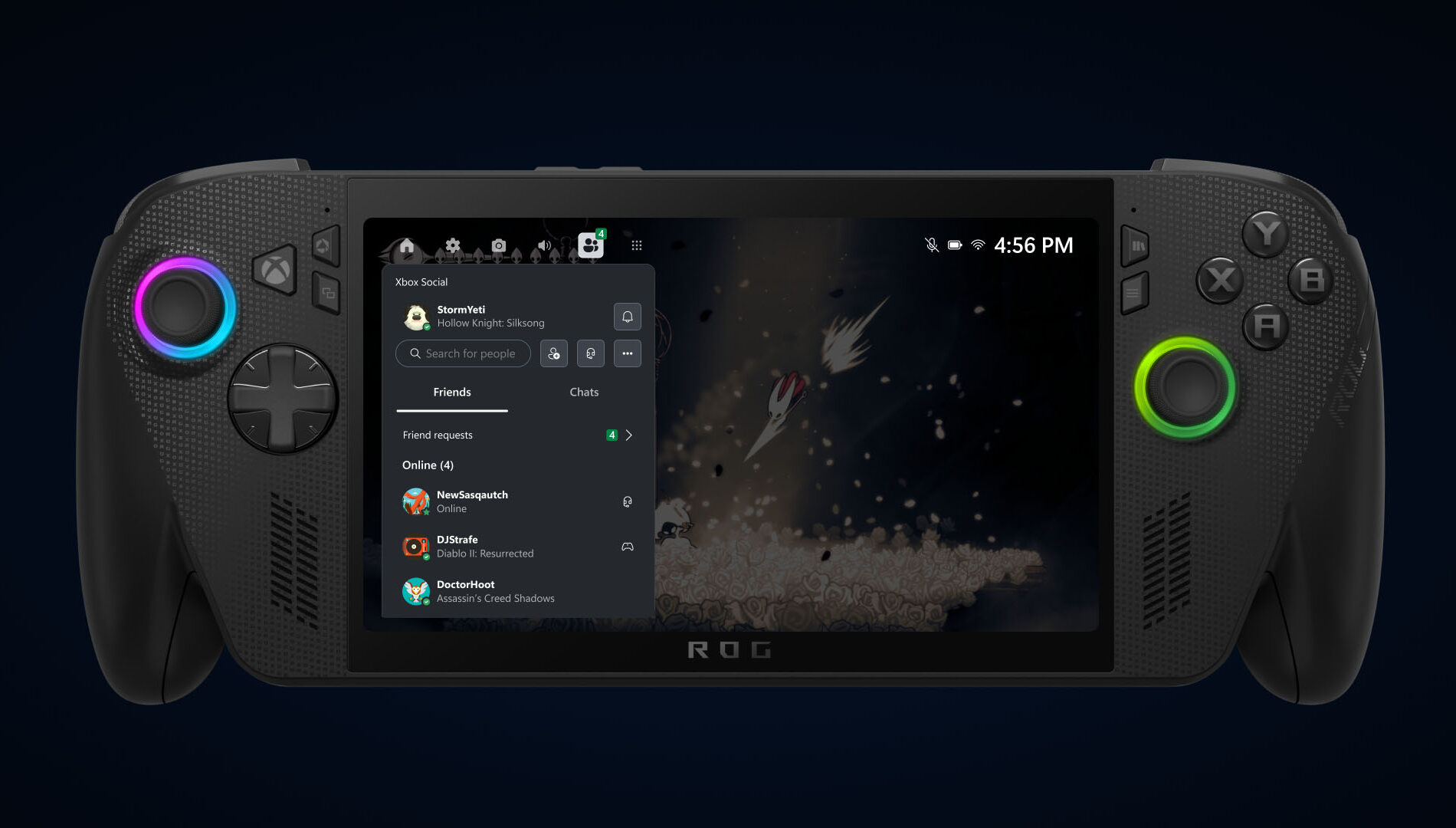


Xbox has completed a visual overhaul of its Social widgets, delivering a more unified and refined interface across both Compact and Desktop modes. Alongside the aesthetic improvements, controller navigation has been significantly enhanced, making it easier for players to chat, check activity, and interact with the overlay. The result is a smoother, more intuitive in-game experience that improves usability and elevates the overall feel of the Game Bar environment.

Network Quality Indicator Update
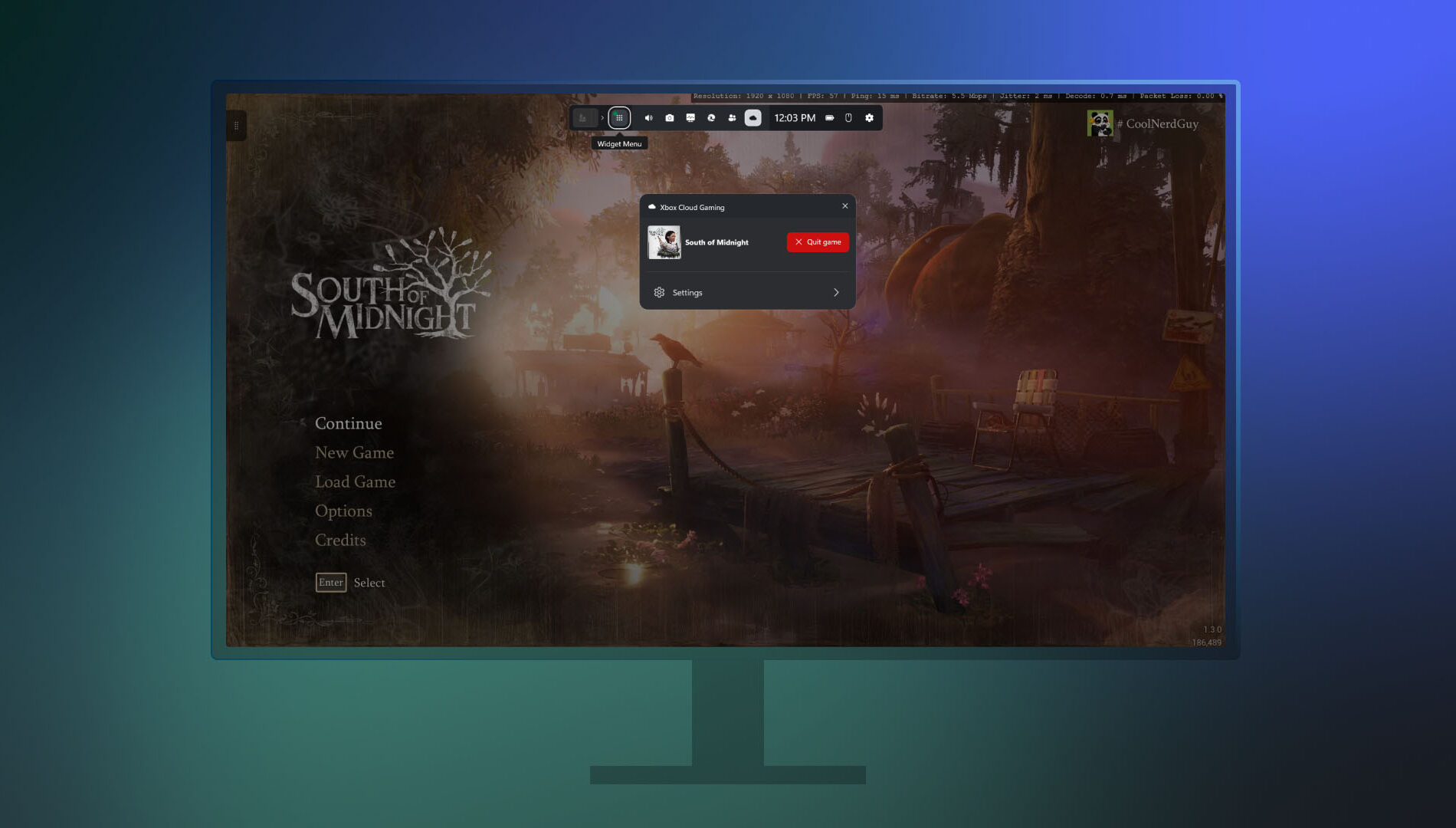
Xbox has introduced a new Network Quality Indicator (NQI) in its PC app, aimed at helping players diagnose and resolve common cloud gaming issues. The tool provides real-time feedback on network conditions, offering actionable insights to address audio and video disruptions often caused by connectivity problems.

Players can toggle the indicator via Settings under Cloud Gaming before launching a stream, or enable it mid-session through the Game Bar by pressing Win+G and navigating to the Xbox Cloud Gaming widget. With clearer diagnostics and easier access, NQI empowers users to optimize their streaming experience with minimal guesswork.

Smarter Game Save Syncing Starts Today
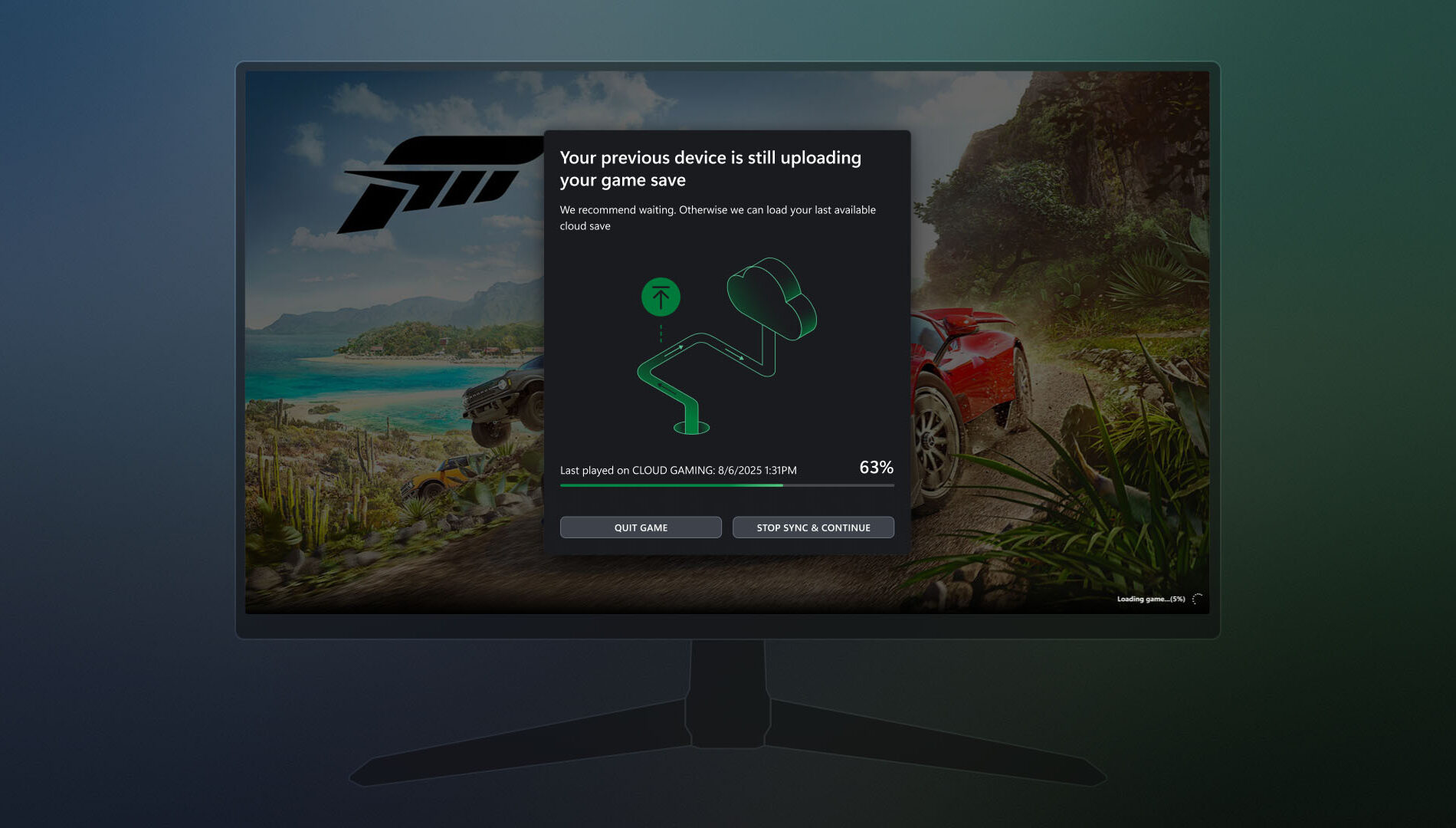

Xbox is enhancing its PC app with smarter game save syncing, aimed at resolving issues when progress fails to transfer between devices—especially in offline scenarios. If a save hasn’t synced from a previous session, players will now see a detailed progress bar, device name, timestamp, and contextual insights to clarify the sync status. The update also provides guidance on where the sync originated, how it's progressing, and what steps to take if it stalls. These improvements make it easier to recover unsynced progress and ensure a smoother transition between play sessions.

Gaming Copilot – Rolling Out on PC and Coming Soon to Mobile


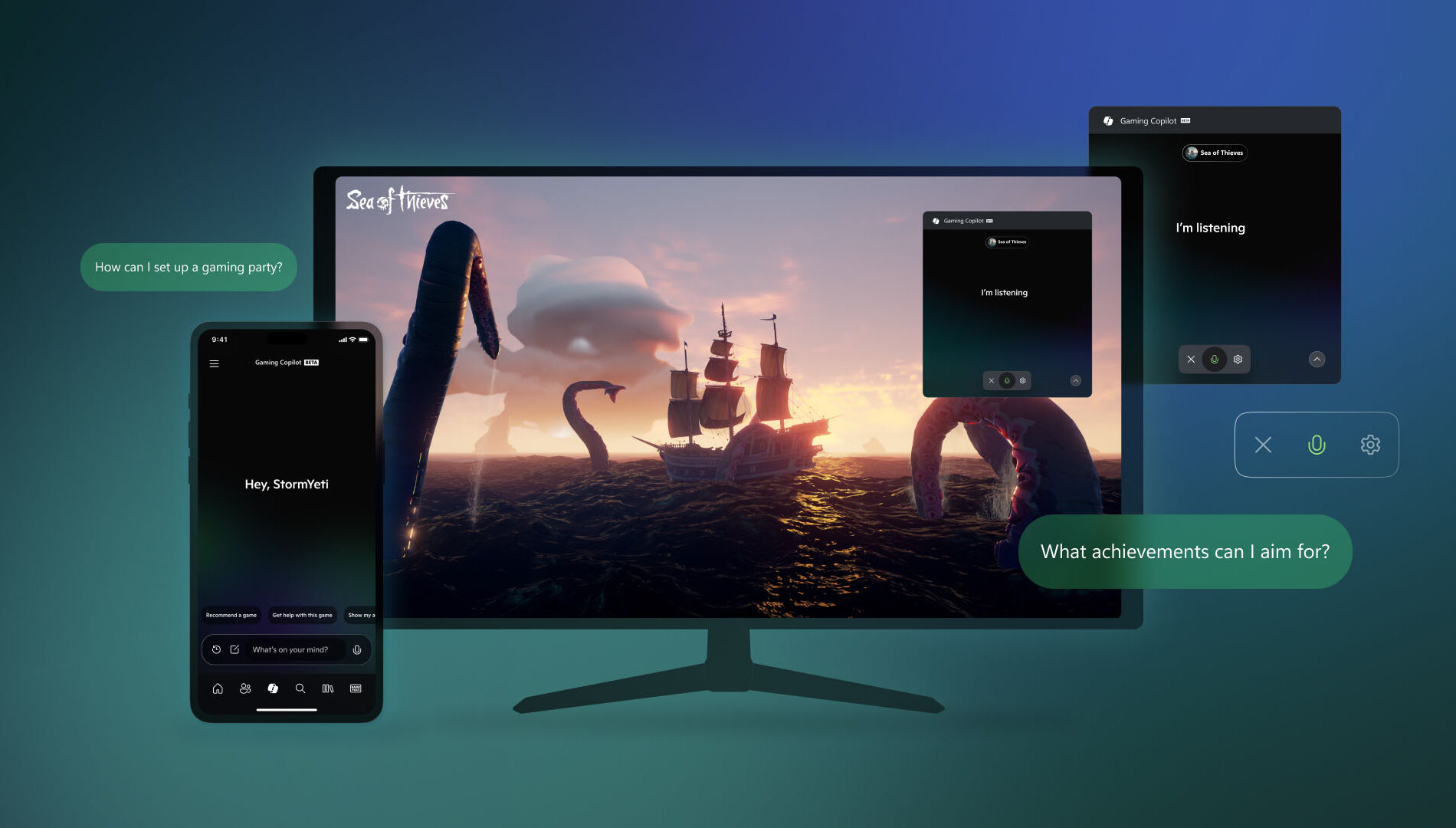
Gaming Copilot (Beta) is expanding to Game Bar on Windows PC, with support for the Xbox mobile app expected next month. Designed to help players overcome in-game obstacles and spend more time enjoying gameplay, Gaming Copilot offers real-time assistance and personalized recommendations.

Based on early feedback from Xbox Insiders and mobile users, the feature now includes deeper in-game support, push-to-talk voice activation, and improved screen recognition. Whether players are stuck on a boss fight or searching for a new title, Gaming Copilot provides relevant insights when needed.

To access Gaming Copilot, users should install the Xbox PC app, press Windows + G, and launch it from Game Bar.

Seamlessly Access Your Gaming Library, Apps, and Play History in One Place

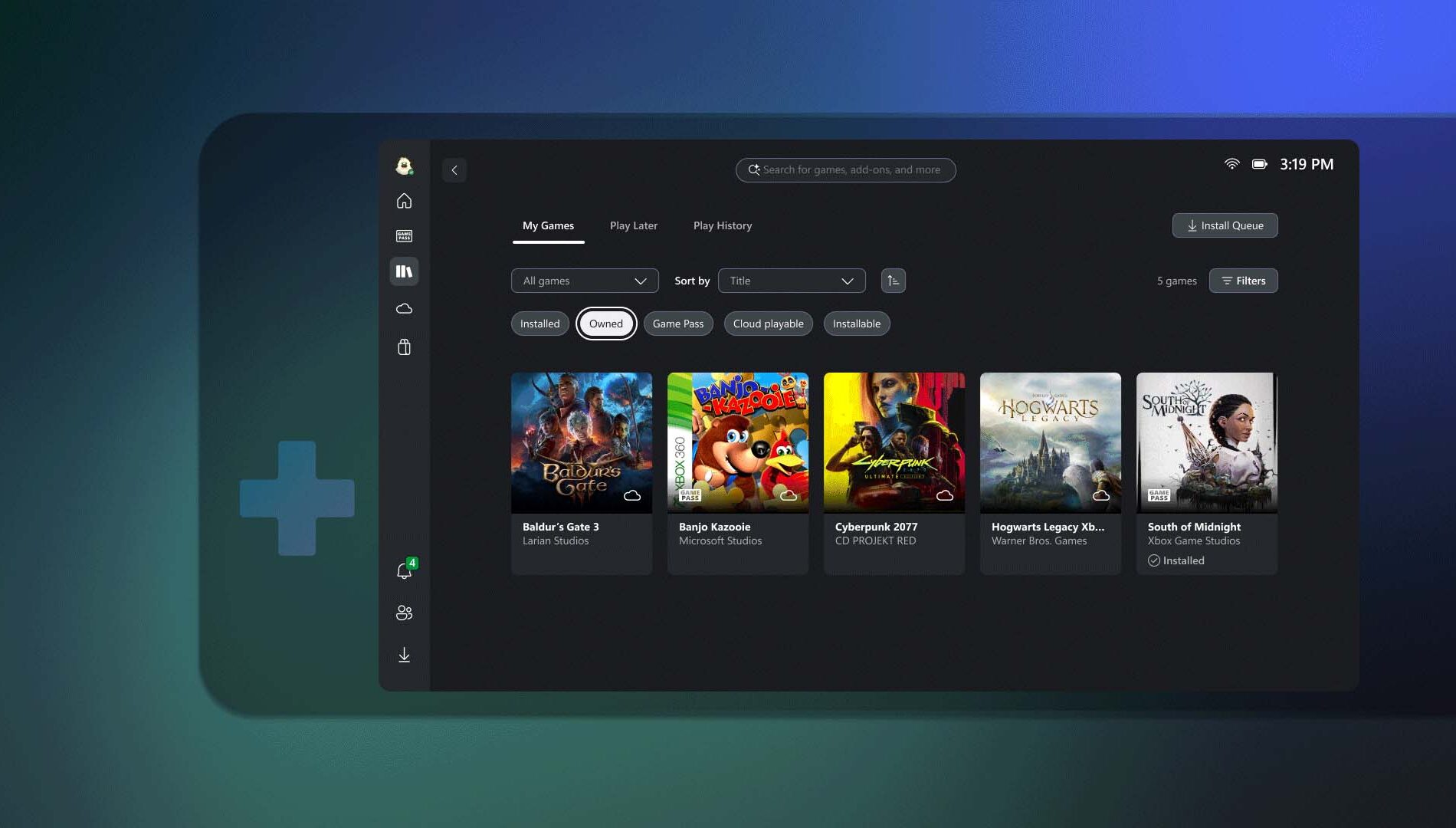
Xbox has introduced a streamlined My Library experience in its PC app, making it easier for players to access both third-party apps and games. Through the new My apps section, users can launch browsers, storefronts, and gaming utilities directly from the Xbox PC interface, eliminating the need to search across multiple platforms.

The My games section consolidates titles from Xbox, Game Pass, and other major PC storefronts into a single aggregated library. This unified view allows for quicker access and smoother game launches, reducing friction across platforms.

Available now on Windows 11 PCs and handhelds, the updated My Library supports a collective gaming experience. Players can also view their cloud-playable games and gameplay history across devices. On console, this appears as a Play history tile on the Home page, while PC users will find it in the Jump back in section and the Play history tab within My Library.

Rewards with Xbox
Revamped Rewards Hub – Level Up Your Rewards Experience on PC
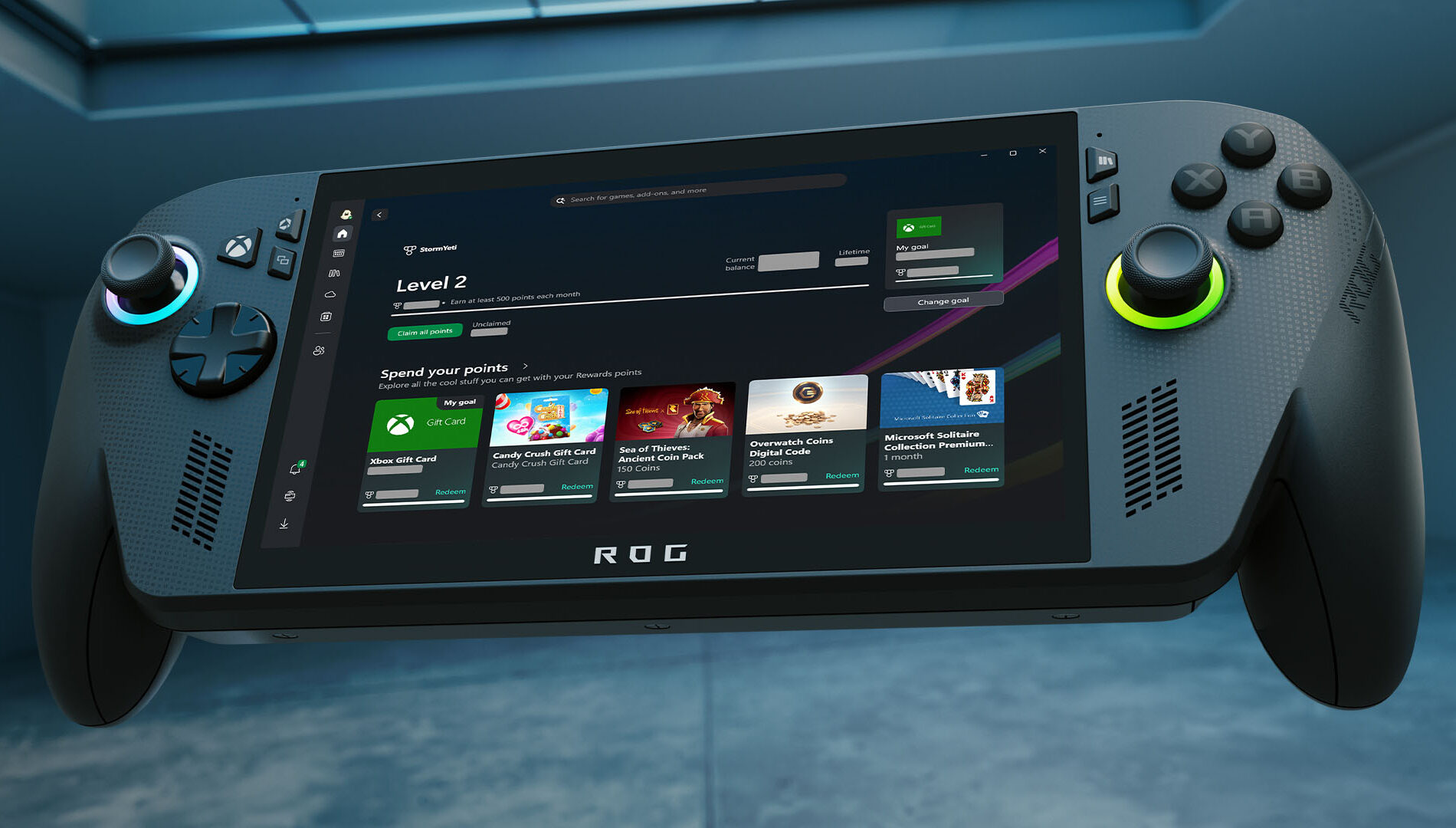

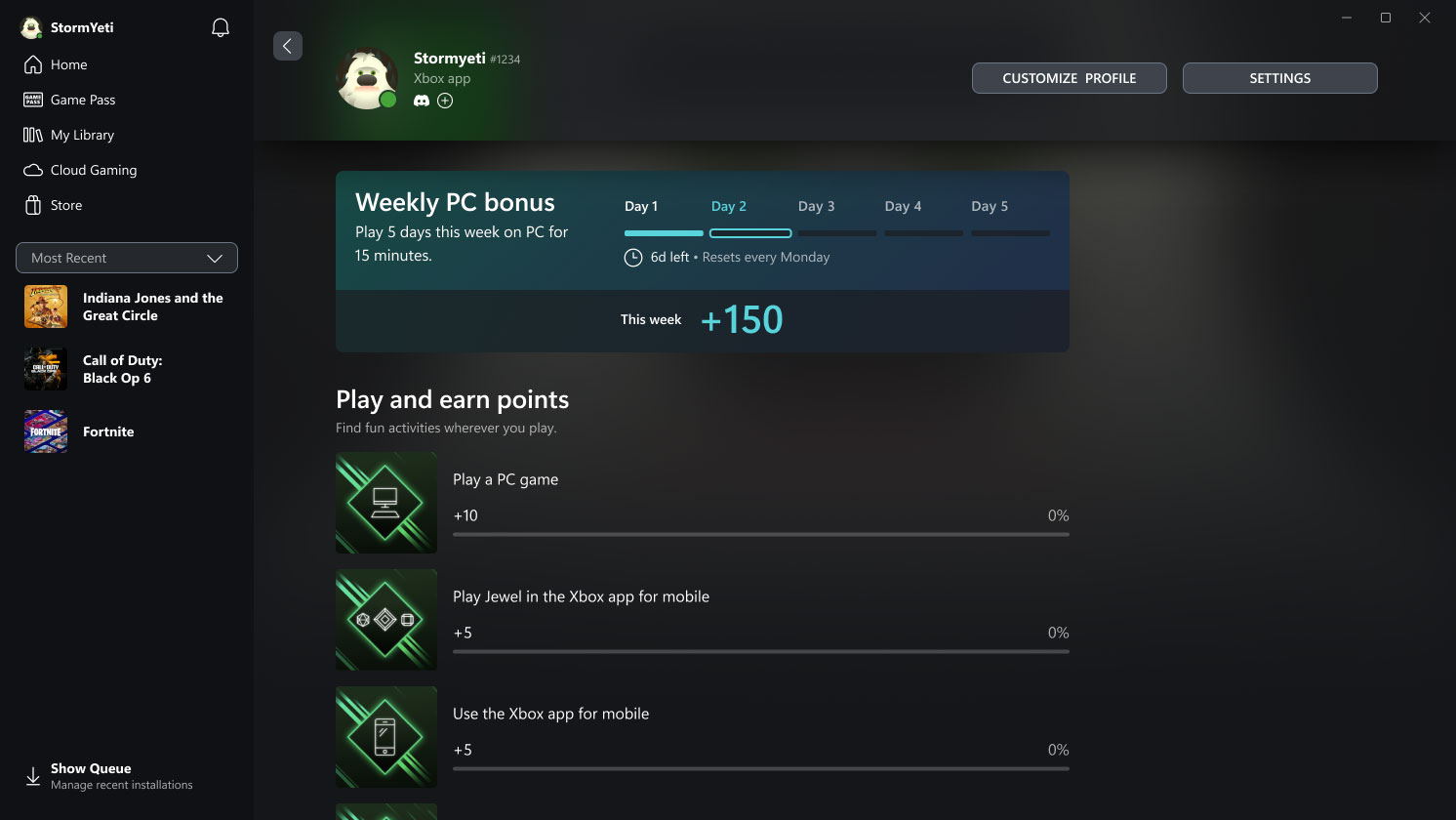
Xbox has rolled out a major redesign of its Rewards hub on PC, delivering a smoother, more intuitive experience across all screen sizes—including handhelds. The refreshed interface makes it easier to track progress, redeem points, and explore new ways to earn, with adaptive visuals that scale seamlessly from desktops to portable devices.

A new Goal Card feature lets players set personalized targets and monitor their journey toward high-value rewards. Meanwhile, the updated Microsoft Rewards Level view provides clear insight into current status and upcoming milestones.

To explore the new hub, users can open the Xbox app on their Windows PC or handheld, navigate to their profile, and select “My Rewards.” From there, they can play games, claim points, set goals, and redeem their balance for gift cards, in-game items, sweepstakes entries, charitable donations, and more.

Redeem Rewards on the Xbox Mobile App
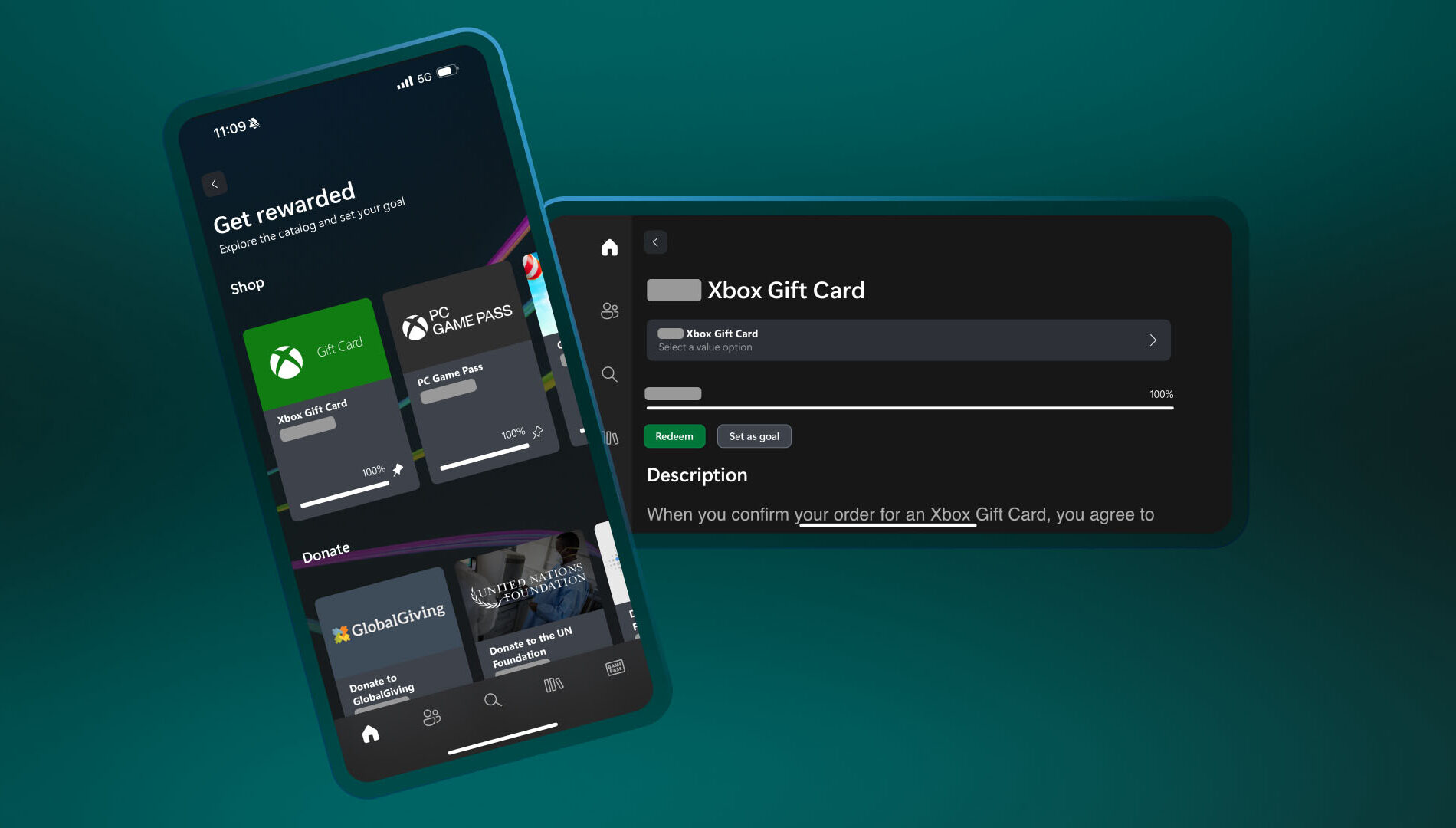

You can now redeem Rewards points directly on the Xbox mobile app. That means you can grab gift cards and put them toward game purchases – all without leaving the app. Simple, fast, and right where you’re already playing.

Here’s how to do it:

  1. Open the Xbox app
  2. Tap your profile icon (top left)
  3. Head to Rewards and tap “Get rewarded”
  4. Tap Redeem on the item you want, confirm, and you’re done!
  5. Simple, fast, and built for wherever you play.

DON'T FORGET TO SHARE:

Tuesday, July 29, 2025

SYSTEM UPDATE: Xbox Update Breaks Boundaries with PC Game Streaming

Xbox continues its mission to make gaming more meaningful, flexible, and enjoyable—no matter where or how players choose to play. This month’s update introduces new features to the Xbox PC app that reflect that vision, offering more ways for players to stay connected to their games and progress.

These enhancements are part of a broader initiative to improve the Xbox experience on PC and extend the platform’s most loved features to more places. Whether streaming owned games, jumping back into cloud play, or tracking progress across devices, the update empowers players with greater control, flexibility, and freedom to play their way.


PC Gaming Updates

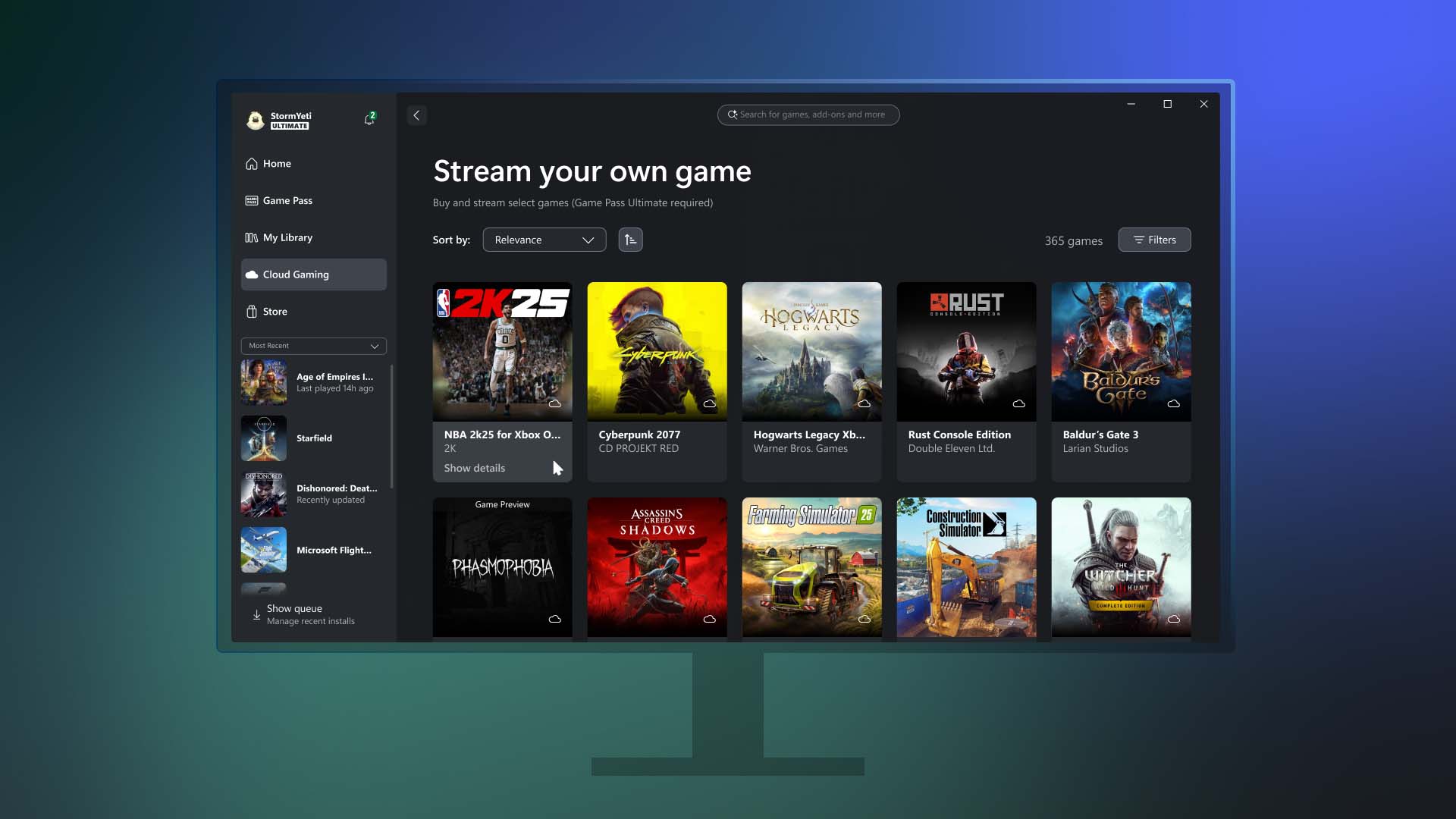
Stream your own games on PC
Earlier this year, Xbox introduced the ability for Game Pass Ultimate members to stream their owned games on Xbox Series X|S and Xbox One consoles, smart TVs, Meta Quest headsets, and other browser-supported devices such as PCs, smartphones, and tablets. That same level of flexibility is now coming to the Xbox PC app.

Starting today, Game Pass Ultimate members in the 28 countries where Xbox Cloud Gaming (Beta) is available can stream from a selection of over 250 owned titles directly through the Xbox PC app. This includes recently added games like Assassin’s Creed IV Black Flag, Mafia: Definitive Edition, The Callisto Protocol, and more—even those not included in the Game Pass catalog.

The new “Stream your own game” feature allows players to skip downloads, free up hard drive space, and enjoy greater access to their personal library, including console-only titles that were previously unavailable on PC.

Players can access this feature by visiting the Cloud Gaming section of the Xbox PC app, selecting a supported game they own from the “Stream your own game” list, and jumping into gameplay instantly.

Additionally, the update enhances cross-device play history and improves access to console cloud-playable games on PC.

In addition to being able to stream games you own on the Xbox PC app, we want to make playing Xbox games easier than ever across the Xbox platform. Xbox Insiders that are Game Pass Ultimate members have access to all cloud-playable games in their Xbox PC app library, including console-only games from the original Xbox through the Series X|S. Games that are either owned or available through Game Pass will all be in one place, so players can choose what and how they play. Also, Insiders can now preview their play history across devices, including on console and the Xbox PC app, displaying recently played games so players can pick up where they left off.

Explore these new capabilities on the Home page on console or on the Xbox PC app by going to “My Library” and jump back into gaming. Learn more details in the Xbox Insiders announcement post.

Rewards with Xbox – Get rewarded for playing games on the Xbox PC app

Tracking weekly point bonuses is now simpler with the addition of a new feature in the Xbox PC app. Players can now view their progress toward earning rewards directly within the app while they play.

This feature is currently rolling out in select markets for users aged 18 and older with a Microsoft account. Players should note that points must be claimed to be added to their Microsoft Rewards balance, and standard terms apply. To get started, users can open the Xbox PC app and visit the Rewards channel on the Home page to begin tracking progress and earning points.


DON'T FORGET TO SHARE:

Monday, January 6, 2025

NEWS: Game Pass Quests Arrive on Your PC

Rewards with Xbox are our way of, well, rewarding you for your love of gaming, and today we’re thrilled to announce new ways for players to earn points. From expanding Quests to PC Game Pass, to reimagining the Game Pass Quests you use to earn points, to weekly Rewards for all Xbox players 18 and older, there are lots of new ways to earn points through your play time. 

Lastly, today we’re sharing an important update on earning Rewards with Xbox. This update aligns more closely with our continued commitment to foster positive, age-appropriate gaming experiences by making points earned through play activities available only to players 18 years and older.


Game Pass Quests Arrive on Your PC 
Previously exclusive to Game Pass Ultimate members, Quests unlock opportunities to earn even more Rewards with Xbox. Starting to roll out on January 7, Quests are also available for PC Game Pass members. Now you have more ways to earn  Rewards points on PC in addition to  console and mobile. The new  Game Pass Quests will also launch in Japan, bringing the region the full Rewards with Xbox experience. 

If you’re an active Xbox Game Pass Ultimate or PC Game Pass member 18 years or older, starting to earn is simple: 

  1. Explore the new Quests by navigating to your Xbox profile and accessing the Rewards Hub, which is available across console, the Xbox app on mobile, and the Xbox app on Windows PC. 
  2. Earn points by playing your favorite games with Game Pass. 
  3. Claim your points on the Rewards Hub. 
Once you’ve earned enough, redeem your points for Xbox gift cards to use for games, in-game content, donations to your favorite causes, and more. 

As part of these changes, minimum playtime is required to earn points through gameplay. For now, Quests are only available for titles in the Game Pass catalog, and this does not include PC games that require third party launchers or are played on Battle.net. Check Xbox.com/Rewards for more details. 

DON'T FORGET TO SHARE:


Click "READ MORE" to Continue reading.