Welcome to XboxIssues

Welcome. I decided to make this blog after being a Xbox Ambassador for a number of years.

If you don't know an Ambassador is a Volunteer that Microsoft uses to help ease the load on the actual hard working support people.

I noticed that alot of the questions I would get could easily be solved by using Microsofts Xbox.com site.

Since some of the help articles may be hard to find, understand or the issue may be called something different in the gaming community making it more difficult to solve, I've decided to make this blog to make it easier for fellow gamers to get xbox assistance, news and all things Xbox.

If you have any Xbox related question you can find the answer to feel free to contact me on YouTube, twitter or in the comments.
Showing posts with label Xbox Series X|S. Show all posts

Wednesday, March 25, 2026

SYSTEM UPDATE: March Xbox Update

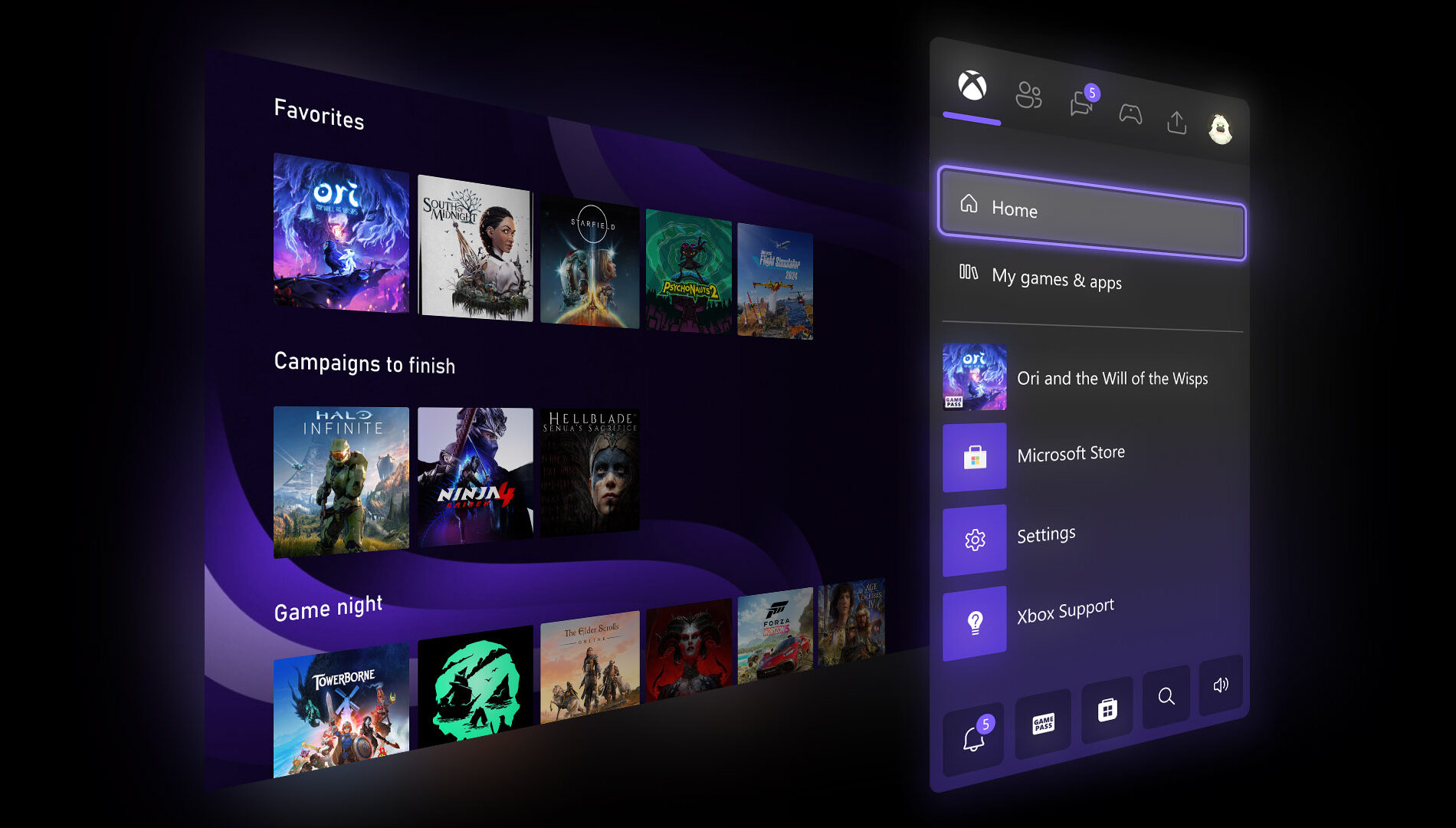
Xbox announced several March updates, including new customizable console features for Xbox Insiders like expanded Home groups, custom colors, per-game Quick Resume settings, and profile badges. At GDC, they previewed future plans such as the next-gen “Project Helix” console, broader Xbox Play Anywhere support, and Xbox mode coming to Windows 11 devices. New dynamic backgrounds were added for select games, and a handheld compatibility program now highlights games optimized for portable play, with recent additions like Crimson Desert, Kingdom Come: Deliverance II, and Towerborne.


Here’s What’s New

New Console Features for Xbox Insiders


Earlier this month, new features were introduced for select Xbox Insiders to test ahead of a broader console rollout. These include:
  • More Groups on Home. Players can now customize Home with up to 10 groups.
  • Custom Color. Players can now create a custom color that’s uniquely theirs to express themselves across the console.
  • Quick Resume Settings. Players can now disable Quick Resume on a per-game basis to ensure those games always launch fresh.
  • Profile Badges in Guide. See a player’s five most recently unlocked badges when viewing their profile.
Xbox at GDC


Earlier this month at GDC, more details were shared about how the next generation of Xbox is being developed for players and creators. This included an early look at Project Helix, a next-generation console designed to support both Xbox and PC games. It was also announced that Xbox mode will begin rolling out to all Windows 11 devices in April, alongside continued growth of Xbox Play Anywhere, which now includes over 1,500 titles.

Xbox Console – Dynamic Backgrounds

Crimson Desert, Sea of Thieves and Towerborne introduced new dynamic backgrounds for Xbox Series X|S consoles, allowing you to customize your console to celebrate these games.

CLICK READ MORE to Continue

Monday, September 29, 2025

SYSTEM UPDATE: Xbox September Update Breakdown: Everything New Across PC, Console, and Mobile

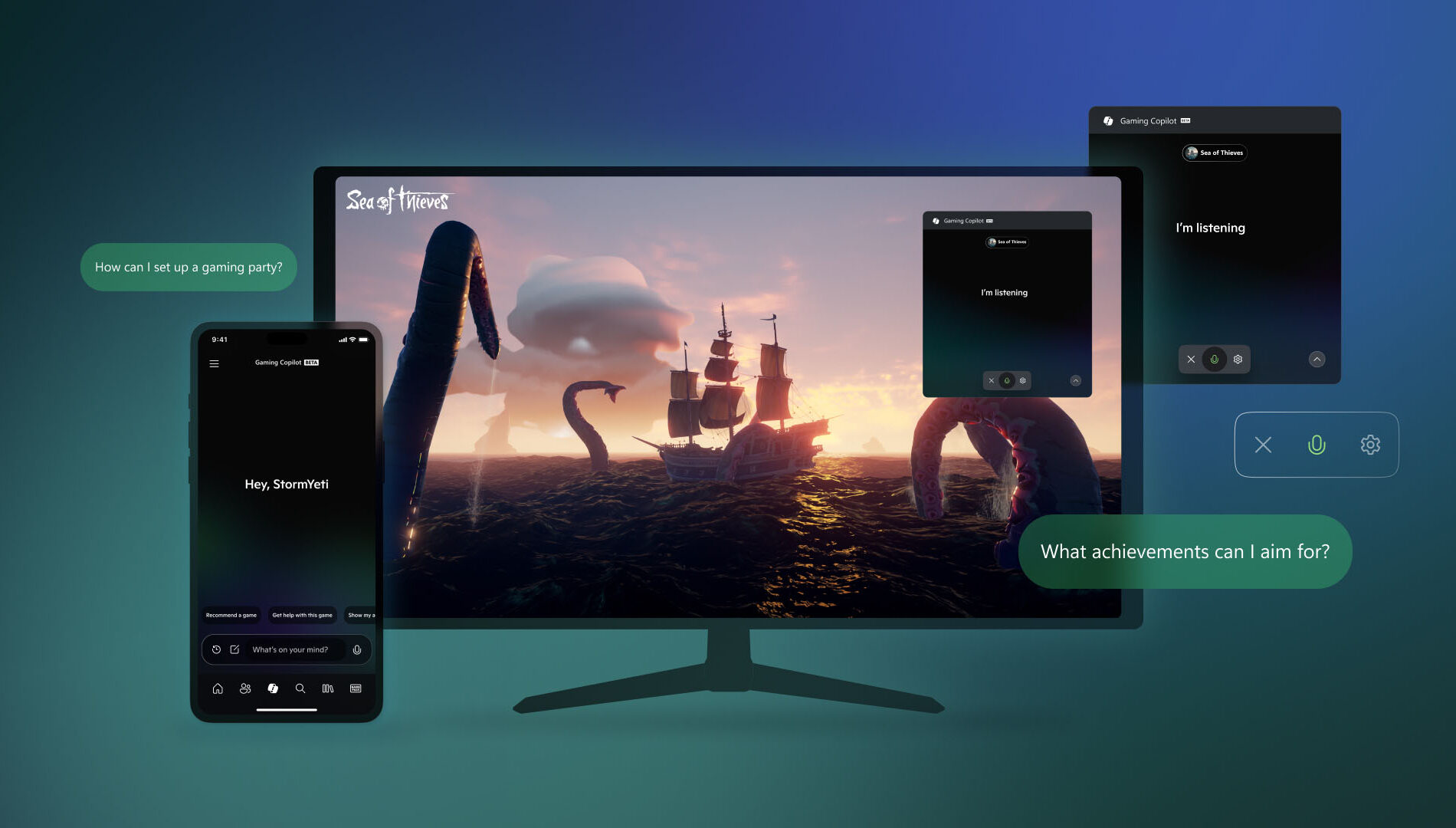
The Xbox September Update is packed with features designed to make gaming more seamless and accessible. Players can now pre-order the new ROG Xbox Ally handhelds, launching globally on October 16. Gaming Copilot (Beta), a personal AI-powered sidekick, is rolling out on PC and coming soon to mobile to provide in-game help and recommendations. The Xbox PC app introduces an improved “My Library,” letting players organize third-party apps and aggregate all their games across platforms in one place, alongside cloud-play history. Other updates include refreshed social widgets, a network quality indicator for smoother cloud play, smarter game save syncing, and a redesigned Rewards hub that works across devices.


Xbox Console Updates
Offer Wallet – Now Available on Web and Xbox Consoles


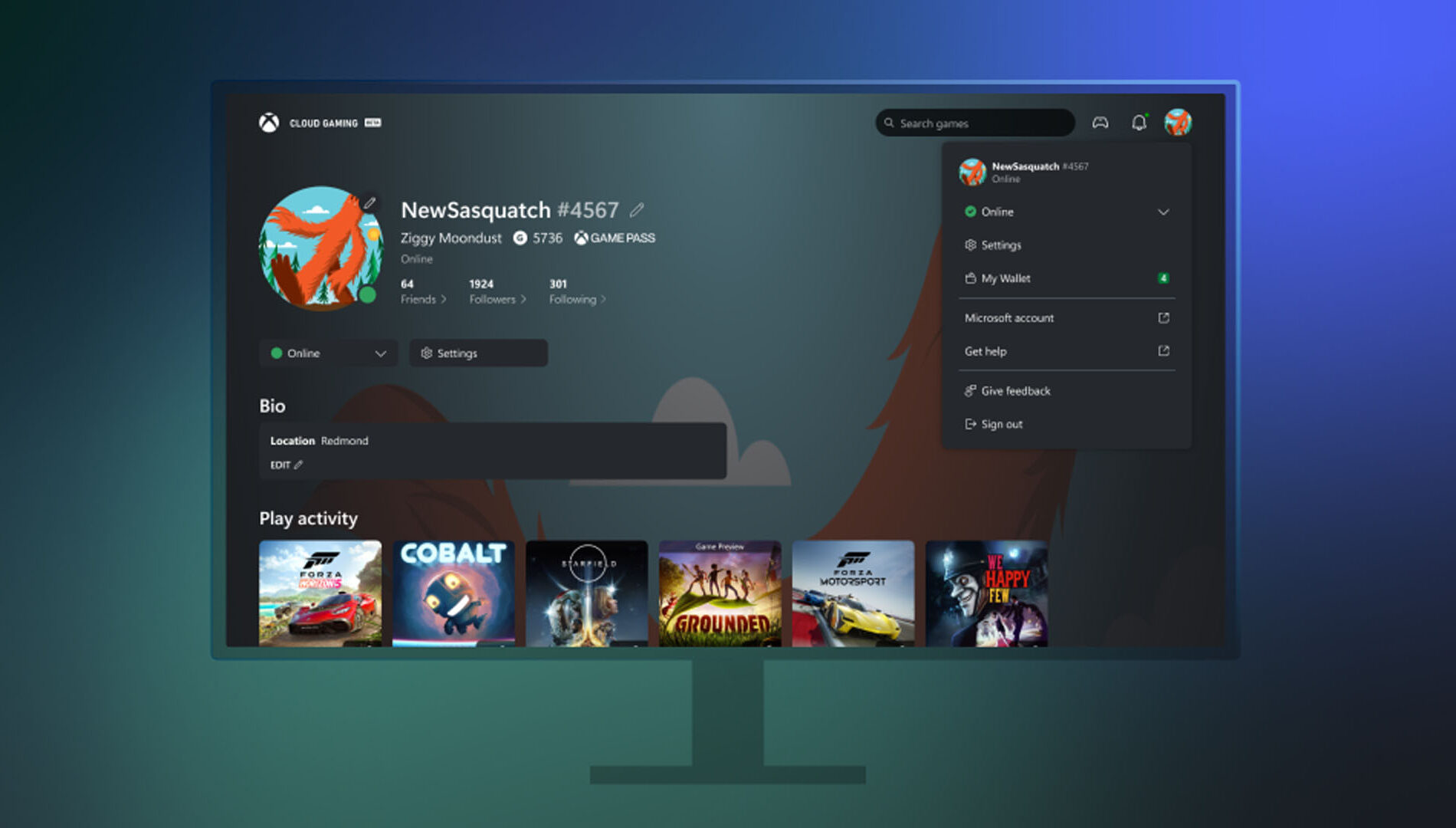
Xbox has launched Offer Wallet, a unified digital wallet system that allows players to discover, redeem, and manage promotional offers and credits across both web and console platforms. Integrated directly with the user’s Xbox profile and backed by Xbox Purchase’s secure infrastructure, the feature eliminates the need to manually enter 5×5 token codes. Offers can now be claimed and tracked through a single, streamlined interface.

Players will find a new “Offers and Credits” section within their profile, where promotional gift cards, game discounts, and limited-time deals are organized in one place. Microsoft plans to expand the program with ongoing updates, including trials, in-game rewards, and seasonal drops for more regions and users.

PC Gaming Updates
Game Bar – Social Widgets and Visual Updates


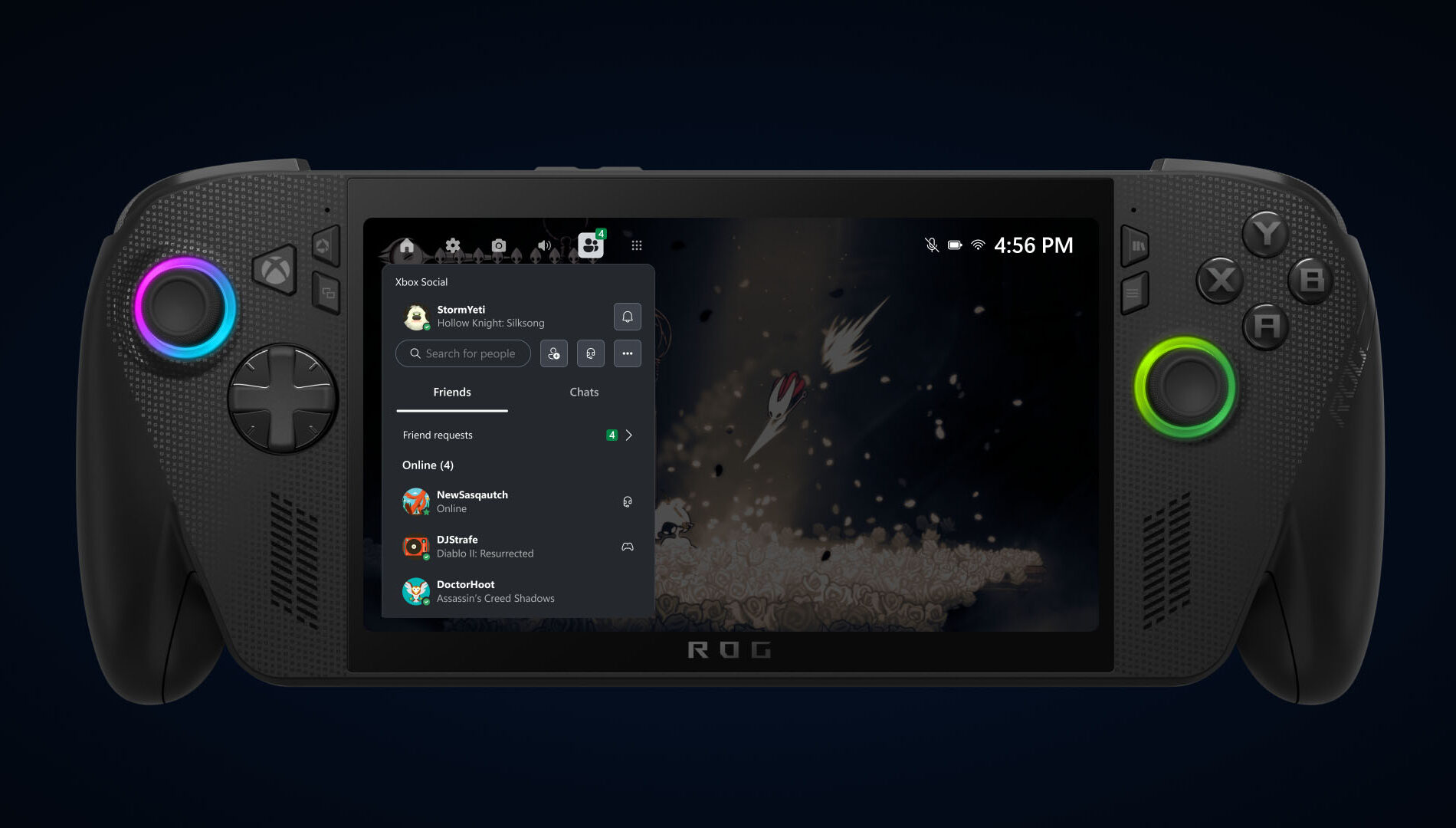
Xbox has completed a visual overhaul of its Social widgets, delivering a more unified and refined interface across both Compact and Desktop modes. Alongside the aesthetic improvements, controller navigation has been significantly enhanced, making it easier for players to chat, check activity, and interact with the overlay. The result is a smoother, more intuitive in-game experience that improves usability and elevates the overall feel of the Game Bar environment.

Network Quality Indicator Update

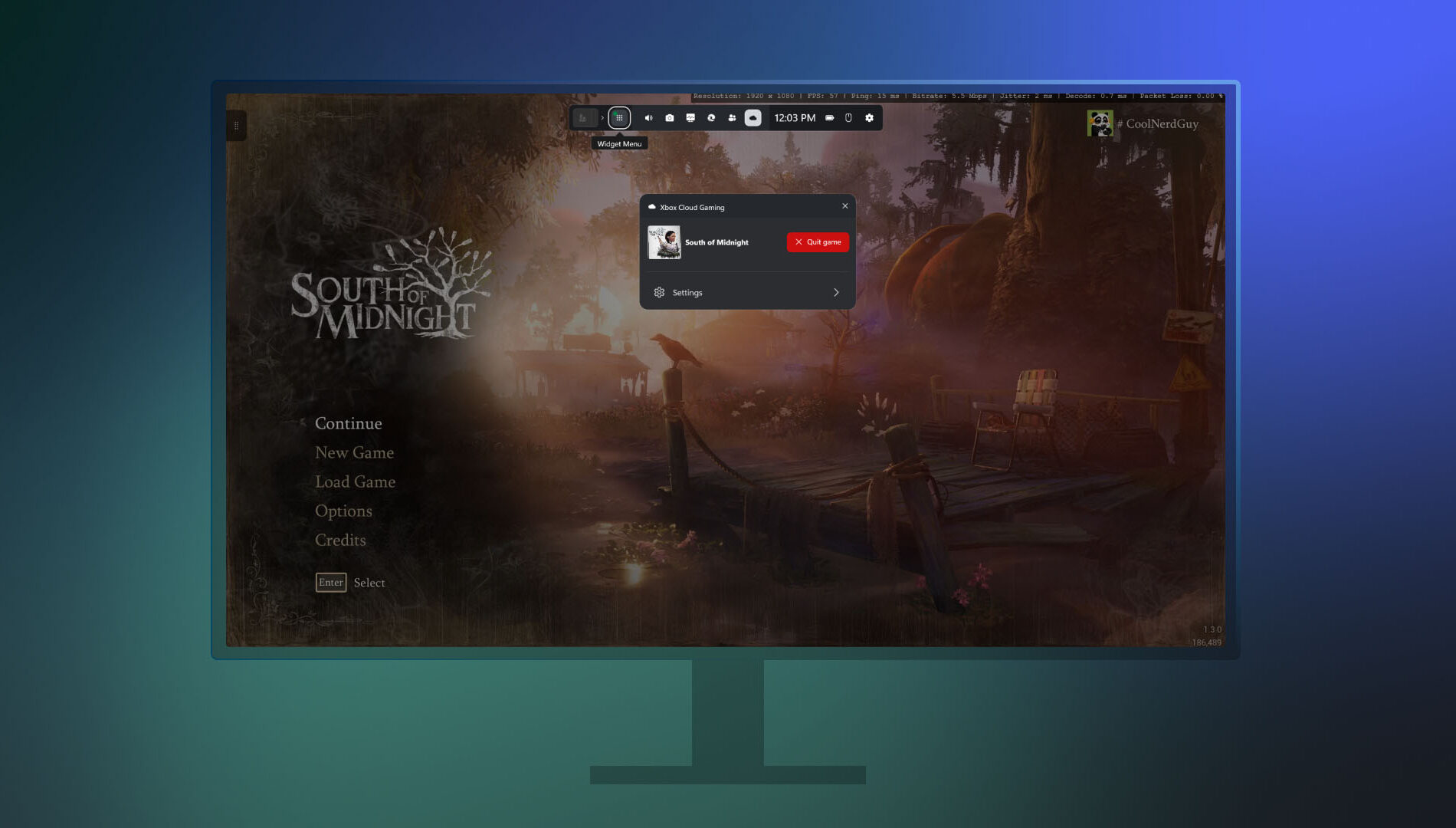
Xbox has introduced a new Network Quality Indicator (NQI) in its PC app, aimed at helping players diagnose and resolve common cloud gaming issues. The tool provides real-time feedback on network conditions, offering actionable insights to address audio and video disruptions often caused by connectivity problems.

Players can toggle the indicator via Settings under Cloud Gaming before launching a stream, or enable it mid-session through the Game Bar by pressing Win+G and navigating to the Xbox Cloud Gaming widget. With clearer diagnostics and easier access, NQI empowers users to optimize their streaming experience with minimal guesswork.

Smarter Game Save Syncing Starts Today


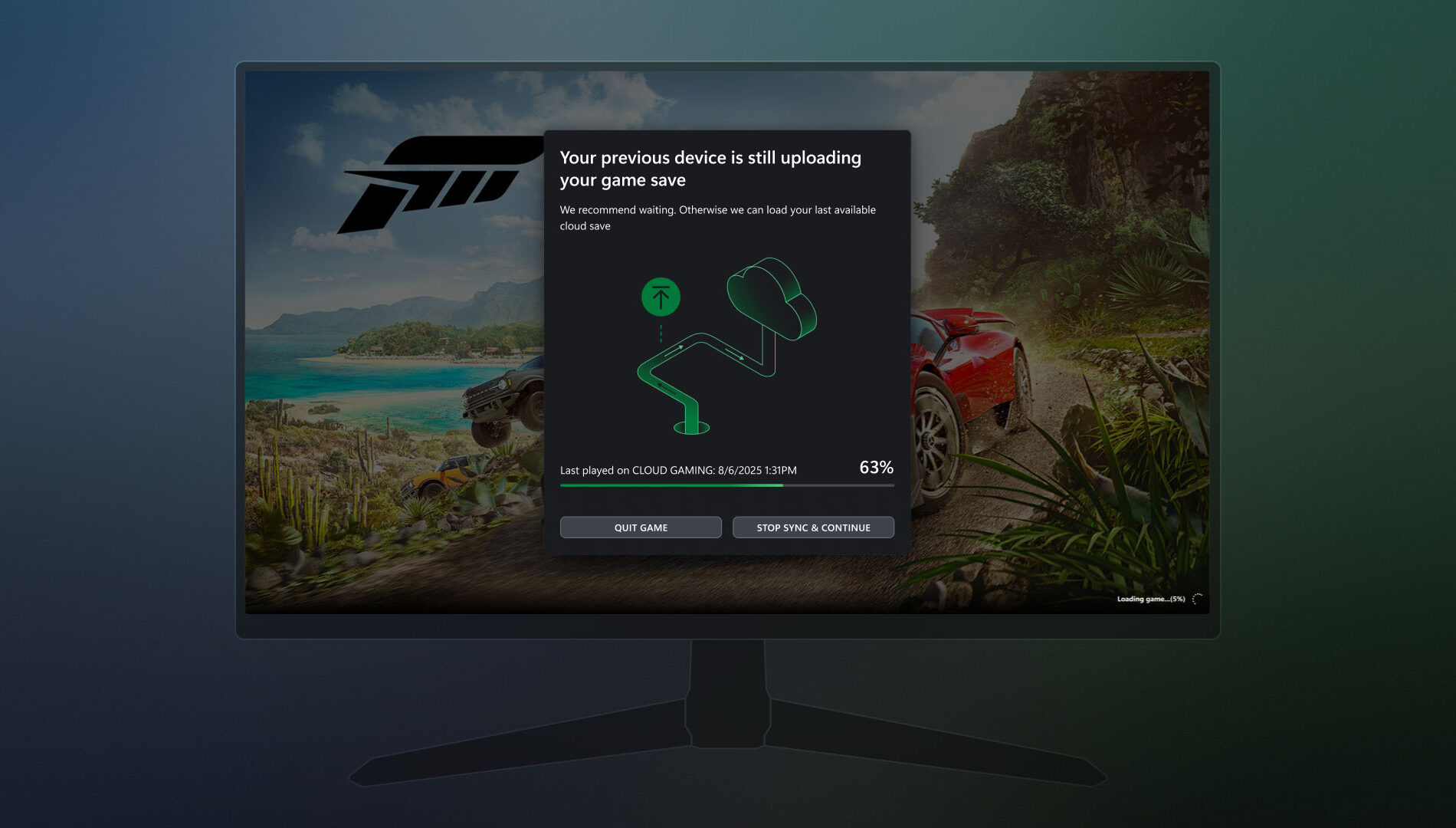
Xbox is enhancing its PC app with smarter game save syncing, aimed at resolving issues when progress fails to transfer between devices—especially in offline scenarios. If a save hasn’t synced from a previous session, players will now see a detailed progress bar, device name, timestamp, and contextual insights to clarify the sync status. The update also provides guidance on where the sync originated, how it's progressing, and what steps to take if it stalls. These improvements make it easier to recover unsynced progress and ensure a smoother transition between play sessions.

Gaming Copilot – Rolling Out on PC and Coming Soon to Mobile


Gaming Copilot (Beta) is expanding to Game Bar on Windows PC, with support for the Xbox mobile app expected next month. Designed to help players overcome in-game obstacles and spend more time enjoying gameplay, Gaming Copilot offers real-time assistance and personalized recommendations.

Based on early feedback from Xbox Insiders and mobile users, the feature now includes deeper in-game support, push-to-talk voice activation, and improved screen recognition. Whether players are stuck on a boss fight or searching for a new title, Gaming Copilot provides relevant insights when needed.

To access Gaming Copilot, users should install the Xbox PC app, press Windows + G, and launch it from Game Bar.

Seamlessly Access Your Gaming Library, Apps, and Play History in One Place

Xbox has introduced a streamlined My Library experience in its PC app, making it easier for players to access both third-party apps and games. Through the new My apps section, users can launch browsers, storefronts, and gaming utilities directly from the Xbox PC interface, eliminating the need to search across multiple platforms.

The My games section consolidates titles from Xbox, Game Pass, and other major PC storefronts into a single aggregated library. This unified view allows for quicker access and smoother game launches, reducing friction across platforms.

Available now on Windows 11 PCs and handhelds, the updated My Library supports a collective gaming experience. Players can also view their cloud-playable games and gameplay history across devices. On console, this appears as a Play history tile on the Home page, while PC users will find it in the Jump back in section and the Play history tab within My Library.

Rewards with Xbox
Revamped Rewards Hub – Level Up Your Rewards Experience on PC


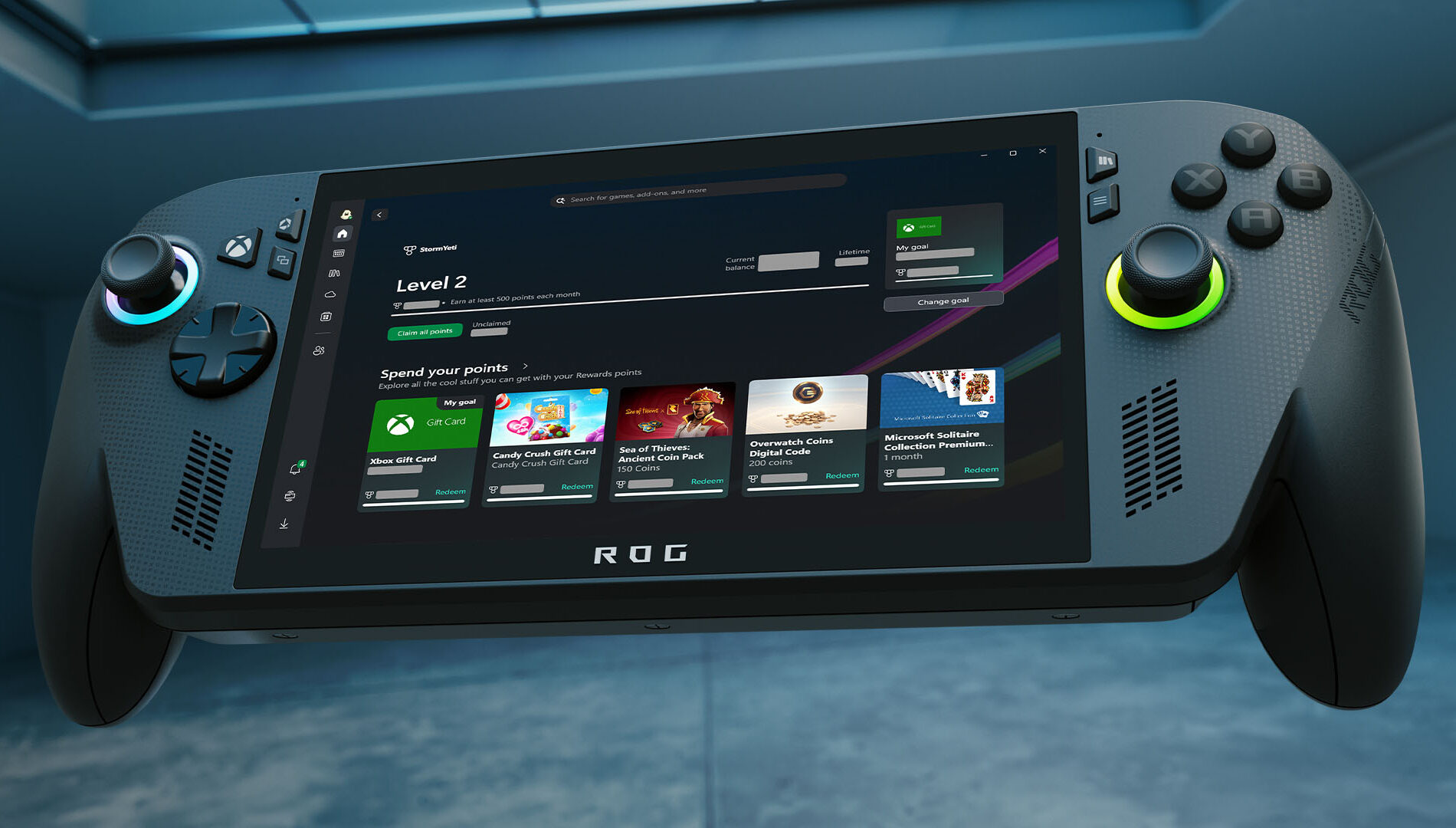
Xbox has rolled out a major redesign of its Rewards hub on PC, delivering a smoother, more intuitive experience across all screen sizes—including handhelds. The refreshed interface makes it easier to track progress, redeem points, and explore new ways to earn, with adaptive visuals that scale seamlessly from desktops to portable devices.

A new Goal Card feature lets players set personalized targets and monitor their journey toward high-value rewards. Meanwhile, the updated Microsoft Rewards Level view provides clear insight into current status and upcoming milestones.

To explore the new hub, users can open the Xbox app on their Windows PC or handheld, navigate to their profile, and select “My Rewards.” From there, they can play games, claim points, set goals, and redeem their balance for gift cards, in-game items, sweepstakes entries, charitable donations, and more.

Redeem Rewards on the Xbox Mobile App


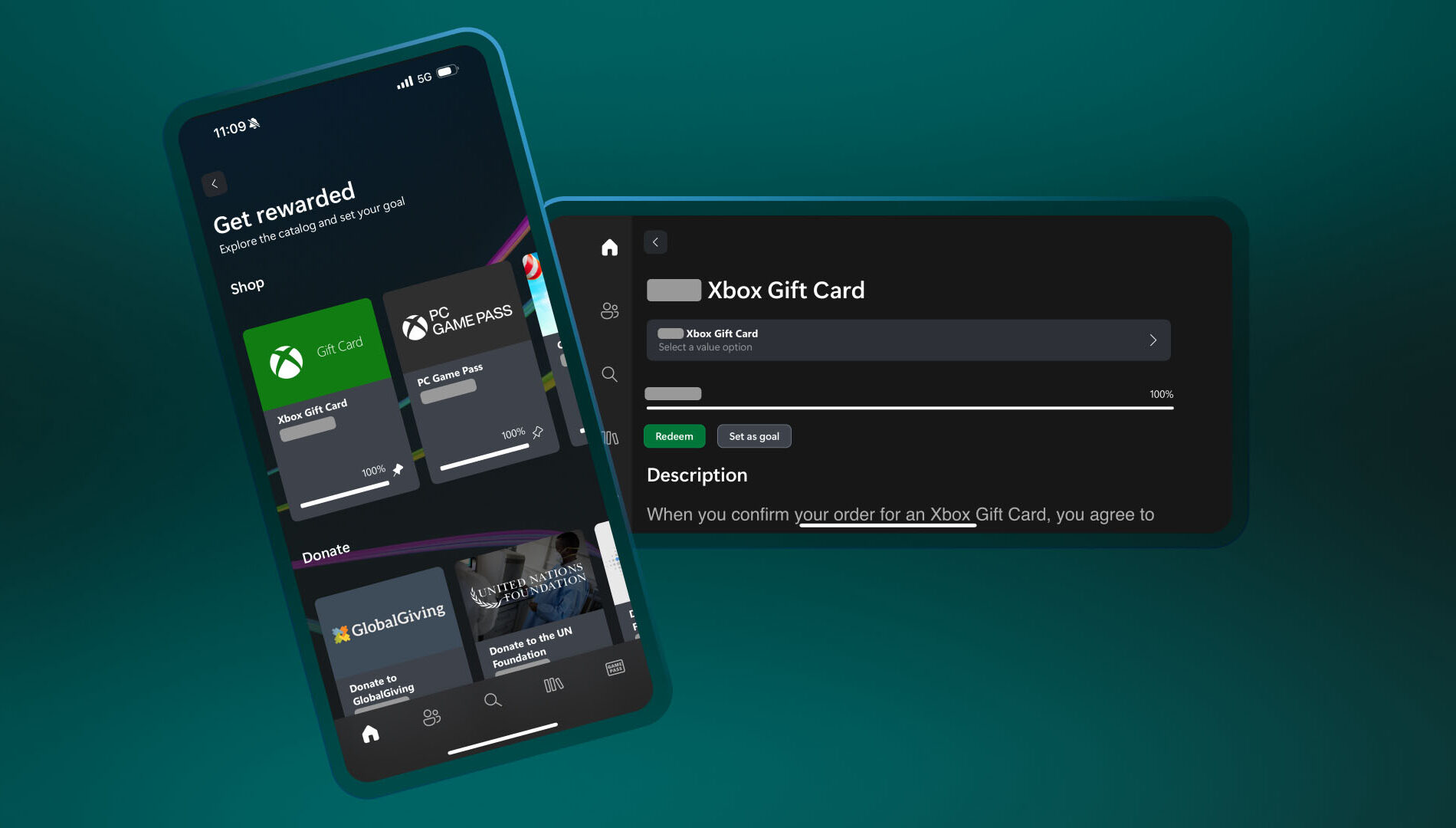
You can now redeem Rewards points directly on the Xbox mobile app. That means you can grab gift cards and put them toward game purchases – all without leaving the app. Simple, fast, and right where you’re already playing.

Here’s how to do it:

  1. Open the Xbox app
  2. Tap your profile icon (top left)
  3. Head to Rewards and tap “Get rewarded”
  4. Tap Redeem on the item you want, confirm, and you’re done!
  5. Simple, fast, and built for wherever you play.

DON'T FORGET TO SHARE:

Thursday, April 17, 2025

SYSTEM UPDATE: Xbox April 2025 Update: Mobile Purchases and More Game Streaming Arrive

This month’s Xbox update brings a host of improvements across console and mobile experiences. Game Pass Ultimate members can now stream select owned titles directly from Xbox Series X|S and Xbox One consoles, expanding the existing cloud gaming library to over 100 games. Remote Play is now unified through xbox.com, with support expanding to more devices like Samsung Smart TVs, Amazon Fire TV, and Meta Quest headsets—plus new support for streaming original Xbox and Xbox 360 titles. A redesigned storage management tool helps free up space with smarter suggestions, and new game hubs provide quick access to achievements, friends, and more. On mobile, players can now purchase games, join Game Pass, and redeem Perks directly from the Xbox app, offering a faster, more seamless way to manage their library and subscriptions on the go.

Click "Read More" to see all the details

Thursday, March 27, 2025

SYSTEM UPDATE: Xbox March 2025 Update - In-Game Benefits, Xbox Cloud Gaming Enhancements and Free-to-Play Features

March is packed with exciting updates for Xbox players! From seamless game switching on Xbox Cloud Gaming to over 50 cloud-playable titles for Game Pass Ultimate members, the fun never stops. Unlock exclusive in-game rewards for free-to-play games, explore new dynamic backgrounds, and enjoy a fresh Game Bar design for PC. Plus, with the release of the Xbox Adaptive Joystick and more perks rolling out soon, there's no better time to level up your gaming experience. Get ready for a month of non-stop action and new features!

Click READ MORE to see full update details 

Wednesday, January 15, 2025

NEWS: Introducing More Ways for Players to Repair their Xbox Consoles, Reduce Waste and Save Energy

At Xbox, we’re continuing to improve how we design, build, distribute, and use our products to reduce our environmental impact and help us reach Microsoft’s goal of being a zero waste, carbon negative, and water positive company by 2030. Finding ways to reduce the environmental footprint of gaming not only helps the environment but also creates benefits for our collective community of players.

We’ve heard from players that they want more options for support when their Xbox consoles need repair. Today, we’re expanding our repairability program, giving players even more options to get their Xbox Series X|S console options – the Xbox Series S – 1TB in Robot White, Xbox Series X – 1TB Digital Edition in Robot White, and Xbox Series X – 2TB Galaxy Black Special Edition – fixed should they ever need to, while also reducing and preventing waste. -Joe Skrebels, Xbox Wire Editor-in-Chief


Expanding Repairability, Updating Console Packaging and Reducing Plastic Waste
Players will soon have more options for support when considering in-person repairs for the three Xbox Series X|S console options. On January 20, uBreakiFix by Asurion will become the first Xbox Authorized Service Provider to repair Xbox consoles at its nearly 700 participating store locations across the U.S. In-person Xbox console repairs were previously only possible through the Microsoft Store, which means players will now have even more ways to repair their consoles, separate from Microsoft’s own support channels. Players should check with their local uBreakiFix by Asurion store to confirm participation in this repairability program.

Additionally, replacement components for the three Xbox Series X|S console options are now available for purchase via the Microsoft Store and replacement console parts are also now available for purchase online via the Microsoft Repair Hub on iFixit. With the purchase of replacement components previously limited to controller parts and only available through the Microsoft Store, these additional repair options allow players to choose the repairability solution that works best for them, even if their console is out-of-warranty.

By expanding the number of ways players can get support and repair for their Xbox consoles, we also help extend the longevity of Xbox devices, reduce waste, promote re-use, and ultimately reduce our environmental impact. 

Providing more options for repair isn’t the only way Xbox is reducing plastic waste. At Microsoft, our goal is to eliminate single-use plastics from our packaging by 2025. Packaging for the three Xbox Series X|S console options  are now fully paper and fiber-based, eliminating all single-use plastics. 

CLICK READ MORE to Continue Reading

Friday, December 13, 2024

NEWS: Support Virtual Agent is Here to Help

After a successful Insider testing period, we’re delighted to announce that Support Virtual Agent is now rolling out to all players in the US. We’d like to thank Insiders for their help in testing and providing feedback for this new feature.

Support Virtual Agent is an AI-powered feature built to help Xbox players more efficiently solve their support-related gaming issues, and it is rolling out to select Xbox Insiders on support.xbox.com today. Support Virtual Agent can quickly access information from support.xbox.com to answer questions relevant to Xbox console and game support issues. Xbox Insiders located in the United States and with English selected as their preferred language can begin previewing the Support Virtual Agent today by visiting support.xbox.com while signed into an account that is registered with the Xbox Insider Program.


We value the feedback from Xbox Insiders for this preview experience and any feedback received will be used to improve the Support Virtual Agent. As you interact with the Support Virtual Agent, you can provide feedback via the “thumbs up” or “thumbs down” button on each of the responses or provide feedback directly via the “Give feedback” button at the bottom of the page.

How to Use Support Virtual Agent
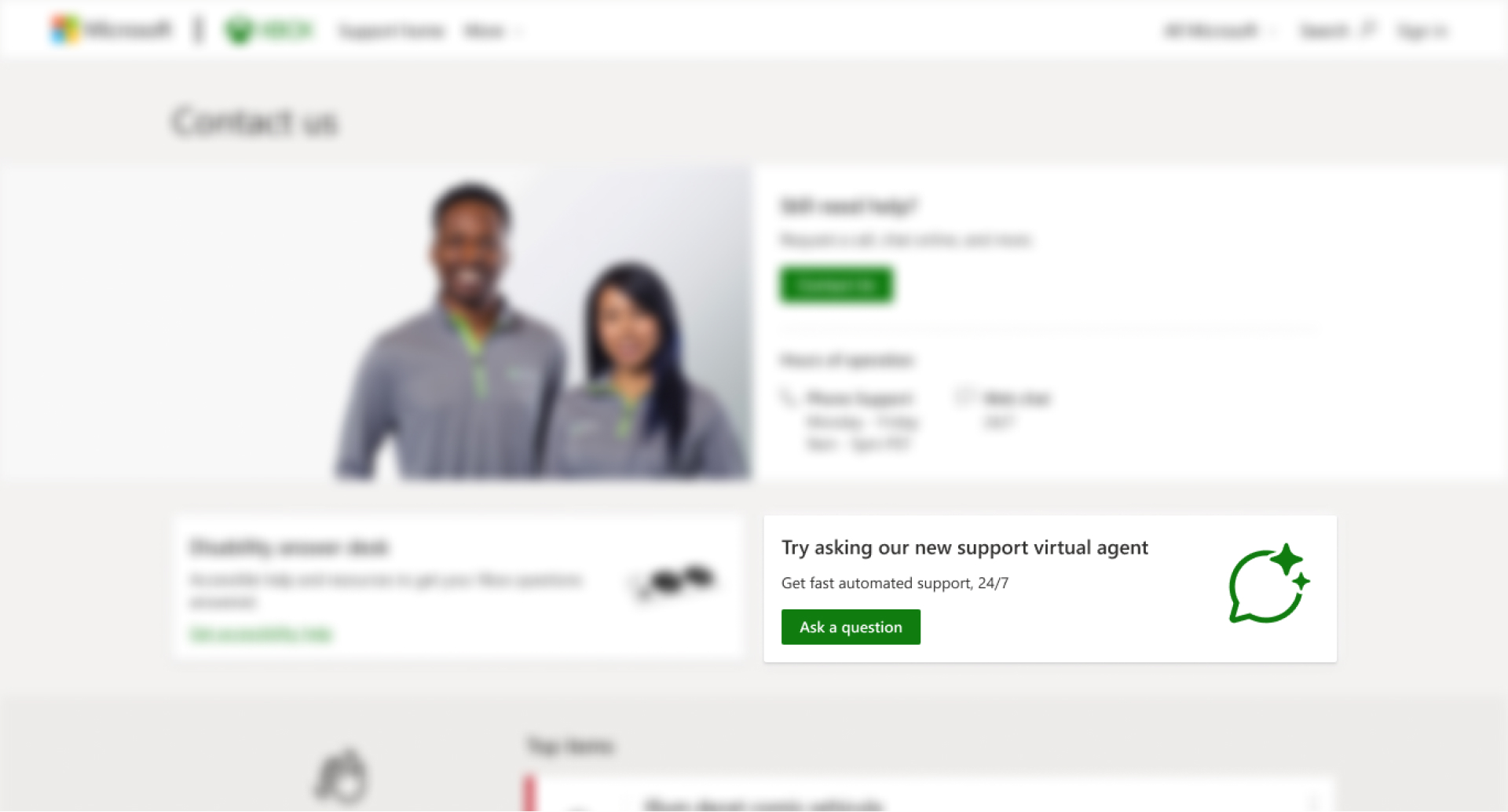
Starting today, Xbox Insiders will see the Support Virtual Agent on the “Contact us” page on support.xbox.com. Sign in with the same account you registered with the Xbox Insider Program, then you’ll see a new option to ask our new Support Virtual Agent a question.

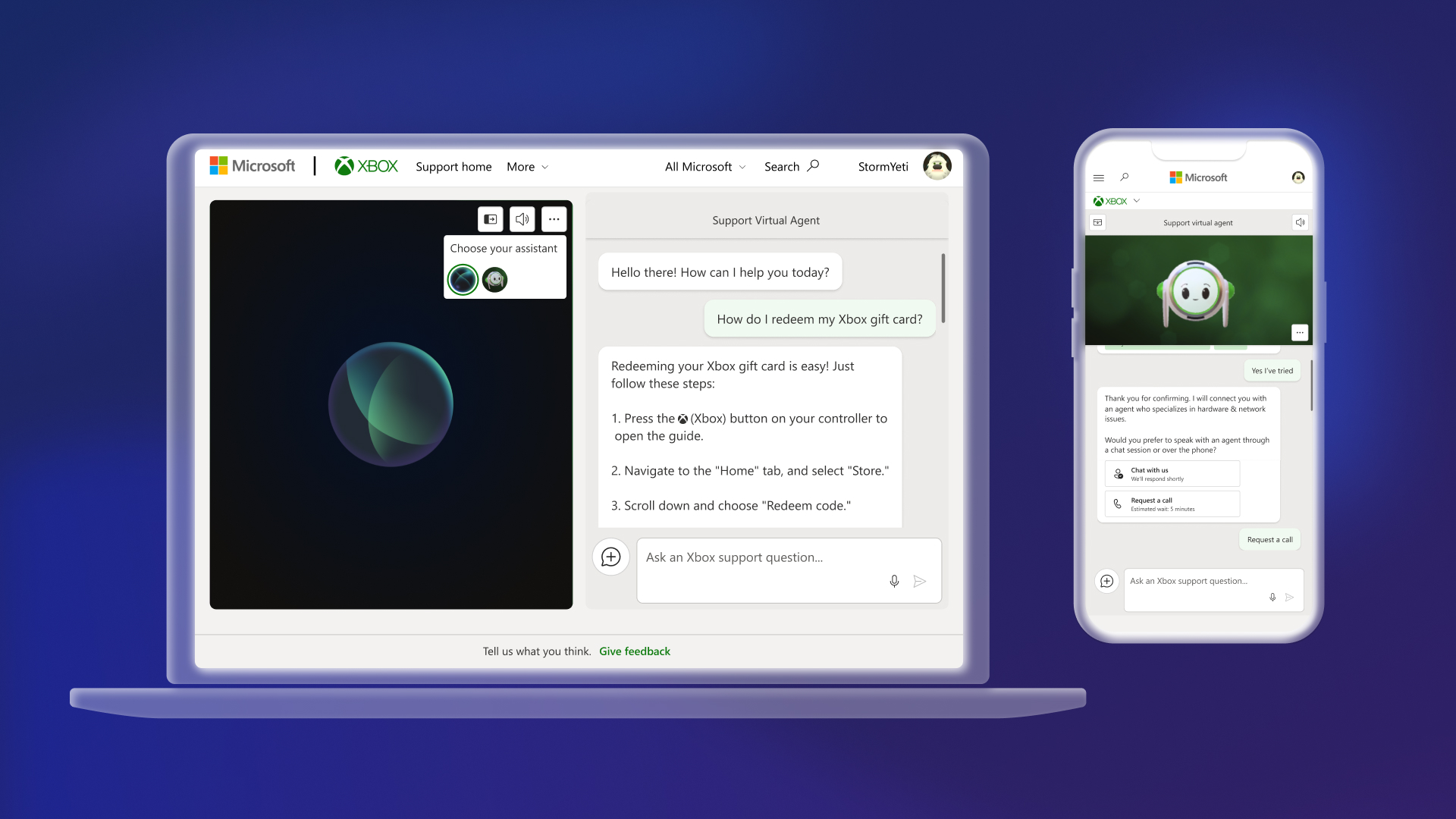
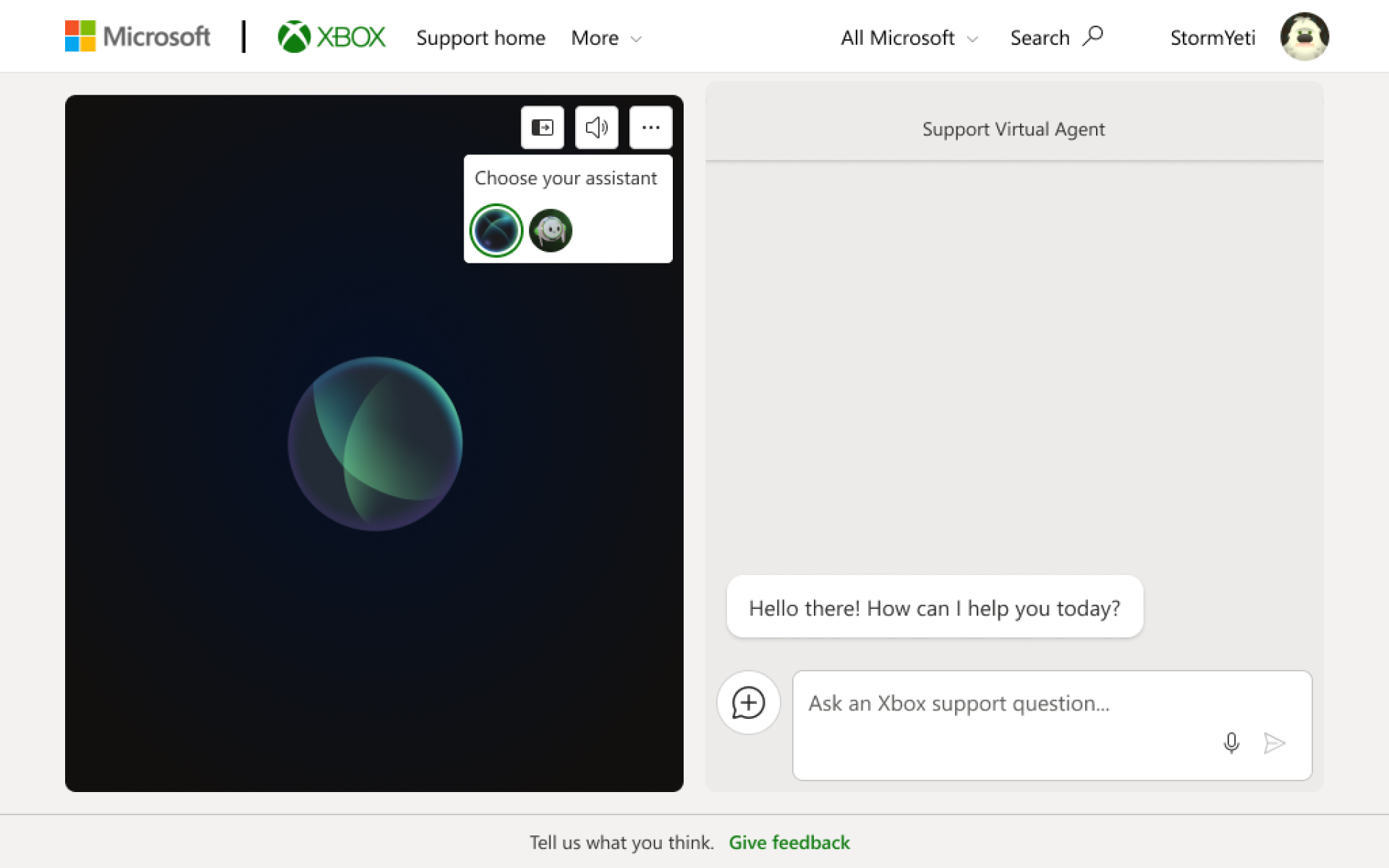
Once you click on “Ask a question,” you will see the Support Virtual Agent launch in a new browser window. You can ask the agent questions via text or voice, and it will answer with relevant information from support.xbox.com. If the Support Virtual Agent cannot solve the issue, you can request to speak with a live support agent as long as it is within Xbox Support’s normal hours of operation.

During this preview, you can also customize your support experience by clicking on the ellipsis menu icon and choosing between two different Support Virtual Agents.


DON'T FORGET TO SHARE:

Monday, October 14, 2024

NEWS: Call of Duty: Black Ops 6, Call of Duty: Modern Warfare III and Call of Duty: Warzone Coming to the Cloud with Game Pass on October 25

We’ve shared our vision to deliver great gaming experiences for players across devices. Today, we’re excited to continue bringing new opportunities to enjoy some of your favorite games wherever you are. We’re thrilled to reveal that Call of Duty: Black Ops 6 will be playable with Xbox Cloud Gaming (Beta) for Game Pass Ultimate members at launch and will begin rolling out to players on October 25, 2024, at 10:00 a.m. PT. In addition, we’re also bringing Xbox Cloud Gaming support to Call of Duty: Modern Warfare III and Call of Duty: Warzone for Game Pass Ultimate members on the same day.

This is a first for the Call of Duty franchise, and a win for the community. Players will be able to access multiple Call of Duty games with Xbox Cloud Gaming for the first time, and Game Pass Ultimate members will be able to enjoy Call of Duty in more places than ever before, including on their consoles, PCs, mobile devices, select Samsung TV, Amazon Fire TV, and Meta Quest devices. This opens up even more ways to play Black Ops 6 starting on day one at launch.


Three Great Call of Duty Experiences with Xbox Cloud Gaming

  • Launching on October 25, Call of Duty: Black Ops 6 is an action thriller set in the early ’90s, a period of transition and upheaval in global politics. Featuring a mind-bending narrative that is signature Black Ops; Black Ops 6 also provides adrenaline-pumping Multiplayer action and the return of Round-Based Zombies. Post-launch, players can look forward to even more exciting maps and groundbreaking experiences dropping into both Multiplayer and Zombies. Learn more and upgrade to the Vault Edition at CallofDuty.com.
  • Call of Duty: Modern Warfare III will also be available with Xbox Cloud Gaming for Game Pass Ultimate members starting October 25, 2024. Modern Warfare III launched with Game Pass in July 2024 and delivered a single player Campaign, Multiplayer mode, and an open world Zombies experience. Modern Warfare III gives fans access to a full package of incredible content, including a variety of post-launch content.
  • Call of Duty: Warzone is a massively popular free-to-play battle royale experience. Team up, drop in or fly in solo to be the last squad standing to win. Play a variety of game modes including special limited-time modes with friends throughout the year. Game Pass Ultimate members will be able to experience massive battles via streaming with Xbox Cloud Gaming starting October 25, 2024.

DON'T FORGET TO SHARE:

Wednesday, September 25, 2024

SYSTEM UPDATE: Xbox September Update – Game Bar Compact Mode Now Available & More

We’re continuing to bring new ways to make Xbox better based on your feedback. This month’s update has brand-new experiences across PC gaming, Xbox apps, consoles and more. Read on for all the details:


Xbox Consoles

Pre-download Your Games and Start Playing When the Update Is Live
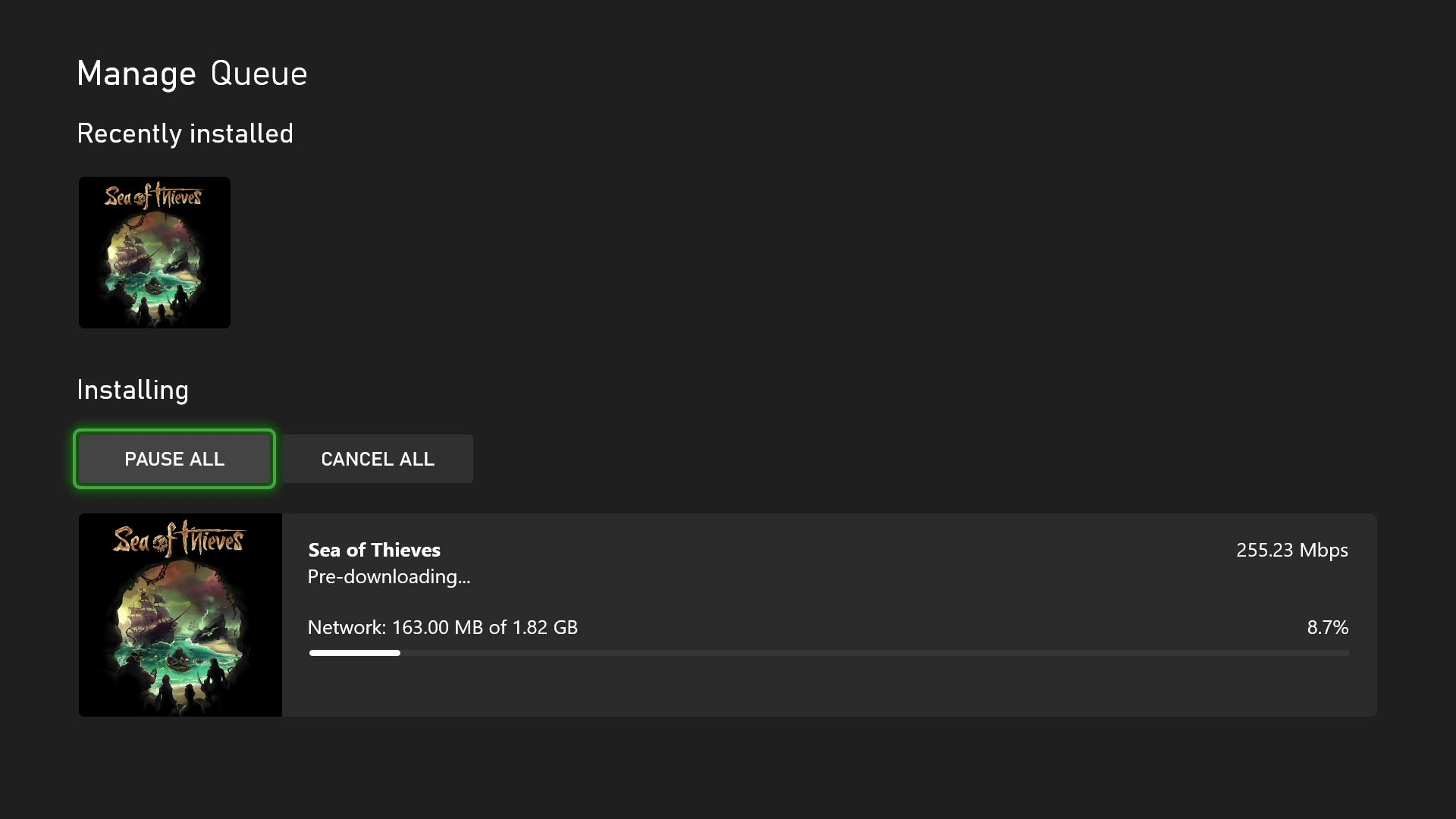
No more waiting for game updates to download. Now you can jump in and start playing right when the update goes live. To start using this new option on your console go to My Games & Apps > Manage > Updates where you’ll be able to see all available pre-downloads. This feature is supported by some of your favorite games now, including Sea of Thieves, Minecraft, Cassette Beasts – and expect many more titles to support it soon.

New Wish List Notifications for Free Play Days and More
Is your wish list up to date? Because it’s about to get even more helpful. Your wish list already lets you keep track of your most wanted games, Free Play Days, add-ons and more, and notifications will help you keep track of when those long-awaited games pop up. With the new update, when a game on your wish list is released, enters the Game Pass library, or becomes available as part of a Free Play Day promotion, you will now receive console notifications. These notifications can be enabled or disabled per your preference in your wish list notification settings.

PC Gaming

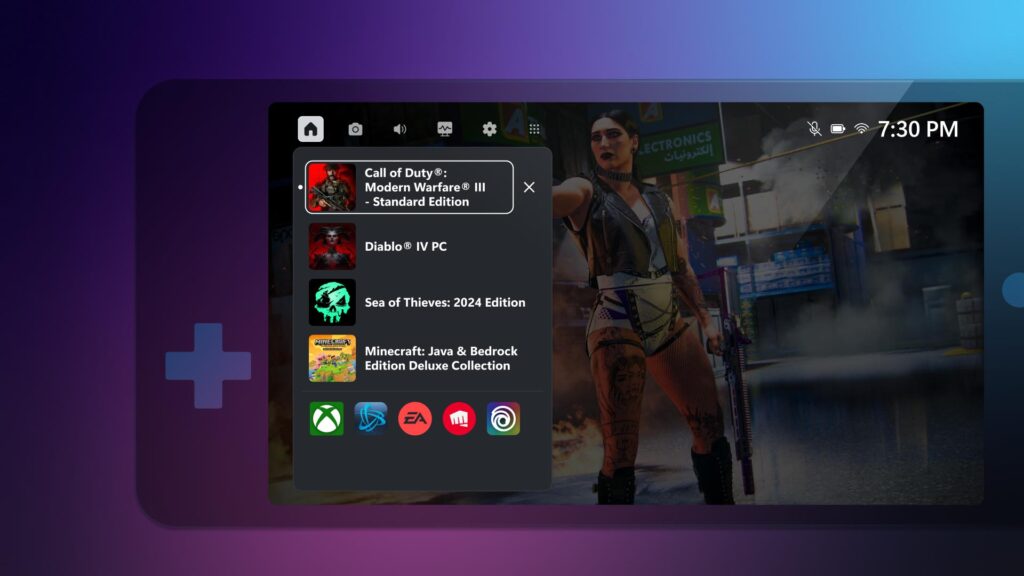
Game Bar Compact Mode Is Now Available for All PC Players on Windows.
In August, we announced that Game Bar Compact Mode, a new mode optimized for smaller screens and Windows handhelds, was available to Xbox Insiders.


Today, we’re excited to share that all PC players can now enjoy Game Bar Compact Mode on their favorite Windows devices. You can view recently played games, access common game launchers and other gaming utilities, and explore the Widget Store, where you can discover and manage widget applications.

With Compact Mode enabled, access to widgets and navigation is simplified to ensure you can get to the content you want as easily as possible on smaller screens. Compact Mode is also optimized to navigate with a controller, and you can quickly switch between widgets with left and right bumpers (LB/RB).

We also added a new feature in Game Bar Compact Mode to allow you to quit a game that is running by going to the Home widget, selecting the game and pressing close – giving you a faster option than quitting from the game itself or navigating out to your desktop. To turn on Compact Mode, go to Game Bar Settings and, under the General tab, switch on the Compact Mode toggle.

We’re just getting started with Game Bar and can’t wait to share new improvements such as modernizing the look and feel and adding support for virtual keyboard navigation with future updates. You can learn more about Game Bar Compact Mode by visiting the feature overview page.

More Game Management Options Coming Your Way Via the Xbox App on PC
As we announced back in August, we are continuing to enhance game management experiences in the Xbox app on PC. This time, we have made additional improvements to save you download space and time managing your library of games on PC.

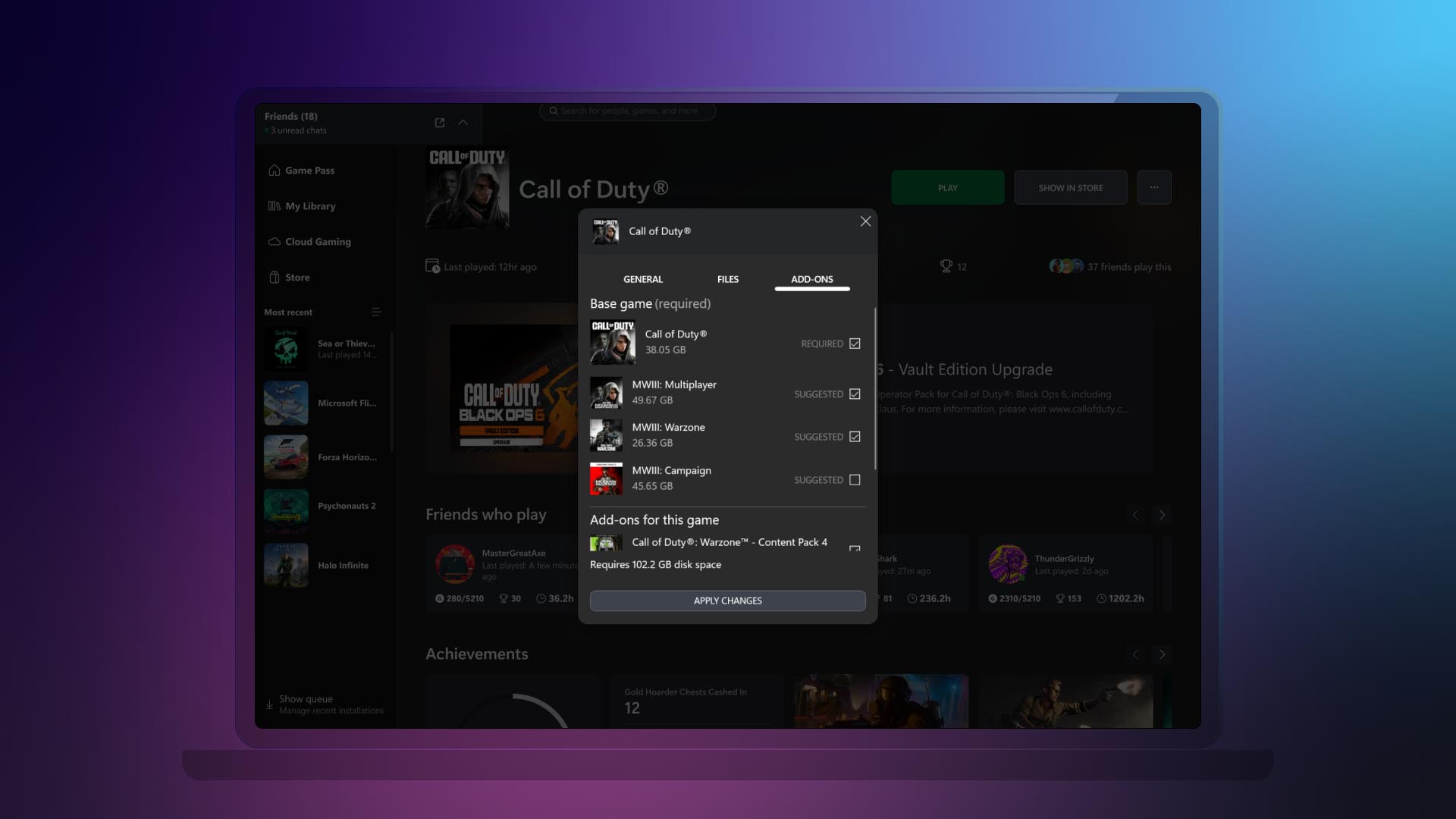
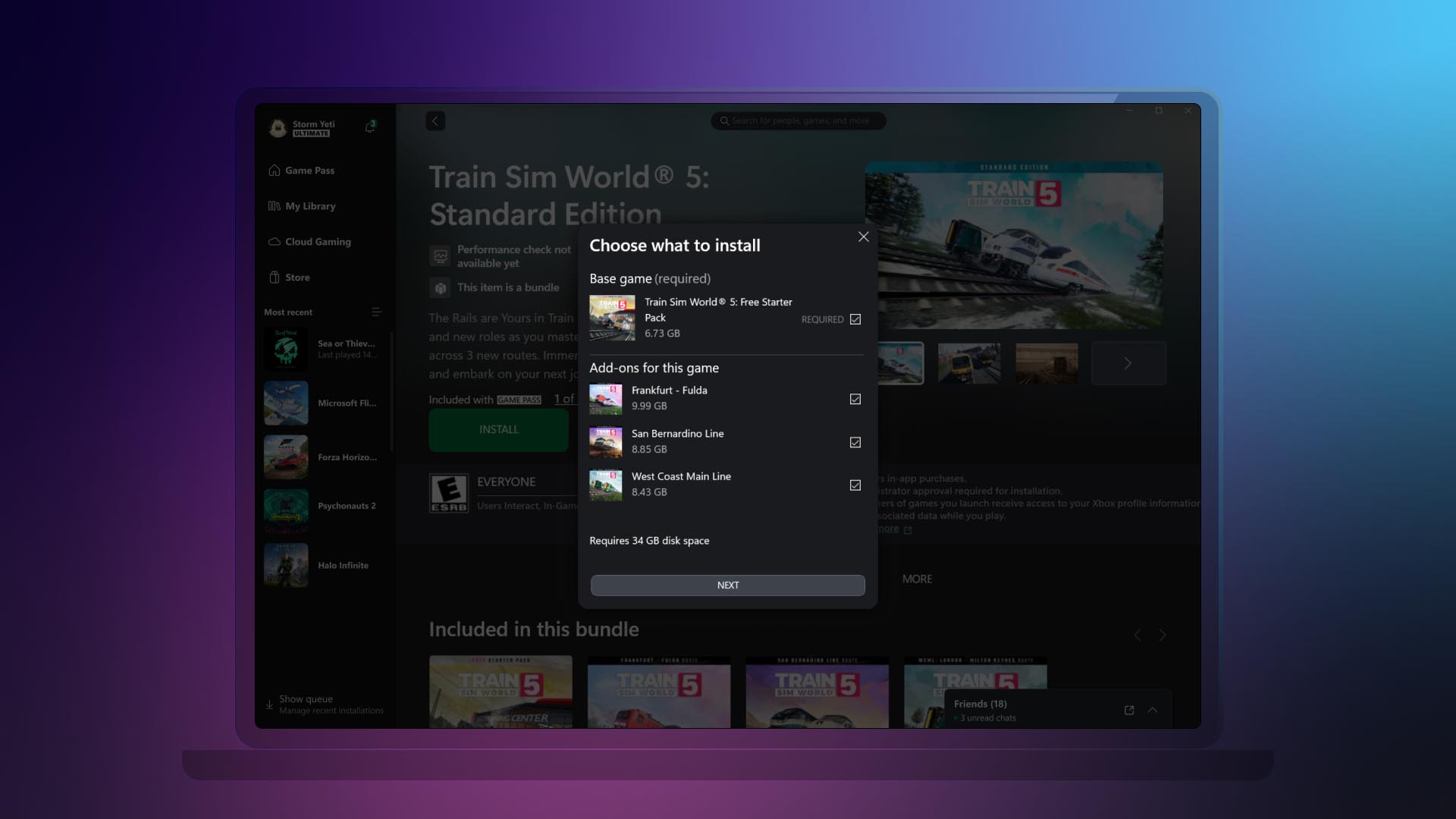
  • Easily view and install all add-ons upon game installation.
Now you can view and install all add-ons related to the game that you are installing, regardless of when you acquired them or if they were part of the same bundle. This helps you see all content related to the game you are installing at a glance, instead of having to navigate the app to see and install the different add-ons or content tied to the game you want to play.
  • Ability to manage all your game content in one place.
If your installed game has add-ons or additional content, we’ll display it all in one place. This is also beneficial to manage any additional content you might have acquired after you added a game to your collection. To access this new view, right-click on any game that you have installed either going to your library or the left navigation panel. Then click on “Manage” and go to the new “Add-ons” section.

DON'T FORGET TO SHARE:


Wednesday, August 28, 2024

SYSTEM UPDATE: Xbox August 2024 Update Is Rolling Out with Updates to Cloud Gaming, Consoles, PC Gaming, and Accessories

Team Xbox is bringing new ways to make Xbox better based on your feedback. This month’s update has brand-new experiences across Xbox Cloud Gaming (Beta), consoles, PC gaming, and wireless controllers.


Xbox Cloud Gaming

Xbox app on Fire TV now available on Fire TV Stick (1st Gen) and Fire TV Cube (2nd Gen)
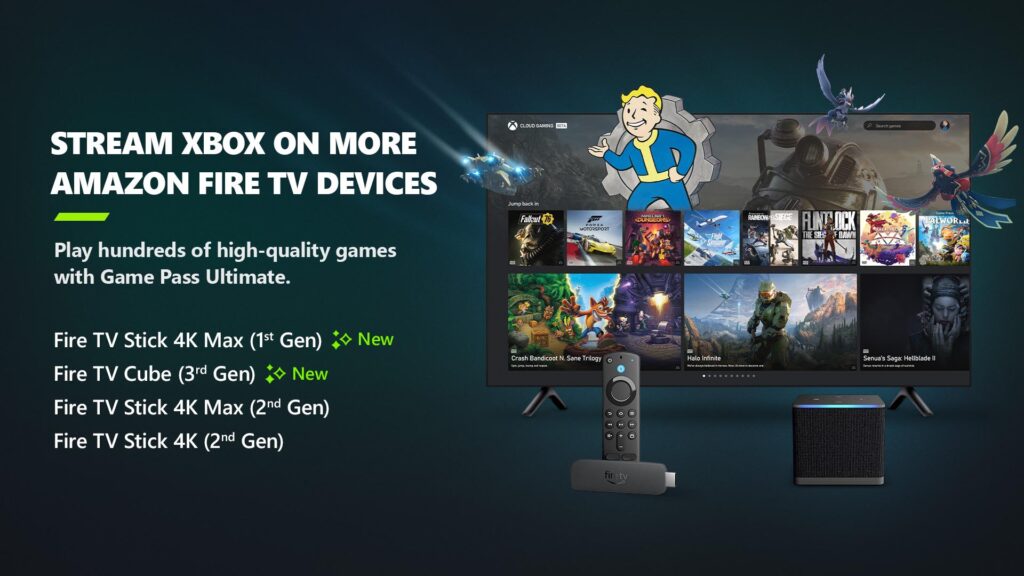
Earlier in the year, Xbox announced a collaboration with Amazon where Xbox Game Pass Ultimate members in over 25 countries can play games directly from the Xbox app on select Fire TV devices via cloud gaming, giving people even more choice in how they play their favorite games. Now, alongside the Fire TV Stick 4K Max (2nd Gen) and Fire TV Stick 4K (2nd Gen), the Xbox app on Fire TV is available for customers with a Fire TV Stick 4K Max (1st Gen) and Fire TV Cube (3rd Gen). This expansion offers players even more choice in how they play their favorite games on devices they already own.

Players will have the opportunity to play current games in the Game Pass Ultimate catalog. To get started, download the Xbox app on your eligible Fire TV device via the Amazon Appstore. Once you install and open the app, you’ll be prompted to sign in with your Microsoft account. If you’re already an Xbox Game Pass Ultimate member, you’ll have instant access to stream and play any of the hundreds of cloud-enabled titles in the Game Pass Ultimate library.

Not a member yet? You can easily sign up for Xbox Game Pass Ultimate through the app.

Then, all you have to do is connect a compatible Bluetooth controller and you’re ready to start gaming! The Xbox Wireless Controller, Xbox Adaptive Controller, DualSense or DualShock 4 controllers all work seamlessly. Once connected, you’re all set!

Xbox Consoles

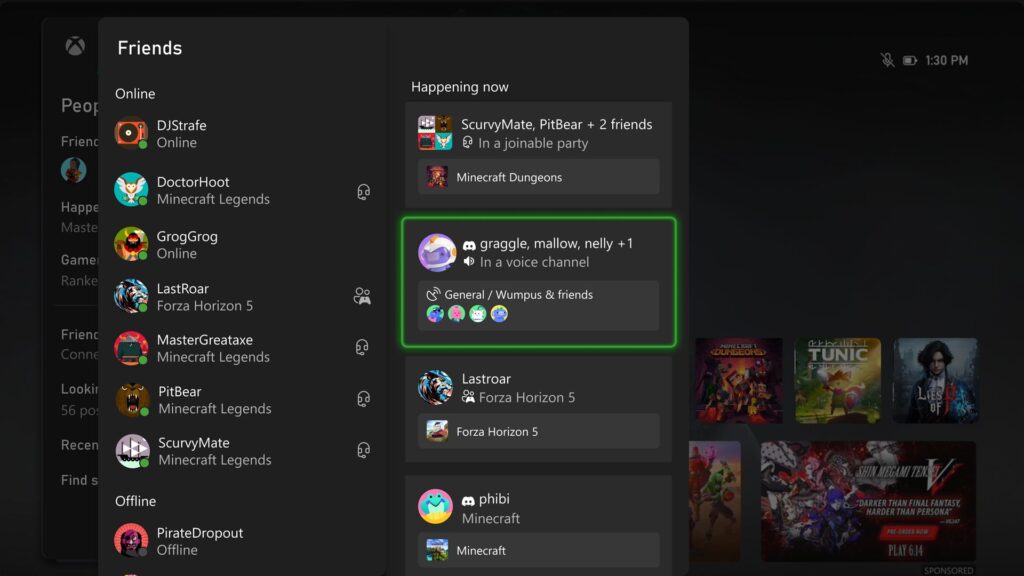
Happening Now – Find your Discord friends and channels from your Xbox
It’s now easier to get updates when one of your Discord friends is playing, chatting, or streaming. Now you can jump into voice chat with them or watch their stream – all on your Xbox console, without having to use the Discord app on PC or mobile.

If your Xbox and Discord accounts are linked, you can opt-in to have your Discord friends included in your Friends list on the Xbox guide by re-linking your accounts. Once you relink your Xbox profile and Discord account, head to the Friends list of the Xbox guide.

Your Discord friends will show up on the right side under “Happening now” whenever they’re playing a game or chatting in Discord voice.

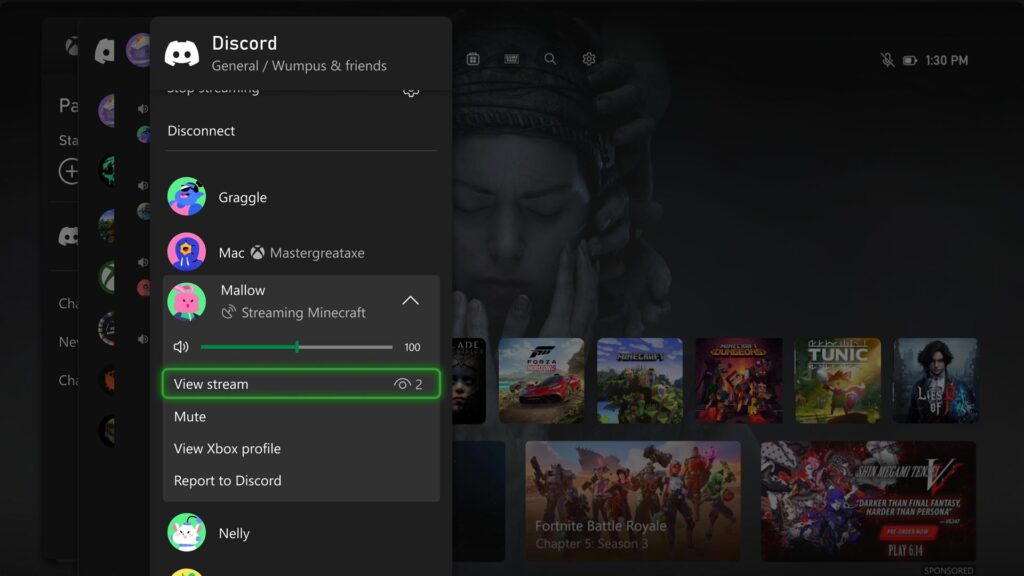
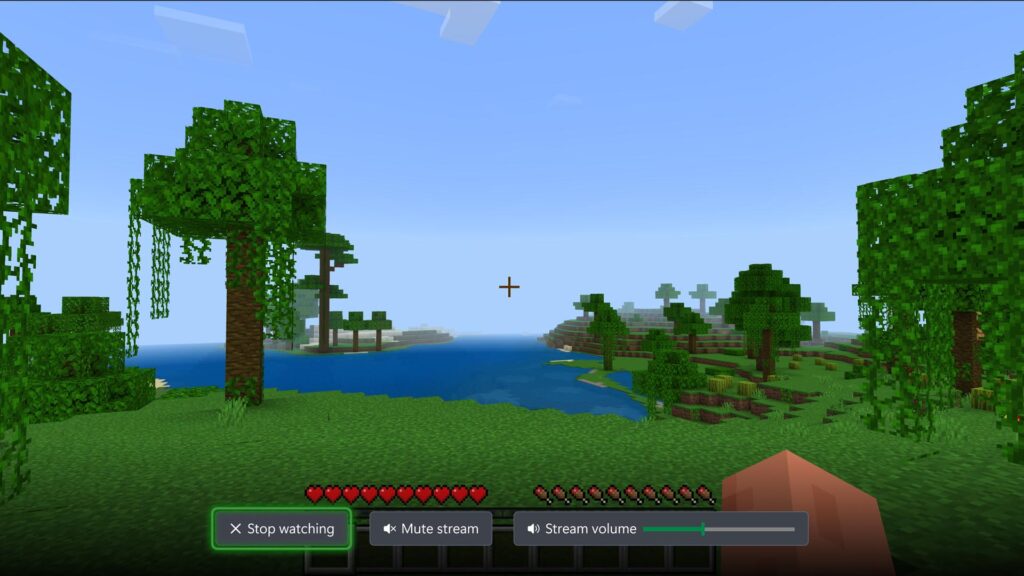
Watch Discord streams on your Xbox console
You can now watch anyone who is streaming directly on your Xbox console when you’re connected to a Discord call or in a voice channel! Are you having an epic moment you want to share? You can stream your gameplay to your Discord friends, too.
DON'T FORGET TO SHARE: