Welcome to XboxIssues

Welcome. I decided to make this blog after being a Xbox Ambassador for a number of years.

If you don't know an Ambassador is a Volunteer that Microsoft uses to help ease the load on the actual hard working support people.

I noticed that alot of the questions I would get could easily be solved by using Microsofts Xbox.com site.

Since some of the help articles may be hard to find, understand or the issue may be called something different in the gaming community making it more difficult to solve, I've decided to make this blog to make it easier for fellow gamers to get xbox assistance, news and all things Xbox.

If you have any Xbox related question you can find the answer to feel free to contact me on YouTube, twitter or in the comments.
Showing posts with label Update. Show all posts

Wednesday, March 25, 2026

SYSTEM UPDATE: March Xbox Update

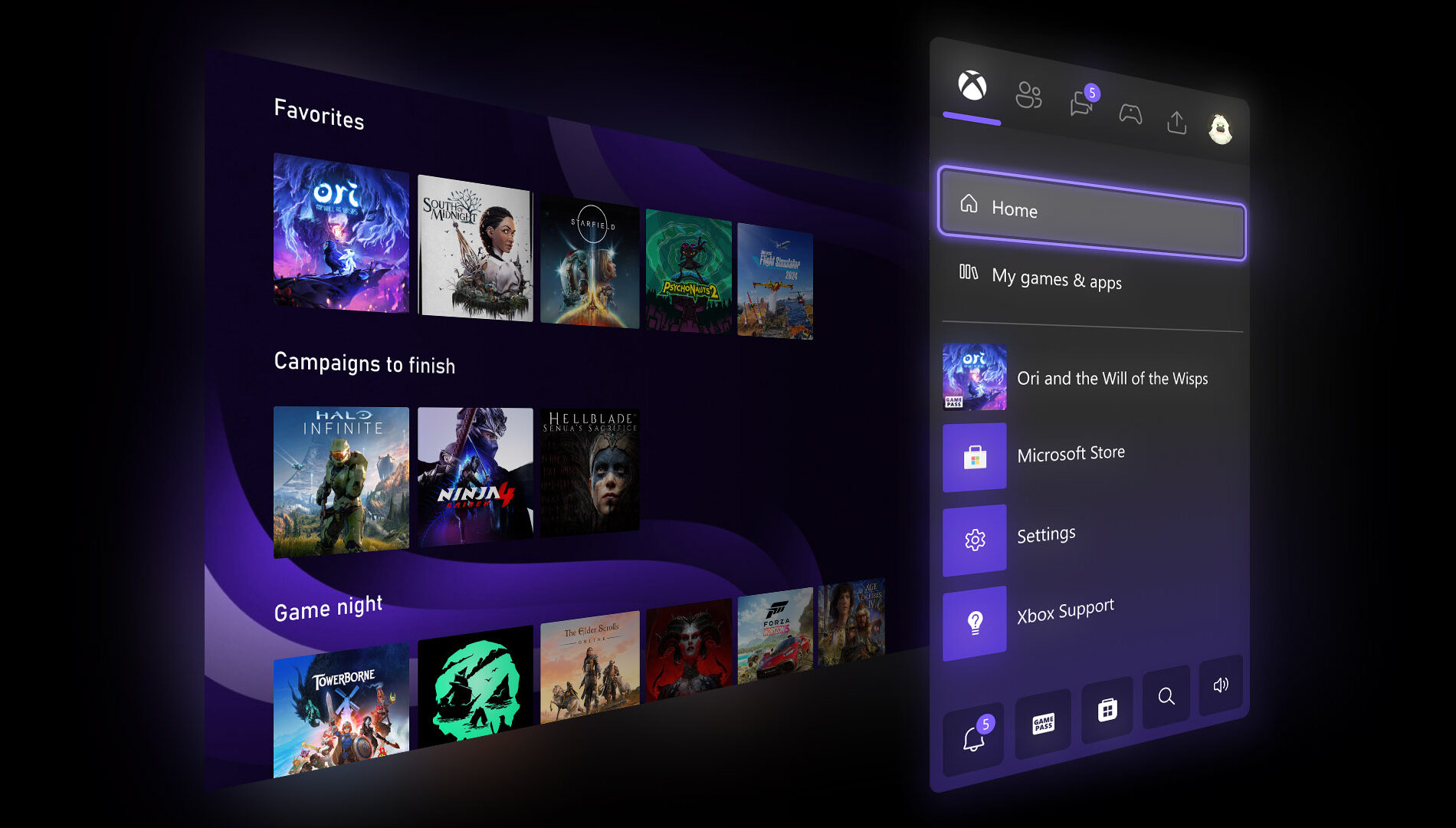
Xbox announced several March updates, including new customizable console features for Xbox Insiders like expanded Home groups, custom colors, per-game Quick Resume settings, and profile badges. At GDC, they previewed future plans such as the next-gen “Project Helix” console, broader Xbox Play Anywhere support, and Xbox mode coming to Windows 11 devices. New dynamic backgrounds were added for select games, and a handheld compatibility program now highlights games optimized for portable play, with recent additions like Crimson Desert, Kingdom Come: Deliverance II, and Towerborne.


Here’s What’s New

New Console Features for Xbox Insiders


Earlier this month, new features were introduced for select Xbox Insiders to test ahead of a broader console rollout. These include:
  • More Groups on Home. Players can now customize Home with up to 10 groups.
  • Custom Color. Players can now create a custom color that’s uniquely theirs to express themselves across the console.
  • Quick Resume Settings. Players can now disable Quick Resume on a per-game basis to ensure those games always launch fresh.
  • Profile Badges in Guide. See a player’s five most recently unlocked badges when viewing their profile.
Xbox at GDC


Earlier this month at GDC, more details were shared about how the next generation of Xbox is being developed for players and creators. This included an early look at Project Helix, a next-generation console designed to support both Xbox and PC games. It was also announced that Xbox mode will begin rolling out to all Windows 11 devices in April, alongside continued growth of Xbox Play Anywhere, which now includes over 1,500 titles.

Xbox Console – Dynamic Backgrounds

Crimson Desert, Sea of Thieves and Towerborne introduced new dynamic backgrounds for Xbox Series X|S consoles, allowing you to customize your console to celebrate these games.

CLICK READ MORE to Continue

Wednesday, October 1, 2025

UPDATE: Xbox Game Pass Overhaul Comes with Higher Prices and Shuffled Plans


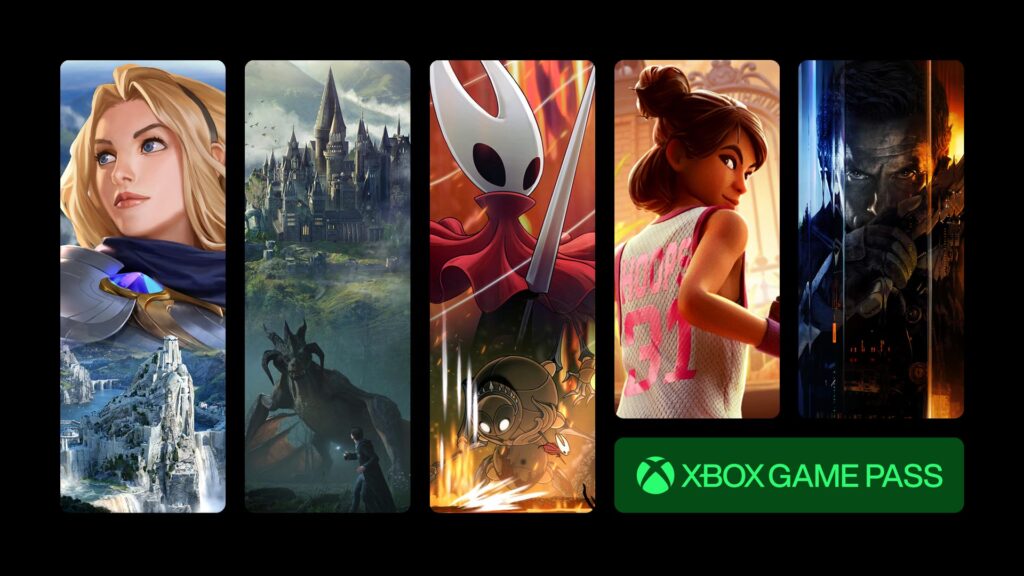
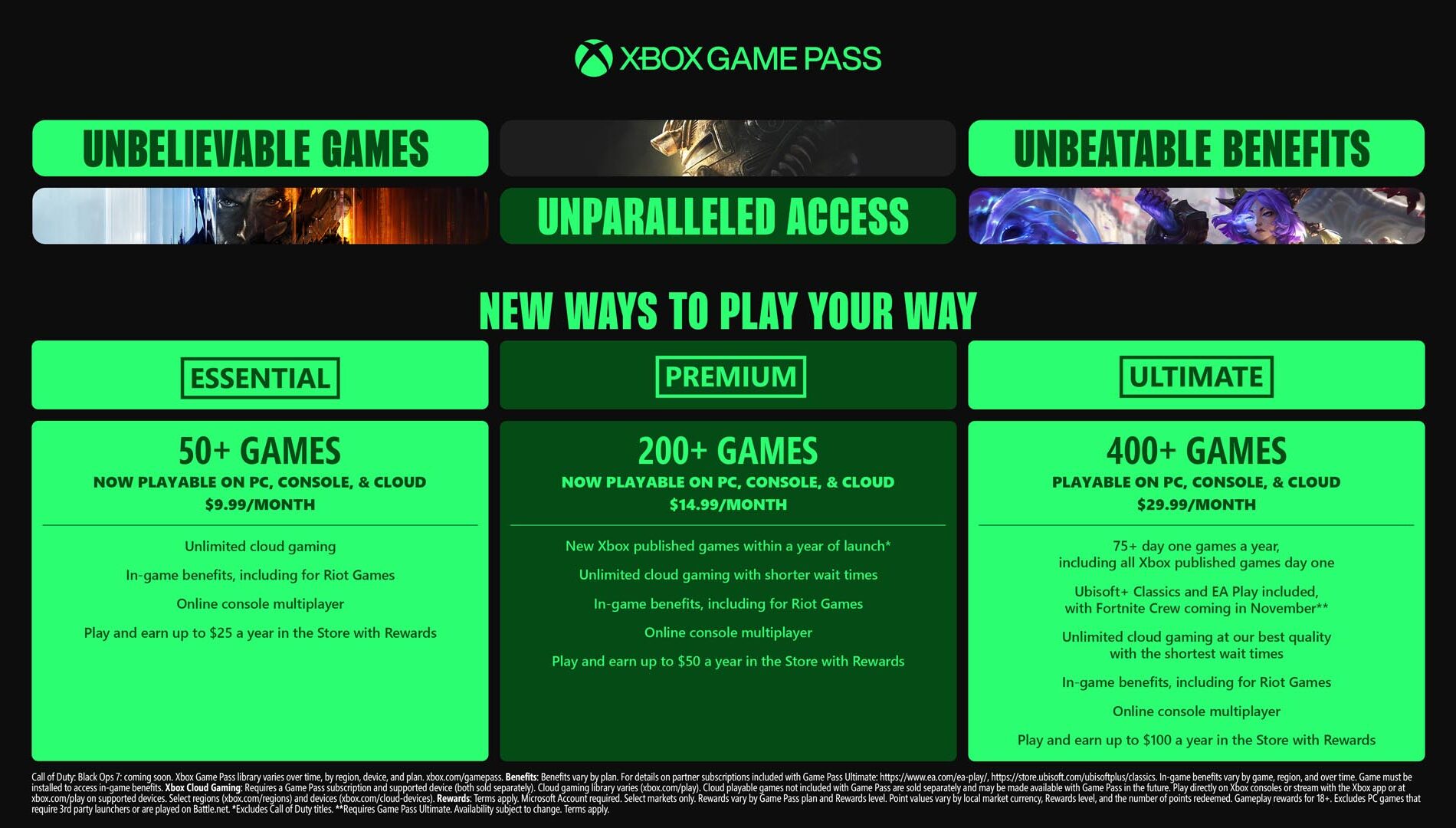
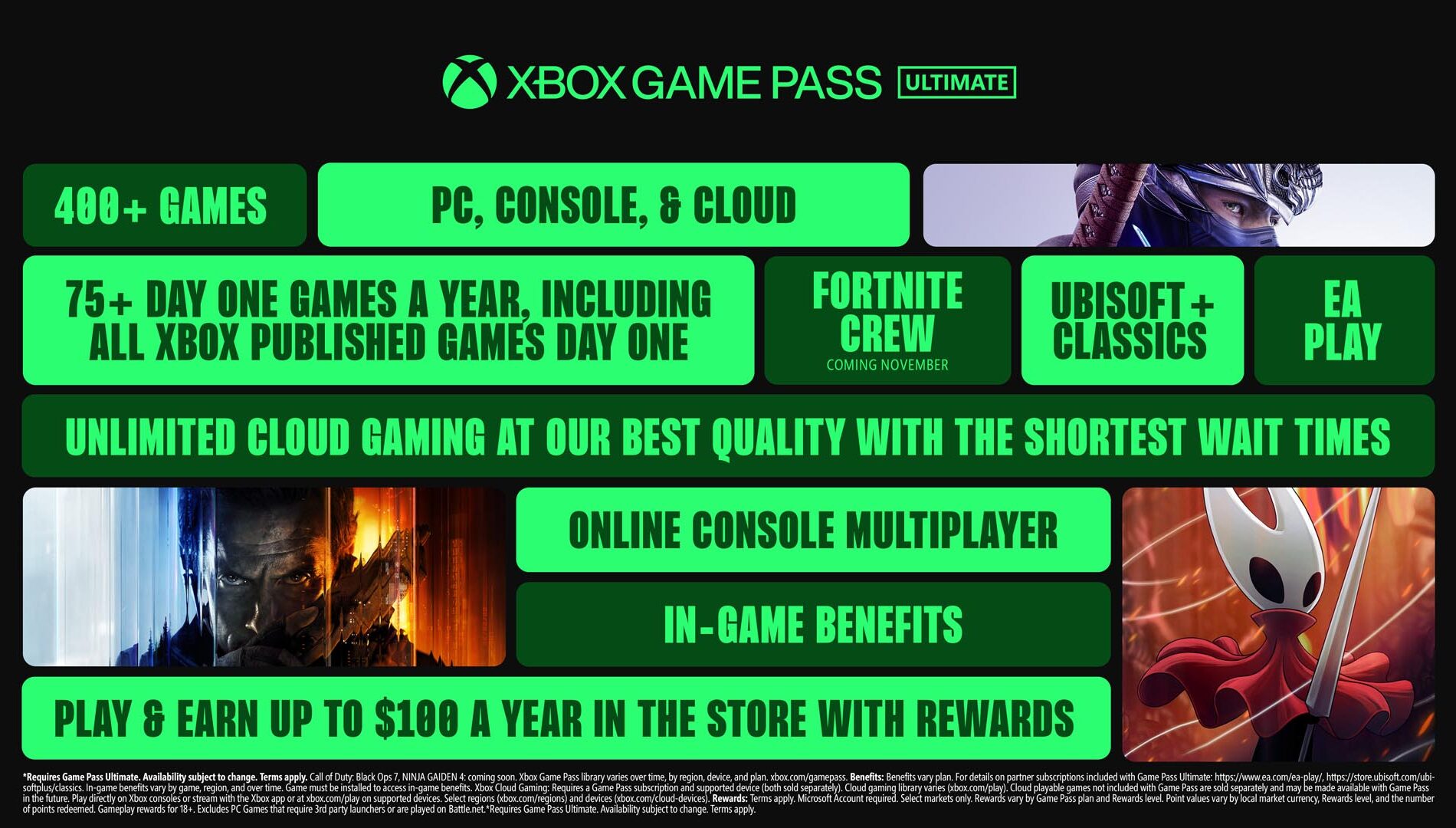
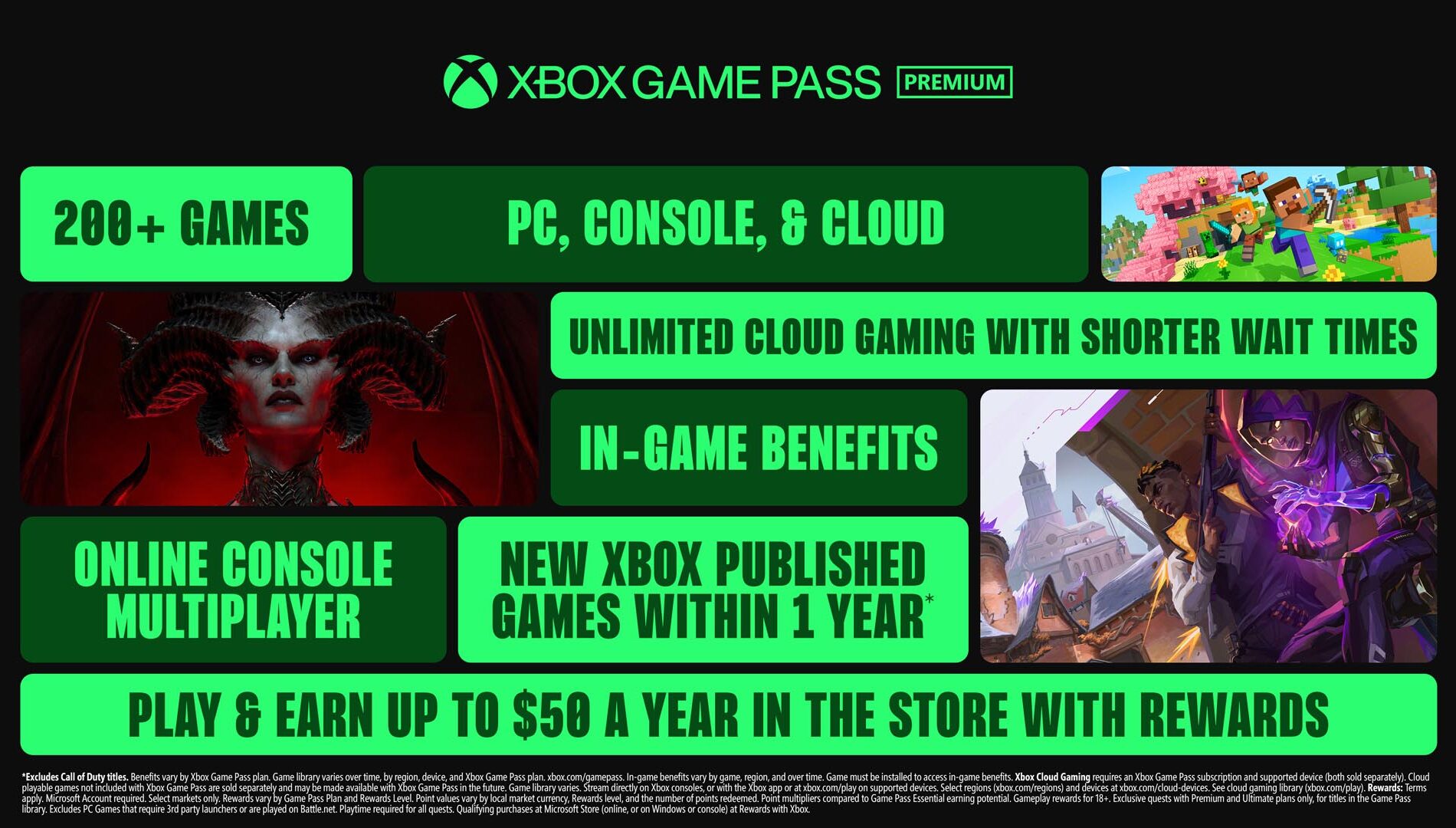
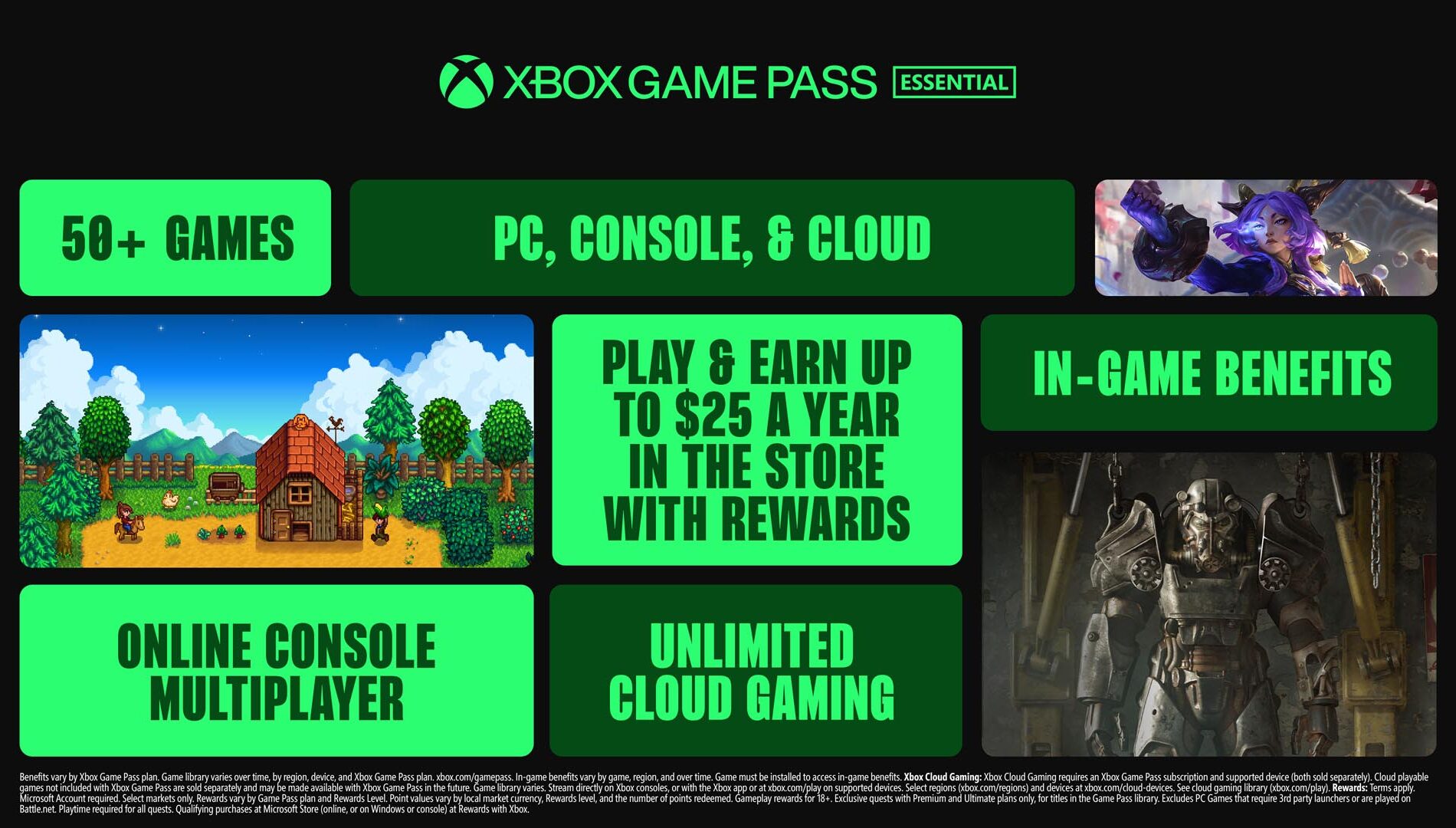
Xbox has restructured Game Pass into three tiers—Essential, Premium, and Ultimate—bringing expanded libraries, new perks, and higher costs. Ultimate, now $29.99/month, offers over 400 games including 75+ day-one releases, Ubisoft+ Classics, Fortnite Crew, and upgraded cloud streaming. Premium, still $14.99/month, expands to 200+ titles across console, PC, and cloud, adding hits like Diablo IV, Hogwarts Legacy, and Minecraft, with Xbox-published games arriving within a year of launch. Essential remains $9.99/month with online multiplayer, cloud gaming, and a 50+ game library featuring popular titles like Stardew Valley and Hades. While players get more games and benefits, the shake-up comes with notable price increases.


Since its launch in 2017, Xbox Game Pass has been pitched as a way to deliver value and a vast library of games to players. Microsoft points to record engagement and creator participation, but with its latest overhaul, subscribers will now face higher prices alongside bigger catalogs.

The service has been restructured into three tiers: Essential, Premium, and Ultimate. Each tier expands game libraries to include PC titles, cloud play, and in-game benefits, while also tying into a revamped Rewards with Xbox program. Current Core members will shift to Essential, Standard will move to Premium, and Ultimate users will remain on their existing plan.

Microsoft frames the change as offering more “flexibility, choice, and value” for players who want everything from day-one releases to hidden gems across console, PC, and cloud. However, the shift comes with a steeper cost, leaving some wondering whether the added perks justify the price increase.


Xbox Game Pass Ultimate Just Got Its Biggest Upgrade Yet

The Ultimate tier has received its biggest update yet, targeting players who want the most comprehensive experience. Subscribers now gain access to over 75 day-one releases per year, including highly anticipated titles such as Call of Duty: Black Ops 7, High on Life 2, Keeper, Ninja Gaiden 4, and The Outer Worlds 2. These join a library of more than 400 games playable across Xbox consoles, PC, and cloud, with over 45 new games added immediately. Hits like Blue Prince, Clair Obscur: Expedition 33, and Hollow Knight: Silksong are also included, alongside exclusive perks such as EA Play access.

Microsoft is also bundling Fortnite Crew ($11.99/month value) starting November 18, giving Ultimate members the Battle Pass, 1,000 V-Bucks monthly, and other perks, while Ubisoft+ Classics (~$15.98/month) brings access to a curated selection of Ubisoft titles like Tom Clancy’s Ghost Recon Breakpoint, Prince of Persia: The Lost Crown, and Assassin’s Creed IV: Black Flag.

Cloud gaming gets a notable boost, with Ultimate subscribers enjoying the highest streaming quality up to 1440p and shorter wait times, as Xbox Cloud Gaming officially exits beta. The “Stream your own game collection” feature is also expanding, allowing more seamless cross-device play.

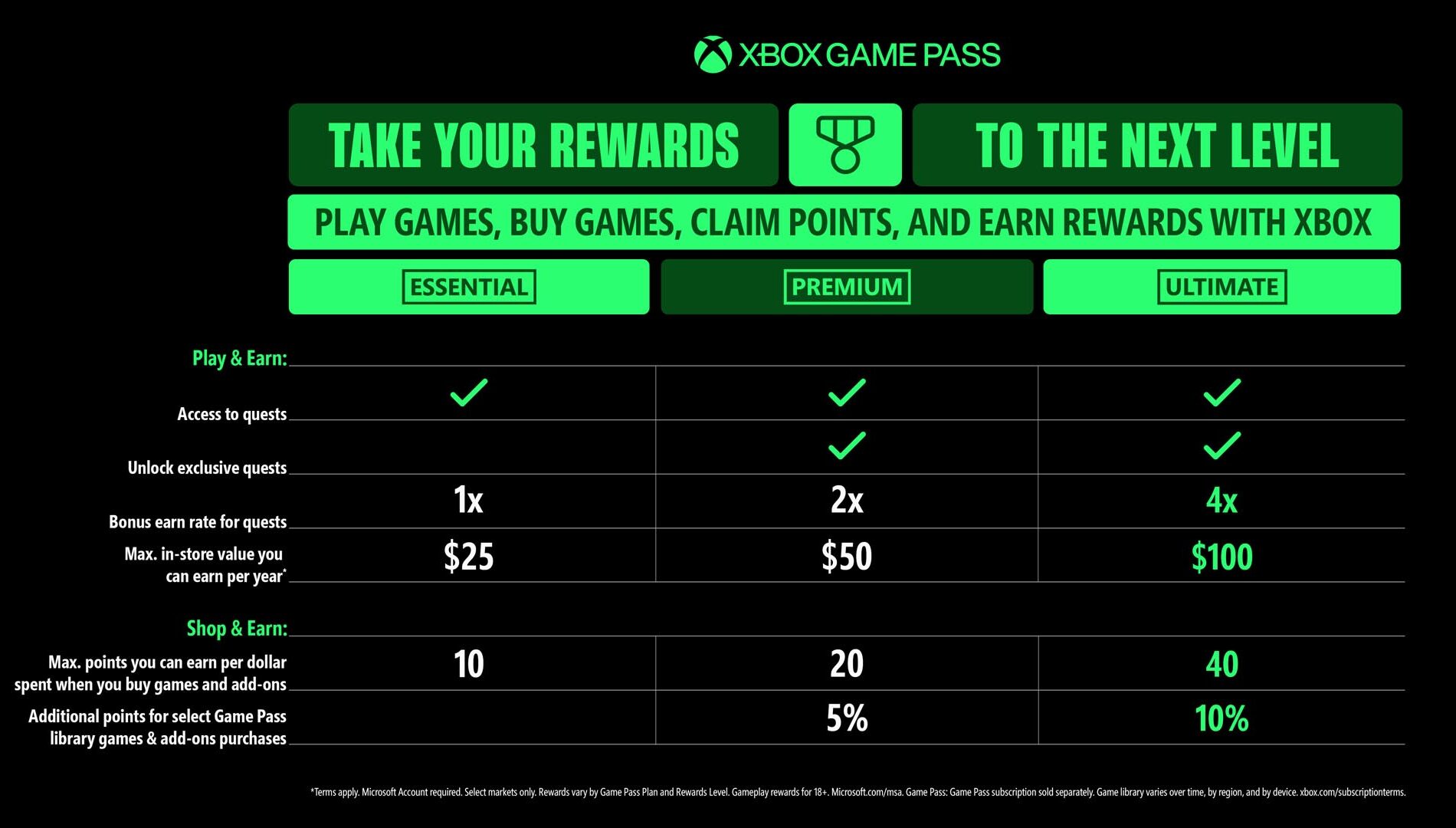
On the rewards side, Ultimate members can earn up to $100 per year in Xbox Store credit. The upgraded Rewards with Xbox program also offers up to 30% value on select Game Pass games, 4x points on game and add-on purchases, 10% back on select library titles, and up to 20% off certain Game Pass games.


Xbox Game Pass Premium – More Games, More Flexibility
The Premium tier has been expanded to offer more games and greater flexibility for players who want a robust Xbox experience across console, PC, and cloud. Subscribers now gain access to over 200 titles, including major hits like Minecraft, Forza Horizon 5, and Grand Theft Auto V, as well as fan favorites such as Diablo IV and Hogwarts Legacy. Premium also includes new Xbox-published games within a year of release (excluding Call of Duty).

Cloud gaming is upgraded, giving Premium members unlimited access, including select games they already own. In-game benefits have been added for top titles like League of Legends, Call of Duty: Warzone, and Tom Clancy’s Rainbow Six Siege, unlocking cosmetics, characters, and more.

Premium also boosts rewards, letting subscribers earn up to $50 per year in Xbox Store credit. With 2x points on purchases and 5% back on select library titles, Microsoft aims to make this tier appealing for both casual and dedicated players—all while keeping the price at $14.99/month.

Xbox Game Pass Essential: A Great Way to Get Started
The Essential tier offers a streamlined Xbox experience for players who want access to games across console, PC, and cloud without breaking the bank. The plan includes 50+ curated titles like Hades, Cities: Skylines – Remastered, Stardew Valley, and Warhammer 40,000: Darktide, all fully playable on PC.

Subscribers also get unlimited cloud gaming, online multiplayer, and in-game perks for popular games such as League of Legends, Call of Duty: Warzone, and Overwatch 2. Through the Rewards with Xbox program, members can earn up to $25 per year in store credit, plus points on game and add-on purchases—making it a simple, entry-level way to jump into Xbox gaming.

More Rewards with Game Pass


DON'T FORGET TO SHARE:

CLICK "READ MORE" to Contnue Reading

Monday, September 29, 2025

SYSTEM UPDATE: Xbox September Update Breakdown: Everything New Across PC, Console, and Mobile

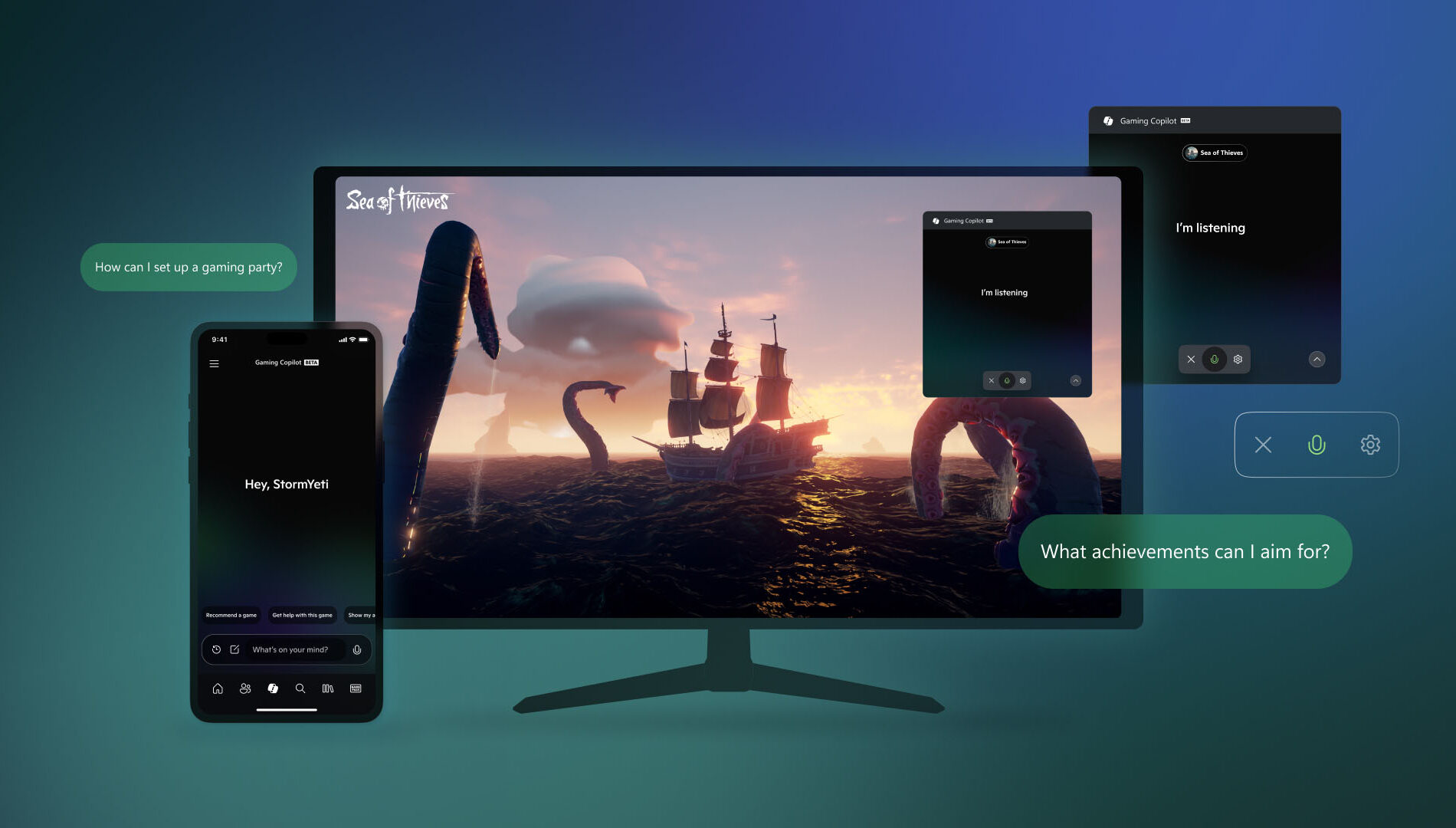
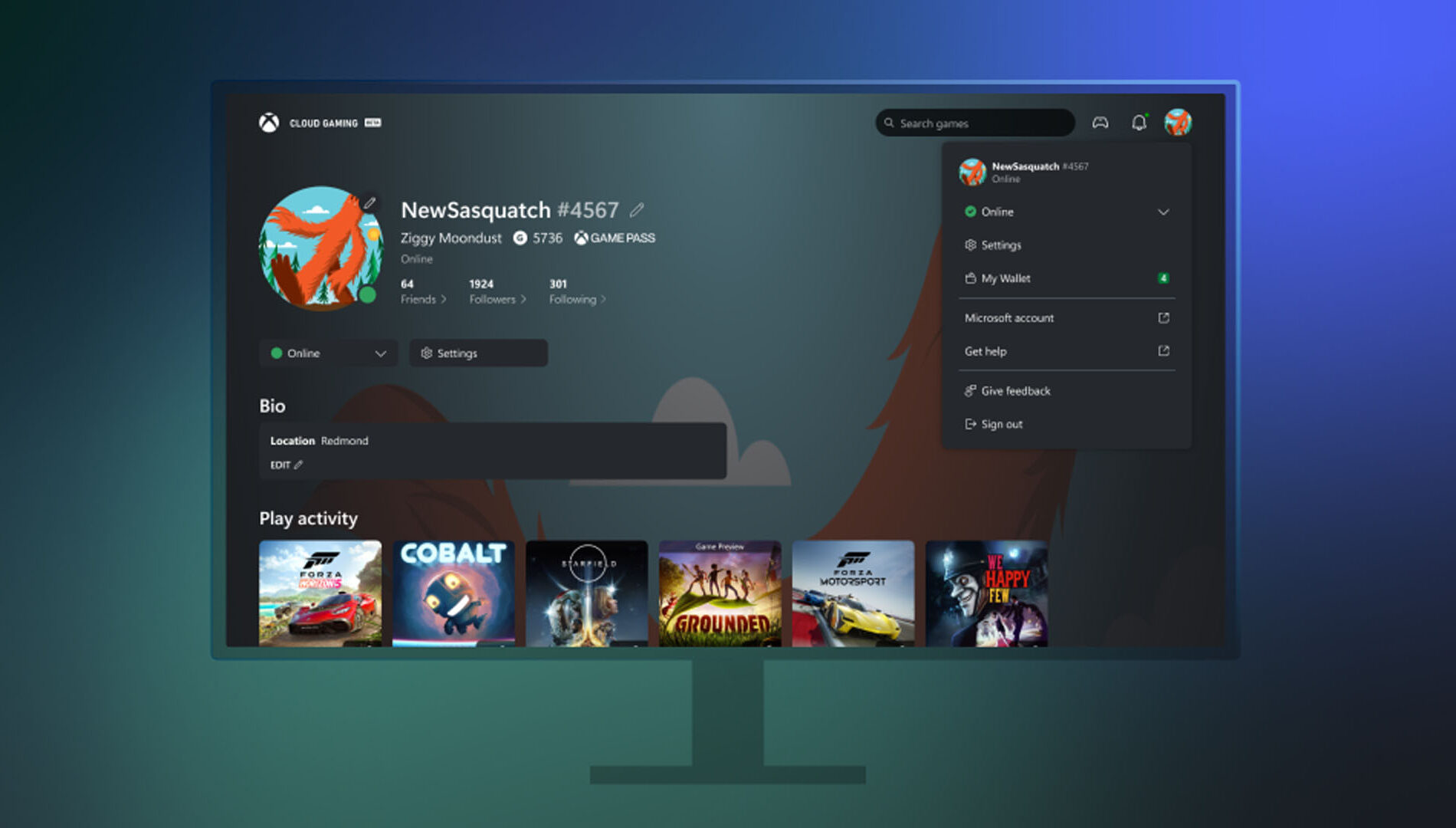
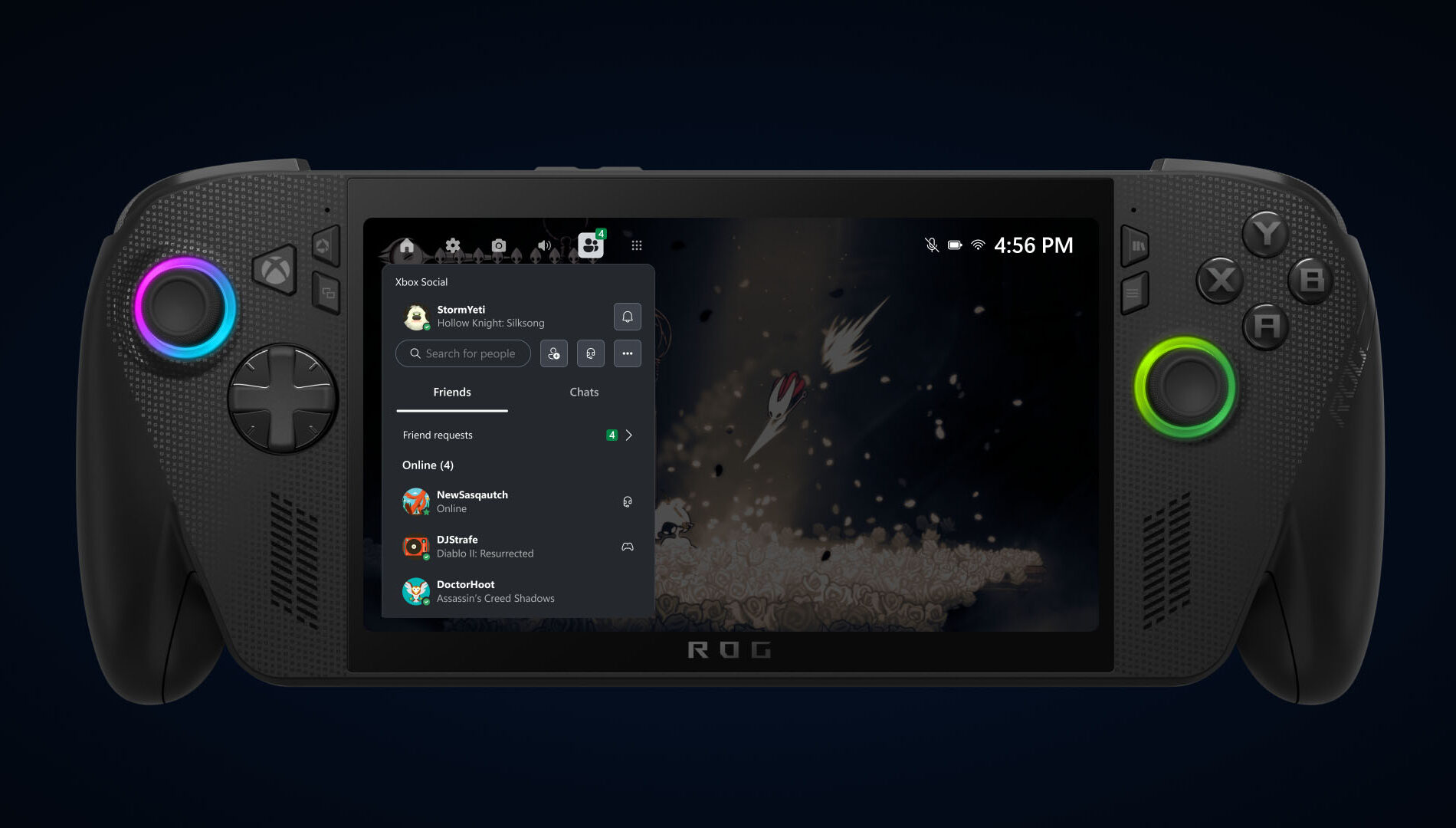
The Xbox September Update is packed with features designed to make gaming more seamless and accessible. Players can now pre-order the new ROG Xbox Ally handhelds, launching globally on October 16. Gaming Copilot (Beta), a personal AI-powered sidekick, is rolling out on PC and coming soon to mobile to provide in-game help and recommendations. The Xbox PC app introduces an improved “My Library,” letting players organize third-party apps and aggregate all their games across platforms in one place, alongside cloud-play history. Other updates include refreshed social widgets, a network quality indicator for smoother cloud play, smarter game save syncing, and a redesigned Rewards hub that works across devices.


Xbox Console Updates
Offer Wallet – Now Available on Web and Xbox Consoles


Xbox has launched Offer Wallet, a unified digital wallet system that allows players to discover, redeem, and manage promotional offers and credits across both web and console platforms. Integrated directly with the user’s Xbox profile and backed by Xbox Purchase’s secure infrastructure, the feature eliminates the need to manually enter 5×5 token codes. Offers can now be claimed and tracked through a single, streamlined interface.

Players will find a new “Offers and Credits” section within their profile, where promotional gift cards, game discounts, and limited-time deals are organized in one place. Microsoft plans to expand the program with ongoing updates, including trials, in-game rewards, and seasonal drops for more regions and users.

PC Gaming Updates
Game Bar – Social Widgets and Visual Updates


Xbox has completed a visual overhaul of its Social widgets, delivering a more unified and refined interface across both Compact and Desktop modes. Alongside the aesthetic improvements, controller navigation has been significantly enhanced, making it easier for players to chat, check activity, and interact with the overlay. The result is a smoother, more intuitive in-game experience that improves usability and elevates the overall feel of the Game Bar environment.

Network Quality Indicator Update

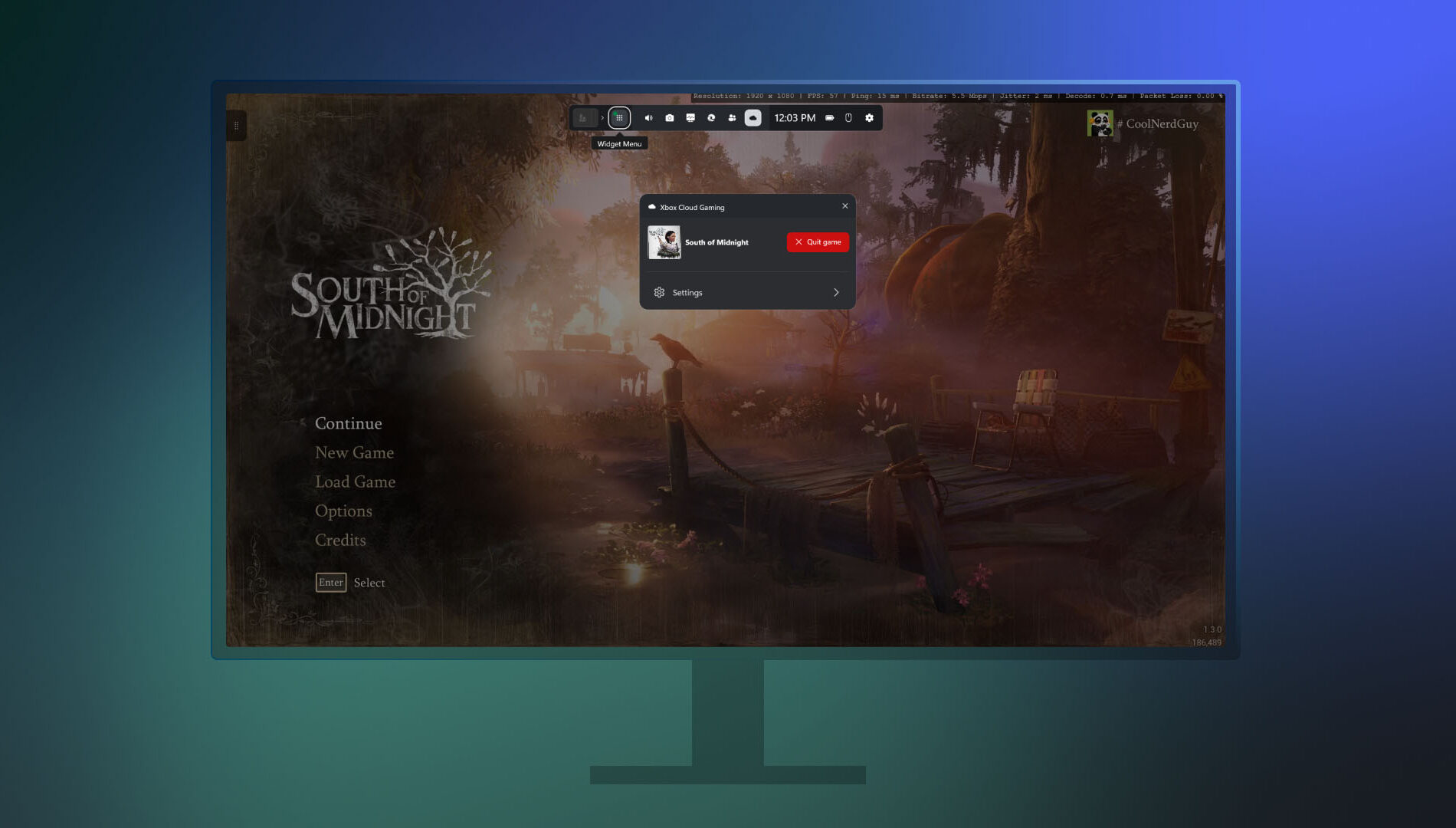
Xbox has introduced a new Network Quality Indicator (NQI) in its PC app, aimed at helping players diagnose and resolve common cloud gaming issues. The tool provides real-time feedback on network conditions, offering actionable insights to address audio and video disruptions often caused by connectivity problems.

Players can toggle the indicator via Settings under Cloud Gaming before launching a stream, or enable it mid-session through the Game Bar by pressing Win+G and navigating to the Xbox Cloud Gaming widget. With clearer diagnostics and easier access, NQI empowers users to optimize their streaming experience with minimal guesswork.

Smarter Game Save Syncing Starts Today


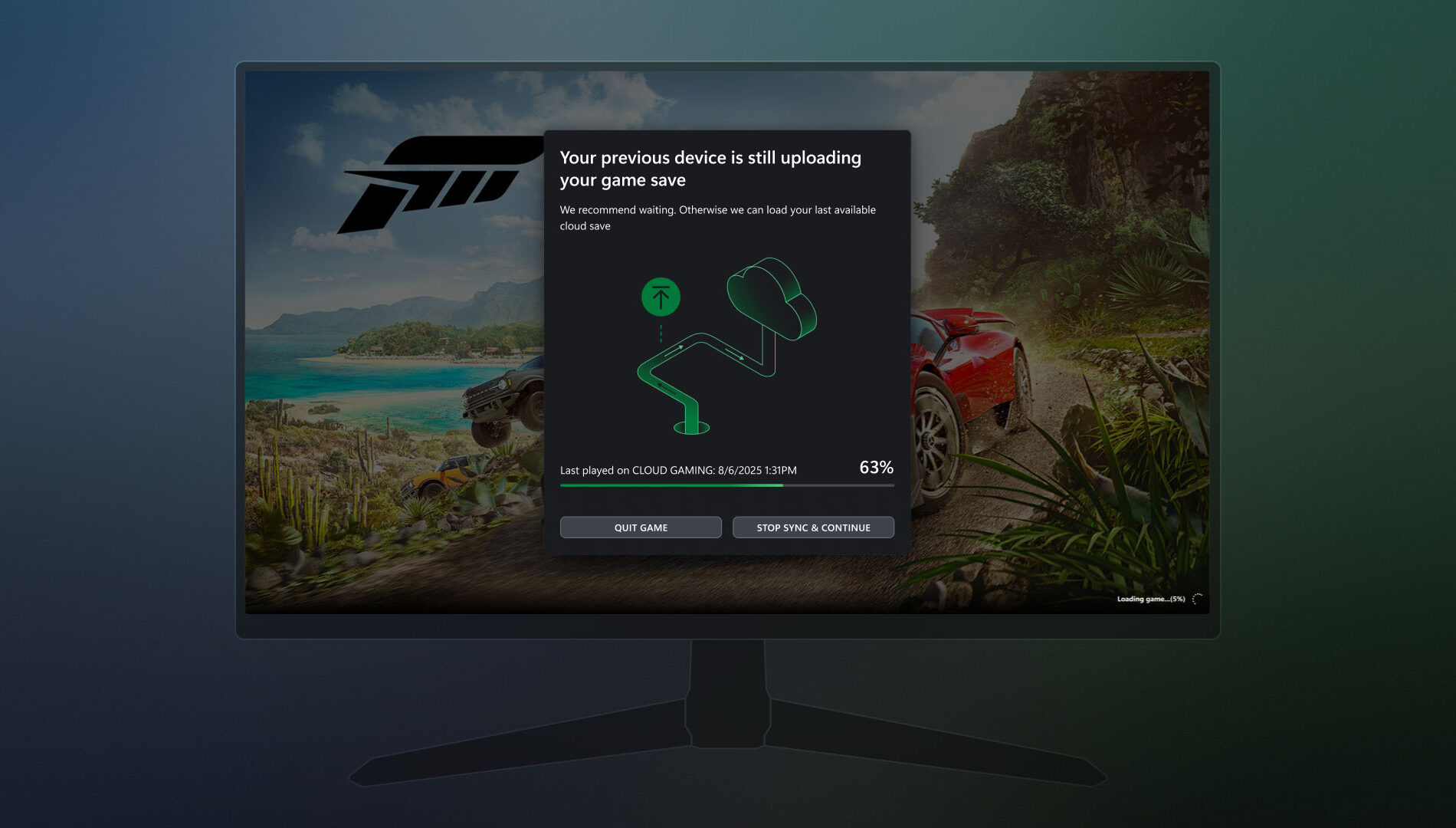
Xbox is enhancing its PC app with smarter game save syncing, aimed at resolving issues when progress fails to transfer between devices—especially in offline scenarios. If a save hasn’t synced from a previous session, players will now see a detailed progress bar, device name, timestamp, and contextual insights to clarify the sync status. The update also provides guidance on where the sync originated, how it's progressing, and what steps to take if it stalls. These improvements make it easier to recover unsynced progress and ensure a smoother transition between play sessions.

Gaming Copilot – Rolling Out on PC and Coming Soon to Mobile


Gaming Copilot (Beta) is expanding to Game Bar on Windows PC, with support for the Xbox mobile app expected next month. Designed to help players overcome in-game obstacles and spend more time enjoying gameplay, Gaming Copilot offers real-time assistance and personalized recommendations.

Based on early feedback from Xbox Insiders and mobile users, the feature now includes deeper in-game support, push-to-talk voice activation, and improved screen recognition. Whether players are stuck on a boss fight or searching for a new title, Gaming Copilot provides relevant insights when needed.

To access Gaming Copilot, users should install the Xbox PC app, press Windows + G, and launch it from Game Bar.

Seamlessly Access Your Gaming Library, Apps, and Play History in One Place

Xbox has introduced a streamlined My Library experience in its PC app, making it easier for players to access both third-party apps and games. Through the new My apps section, users can launch browsers, storefronts, and gaming utilities directly from the Xbox PC interface, eliminating the need to search across multiple platforms.

The My games section consolidates titles from Xbox, Game Pass, and other major PC storefronts into a single aggregated library. This unified view allows for quicker access and smoother game launches, reducing friction across platforms.

Available now on Windows 11 PCs and handhelds, the updated My Library supports a collective gaming experience. Players can also view their cloud-playable games and gameplay history across devices. On console, this appears as a Play history tile on the Home page, while PC users will find it in the Jump back in section and the Play history tab within My Library.

Rewards with Xbox
Revamped Rewards Hub – Level Up Your Rewards Experience on PC


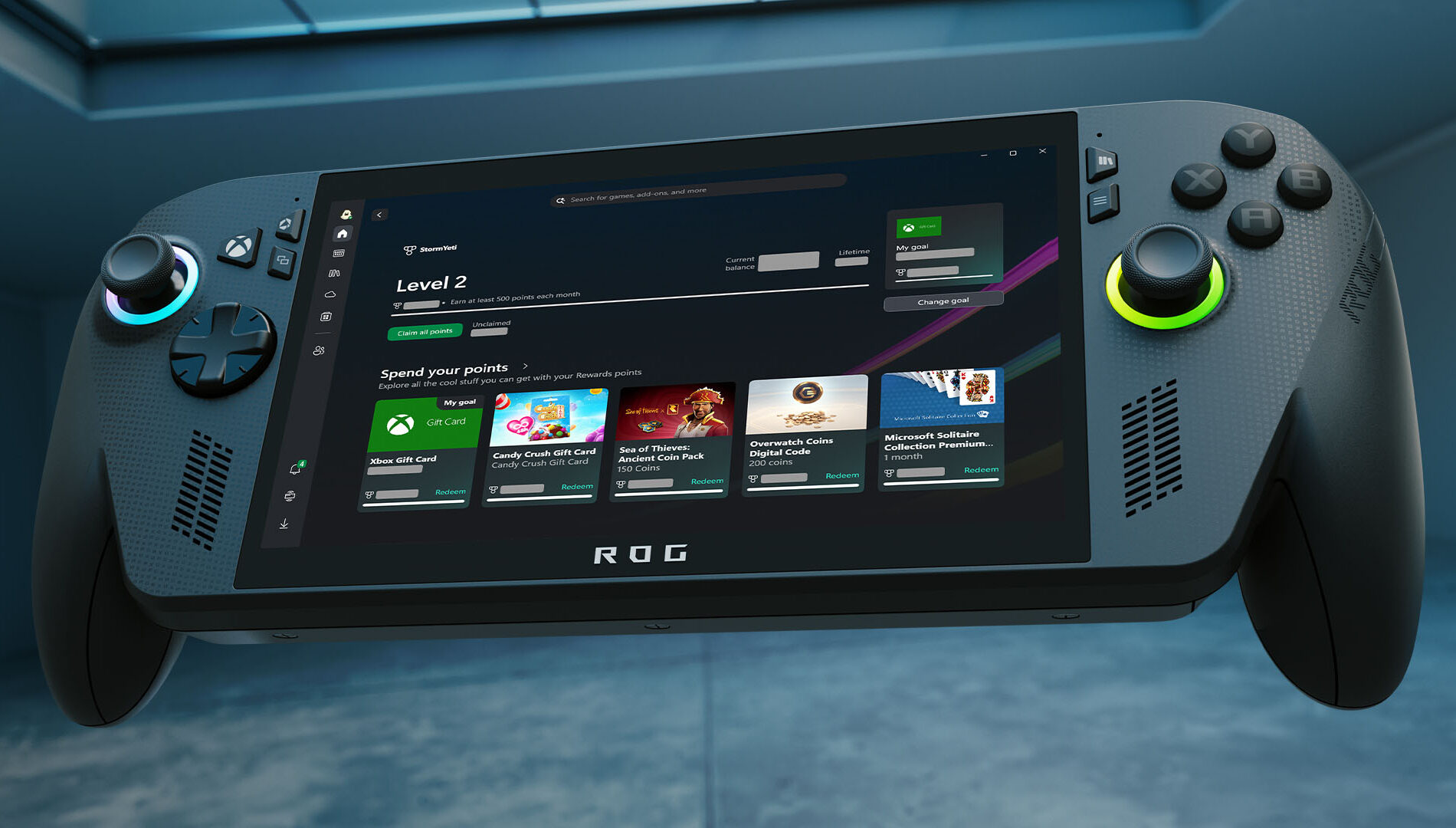
Xbox has rolled out a major redesign of its Rewards hub on PC, delivering a smoother, more intuitive experience across all screen sizes—including handhelds. The refreshed interface makes it easier to track progress, redeem points, and explore new ways to earn, with adaptive visuals that scale seamlessly from desktops to portable devices.

A new Goal Card feature lets players set personalized targets and monitor their journey toward high-value rewards. Meanwhile, the updated Microsoft Rewards Level view provides clear insight into current status and upcoming milestones.

To explore the new hub, users can open the Xbox app on their Windows PC or handheld, navigate to their profile, and select “My Rewards.” From there, they can play games, claim points, set goals, and redeem their balance for gift cards, in-game items, sweepstakes entries, charitable donations, and more.

Redeem Rewards on the Xbox Mobile App


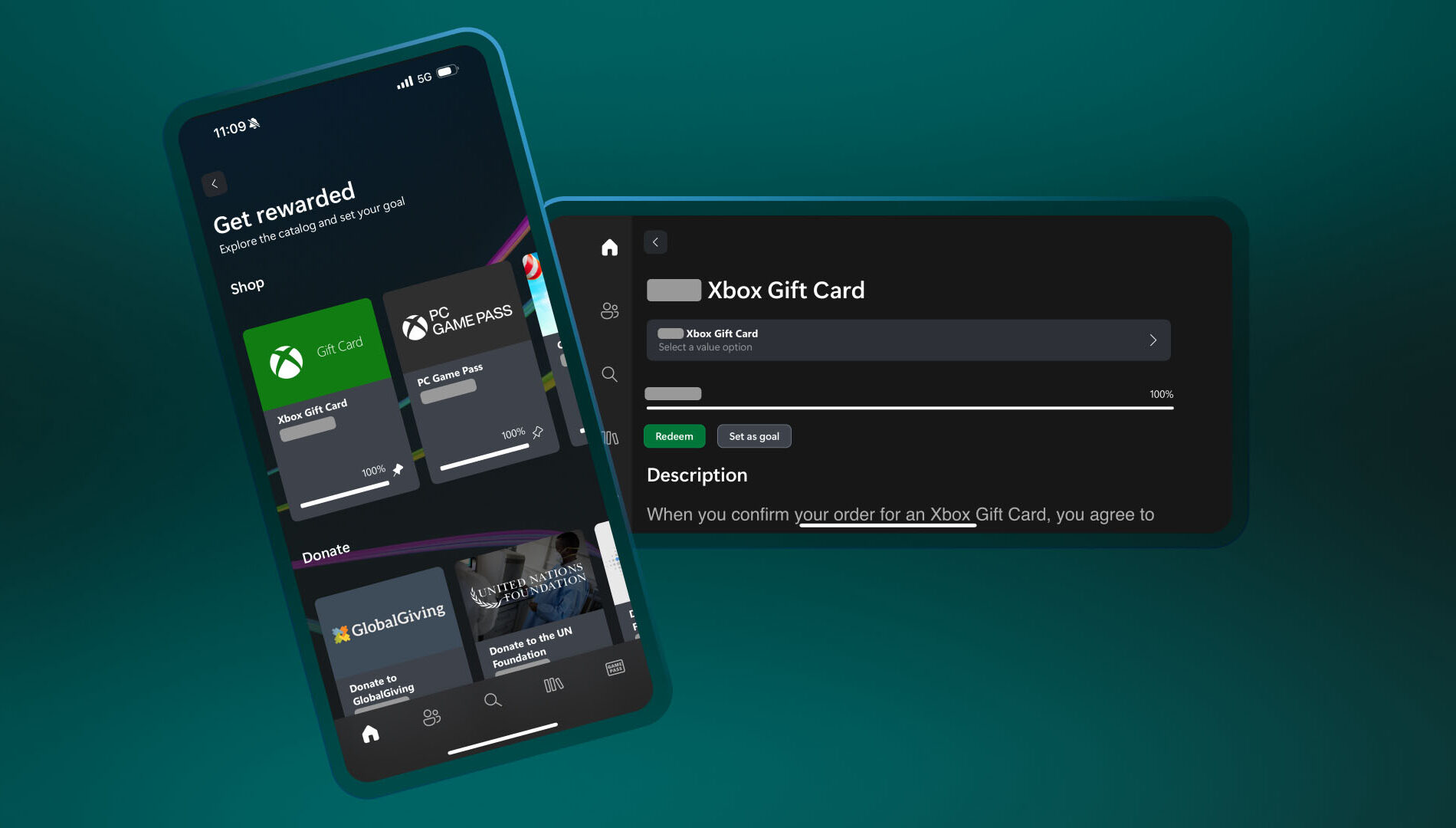
You can now redeem Rewards points directly on the Xbox mobile app. That means you can grab gift cards and put them toward game purchases – all without leaving the app. Simple, fast, and right where you’re already playing.

Here’s how to do it:

  1. Open the Xbox app
  2. Tap your profile icon (top left)
  3. Head to Rewards and tap “Get rewarded”
  4. Tap Redeem on the item you want, confirm, and you’re done!
  5. Simple, fast, and built for wherever you play.

DON'T FORGET TO SHARE:

Thursday, April 17, 2025

SYSTEM UPDATE: Xbox April 2025 Update: Mobile Purchases and More Game Streaming Arrive

This month’s Xbox update brings a host of improvements across console and mobile experiences. Game Pass Ultimate members can now stream select owned titles directly from Xbox Series X|S and Xbox One consoles, expanding the existing cloud gaming library to over 100 games. Remote Play is now unified through xbox.com, with support expanding to more devices like Samsung Smart TVs, Amazon Fire TV, and Meta Quest headsets—plus new support for streaming original Xbox and Xbox 360 titles. A redesigned storage management tool helps free up space with smarter suggestions, and new game hubs provide quick access to achievements, friends, and more. On mobile, players can now purchase games, join Game Pass, and redeem Perks directly from the Xbox app, offering a faster, more seamless way to manage their library and subscriptions on the go.

Click "Read More" to see all the details

Wednesday, August 28, 2024

SYSTEM UPDATE: Xbox August 2024 Update Is Rolling Out with Updates to Cloud Gaming, Consoles, PC Gaming, and Accessories

Team Xbox is bringing new ways to make Xbox better based on your feedback. This month’s update has brand-new experiences across Xbox Cloud Gaming (Beta), consoles, PC gaming, and wireless controllers.


Xbox Cloud Gaming

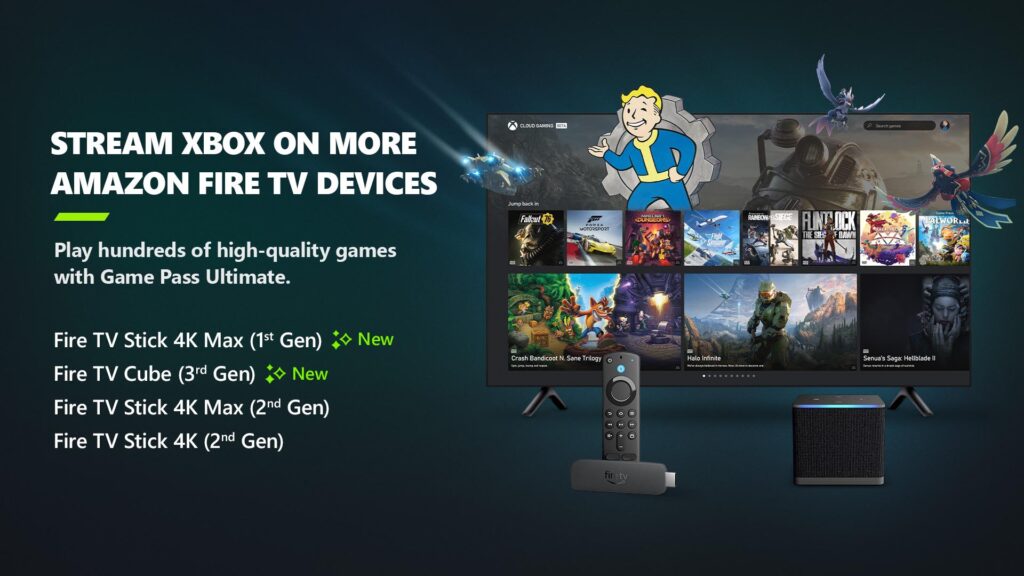
Xbox app on Fire TV now available on Fire TV Stick (1st Gen) and Fire TV Cube (2nd Gen)
Earlier in the year, Xbox announced a collaboration with Amazon where Xbox Game Pass Ultimate members in over 25 countries can play games directly from the Xbox app on select Fire TV devices via cloud gaming, giving people even more choice in how they play their favorite games. Now, alongside the Fire TV Stick 4K Max (2nd Gen) and Fire TV Stick 4K (2nd Gen), the Xbox app on Fire TV is available for customers with a Fire TV Stick 4K Max (1st Gen) and Fire TV Cube (3rd Gen). This expansion offers players even more choice in how they play their favorite games on devices they already own.

Players will have the opportunity to play current games in the Game Pass Ultimate catalog. To get started, download the Xbox app on your eligible Fire TV device via the Amazon Appstore. Once you install and open the app, you’ll be prompted to sign in with your Microsoft account. If you’re already an Xbox Game Pass Ultimate member, you’ll have instant access to stream and play any of the hundreds of cloud-enabled titles in the Game Pass Ultimate library.

Not a member yet? You can easily sign up for Xbox Game Pass Ultimate through the app.

Then, all you have to do is connect a compatible Bluetooth controller and you’re ready to start gaming! The Xbox Wireless Controller, Xbox Adaptive Controller, DualSense or DualShock 4 controllers all work seamlessly. Once connected, you’re all set!

Xbox Consoles

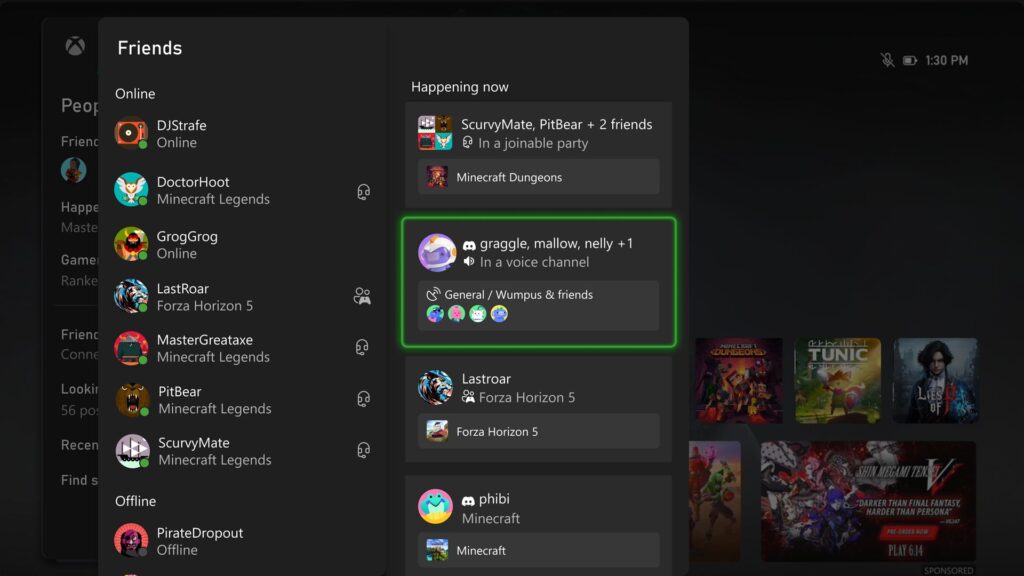
Happening Now – Find your Discord friends and channels from your Xbox
It’s now easier to get updates when one of your Discord friends is playing, chatting, or streaming. Now you can jump into voice chat with them or watch their stream – all on your Xbox console, without having to use the Discord app on PC or mobile.

If your Xbox and Discord accounts are linked, you can opt-in to have your Discord friends included in your Friends list on the Xbox guide by re-linking your accounts. Once you relink your Xbox profile and Discord account, head to the Friends list of the Xbox guide.

Your Discord friends will show up on the right side under “Happening now” whenever they’re playing a game or chatting in Discord voice.

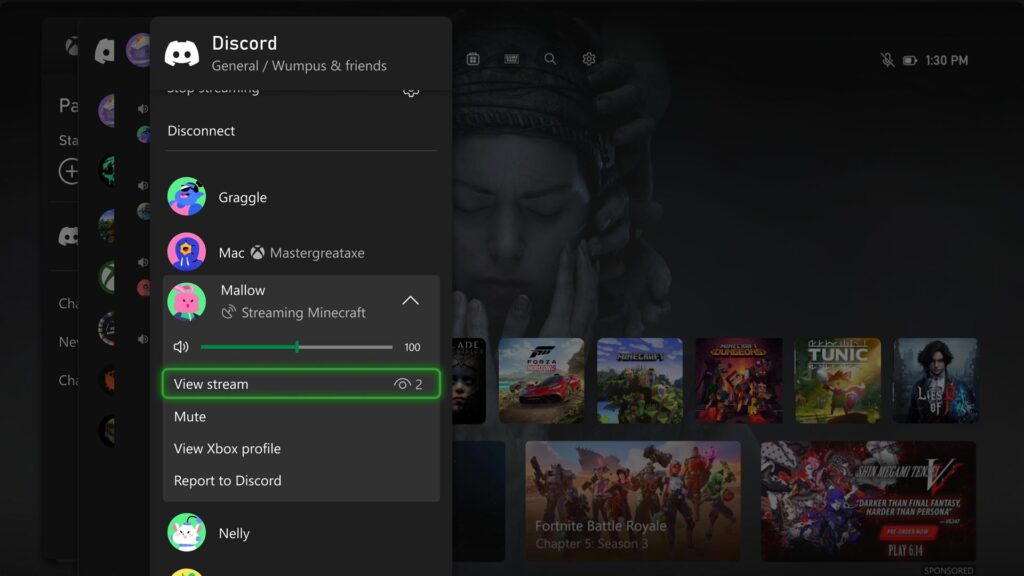
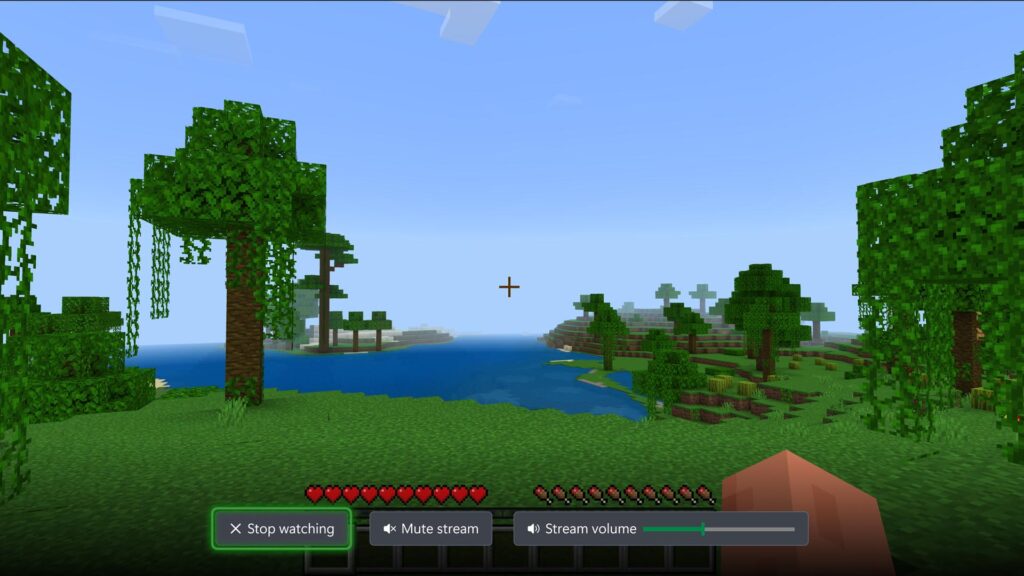
Watch Discord streams on your Xbox console
You can now watch anyone who is streaming directly on your Xbox console when you’re connected to a Discord call or in a voice channel! Are you having an epic moment you want to share? You can stream your gameplay to your Discord friends, too.
DON'T FORGET TO SHARE:


Wednesday, November 16, 2022

SYSTEM UPDATE: The Xbox November Update Rolls Out Today

Just in time for the holidays, the Xbox November update will start to rollout later today. Team Xbox is excited to continue bringing new ways to make Xbox better, with you at the center, as we refine the experience and deliver brand new features based on your feedback. This month’s update provides the ability to connect your Discord voice channels directly from your Xbox console, updates to wish list gifting and sale notifications, an improved captures experience for your game clips, and a lot more.


Please Don't Forget To Share:

Friday, May 29, 2020

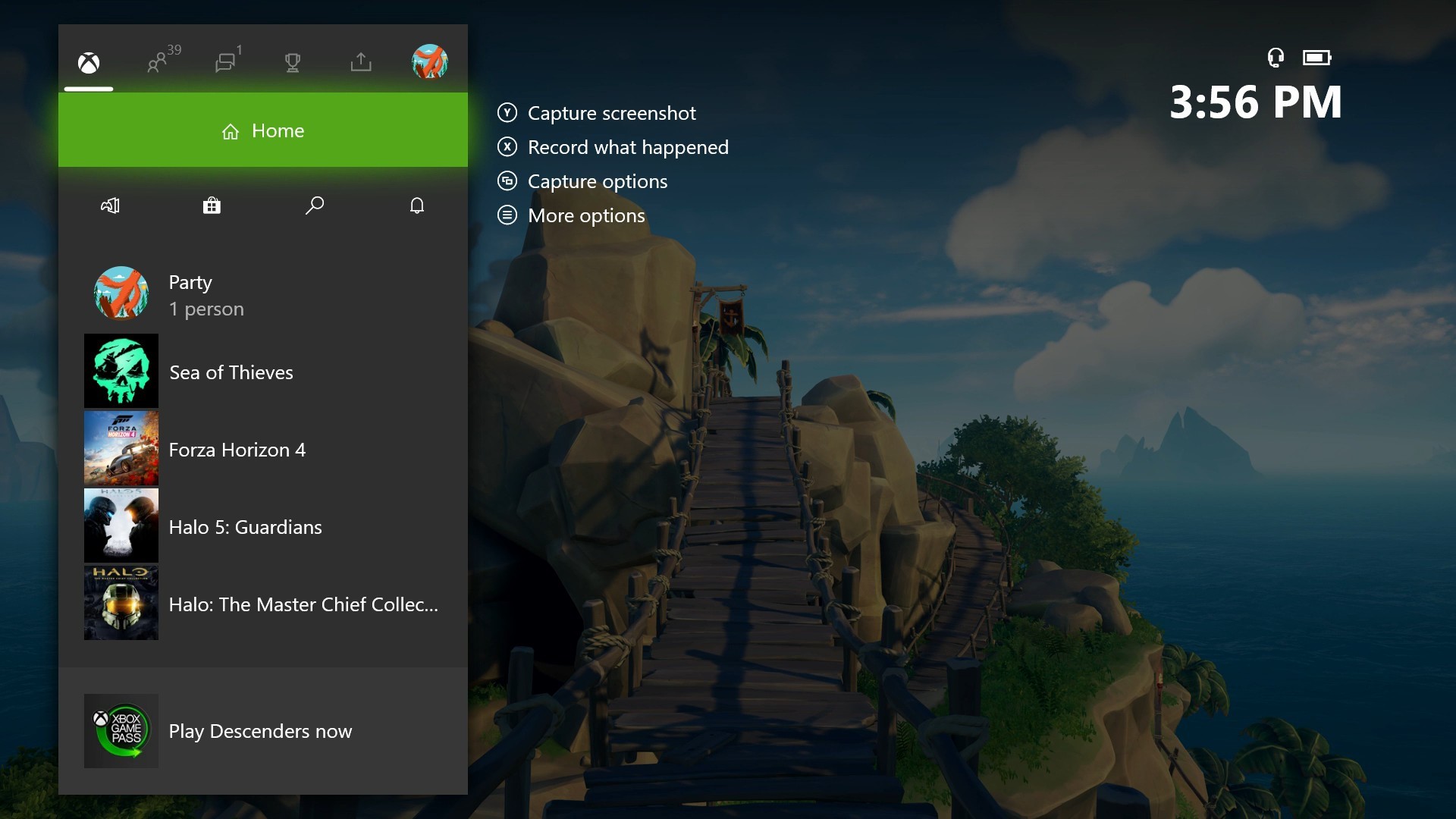
SYSTEM UPDATE: May 2020 Xbox One Update Introduces Simpler Guide & More

At Xbox they believe that gaming is for everyone. To serve both new Xbox gamers and longtime fans, the team has been hard at work streamlining and refining the Xbox experience. Driven by feedback from you, the worldwide community, they are excited to share some new updates and improvements that are already rolling out to all Xbox One consoles. The May 2020 Update is available now and delivers a simpler Guide interface, a new Community experience, additional collection filters and a better way to browse Mixer.


Monday, August 19, 2019

XBOX GAMEPASS: Xbox (Beta) App Updates, And More Xbox Game Pass Details

Since launching Xbox Game Pass for PC (Beta) alongside the new Xbox (Beta) app at E3 2019, Microsoft has been listening closely to your ideas on how to make your PC gaming experience better and are excited to share some updates, driven by your feedback. In addition to delivering more great games, we’ve made some updates to the Xbox Game Pass for PC experience to make it easier for you to discover and manage the titles in your library, as well as connect with your gaming community. Some of these features are available today, and others will release in the coming weeks.


Here’s a breakdown of what’s new:
  • Find Your Friends Across Networks: We know staying connected to your friends while gaming is important, so we’ve made some updates to make it easier to find and start playing with your friends with new account linking options. In addition to adding friends via their Xbox gamertags, you’ll now be able to search for friends from Facebook or Steam that are also on Xbox. You’ll also be able to link your accounts for YouTube, Twitch, Twitter, Discord, and Reddit on your player card so your friends can follow your gaming adventures no matter where you are.
  • New Ways to Find and Filter Games: We’ve also heard you wanted improvements to the way you can manage your games within the new Xbox (Beta) app. Soon, you’ll be able to take advantage of new filter options from the sidebar to make finding your favorite games and managing your DLC even easier.
  • More Control on Managing Downloads: We’re also making some updates to the drive selector that not only display the disk space required for each game, but also enable you to select the drive where you want your games installed.
  • PC Joins the Mobile App: To make it easier for you to manage your Xbox Game Pass for PC library while on the go, we’re excited to share the Xbox Game Pass mobile app now includes PC titles. With this update that we’re currently testing in Beta, you can also browse and discover games in the Xbox Game Pass for PC library and download them anytime and anywhere to your PC. To take advantage of these features, gamers can download the Xbox Game Pass mobile app (Beta) available on iOS and Android This feature is available in public beta on Android devices, and in a closed Beta on iOS devices, and we will have more to share soon.


Please Don't Forget To Share:

Tuesday, November 6, 2018

NEWS: Updated Shopping Cart and Wish List coming to the Microsoft Store

We work hard to improve the shopping experience in the Microsoft Store, and are always looking for ways to improve the discoverability and purchase of the products and services we sell.  Today, we are excited to announce that customers can begin using our improved Shopping Cart and later this week, our new Wish List – two of the most-requested features from our fans.


Shopping Cart

As we mentioned previously, we’ve extended the existing Shopping Cart to work with games and apps for the Xbox One and Windows 10 PCs.  Today, the feature is once again available for testing.  Whether you’re shopping for games or apps for Xbox One and/or Windows 10 PCs, hardware or accessories, the improved Shopping Cart means you only have to go through checkout once.

How to add a game or app to the Shopping Cart:


  1. Head to the Microsoft Store on Windows 10 PCs, online or on Xbox One (Xbox Insiders only)
  2. Navigate to the product details page for the item you wish to add to your cart
  3. Look for the “Add to Cart” button underneath the “Buy” button
  4. Select the “Add to cart” button
  5. To view your Shopping Cart, select the “Shopping Cart” button at the top of the Store navigation
  6. To remove an item from your Shopping Cart, navigate to that particular item on your Shopping Cart, and select “Remove”
  7. Ready to check out?  Click on the “Checkout” button to the right of your cart to complete your order.


Not ready to purchase a particular item? Navigate to that item in your Shopping Cart and select “Save for later.”  We’ll remove that item from your cart and save it in a handy location right below the Shopping Cart itself for future reference.

Additionally, the updated Shopping Cart is persistent and works across Microsoft Store on Xbox One, Windows 10 PCs and online. So, if you add or remove an item from your cart in one store, those changes will be reflected in the others.

Xbox Insiders can begin using the improved cart today, and shortly after Windows Insiders can begin testing the feature.  In a few weeks, all customers using the Microsoft Store on Xbox One, Windows 10 PCs and online can start using it.

Wish Lists

Later this week, customers can begin using the new Wish List feature, which supports all physical products and digital games and apps in the Microsoft Store.  The Wish List is  persistent and works across the Microsoft Store on Xbox One, Windows 10 PCs and online, so if you’re shopping on the Microsoft Store on your Xbox and add a digital game to your wish list, that game will appear in your Wish List in the Microsoft Store on Windows 10 PCs and online.

Sale pricing and badging is also supported within the Wish List, so customers will quickly be able to see when items on their Wish List go on sale.

How to add items to your Wish List:


  1. Head to the Microsoft Store on Windows 10 PCs, online or on Xbox One (Xbox Insiders only)
  2. Navigate to the product details page for the item you wish to add
  3. Look for the “Wish List” button underneath the “Buy” button
  4. Select the “Wish List” button
  5. To view your Wish List, activate the pull-down menu at the top of the Store navigation, and select the “Wish List” option
  6. To remove an item from your Wish List, navigate to that particular item on your Wish List, and select “Remove”
  7. A customer’s Wish List can be kept private or made public and shared with others.


How to share a Wish List:


  1. Click on the “Settings” link in the wish list
  2. Select “Make the wish list public”
  3. Then, click on the “Share” button to share with friends and family
  4. Note: On Xbox, customers will be able to share their public wish list with a list of their Xbox Live friends.


The Wish List feature will be initially be made available to all customers in all supported markets using the Microsoft Store on Windows 10 PCs and online, as well as to our Xbox Insiders.  The Wish List will be available to all Xbox customers in a few weeks.

Thanks to the fans who provided suggestions and feedback regarding these features on both the Windows Feedback Hub app and the Xbox Ideas site.  And we’d like to give a special shout out to our Xbox and Windows Insiders who tested the previous iteration of the new cart. Please don’t hesitate to let us know how we can continue to improve your shopping experience.  Thanks!

SOURCE


Please Don't Forget To Share:

Thursday, July 5, 2018

SYSTEM UPDATE: July Xbox Update Rolling Out Today

E3 may be in our rear view like a fall leaf in Forza Horizon 4, but we’ve been busy updating the Xbox experience and adding features that you’ve requested. The July Xbox Update adds features that make finding content even easier and offers a host of improvements to Mixer. Here’s what’s new:


FastStart Enabled for Select Titles
Announced back at E3 2018, FastStart is a new innovation from our Xbox Platform team that allows you to jump into your games twice as fast and play after downloading just a fraction of it. FastStart works by identifying which files are needed to begin playing and prioritizes the download of those files first, enabling you to quickly jump into full-fidelity gameplay while the remainder of your title downloads in the background. Simply find the FastStart-enabled title you want to play in our catalog, hit ‘Download’ and your console will take care of the rest. It’s that simple. What’s more, it’s now enabled for select English language titles in our Xbox Game Pass catalog, and will expand to more games in more languages over time. You can learn more about FastStart here.


Group Your Games and Apps
With so much content available, fans have asked for more options to organize libraries of games and apps.  Today, we’re introducing a powerful new enhancement to Pins, which we call “Groups.” With Groups, you can create multiple collections of content made up of anything from within My Games & Apps. You can also assign custom names to each Group, organize and order them, and add individual Groups to Home. Groups will appear across My Games & Apps, Home and Guide, so you’ll be able to access your Groups at a moment’s notice. Best of all, Groups are tied to your Xbox Live account, so they will automatically sync across multiple Xbox One consoles. We’ve started you off with a Group that should look very familiar — your Pins!

More Search Options
Searching for content is now even easier!  Now pressing the Y button anywhere in the dashboard will bring up the search dialog, allowing you to easily launch your content, sift through Settings, or find products in the Store.  This process is found in many apps, but now you can do it anywhere within the dashboard.  Not seeing enough results for your search? Hit enter or click the “more results” button to view a full page for your search results.


 Mixer Share Controller Improvements
We’ve made it easier to use Share Controller on the web. First, we’ve enabled full mouse and keyboard support for PC users, along with Share Controller Key Bindings.

Second, we’ve added multi-touch support for touch-enabled devices. This allows multiple controls to be used at the same time! For example, you can control the joystick and press A at the same time on your touch laptop.

And lastly, we’ve added a per-channel leaderboard that spotlights viewers who have contributed to a streamer’s channel the most during a Share Controller session.

Full Screen Broadcasting on Mixer
Mixer streamers can now go full screen with their webcam while broadcasting. You can switch to full screen webcam broadcasting at any time you want. While in this mode game audio is muted, making it perfect for talking to your audience while switching from game to game or setting up before you start playing. You can even do all IRL broadcasts!

For the best experience we recommend using one of these cameras:

  • Microsoft LifeCam Studio
  • Logitech HD Pro Webcam C922
  • Logitech Webcam C930e
  • Microsoft LifeCam HD-3000


Console broadcasting quality and stability improvements
We’ve made a number of changes and fixes to improve overall broadcast video quality.  You will now experience improved performance when broadcasting bandwidth-heavy multiplayer.

All of these updates are available because of the Xbox Insiders who have helped shape these features, so big thanks to all of you for your valuable input.  If you’d like to help create the future of Xbox and get access to early features, download the Xbox Insider Hub app on your Xbox One or Windows 10 PC.  You can also visit the Xbox Insider blog here for the latest release notes and to learn more. Happy gaming!


Thursday, May 17, 2018

SYSTEM UPDATE: May Xbox Update Becomes Available Today

Today the May Xbox One update arrives for gamers around the world.  As part of our ongoing effort to continually improve the Xbox experience, we’ve got a feature-packed update that enables you to get even more out of your console with some exciting new features. Here’s what’s new:


Connect with Gamers Across Xbox Live and Discord
In response to your feedback, you now have the option to link your Discord account to your Xbox account, making it easier than ever to see what your friends are playing. Starting from the Discord app on PC or on a mobile device, you will see an option to link your Xbox account with your Discord account through the Connections tab under User Settings. Click on the Xbox Live option and sign in to your account. After enabling permission, your accounts will be linked. Starting from your Xbox One, open the Account Settings menu and select “Linked social accounts.” Here, you will see a new option for linking your Discord account. Once you receive your unique code from Xbox, open the Discord app and insert the code within the Connections tab. After following these few simple steps, your accounts will be linked and your Xbox Live presence will be shared across Discord, enabling friends and users in your same Discord servers to see what you are playing on Xbox Live.

How To Set It Up: http://xboxoneguide.blogspot.com/2018/05/how-to-link-your-discord-account-to.html


120Hz Video Refresh Rate Support
Console owners already enjoy variable refresh rates, the option of 1440p resolution, and auto low latency mode (read more about that here).  In this update, we’re adding support for additional panel refresh rates. Gamers using monitors and televisions that support a 120Hz refresh rate can now turn on 120Hz support for 1080p and 1440p output resolutions on Xbox One S and Xbox One X. This high refresh rate option means you can now take full advantage of displays with 120Hz capabilities. High refresh rate support can provide a smoother gaming experience and lower latency on some displays, and games may benefit from reduced tearing and stuttering via 120Hz output.


Trim Clips Directly in the Guide
With the April Xbox Update, we added a new sharing feature that helps gamers upload their captured screenshots and videos directly to Twitter. Now, sharing is getting even quicker! With the May update, you can trim your recent game captures directly from the Guide, so you won’t need to switch to Upload Studio to make a quick cut to your saved clips.


Improved Family Settings
Xbox One continues to help parents keep their families safe with updates to family settings. We’re adding a “Details” page where parents can easily find and manage all family settings on Xbox One. Parents will easily be able to tell which family and content settings are set up and configured. Important settings that are turned off or require attention will be flagged for parents, as well. Some settings, such as activity reports and Screen Time Limits, can only be accessed through the web: We’ll identify those settings and provide links where parents can easily set them up.


New Intuitive Button Commands
Some of the button commands throughout the dashboard are being refreshed for easier navigation. For example, you can now use the “View” button on Home to edit the order of blocks or reorder items within Groups.  Pressing the “View” button on the main tab of the Guide will also now display additional capture options. Note: If you group your collections in My Games & Apps by letter, you will now need to select a letter to view all groups.


Improvements to the Xbox Accessories App
The Xbox Accessories app has been modernized to make it easier to navigate, and to look and feel more consistent with the rest of the Xbox One dashboard.


Monday, October 16, 2017

NEWS: New Fall Update for Xbox One starting to roll out today

Today we announce that the next Fall Update for Xbox One will begin rolling out today. Mike Ybarra has this post on Xbox Wire but here is a list of some of the new features in this update:


You can personalize your “Home” more than ever before: You can…
  • Make Home uniquely yours. Add your favorite games, friends, Xbox Live Gold, Xbox Game Pass, and more directly to your Home screen with a new concept that we call blocks. Once you’ve added blocks, you can remove or change the order of the blocks as you see fit.
  • Have up to 40 pins!  All these pins will appear in the Pin block on Home, as well as the Pins flyout in the new Guide!
  • Easily discover new things, such as friend activities, leaderboards, LFG posts, tips, quick links to Game Hubs, across both your console and Xbox Live at the top of Home.
  • Choose dark, light, or high-contrast theme option in Settings.
You’ll experience a fast, powerful and convenient Guide:
  • It’s now faster and easier to move left and right through horizontal tabs with the left thumb stick or bumpers.
  • When you bring up Guide while in an active party or broadcast, Guide will automatically open the party or broadcast section by default for faster access to controls.
  • New “Friends in games” flyout informs you of friends playing the same game.
  • Game invites wills how up in the Multiplayer tab of the guide.
  • The new Tournaments section in the Multiplayer tab of the Guide provides a quick portal into the official and community tournaments that you’ve joined. Enjoy more Xbox Arena tournament options with the addition of new titles.
Don’t worry about missing any actions when you step away from your console:
  • With the enhanced notification system, when your Xbox One is idle, time-sensitive activities and status are visible from far away.
  • The screen-dimming functionality has also been updated to better prevent screen ghosting, both when the screen is dimmed and when it’s showing notification snapshots of what’s happening on Xbox Live.
  • The newly redesigned Game Hub Welcome tab now features a summary of all the great content around the game on one page.
  • Profiles now enable faster access to recent activity. You can now easily manage who sees your activity feed content through the “Others can see your activity feed” privacy setting.
  • See more content at a glance with new Community feed, and view screenshots and game clips in an immersive, full-screen view.
TO VIEW MORE DETAILS OF THIS UPDATED CLICK "READ MORE"

Thursday, July 13, 2017

UPDATE: Custom Gamerpics, Console Co-streaming, Arena Updates And More Roll Out To Xbox Fans Today

Fan feedback is an important part of how we’ve built Xbox over the years, and this month’s update, which we expect to roll out later today, is all about addressing feedback from the community:

Upload custom Gamerpics to your Xbox profile; choose how you want to express yourself.

Mixer Co-streaming is now on console, for everyone: With just a few clicks, you and up to three of your friends can stream together in a single broadcast. Plus, never miss your friends’ streams inside your Club and Arena Tournaments.

Sign-in to your Xbox One with just one press of the Xbox button on your controller. Now you can make your controller truly your own.

New user-generated tournaments for Killer Instinct on Xbox One means it’s never been easier to go to battle with your friends.

Xbox App on iOS and Android updates bring support for LFG Sharing, Game Pass Browsing, an updated Language/Location Setting and an Android only feature supporting Messaging Chat Bubbles.

CLICK READ MORE TO SEE ALL THE INFO ABOUT THIS UPDATE

Thursday, November 10, 2016

NEWS: The Wait Is Over – The Xbox Holiday Update Is Here

Today, we’re pleased to announce Clubs, Looking for Group, Achievement Rarity, Group Messaging and more will start to roll out to the broader community on Xbox One and the Xbox app on Windows 10, iOS, and Android devices. With this holiday update, Xbox Live becomes even more social as we unite gamers across devices, giving you access to more people to play with that share your interests and more choice in how you play. The update also builds upon our vision to foster a welcoming experience on Xbox Live where everyone is included, respected, and supported. The updates start to hit Xbox One consoles and the Xbox app starting today. Haven’t downloaded or used the Xbox app yet? Windows 10 PC and mobile owners, just look in your apps.


These new features have been in Preview alongside Arena on Xbox Live. We plan to keep Arena in Preview through the holidays to ensure it’s great when we launch it more broadly. Big thanks to Preview members that have competed in daily Killer Instinct tournaments over the past few weeks – we’ve gotten great feedback. We’re excited about the potential of Arena, and continuing to work with developers to deliver a great experience for our fans. We’ll have more to share as we expand the feature and get closer to its launch.


Here are details about some of the top new features rolling out to Xbox Live on Xbox One and the Xbox app starting today:


  • Clubs on Xbox Live. Clubs are gamer-created and managed groups that can help you meet people and grow communities of gamers who love the same things you do. Anyone can join or create a Club, and you’ll probably see a Club for just about everything. If you do not, creating a Club is quick and easy.


As a Club member, you’ll be able to set up parties, play games, share content, and easily communicate using voice and text chat with the Club across Xbox One and the Xbox app on Windows 10, iOS, and Android devices, which is great if you want to stay in touch with your Clubs on the go, or find and join new Clubs from your phone. You can search for Clubs (or create your own) in the Community tab on Xbox One and the Clubs section on other devices, and Clubs associated with a game will be accessible in the title’s Game Hub. As a Club admin, you’ll have the tools to ensure that everyone is having a great time and help create a lively and inclusive environment. In case you missed it, check out our tutorial video on Clubs here.

Looking for Group on Xbox Live. Looking for Group (LFG) helps you quickly find other players that you want to game with. It’s like posting a gaming “want-ad” to the Xbox community. You can use LFG to help complete daily quests, Achievement hunt, or even get a group together to annihilate hordes of the Swarm and DeeBees in Gears of War 4. You’ll be able to add certain requirements to make sure that you’re finding the right gamers. You can specify the game, the game mode, the language the party will be speaking, how many people you need, rules like no trash talking or casual friendly, and any other in-game requirements like level, gear or character type.

Here’s how LFG works: gamers can browse open LFGs and request to join the ones that they’re interested in. The LFG host chooses from the list of gamers who have expressed interest and, once the group is full or the host is ready, the host can quickly get those people into Party Chat and start playing. You can even create an LFG post for future gaming sessions up to seven days in advance! For example, if you’re on your way home and want to make the most of your gaming for the night, you can set up everything in advance from your phone, so when you’re home and ready to go, you can just jump right in.

Quick and easy. Whether you’re playing on Xbox One or Windows 10 PC, you can quickly find other gamers to play with on Xbox Live. Check out our LFG tutorial video on LFG here.


  • Achievement Rarity. Achievement Rarity, a top fan request on Xbox Feedback, helps you discover just how unique an Achievement is among players of a given game. When you earn a rare Achievement, you’ll get a special notification and diamond icon highlighting it. Unlock one today and let us know how you like the new animation!


  • Group Messaging on Xbox Live: Group Messaging helps you coordinate and keep in touch with your friends and fellow gamers by sending a single group message to everyone in a single conversation. You can also add people to the group and dynamically change the conversation topic. Group Messaging works across Xbox One and the Xbox app on Windows 10, iOS, and Android devices. To help you write your messages even faster on Xbox One, we have added a new predictive dictionary which you can quick access with the right thumb stick on your controller.


  • Gamerscore Leaderboard. We’ve improved the Gamerscore Leaderboard on Xbox One and the Xbox app on Windows 10 devices. The Leaderboard now resets at the beginning of each month instead of displaying results for a 30-day rolling period, meaning you and your friends will have a clean slate to compete against one another at the start of each month! You can keep an eye on the Gamerscore Leaderboard through the Achievements tab in your profile.


  • Emojis for your Xbox One virtual keyboard. Emojis will be joining your virtual keyboard on Xbox One! In addition to the existing alphabet and symbols that you can use, you’ll now be able to express your likes, dislikes and more with a host of different emojis on Xbox Live. Once on your virtual keyboard, you can get to emojis by pulling the left trigger until they show up. From there, select any emoji, or press and hold on one to see more related emoji.


The team has worked tirelessly to bring these features to Xbox Live – we hope you enjoy them! Be sure to let us know what you think at Xbox feedback! And don’t forget, Clubs and LFG are great for gamers on the go. Set up or respond to LFG posts and stay connected with your Clubs with the Xbox app on Windows 10, iOS, and Android devices.