Welcome to XboxIssues

Welcome. I decided to make this blog after being a Xbox Ambassador for a number of years.

If you don't know an Ambassador is a Volunteer that Microsoft uses to help ease the load on the actual hard working support people.

I noticed that alot of the questions I would get could easily be solved by using Microsofts Xbox.com site.

Since some of the help articles may be hard to find, understand or the issue may be called something different in the gaming community making it more difficult to solve, I've decided to make this blog to make it easier for fellow gamers to get xbox assistance, news and all things Xbox.

If you have any Xbox related question you can find the answer to feel free to contact me on YouTube, twitter or in the comments.
Showing posts with label Dashboard Update. Show all posts

Thursday, April 30, 2026

UPDATE: April 2026 Xbox Update

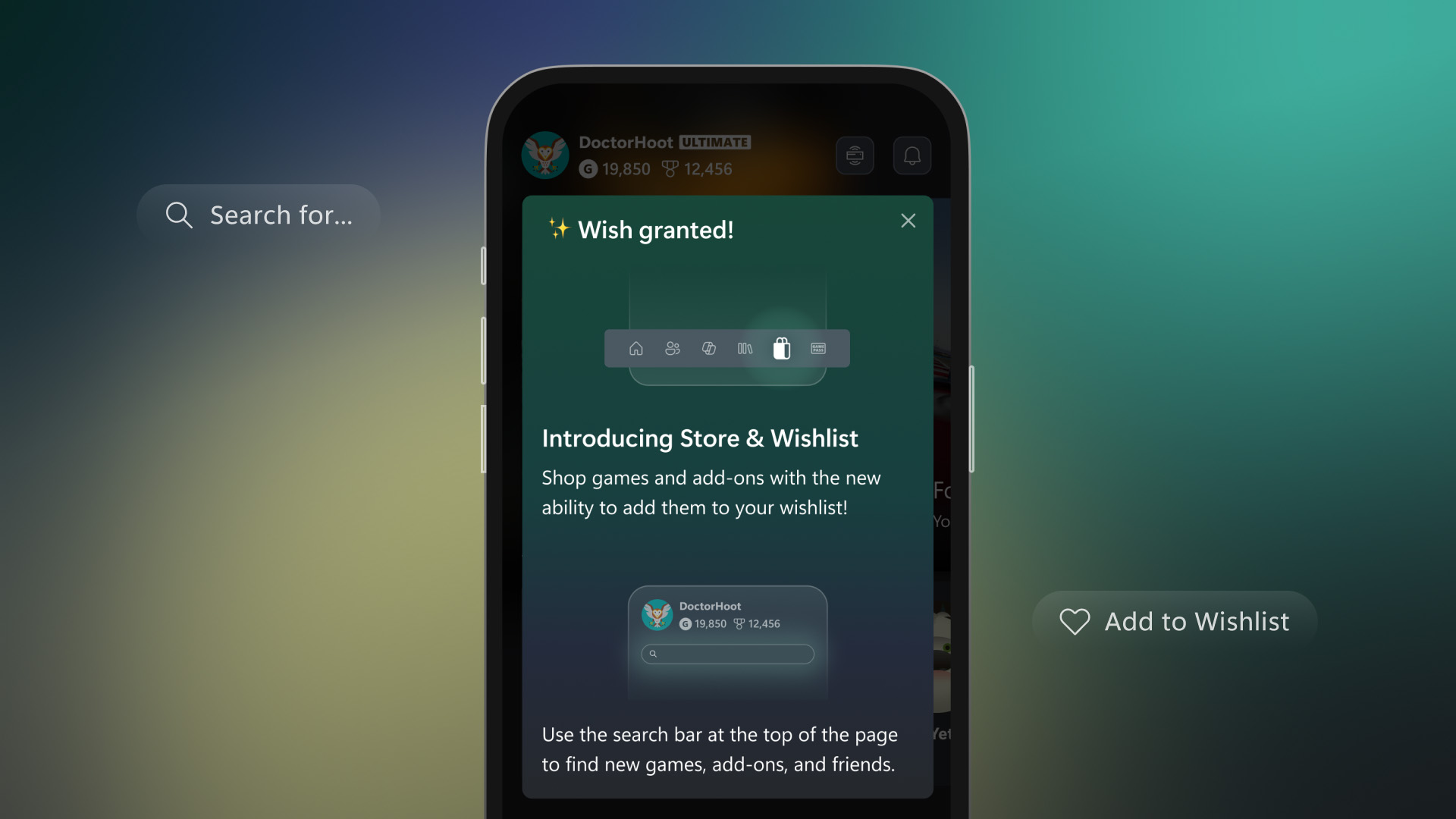
Xbox is expanding customization and control across console, PC, mobile, and handheld platforms, giving players more flexibility in how they manage and experience their games. Console improvements include the ability to pin more groups to Home, create custom color themes, disable Quick Resume on a per-game basis, and use an improved Play History along with better streaming controls. On PC, players can add any game to their library, pin favorites for quick access, navigate with a gamepad cursor, and reposition notifications. The mobile app now sends alerts for wishlist updates, while ROG Xbox Ally devices gain docking enhancements, improved audio features, and support for new PC tools, plus a preview of Auto Super Resolution. Additional touches like dynamic backgrounds and a Rewards sweepstakes round out the changes, all aimed at making the gaming experience more personalized and seamless.


Console Updates

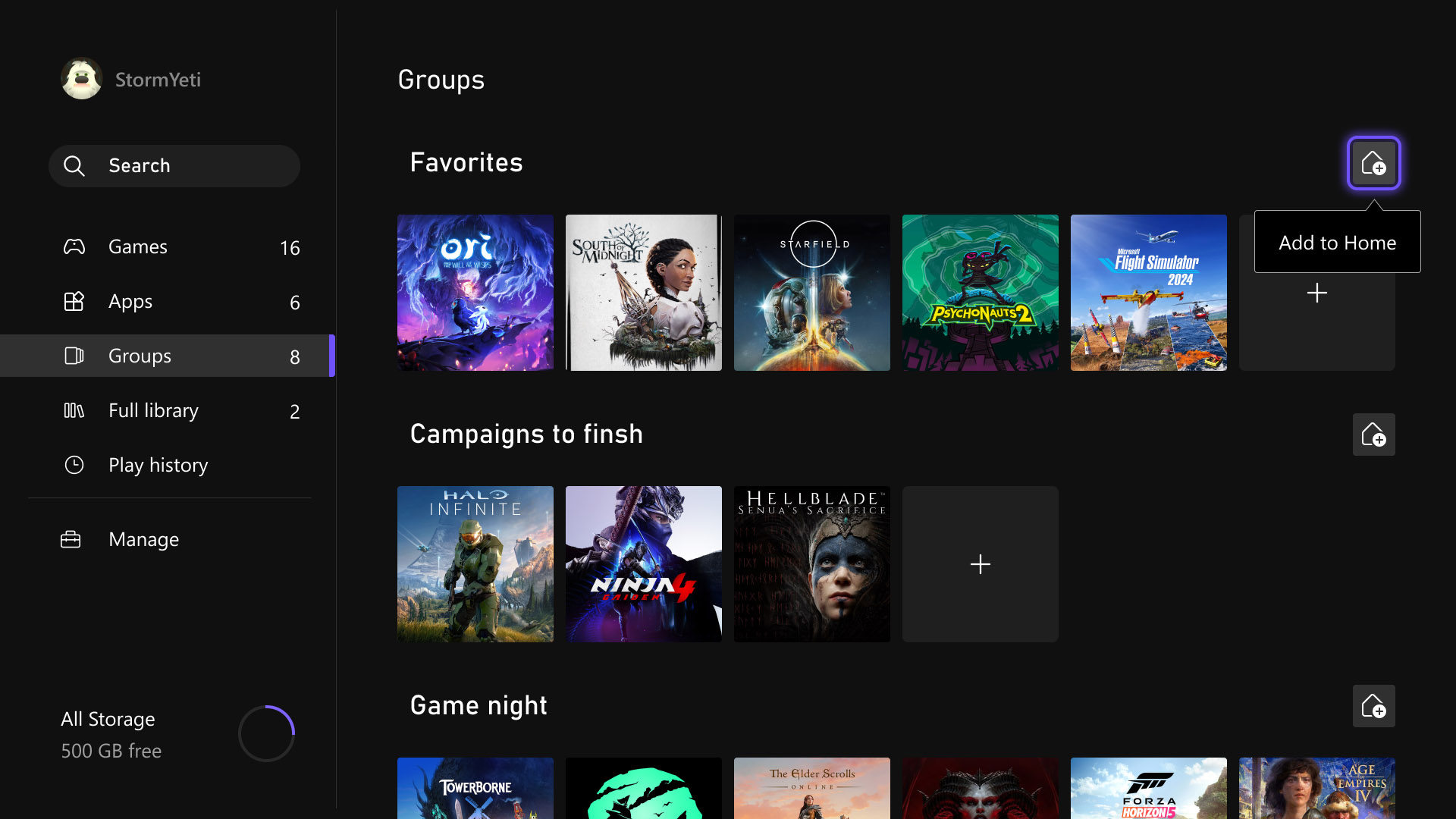
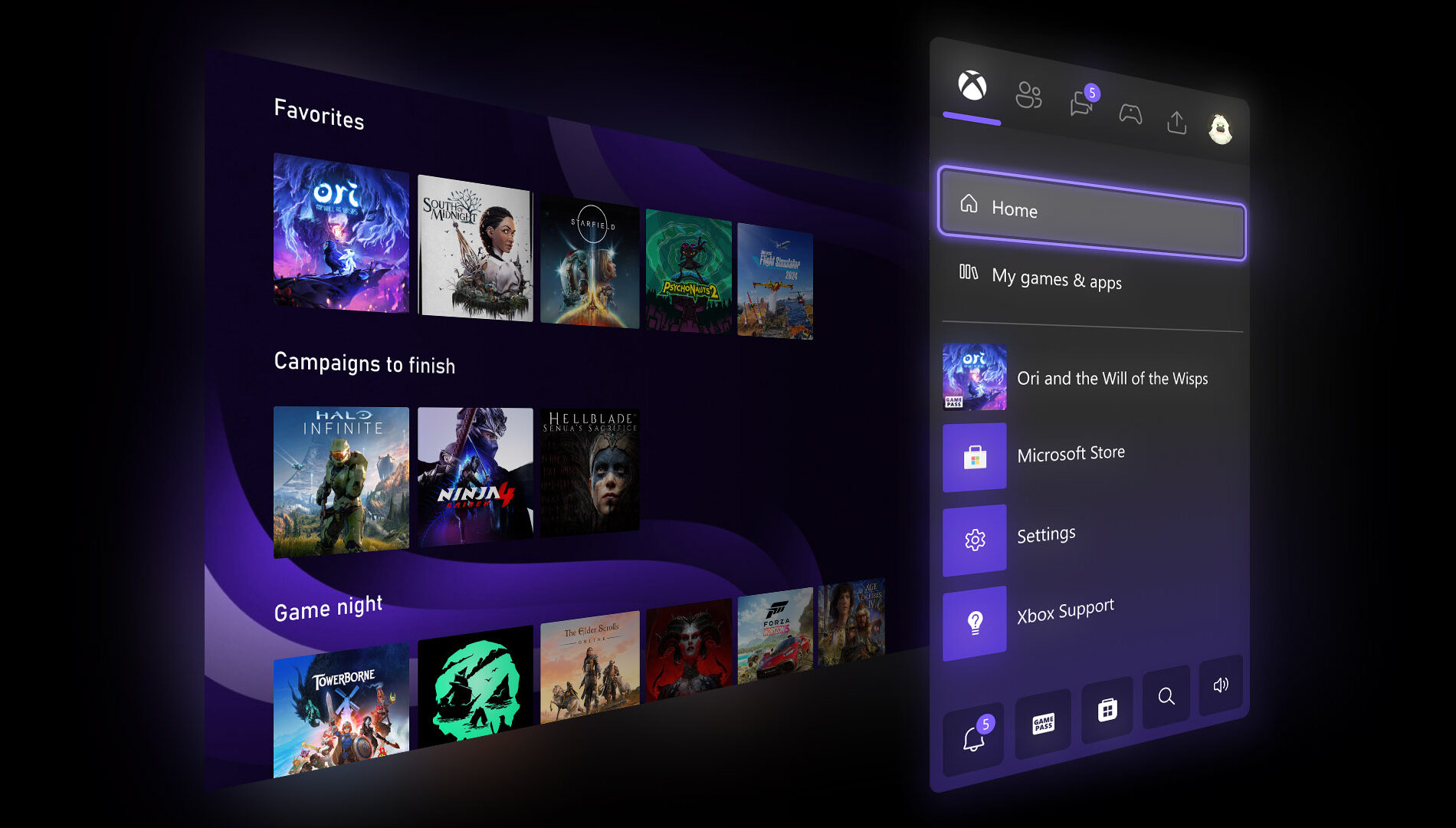
More Groups on Home

Last month, several highly requested console updates were introduced in the Xbox Insider preview, and they are now available to all players. Users can now add up to ten groups to their Home screen instead of two, allowing for greater flexibility in organizing games and apps. Group management has also been streamlined, with reordering now matching the familiar process used for moving games on Home. In addition, pinning groups has been improved with clearer indicators in My Games & Apps, making it easier to see which groups are already added and customize the layout more efficiently.

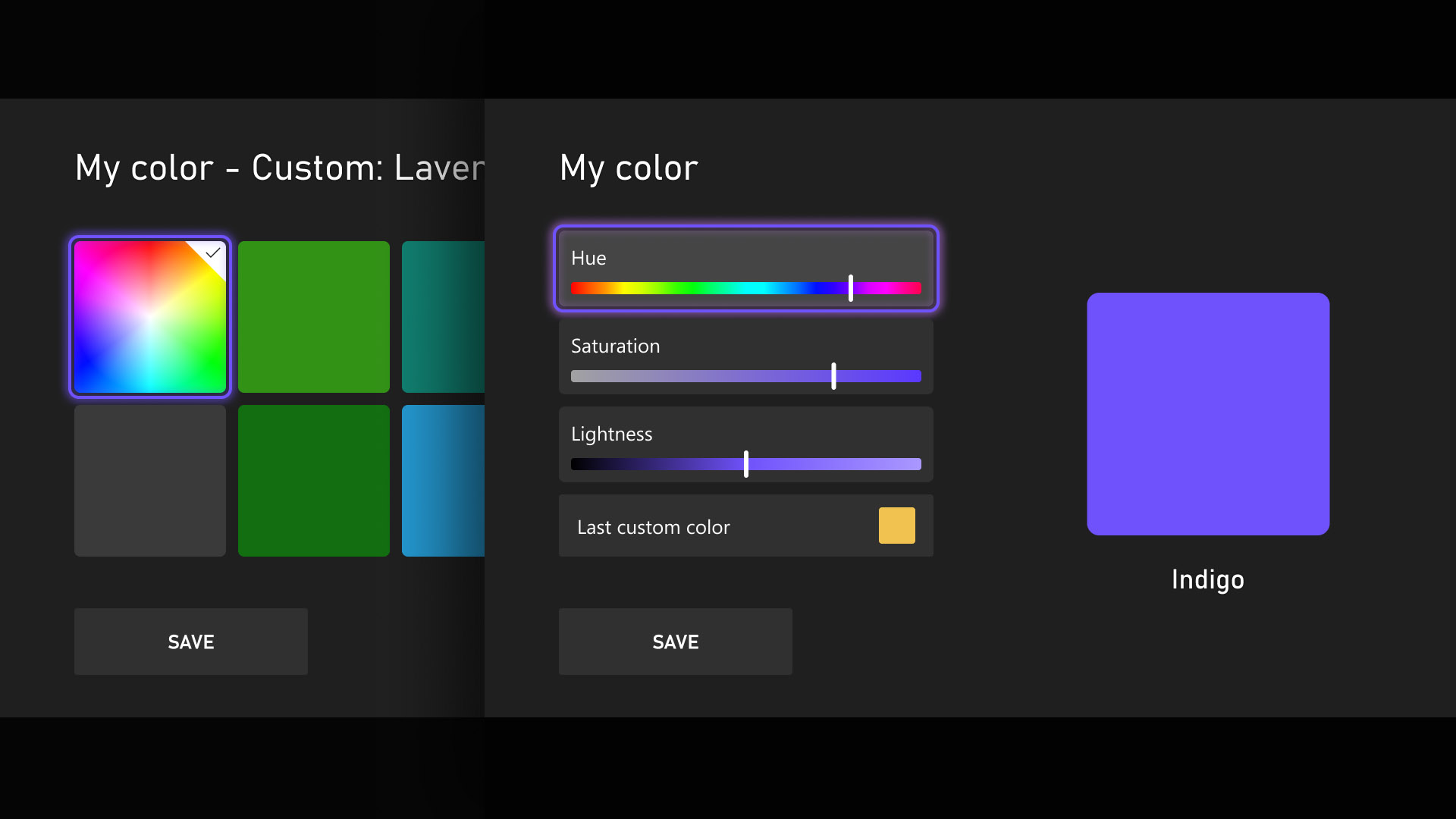
Custom Color

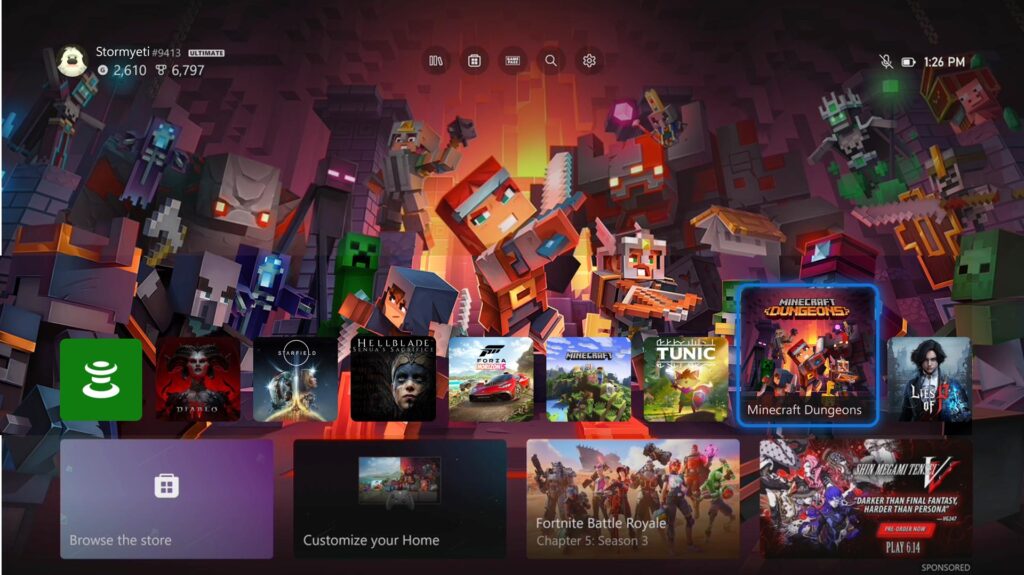
Personalization and self-expression are emphasized as key parts of the console experience, with the introduction of custom colors expanding options beyond the existing palette. Users can now design a personalized color by adjusting sliders to fine-tune hue and shade, with the selected color appearing subtly across the console, including as an accent in the Guide. Those who prefer a simpler interface can disable these accents through Settings > General > Personalization > Customize the guide. To ensure clarity and usability, several safeguards have been added, and previously chosen custom colors are automatically saved when switching back to system defaults, allowing easy reuse later.

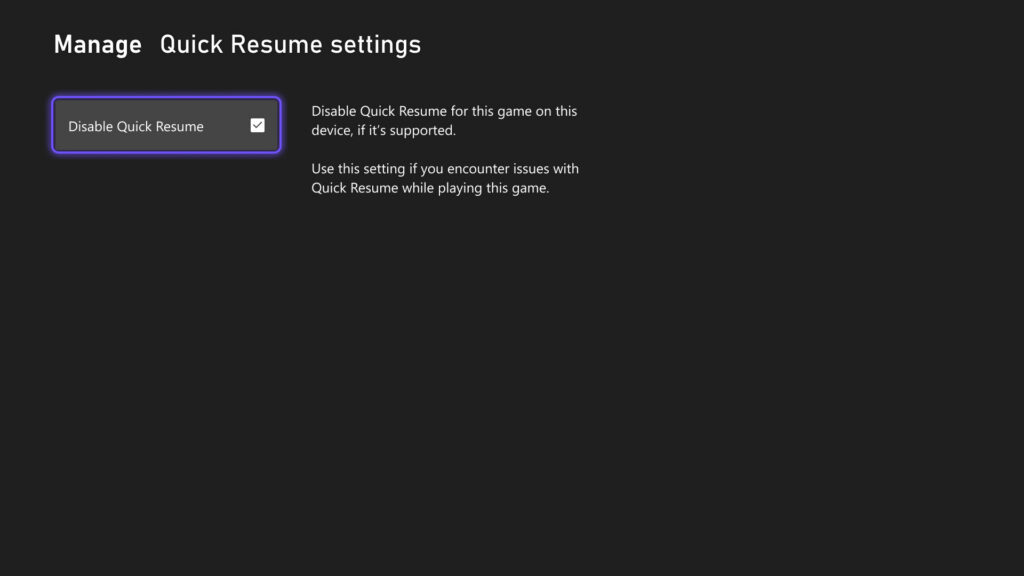
Quick Resume Settings

Quick Resume remains one of Xbox’s most popular features, though feedback has highlighted performance issues after long inactivity or with games that depend heavily on online connectivity. To address this, users can now disable Quick Resume on a per-game basis, ensuring selected games always start fresh. This option is accessible by opening More options on a game tile within the Quick Resume group and selecting Manage Quick Resume, or by navigating to any game tile and choosing Manage game and add-ons > Quick Resume settings.

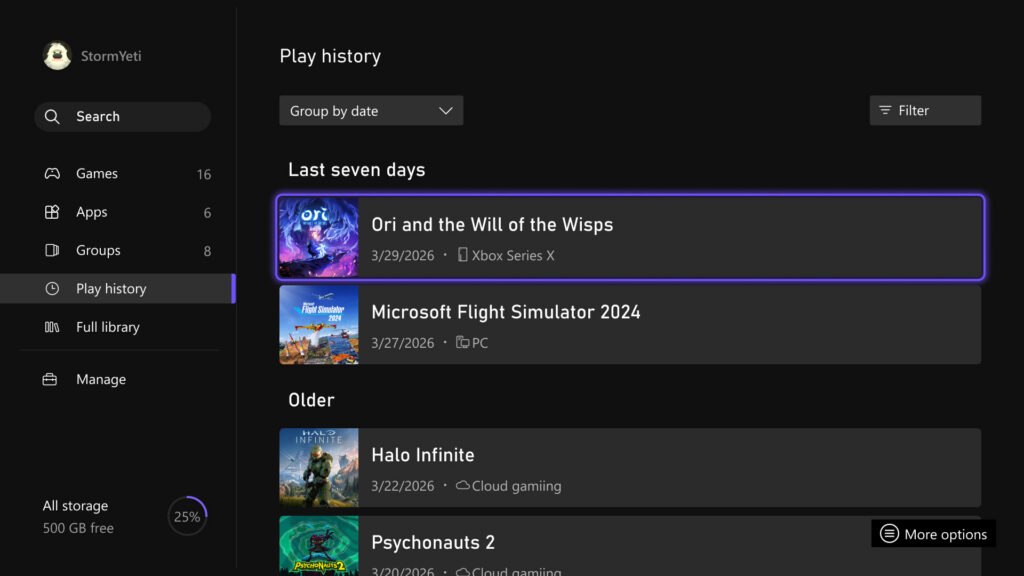
Play History Update

The Play History experience on console has been updated to make it easier to find, browse, and use from any entry point. A new Play History tab within My games & apps provides direct access without needing to return to Home. The layout has also been redesigned into a horizontal format with clearer grouping based on recency, allowing faster resumption of recently played games. Overall, the update delivers a more streamlined and accessible Play History experience that keeps recent gameplay readily available across devices.

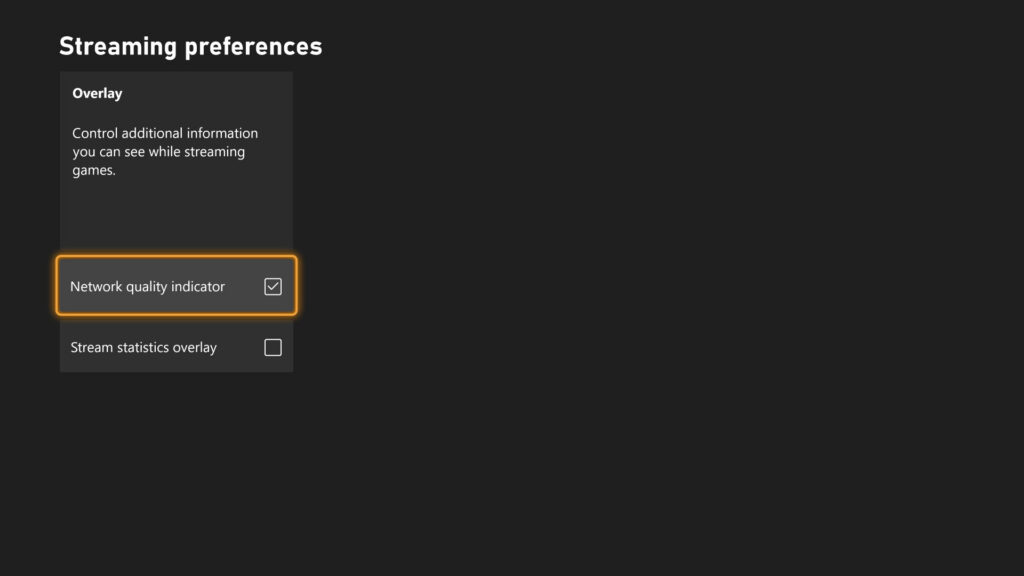
User Selected Resolution and Network Quality Indicator

Streaming settings have been updated to provide clearer control and improved transparency over the gaming experience. New options include User Selected Resolution (USR), allowing players to choose their preferred streaming resolution in Console Settings > Cloud Settings before starting a session. A Network Quality Indicator (NQI) has also been introduced, offering real-time feedback on network performance while streaming to help users understand how their connection affects gameplay. These changes are designed to give players more insight and control, resulting in a more consistent and confident streaming experience.

CLICK "READ MORE" to See the Rest of the Updates

Wednesday, March 25, 2026

SYSTEM UPDATE: March Xbox Update

Xbox announced several March updates, including new customizable console features for Xbox Insiders like expanded Home groups, custom colors, per-game Quick Resume settings, and profile badges. At GDC, they previewed future plans such as the next-gen “Project Helix” console, broader Xbox Play Anywhere support, and Xbox mode coming to Windows 11 devices. New dynamic backgrounds were added for select games, and a handheld compatibility program now highlights games optimized for portable play, with recent additions like Crimson Desert, Kingdom Come: Deliverance II, and Towerborne.


Here’s What’s New

New Console Features for Xbox Insiders


Earlier this month, new features were introduced for select Xbox Insiders to test ahead of a broader console rollout. These include:
  • More Groups on Home. Players can now customize Home with up to 10 groups.
  • Custom Color. Players can now create a custom color that’s uniquely theirs to express themselves across the console.
  • Quick Resume Settings. Players can now disable Quick Resume on a per-game basis to ensure those games always launch fresh.
  • Profile Badges in Guide. See a player’s five most recently unlocked badges when viewing their profile.
Xbox at GDC


Earlier this month at GDC, more details were shared about how the next generation of Xbox is being developed for players and creators. This included an early look at Project Helix, a next-generation console designed to support both Xbox and PC games. It was also announced that Xbox mode will begin rolling out to all Windows 11 devices in April, alongside continued growth of Xbox Play Anywhere, which now includes over 1,500 titles.

Xbox Console – Dynamic Backgrounds

Crimson Desert, Sea of Thieves and Towerborne introduced new dynamic backgrounds for Xbox Series X|S consoles, allowing you to customize your console to celebrate these games.

CLICK READ MORE to Continue

Tuesday, December 16, 2025

SYSTEM UPDATE: Xbox December 2025 Update Brings Mobile Store Upgrade and Next-Gen Audio Enhancements

The Xbox December Update rounds out 2025 with quality-of-life upgrades across mobile, audio, and gaming features. The Xbox mobile app now includes a dedicated Store tab, making it easier to browse, wishlist, and purchase games, add-ons, and Game Pass subscriptions in one place. On the hardware side, a new firmware update for the Xbox Wireless Headset adds Bluetooth Low Energy (LE) Audio support for compatible Windows 11 devices, delivering lower latency, improved battery life, higher-quality stereo voice chat, and new shared audio capabilities.


Xbox Mobile App Updates

In April, Xbox added the ability to buy games and subscribe to Xbox Game Pass directly through the Xbox mobile app. A dedicated Store tab has now been introduced to make discovering and purchasing games, add-ons, and Game Pass subscriptions faster and more convenient. Additional browsing improvements include the ability to add games to a Wishlist and search for add-ons directly within the app, making it easier for players to explore and manage their content.

Xbox Wireless Headset: Next-Level Audio for Windows 11 Devices

The Xbox Wireless Headset was designed to put players right in the action with clear sound, easy controls, and smooth integration with their Xbox console. As Xbox gaming expands to Windows 11 PCs and handhelds like the ROG Xbox Ally and ROG Xbox Ally X, Xbox is bringing that same premium experience everywhere players choose to play.

Today, Xbox is excited to share a new firmware update for the latest Xbox Wireless Headset that adds Bluetooth Low Energy (LE) Audio support. This update, built in partnership with Windows, brings top-tier audio performance to the latest Windows devices.

Bluetooth LE Audio goes beyond saving battery life; it makes the audio experience better. With this update, players get:

  • Lower latency: Enjoy high fidelity wireless audio with less latency than Bluetooth Classic audio, staying perfectly in sync with what is seen on-screen.
  • Better battery life: Play longer between charges thanks to improved power efficiency.
  • Super wideband stereo voice: Enjoy richer stereo sound, even while chatting with a squad.
  • Broadcast audio: Shared audio (preview) on Windows 11 lets players share game audio across multiple compatible Bluetooth accessories.

Earlier this year, Xbox announced super wideband stereo audio on Windows 11, taking game chat to the next level. Here’s what that means for players:

  • Immersive game audio: Hear soundtracks, effects, and dialogue with greater clarity and depth. Subtle environmental cues and spatial details are more noticeable than ever.
  • Crystal-clear voice chat: Voices sound natural and sharp, making it ideal for team coordination.

How to experience the new features:

  • Firmware update: Available now via the Xbox Accessories app on console or Windows 11 devices. Requires the latest Xbox Wireless Headset (launched October 2024).
  • Bluetooth LE Audio: Requires a Windows 11 device that supports Bluetooth LE Audio.
  • Super wideband stereo audio: Requires the latest updates to Windows 11, version 24H2 or later, and audio driver support from the PC manufacturer. Coming soon to ROG Xbox Ally and ROG Xbox Ally X.
  • Shared audio (preview): Currently available to Windows Insiders on select Windows 11 PCs.

DON'T FORGET TO SHARE:

Thursday, March 27, 2025

SYSTEM UPDATE: Xbox March 2025 Update - In-Game Benefits, Xbox Cloud Gaming Enhancements and Free-to-Play Features

March is packed with exciting updates for Xbox players! From seamless game switching on Xbox Cloud Gaming to over 50 cloud-playable titles for Game Pass Ultimate members, the fun never stops. Unlock exclusive in-game rewards for free-to-play games, explore new dynamic backgrounds, and enjoy a fresh Game Bar design for PC. Plus, with the release of the Xbox Adaptive Joystick and more perks rolling out soon, there's no better time to level up your gaming experience. Get ready for a month of non-stop action and new features!

Click READ MORE to see full update details 

Wednesday, September 25, 2024

SYSTEM UPDATE: Xbox September Update – Game Bar Compact Mode Now Available & More

We’re continuing to bring new ways to make Xbox better based on your feedback. This month’s update has brand-new experiences across PC gaming, Xbox apps, consoles and more. Read on for all the details:


Xbox Consoles

Pre-download Your Games and Start Playing When the Update Is Live
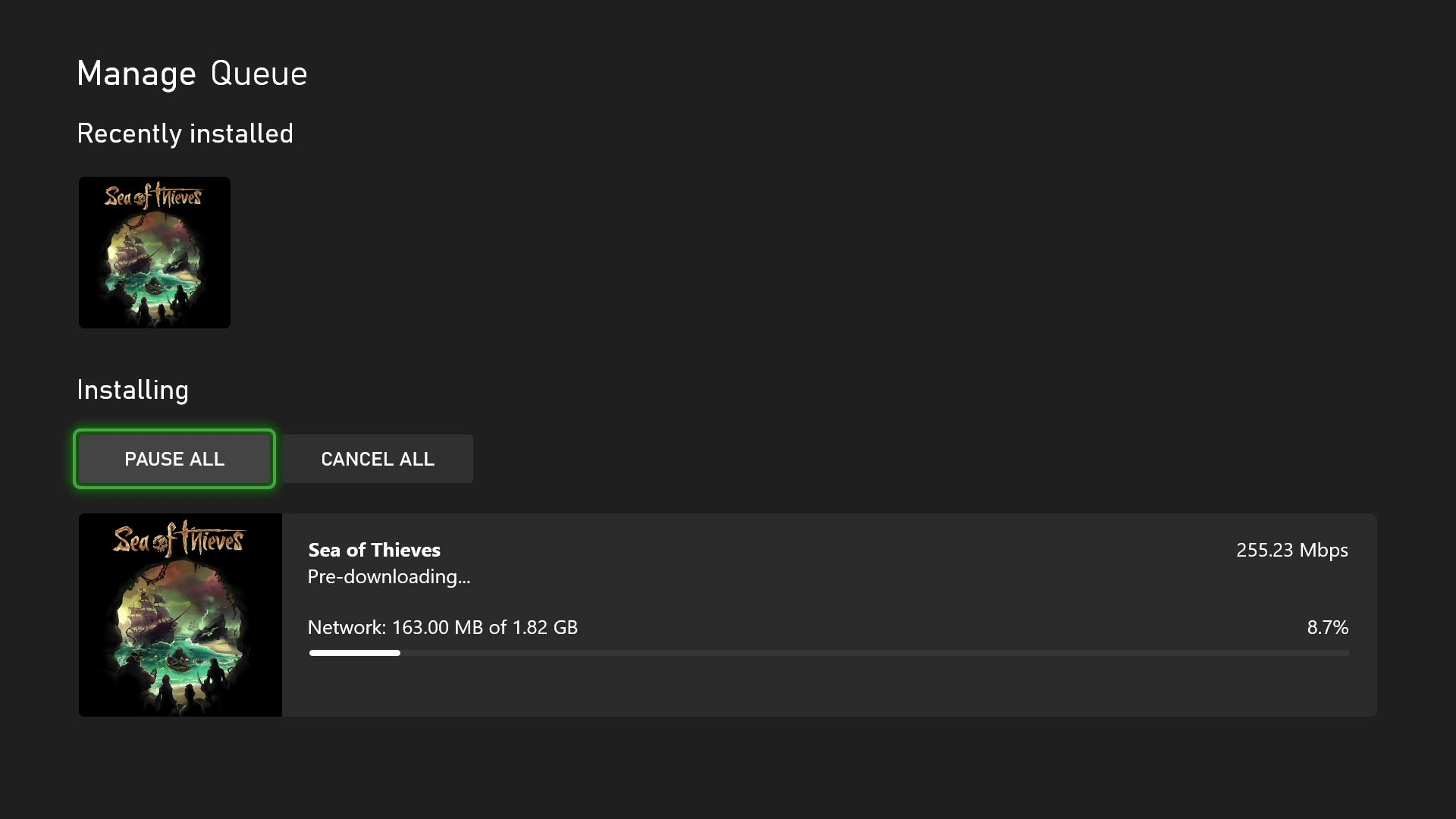
No more waiting for game updates to download. Now you can jump in and start playing right when the update goes live. To start using this new option on your console go to My Games & Apps > Manage > Updates where you’ll be able to see all available pre-downloads. This feature is supported by some of your favorite games now, including Sea of Thieves, Minecraft, Cassette Beasts – and expect many more titles to support it soon.

New Wish List Notifications for Free Play Days and More
Is your wish list up to date? Because it’s about to get even more helpful. Your wish list already lets you keep track of your most wanted games, Free Play Days, add-ons and more, and notifications will help you keep track of when those long-awaited games pop up. With the new update, when a game on your wish list is released, enters the Game Pass library, or becomes available as part of a Free Play Day promotion, you will now receive console notifications. These notifications can be enabled or disabled per your preference in your wish list notification settings.

PC Gaming

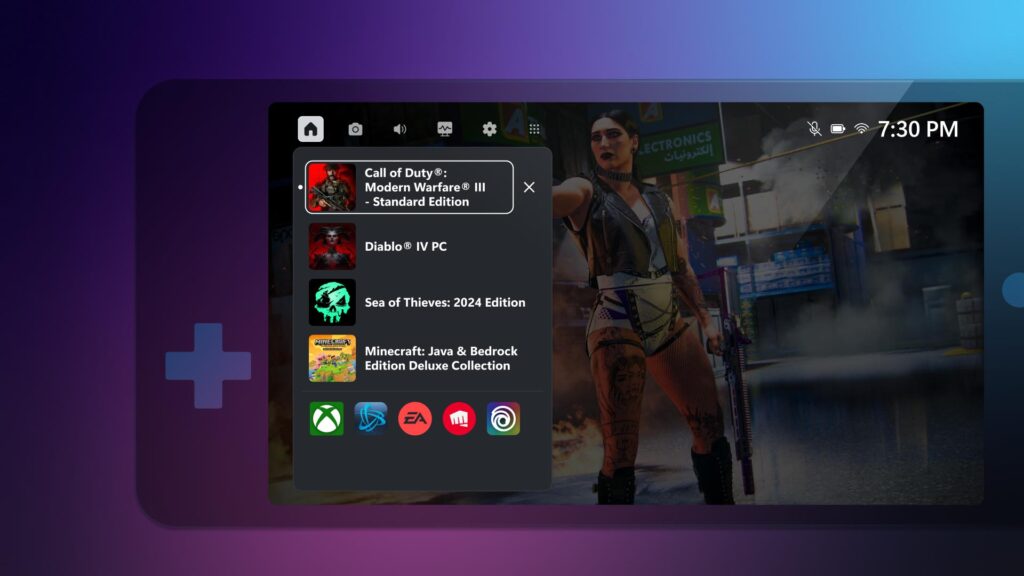
Game Bar Compact Mode Is Now Available for All PC Players on Windows.
In August, we announced that Game Bar Compact Mode, a new mode optimized for smaller screens and Windows handhelds, was available to Xbox Insiders.


Today, we’re excited to share that all PC players can now enjoy Game Bar Compact Mode on their favorite Windows devices. You can view recently played games, access common game launchers and other gaming utilities, and explore the Widget Store, where you can discover and manage widget applications.

With Compact Mode enabled, access to widgets and navigation is simplified to ensure you can get to the content you want as easily as possible on smaller screens. Compact Mode is also optimized to navigate with a controller, and you can quickly switch between widgets with left and right bumpers (LB/RB).

We also added a new feature in Game Bar Compact Mode to allow you to quit a game that is running by going to the Home widget, selecting the game and pressing close – giving you a faster option than quitting from the game itself or navigating out to your desktop. To turn on Compact Mode, go to Game Bar Settings and, under the General tab, switch on the Compact Mode toggle.

We’re just getting started with Game Bar and can’t wait to share new improvements such as modernizing the look and feel and adding support for virtual keyboard navigation with future updates. You can learn more about Game Bar Compact Mode by visiting the feature overview page.

More Game Management Options Coming Your Way Via the Xbox App on PC
As we announced back in August, we are continuing to enhance game management experiences in the Xbox app on PC. This time, we have made additional improvements to save you download space and time managing your library of games on PC.

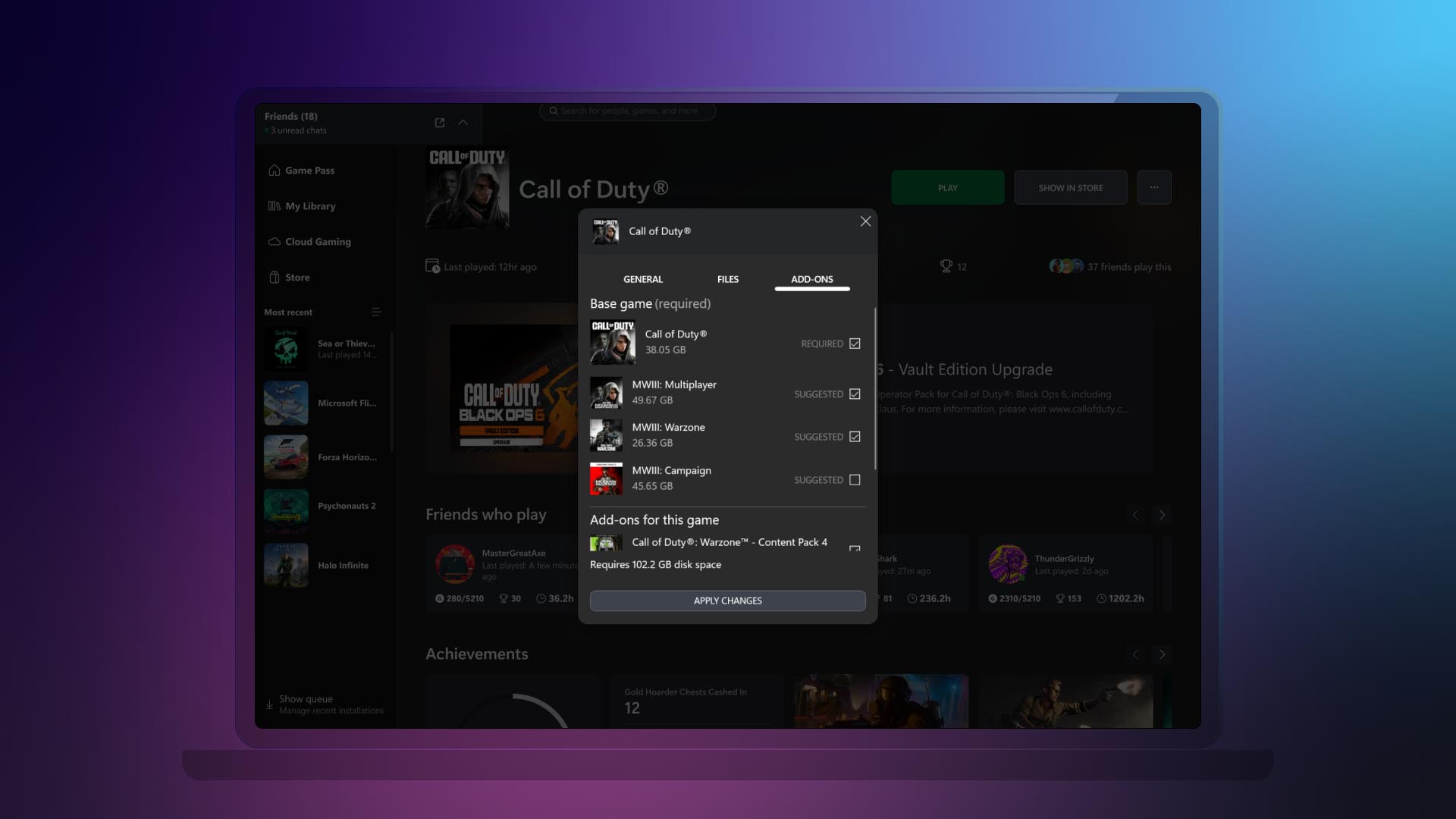
  • Easily view and install all add-ons upon game installation.
Now you can view and install all add-ons related to the game that you are installing, regardless of when you acquired them or if they were part of the same bundle. This helps you see all content related to the game you are installing at a glance, instead of having to navigate the app to see and install the different add-ons or content tied to the game you want to play.
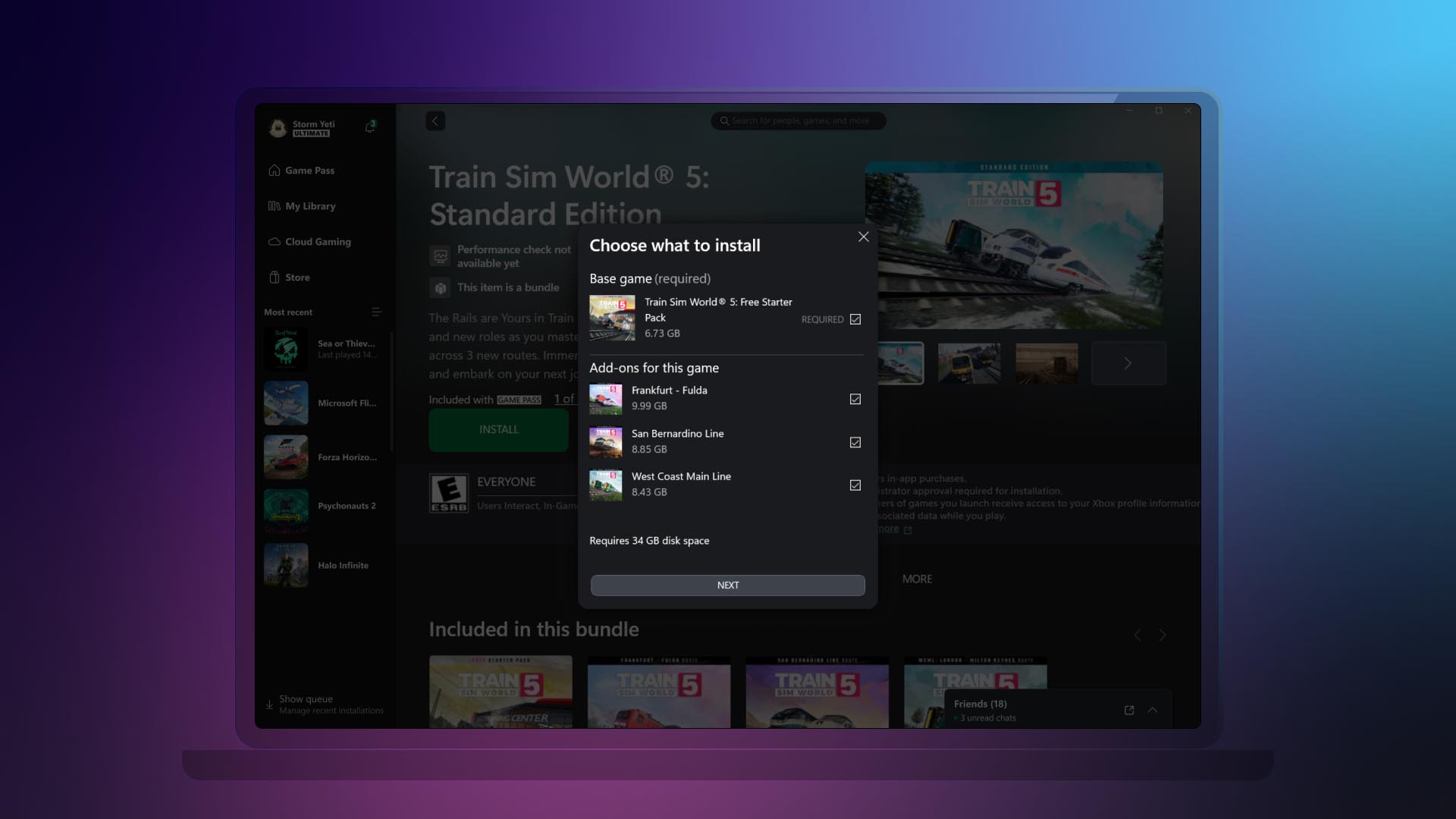
  • Ability to manage all your game content in one place.
If your installed game has add-ons or additional content, we’ll display it all in one place. This is also beneficial to manage any additional content you might have acquired after you added a game to your collection. To access this new view, right-click on any game that you have installed either going to your library or the left navigation panel. Then click on “Manage” and go to the new “Add-ons” section.

DON'T FORGET TO SHARE:


Wednesday, August 28, 2024

SYSTEM UPDATE: Xbox August 2024 Update Is Rolling Out with Updates to Cloud Gaming, Consoles, PC Gaming, and Accessories

Team Xbox is bringing new ways to make Xbox better based on your feedback. This month’s update has brand-new experiences across Xbox Cloud Gaming (Beta), consoles, PC gaming, and wireless controllers.


Xbox Cloud Gaming

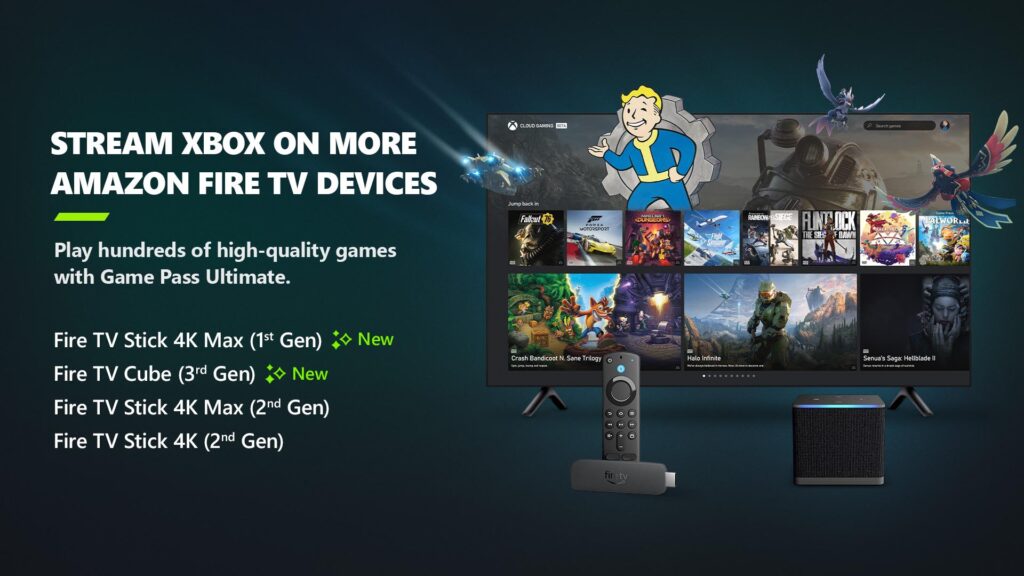
Xbox app on Fire TV now available on Fire TV Stick (1st Gen) and Fire TV Cube (2nd Gen)
Earlier in the year, Xbox announced a collaboration with Amazon where Xbox Game Pass Ultimate members in over 25 countries can play games directly from the Xbox app on select Fire TV devices via cloud gaming, giving people even more choice in how they play their favorite games. Now, alongside the Fire TV Stick 4K Max (2nd Gen) and Fire TV Stick 4K (2nd Gen), the Xbox app on Fire TV is available for customers with a Fire TV Stick 4K Max (1st Gen) and Fire TV Cube (3rd Gen). This expansion offers players even more choice in how they play their favorite games on devices they already own.

Players will have the opportunity to play current games in the Game Pass Ultimate catalog. To get started, download the Xbox app on your eligible Fire TV device via the Amazon Appstore. Once you install and open the app, you’ll be prompted to sign in with your Microsoft account. If you’re already an Xbox Game Pass Ultimate member, you’ll have instant access to stream and play any of the hundreds of cloud-enabled titles in the Game Pass Ultimate library.

Not a member yet? You can easily sign up for Xbox Game Pass Ultimate through the app.

Then, all you have to do is connect a compatible Bluetooth controller and you’re ready to start gaming! The Xbox Wireless Controller, Xbox Adaptive Controller, DualSense or DualShock 4 controllers all work seamlessly. Once connected, you’re all set!

Xbox Consoles

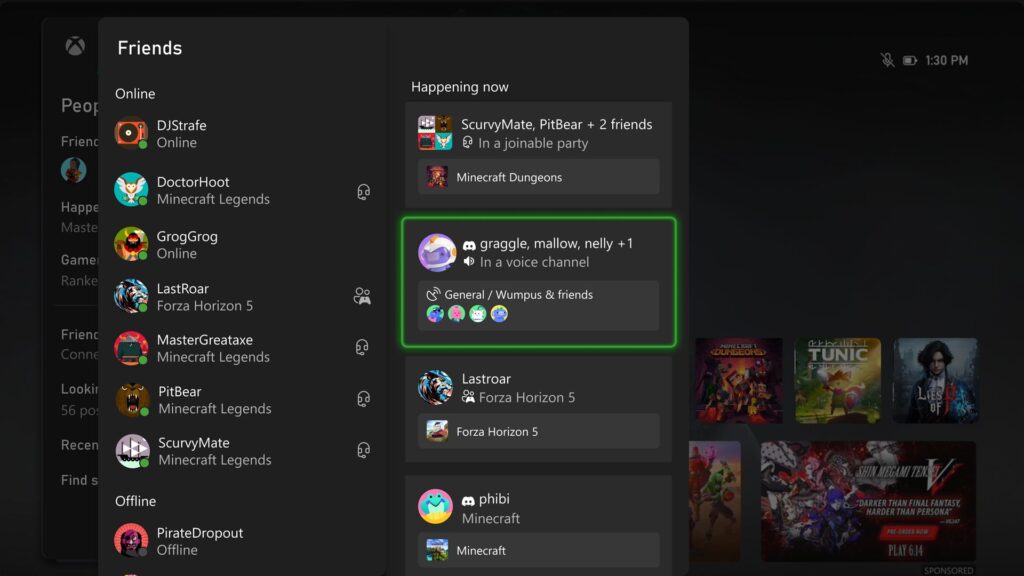
Happening Now – Find your Discord friends and channels from your Xbox
It’s now easier to get updates when one of your Discord friends is playing, chatting, or streaming. Now you can jump into voice chat with them or watch their stream – all on your Xbox console, without having to use the Discord app on PC or mobile.

If your Xbox and Discord accounts are linked, you can opt-in to have your Discord friends included in your Friends list on the Xbox guide by re-linking your accounts. Once you relink your Xbox profile and Discord account, head to the Friends list of the Xbox guide.

Your Discord friends will show up on the right side under “Happening now” whenever they’re playing a game or chatting in Discord voice.

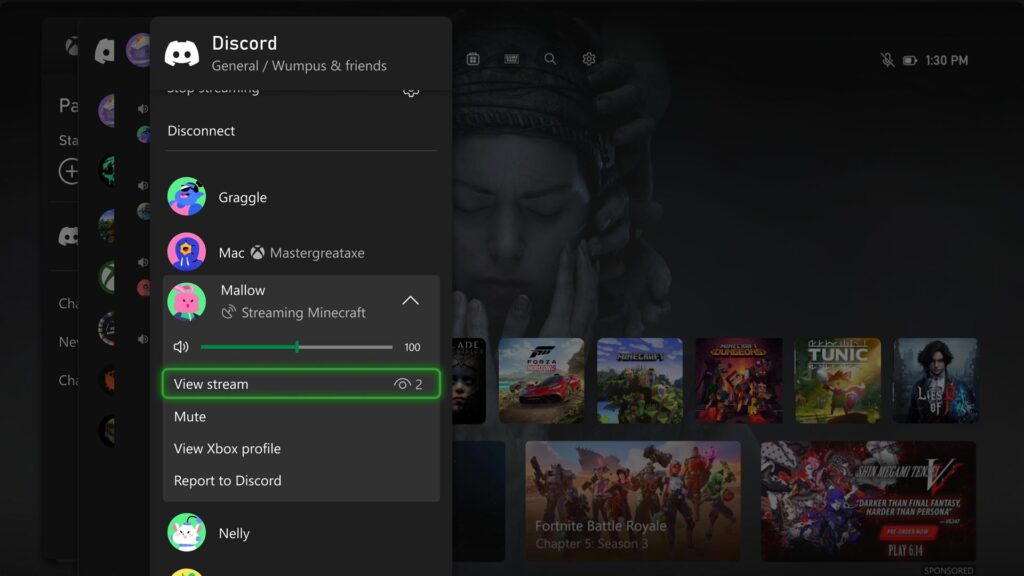
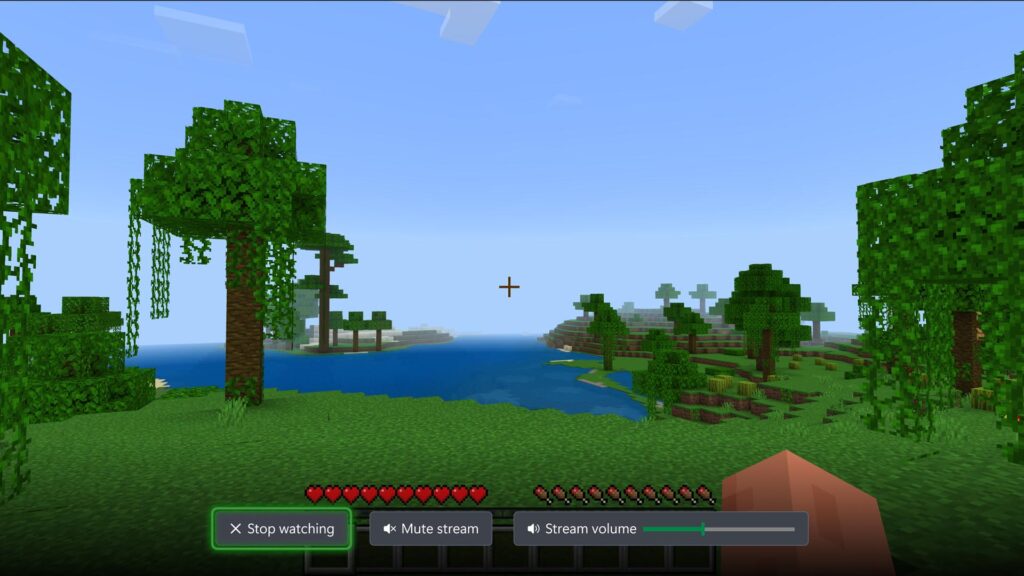
Watch Discord streams on your Xbox console
You can now watch anyone who is streaming directly on your Xbox console when you’re connected to a Discord call or in a voice channel! Are you having an epic moment you want to share? You can stream your gameplay to your Discord friends, too.
DON'T FORGET TO SHARE:


Wednesday, June 12, 2024

SYSTEM UPDATE: The Xbox June Update Is Rolling Out

Team Xbox is bringing new ways to make Xbox better based on your feedback. This month’s update has brand-new features and experiences across consoles, wireless controllers, PC gaming, and Xbox Cloud Gaming (Beta).


Xbox Console Updates

Personalize Your Home Backgrounds Even More
Do you have a favorite dynamic background? Or do you prefer to look at game art? Before today’s rollout, you had to decide whether you wanted to enjoy that dynamic background vs. rotating through all the game art. Now you can mix and match – no need to compromise. You can find the new options under Settings > General > Personalization > My Background > Show selected game art.

Want even more options? There’s also a new setting that lets you adjust your dynamic background color without changing your profile color.


Easily Connect Your Xbox to Your Wireless Networks
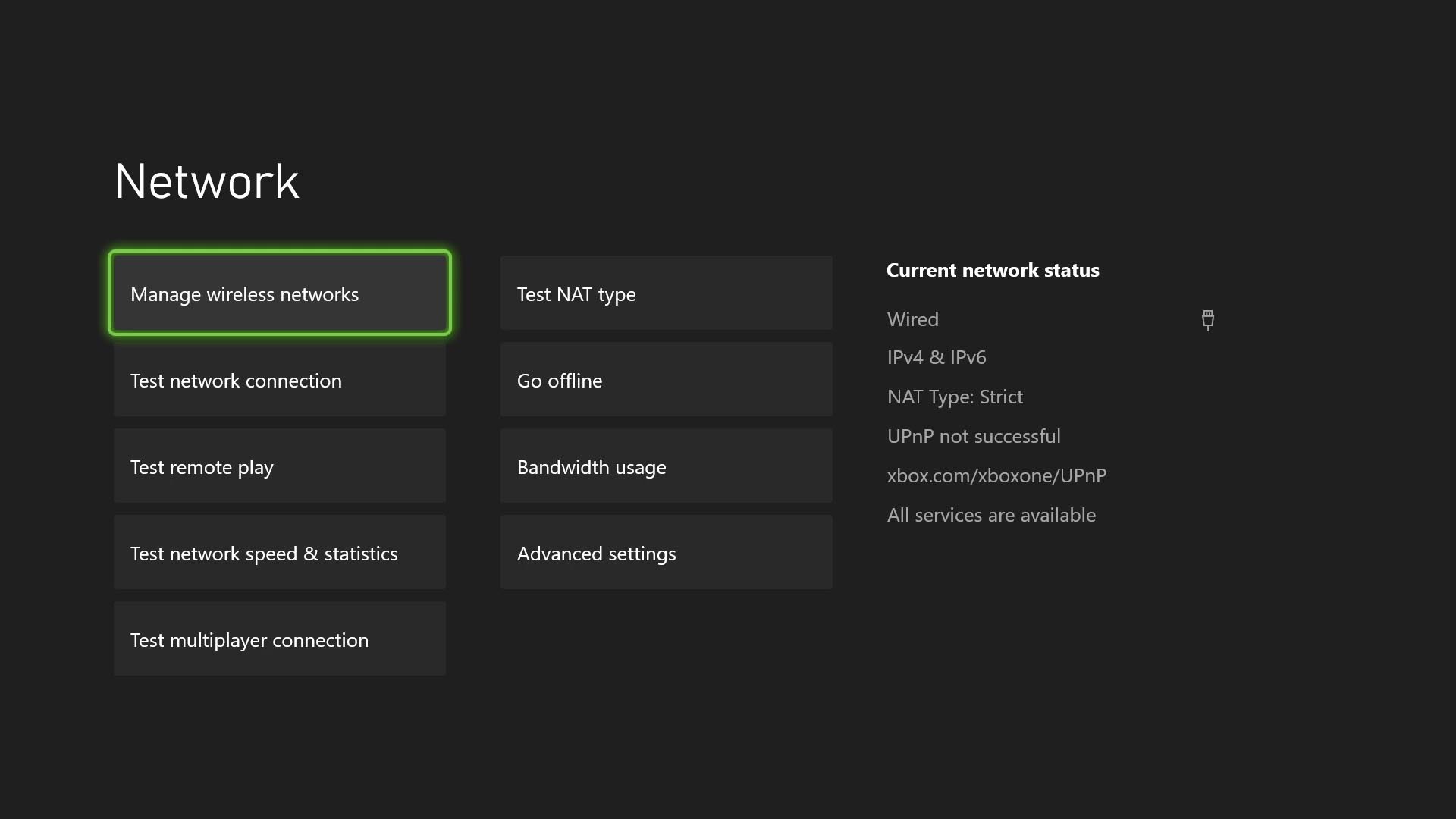
Switching between Wi-Fi networks just got a whole lot easier for your Xbox. You can now remember up to 10 wireless networks that you’ve used before and hop on them without typing the passwords again. It’s also easy to forget and disconnect from the wireless networks you’re done with. No need to remember the Wi-Fi from your trip – unless you plan to go back! To check this out, go to Settings > General > Network settings > Manage wireless networks > Manage my networks.


Manage Your Subscriptions Directly From Your Console
You can now update your subscription plan or turn on recurring billing within your console settings. Go to Settings > Account > Subscriptions, select your subscription, and then choose Change subscription. Once you’re there, you’ll be able to select the options that work best for you. 

Some Experiments You Might See on Your Console
We’re always experimenting and looking for ways to make your console experience even better. This month, you may notice updates such as the ability to find people using console search, updates to the Game Pass page layout and style, and additional information to search card results and flashcard store buttons. As we roll out these experiments, a random subset of players will be able to give them a try.

Wednesday, May 15, 2024

SYSTEM UPDATE: The Xbox May 2024 Update is Rolling Out with Updates for Cloud and PC

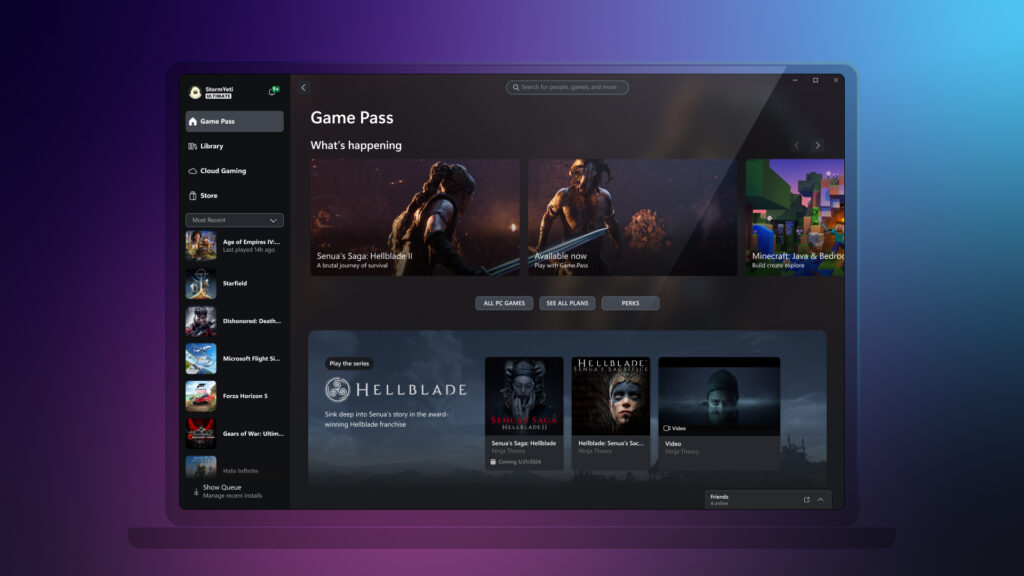
Starting today, Team Xbox is rolling out some highly requested features to continue to improve cloud gaming across devices and screens where Xbox is available. Also, to celebrate the upcoming game launch for Senua’s Saga: Hellblade II, you will be able to experience a new channel on the Xbox app for PC.


Xbox Cloud Gaming (Beta) Updates


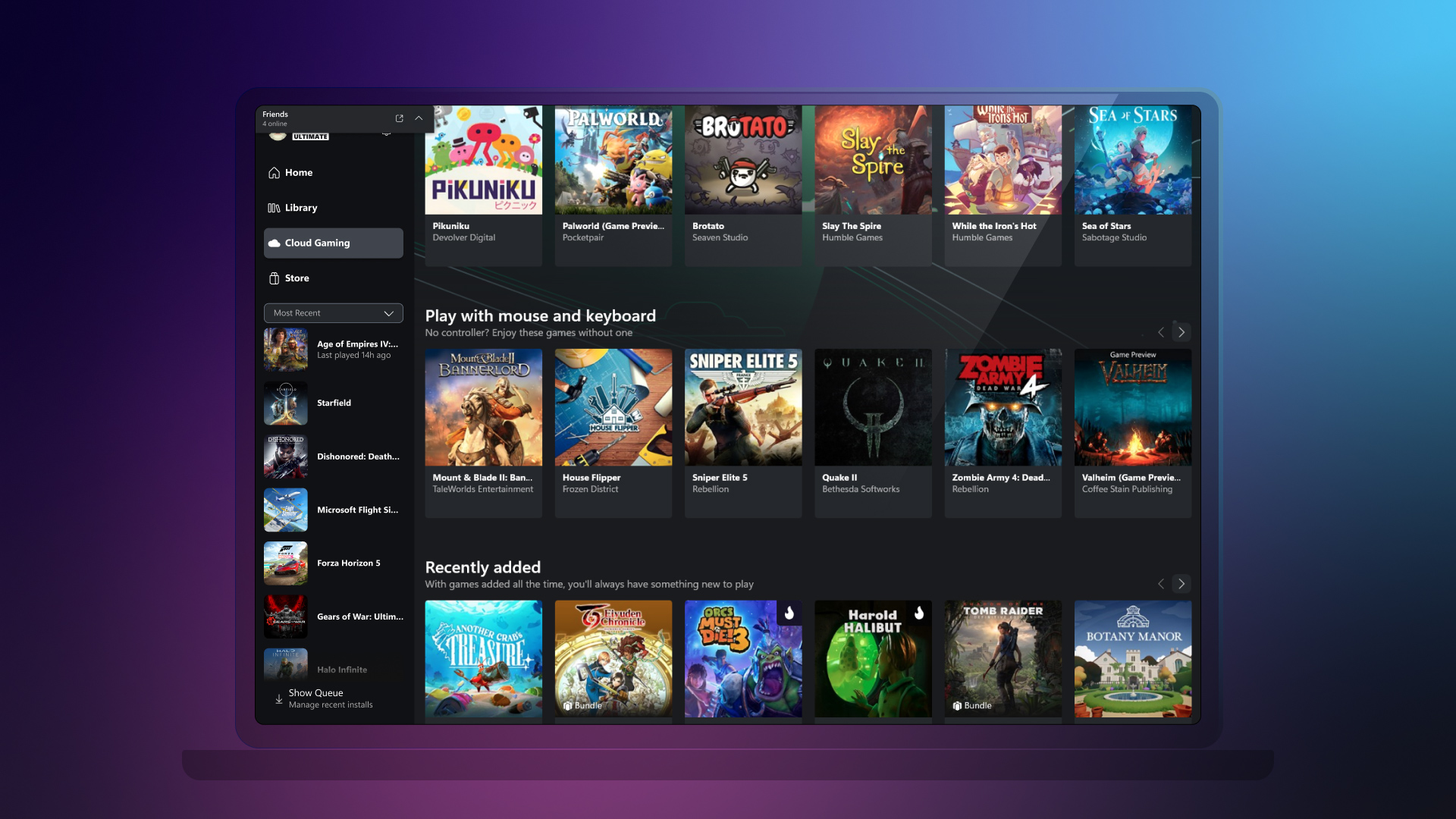
Use Your Mouse and Keyboard with Xbox Cloud Gaming (beta)
Mouse and keyboard support for cloud gaming will start rolling out today. You can now use your mouse and keyboard for your gaming experience on web browsers (Edge or Chrome).

To start gaming with your mouse and keyboard on web browsers, follow these steps:

  1. Go to xbox.com/play.
  2. Sign in with your Microsoft account.
  3. Select a mouse and keyboard-supported game.
Later this month, you’ll also be able to use the Xbox app on PC by selecting a game that has a mouse and keyboard badge. From there, you will be able to use your mouse and keyboard to control the game, just like you would on a PC game.

Pro Tip: You can also switch between using a mouse and keyboard combination and your controller at any time, by simply pressing any key on your keyboard or the Xbox button on your controller.


Wednesday, February 14, 2024

SYSTEM UPDATE: The February 2024 System Update is Starting to Roll Out

Team Xbox continues to bring new ways to make Xbox better, with players at the center, as we refine the experience and deliver brand-new features based on player feedback. This month’s update offers touch controls enabled in Xbox remote play, and improved filtering and sorting in My games & apps. There’s a new thumbstick calibration tool for Xbox Wireless Controllers, and a new access restriction option to make it easier for many players to play on shared consoles in places like hospitals.


Touch controls enabled in Xbox remote play
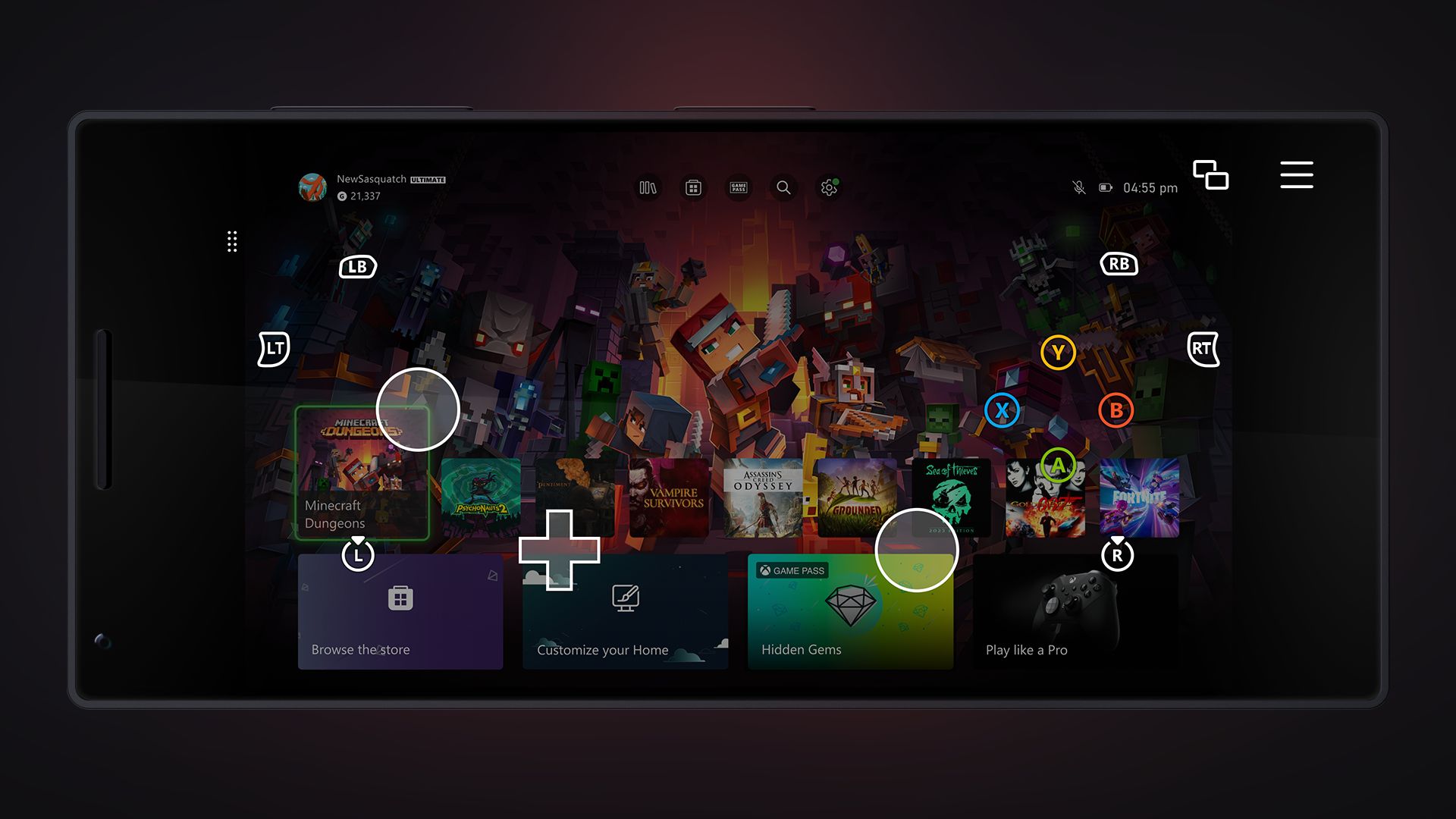
Want to play games when away from your console, but don’t have your Xbox Wireless Controller handy? No problem! Xbox remote play now supports custom touch control layouts on more than a hundred games when using the Xbox app on iOS, Android, and Windows devices. The same custom touch layouts available through Xbox Cloud Gaming (Beta) will now be available when remotely playing games from your personal console. This includes games like Minecraft Dungeons, Psychonauts 2, Sea of Thieves, and many more. Additionally, a basic touch control layout can now be used for most other games.


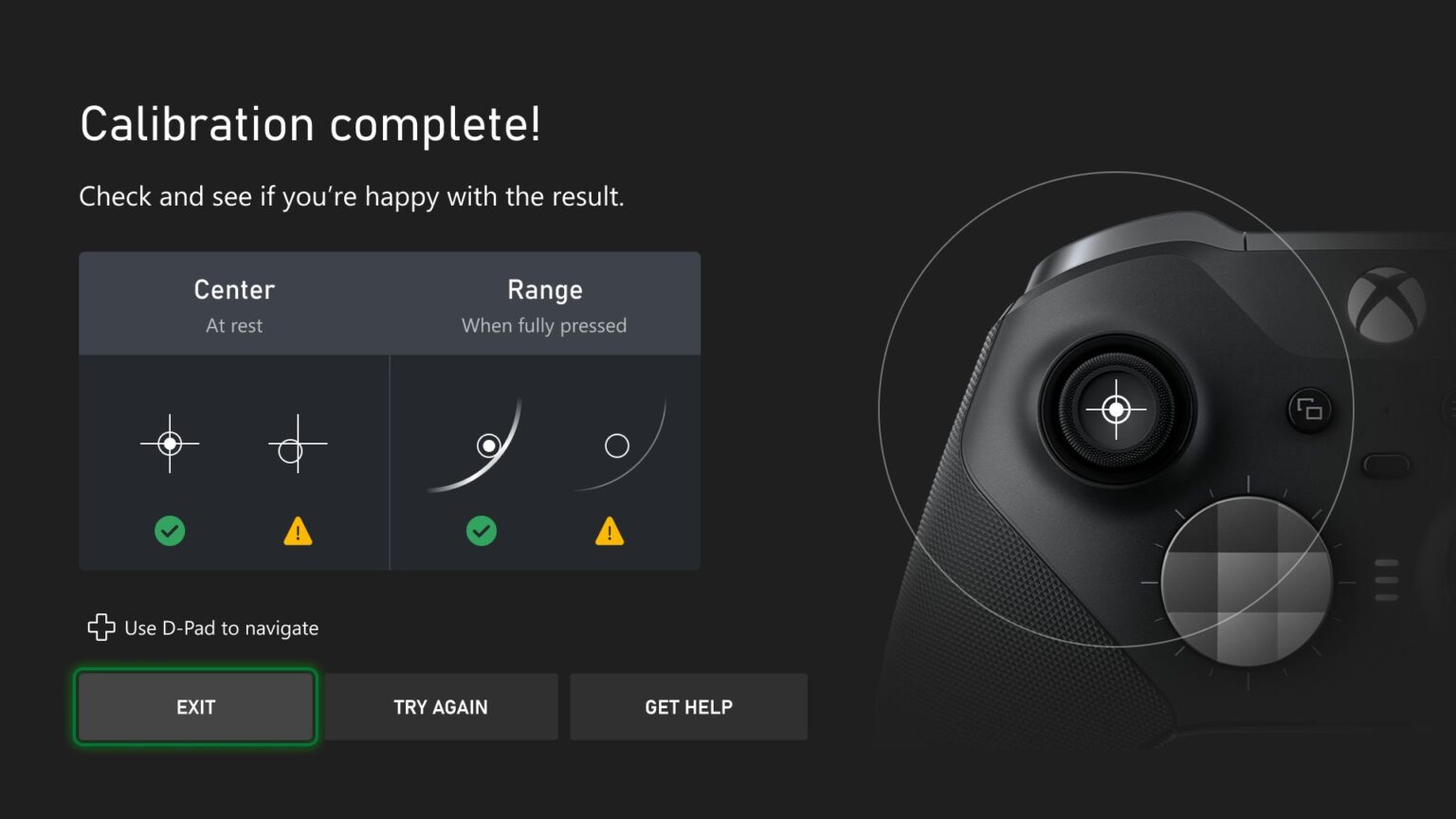
New thumbstick recalibration tool for Xbox Wireless Controllers
We’re excited to release a user-guided, self-calibration tool on the Xbox Accessories app that helps you to recalibrate thumbsticks for Xbox Wireless Controllers. This is part of Xbox’s continued investment in improving the repairability experience of controllers. To address minor thumbstick issues such as inconsistent responses, use the self-calibration tool in the Xbox Accessories app on console or PC to resolve issues without the need for support calls, controller repairs, or returns. 

Xbox enables owners of Xbox Wireless Controllers to self-repair their devices by selling official replacement parts in the Microsoft Store. If you’re self-repairing your controller, the thumbstick recalibration tool should be used after you have replaced the controller’s base and circuit board, as that will likely disrupt thumbstick calibration values. Not all thumbstick issues can be resolved with this recalibration tool, including drift due to normal wear and tear.


Improved filtering and sorting – My games & apps
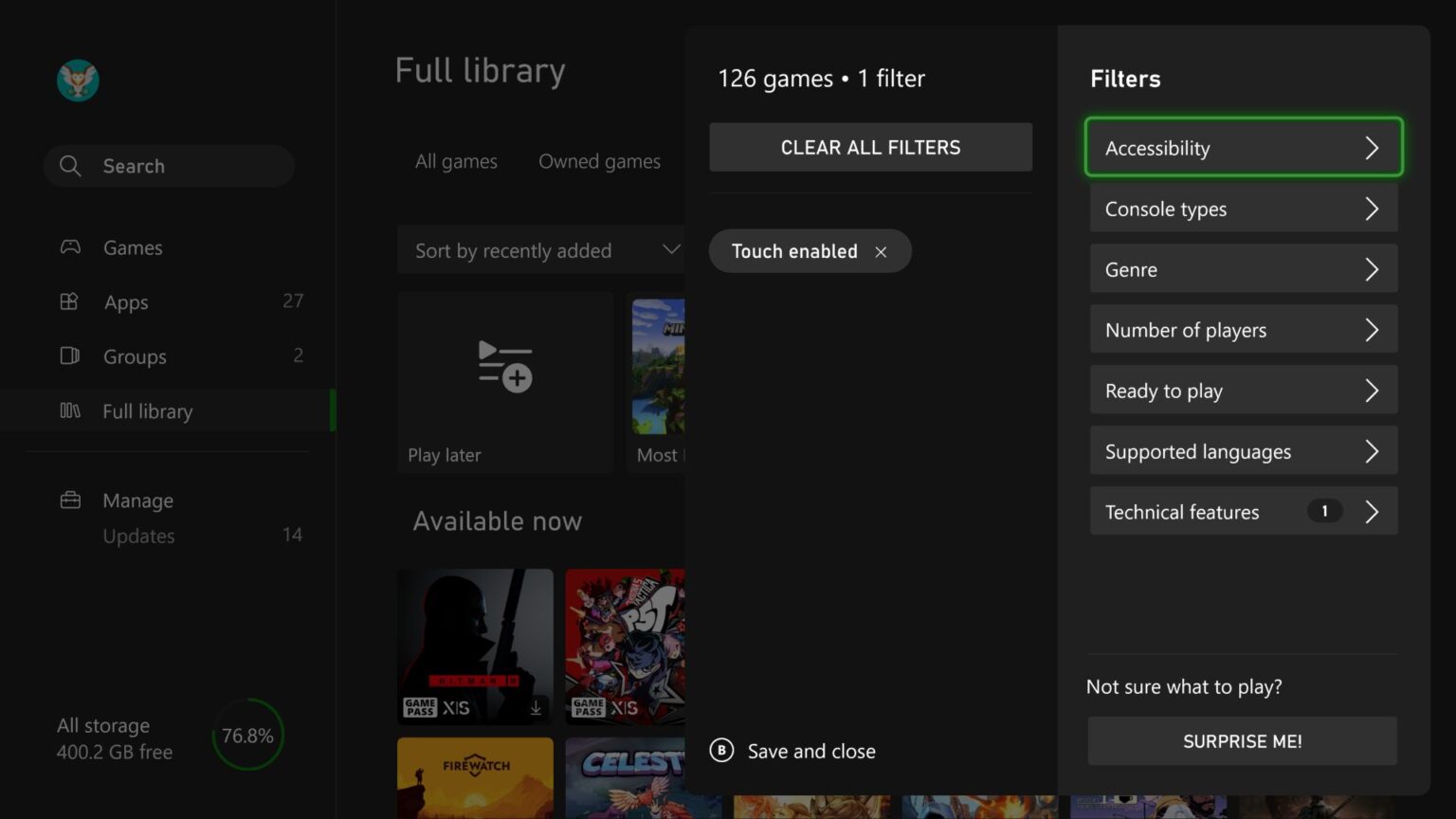
We’ve added new filters and sorts to My games & apps to help you find exactly what you’re looking for on your Xbox. You can now filter games by accessibility, supported languages, and technical features. For example, if you want to see which games are touch-enabled for remote play, you can filter by Technical features > Touch enabled and find your next game to play.

Additionally, subscription tabs in your full library have been updated to sort by Recently added, making it easier to see what’s new in subscriptions like Xbox Game Pass and EA Play. You can always adjust the sorting to find games to play in your library. Just head to My games & apps > Full library, and you’ll find all the new filtering and sorting options.


Automatic profile sign-out
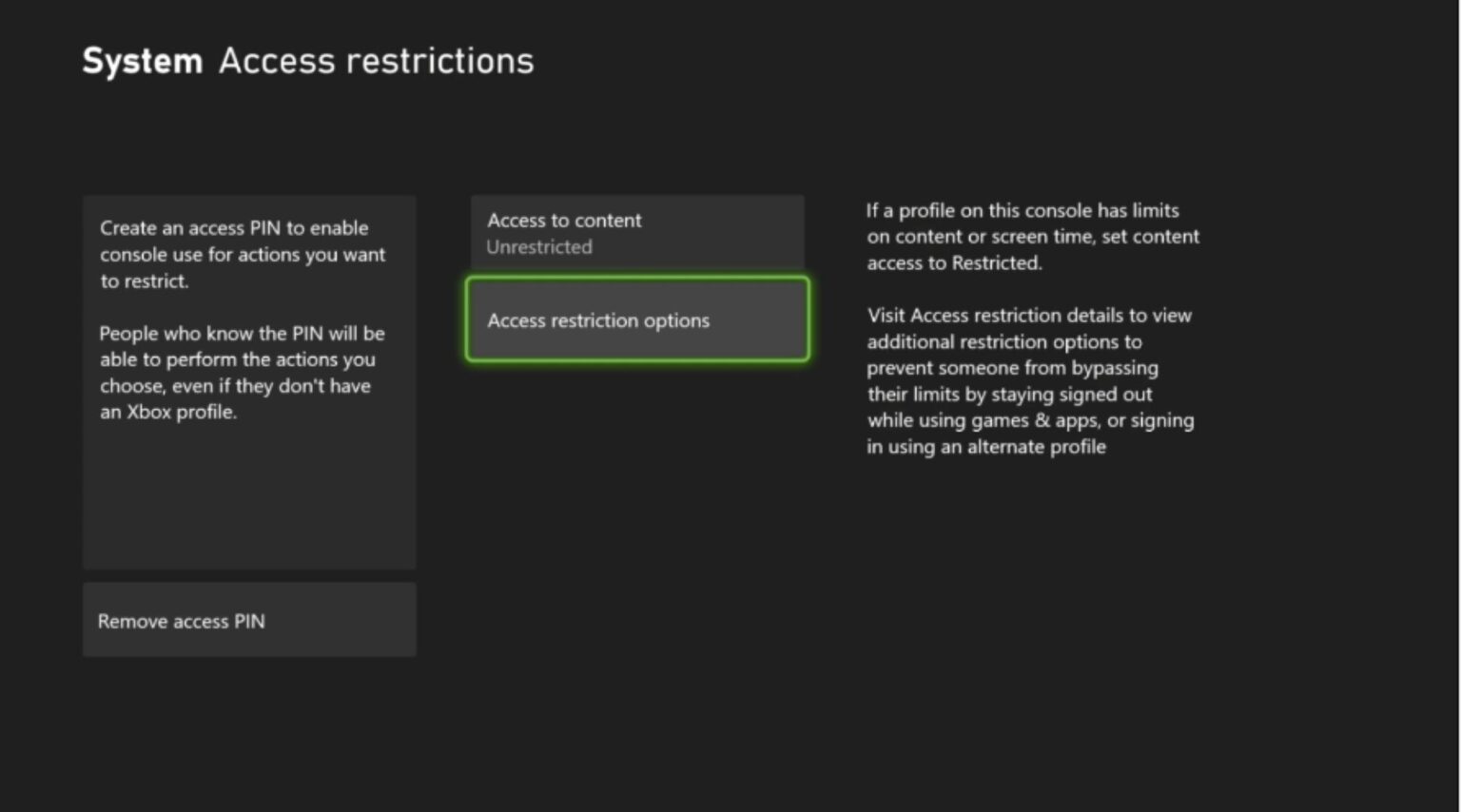
A new access restriction option has been created to make it easier to play on shared consoles in places like hospitals. Some children’s hospitals have programs to provide consoles that can be wheeled into a patient’s room and give them time to play and connect with friends. The new option makes it easier for player’s profiles to be deleted when they sign out, and it removes the need to check if patients have signed out of the consoles when the gaming cart gets moved between patients.

To view and adjust the new options, navigate to Settings > System > Access restrictions to allow use of the Edge web browser, set a Home console, and to delete profiles on sign-out.

SOURCE


DON'T FORGET TO SHARE:


Wednesday, November 29, 2023

SYSTEM UPDATE: The Xbox November Update Is Coming Soon

Team Xbox continues to bring new ways to make Xbox better, with players at the center, as they refine the experience and deliver brand-new features based on your feedback. Compact mode is now part of the latest update on Windows devices and will help make your gaming experience more intuitive on smaller screens. You can also select specific layouts for Japanese language keyboards on your console. Get ready for the holidays with console notifications for Xbox Free Play Days for the games you have on your wishlist, and more.


Xbox console updates

Japanese language support for physical and virtual keyboards

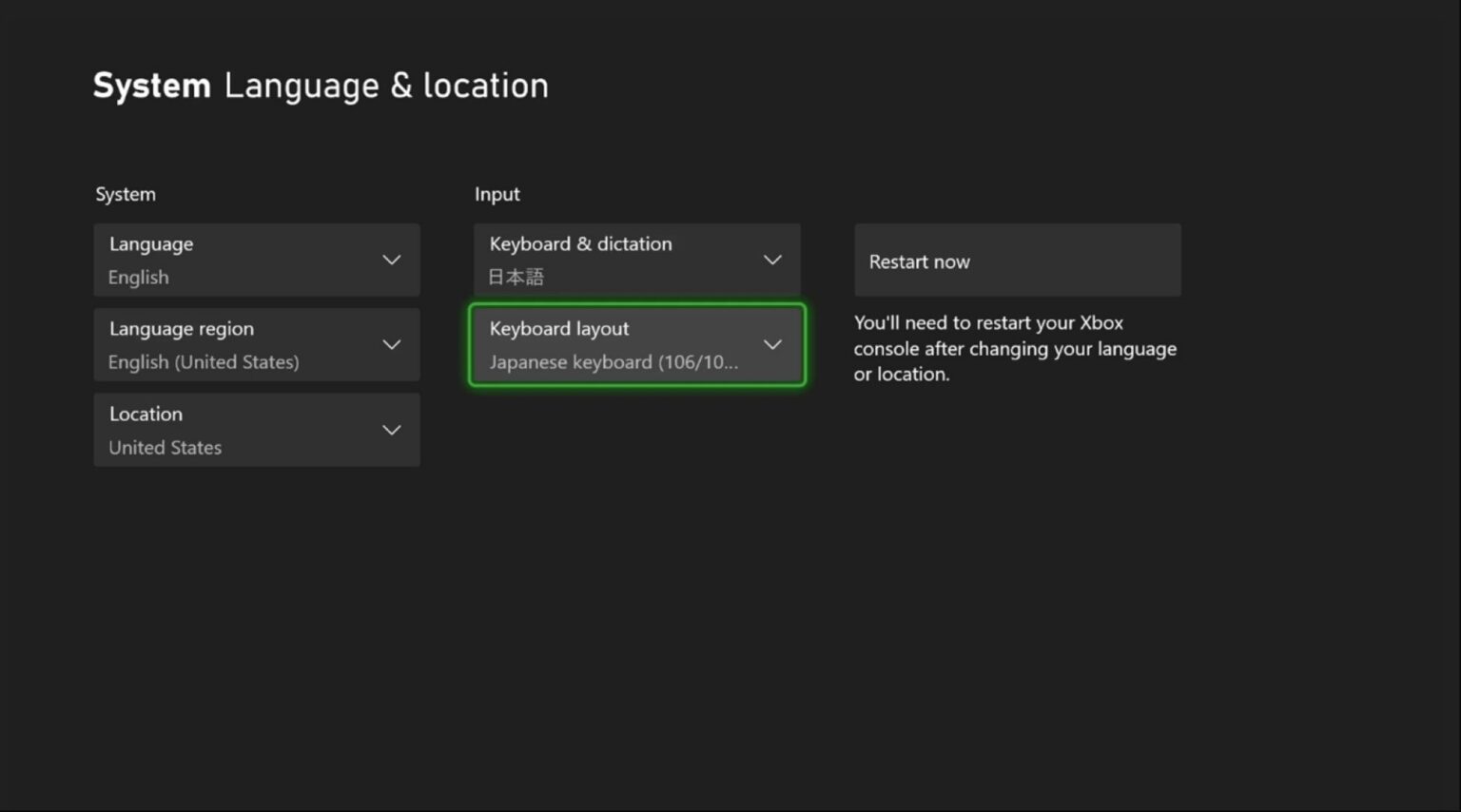
You can now select specific keyboard layouts for Japanese keyboards for your console. For example, you can choose between the 106/109 keyboard layout for Japanese or the 101/102 English keyboard layout.

To update your keyboard settings, press the Xbox button on your Wireless Controller to open the guide, and then go to Settings > System > Language & location. You’ll be able to select the Japanese keyboard layout if the Keyboard & dictation setting is set to Japanese.


Console wish list notifications for Xbox Free Play Days
For the holiday season, do you have your Xbox wishlist up to date? It’s a great time to make sure you have all the games you’re wishing for added to your list. With this update, if a game is on your wish list and is part of Xbox Free Play Days, you’ll get a notification on your console that the game is free to play for a limited time. Don’t have a wish list yet? It’s easy to get started. Press the Xbox button to open the guide, and then go to Store and select Add to Wish list on any game’s detail page.


Redeeming rewards on your console gets better with new phone authentication
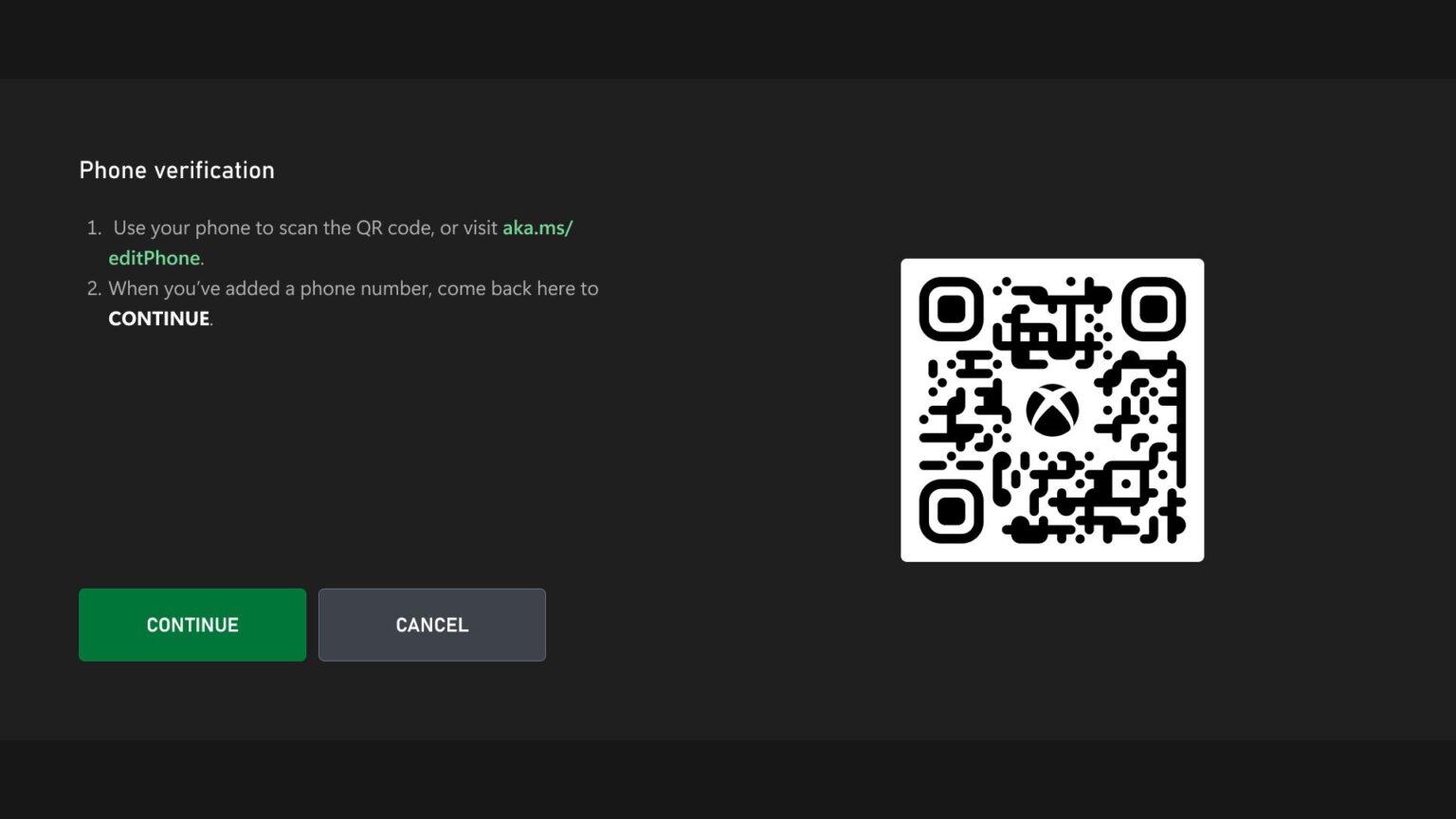
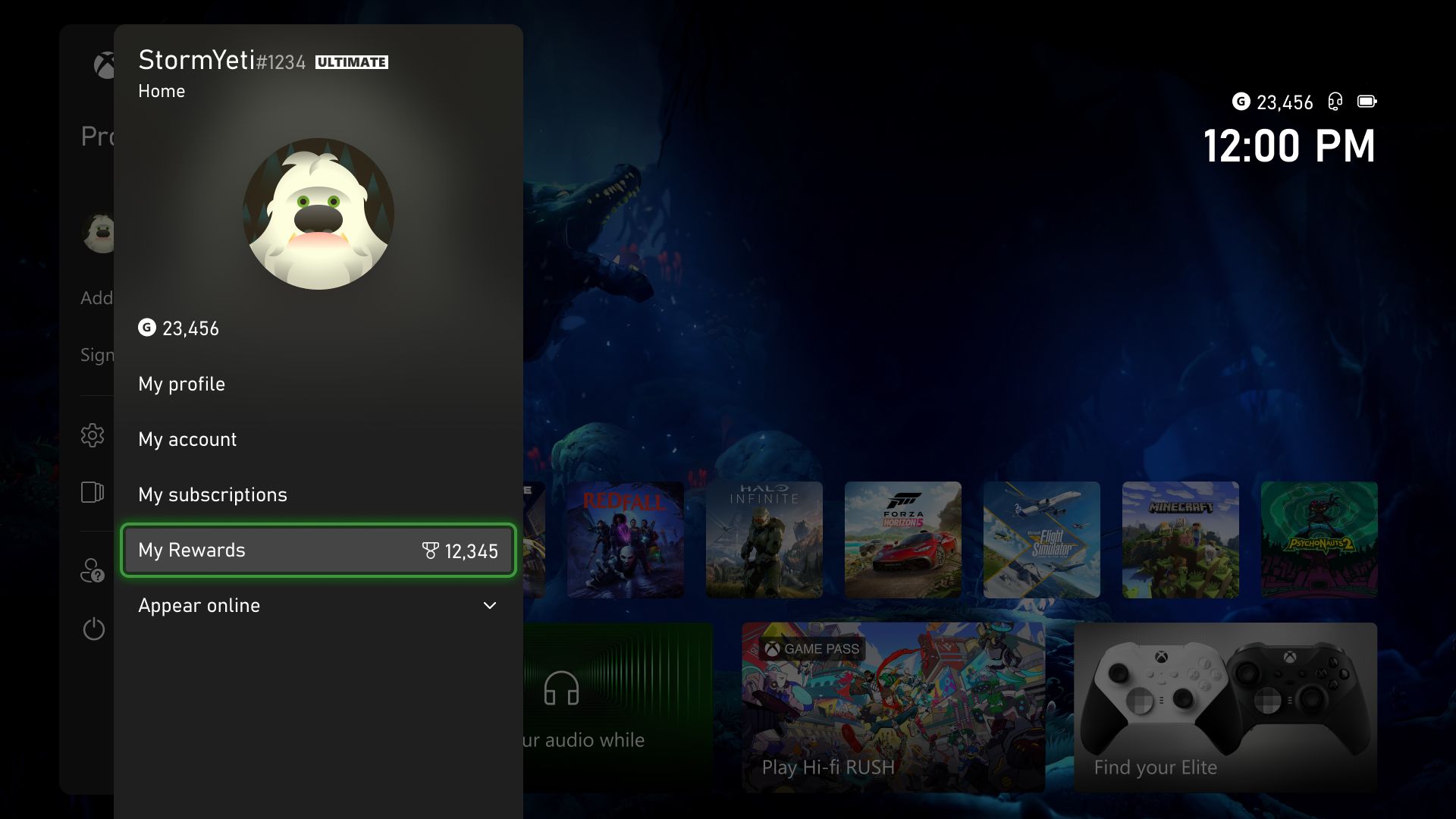
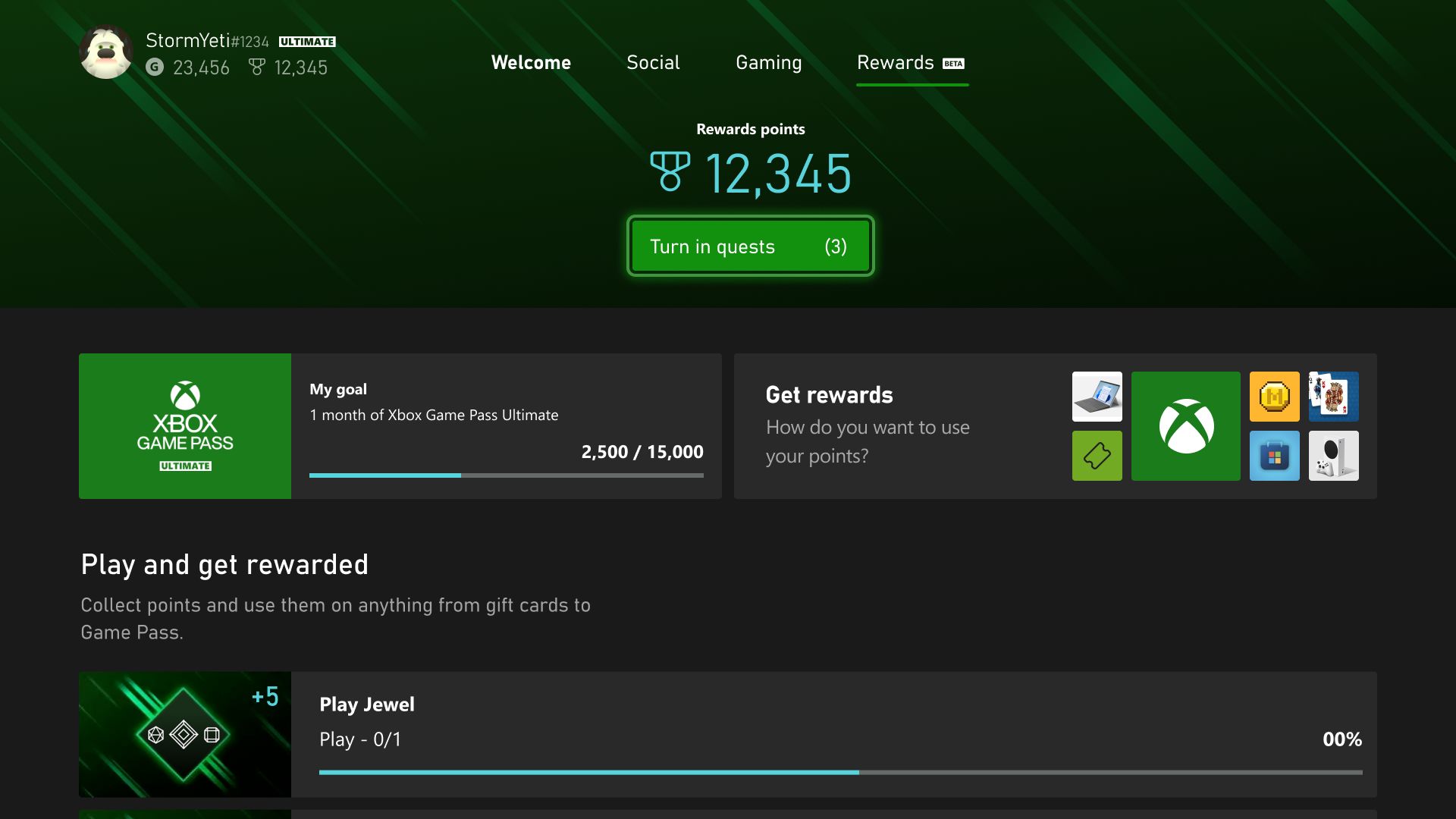
Now you can use phone authentication to redeem your rewards from your console. To redeem Rewards directly from your console, visit your profile and look for the My Rewards tab. Open the guide and go to Profile & system > your profile > My Rewards and click on “Get rewards.” You’ll be able to confirm your rewards after you authenticate with your phone.


Xbox Wireless Controller firmware update
Keeping your controller updated with the latest firmware maximizes your controller’s capabilities and compatibility. We’re rolling out a firmware update that includes bug fixes to enable Shift mode for keyboard mapping on Elite Series 2 and Xbox Adaptive Controllers through the Xbox Accessories app. It also includes a fix for some users whose controller fails to take a previous firmware update.


PC Gaming | Xbox app on PC experience updates

Introducing Compact mode
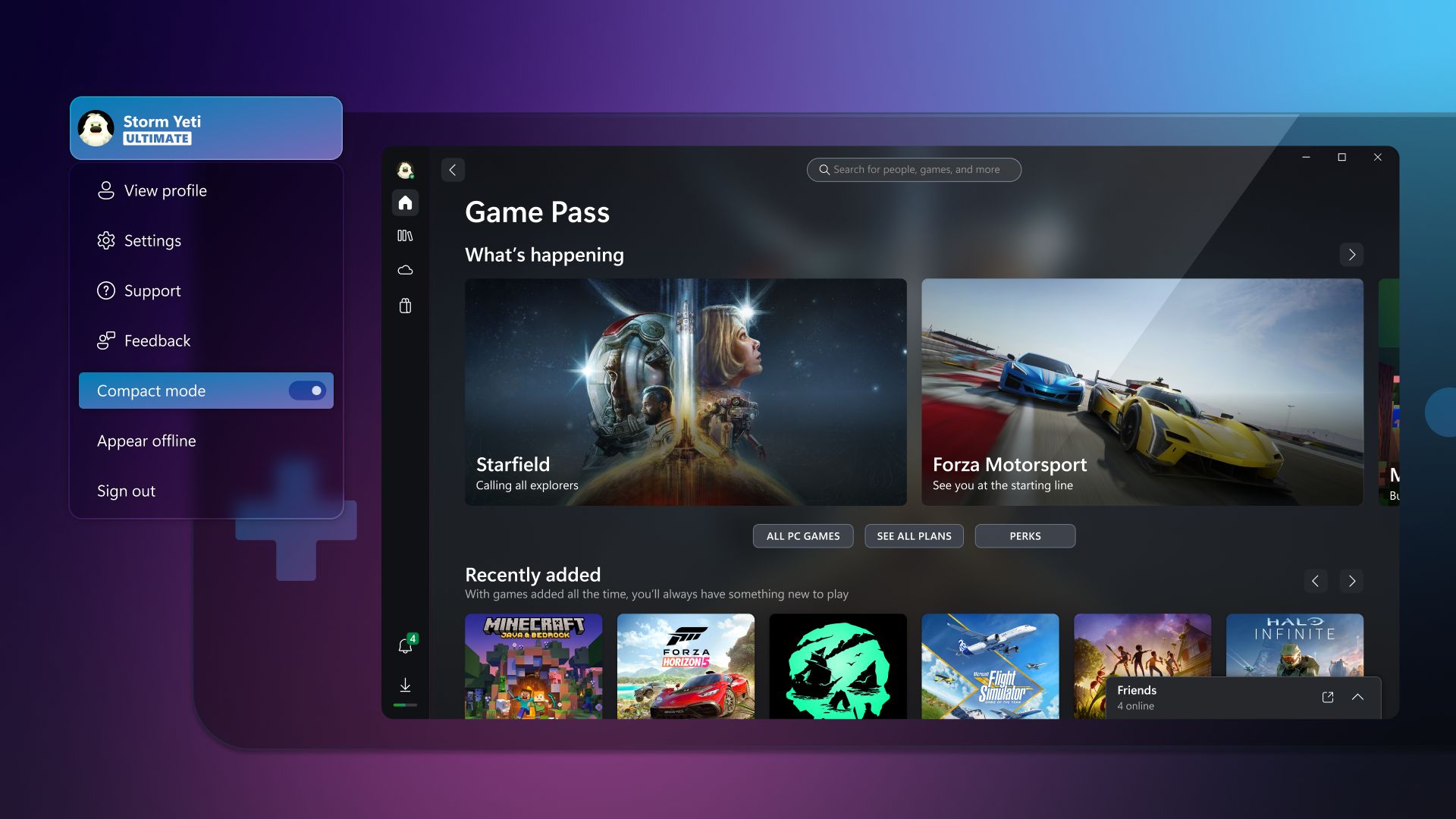
We’re excited to announce that Compact mode is now available as part of the latest update on all Windows devices, including handhelds like the Asus ROG Ally and Lenovo Legion Go! Compact mode is a new feature that enhances your gaming experience by providing a more intuitive user interface on smaller screens. With Compact mode, the side bar collapses into icons, providing you with more space to browse content. To use this feature, click on your profile in the top-left corner of the app and turn the toggle for “Compact mode” on.

We’re also partnering with Asus and other manufacturers to ensure that Compact mode is enabled by default on your handheld devices. We’ll continue to focus on updates to deliver a great Xbox app experience for Windows handheld screens.

Notifications and banners
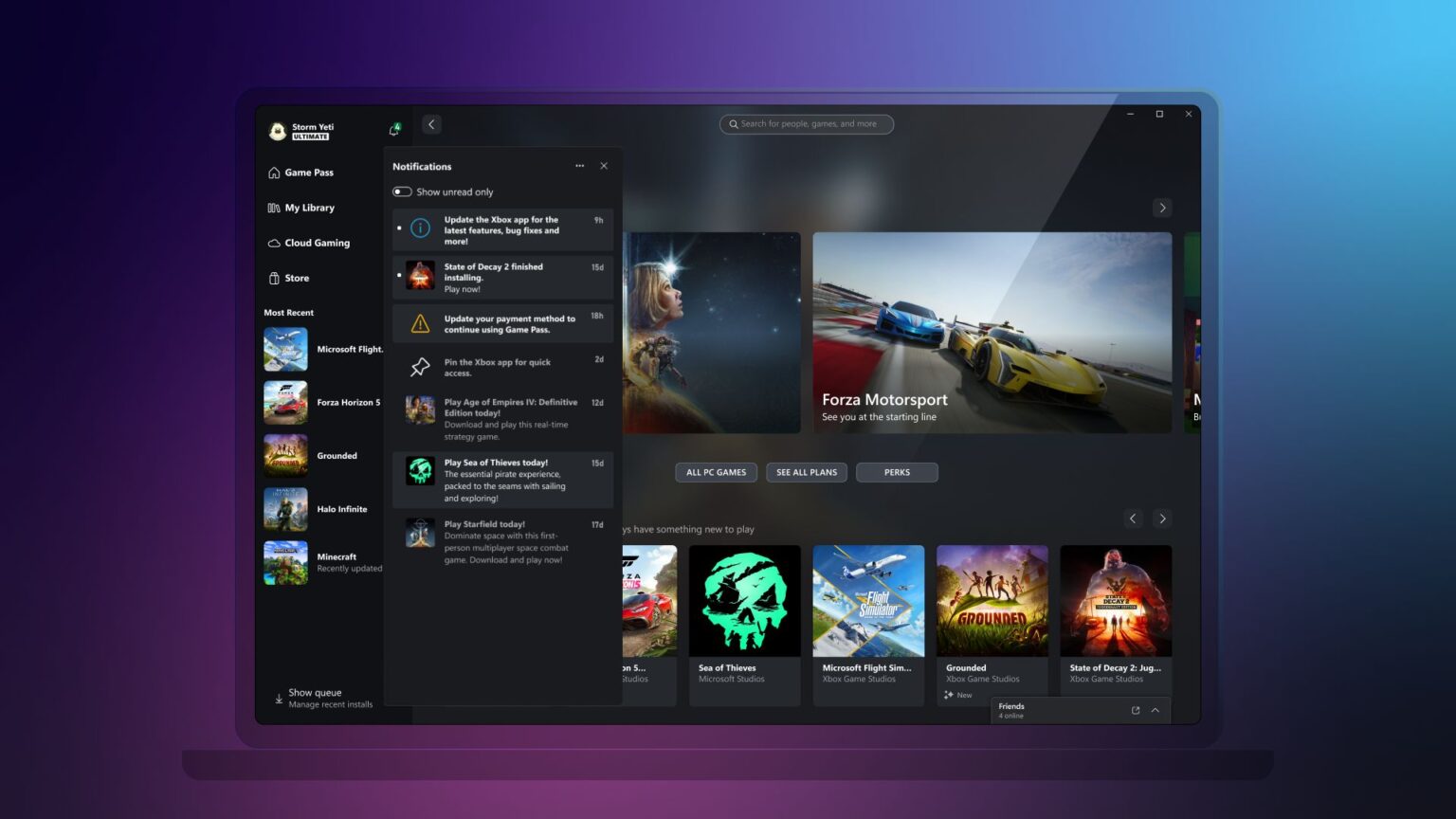
With new games and benefits coming to Game Pass all the time, we’re making it easier to keep up with what’s new by giving you the option to show only unread notifications in the notification dropdown on the Xbox app on PC.


Additional improvements
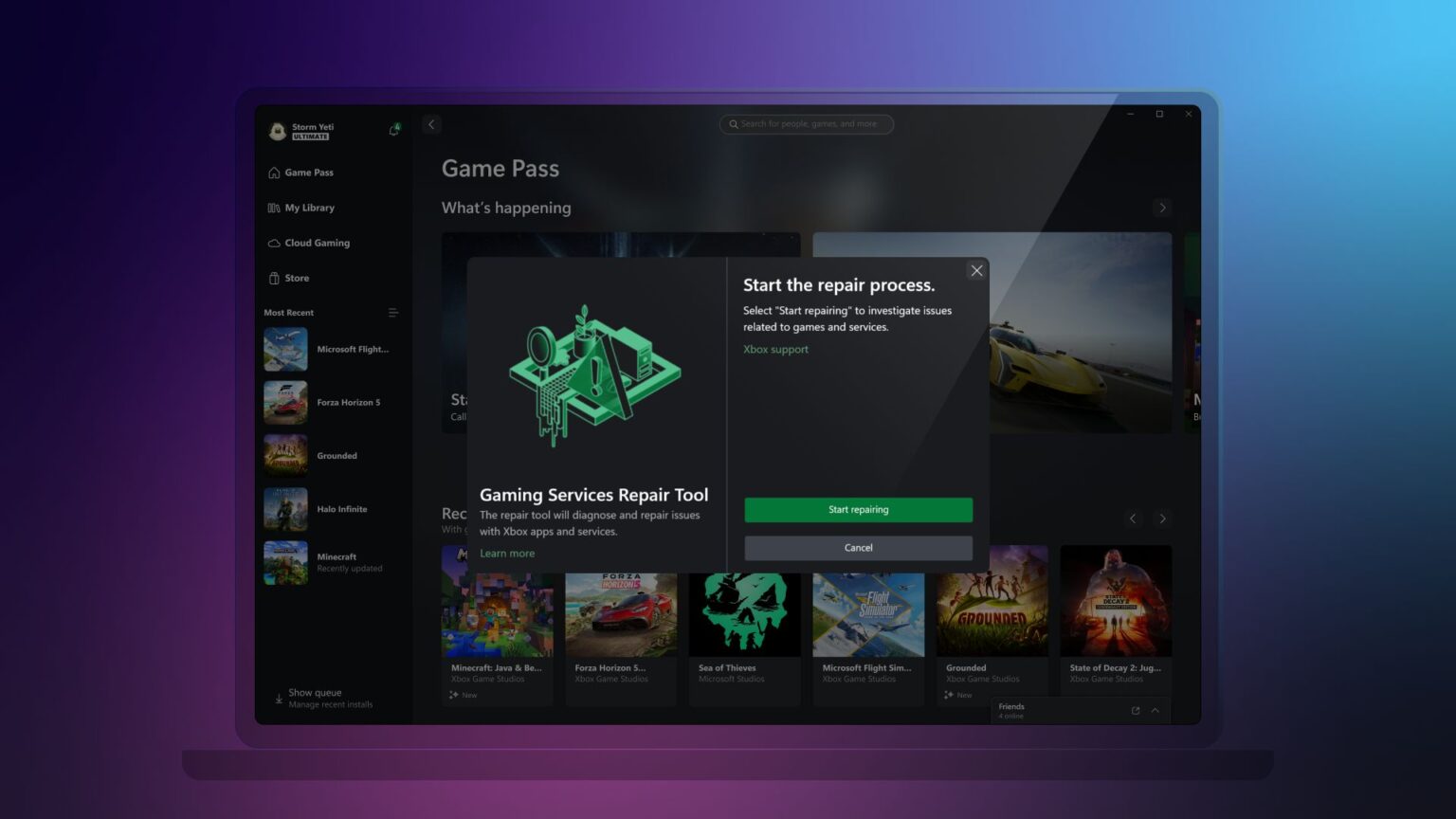
We’ve heard that you want a more streamlined experience when diagnosing and troubleshooting, so we’ve added the new Gaming Services Repair Tool, a dedicated tool to fix any issues with Gaming Services or missing content when launching the Xbox app on PC.  To use this feature, click on your profile in the top-left corner of the app and select “Support.”

To see the full list of changes coming to the Xbox app on PC, check out What’s new.


DON'T FORGET TO SHARE:

Thursday, October 26, 2023

SYSTEM UPDATE: Xbox October Update is Rolling Out: Keyboard Mapping for Controllers and More

Team Xbox continues to bring new ways to make Xbox better, with players at the center, as we refine the experience and deliver brand-new features based on player feedback. This month’s update includes keyboard mapping for Xbox controllers, offers an easy way to import game captures from Xbox to edit in Clipchamp, and gives the ability to set your preferences for optional diagnostic data across your Xbox devices. Also, a subset of people will see an experiment in which we’re making it easier to jump into a game with your friends from your profile.


Keyboard mapping for Xbox controllers
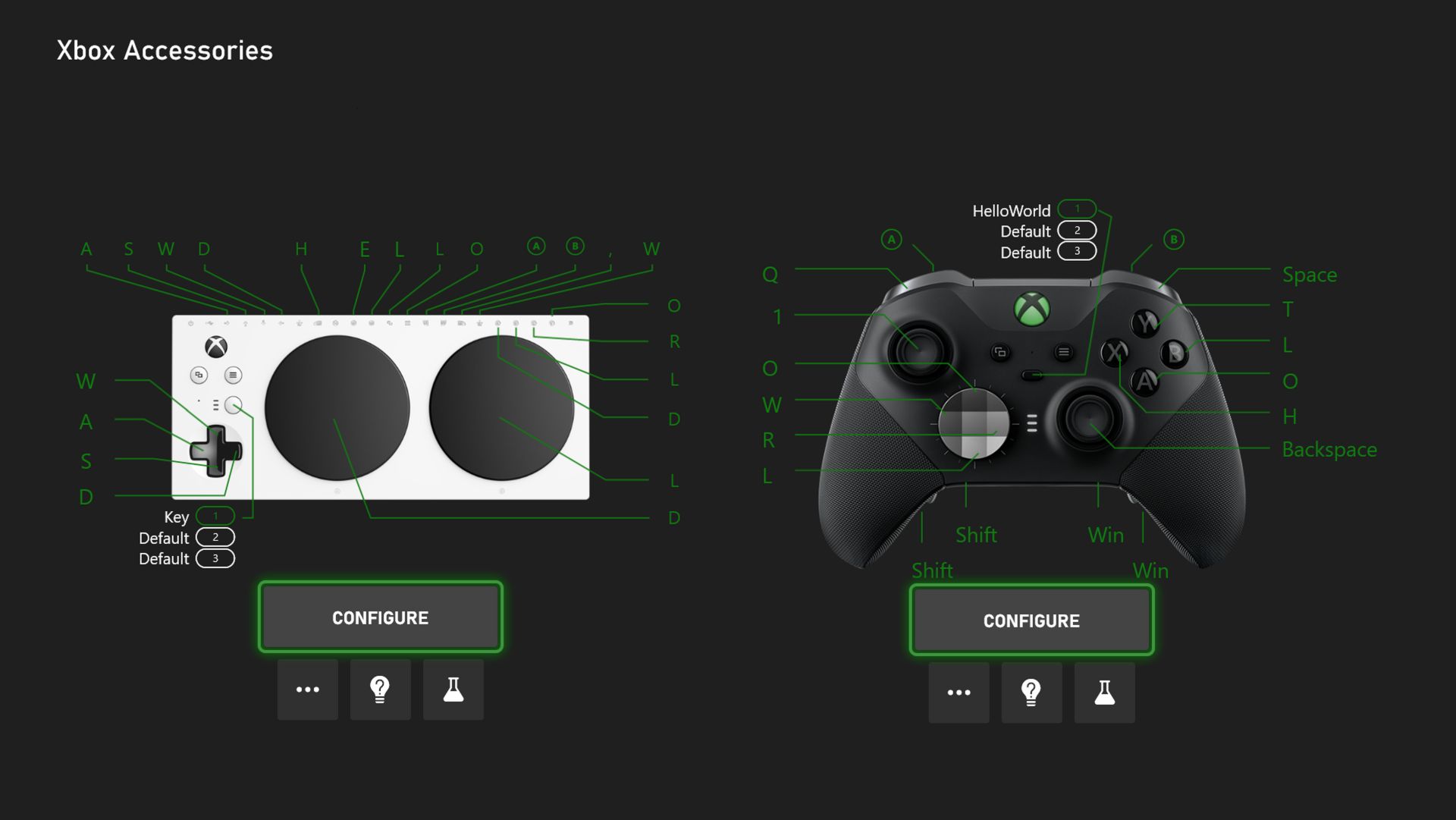
You will now be able to map controller buttons for your Xbox Elite Wireless Controller Series 2 and the Xbox Adaptive Controller to your keyboard. Keyboard remapping has been a requested feature in the PC gaming and accessibility communities. It helps expand controller input capabilities in games that have many commands, have limited remapping capabilities, or do not support controllers.

Starting this week the Xbox Accessories app will support controller-to-keyboard input mapping on both PC and console. Choose any button on your Elite Series 2 or port on your Xbox Adaptive Controller and remap it to your desired keyboard key. For instance, Sea of Thieves can take keyboard input for something like quick select of a tool or weapon, while using controller for most other actions. For more tips and tricks check out Keyboard Mapping for Xbox Controllers

Easily import Xbox game captures to edit in Clipchamp
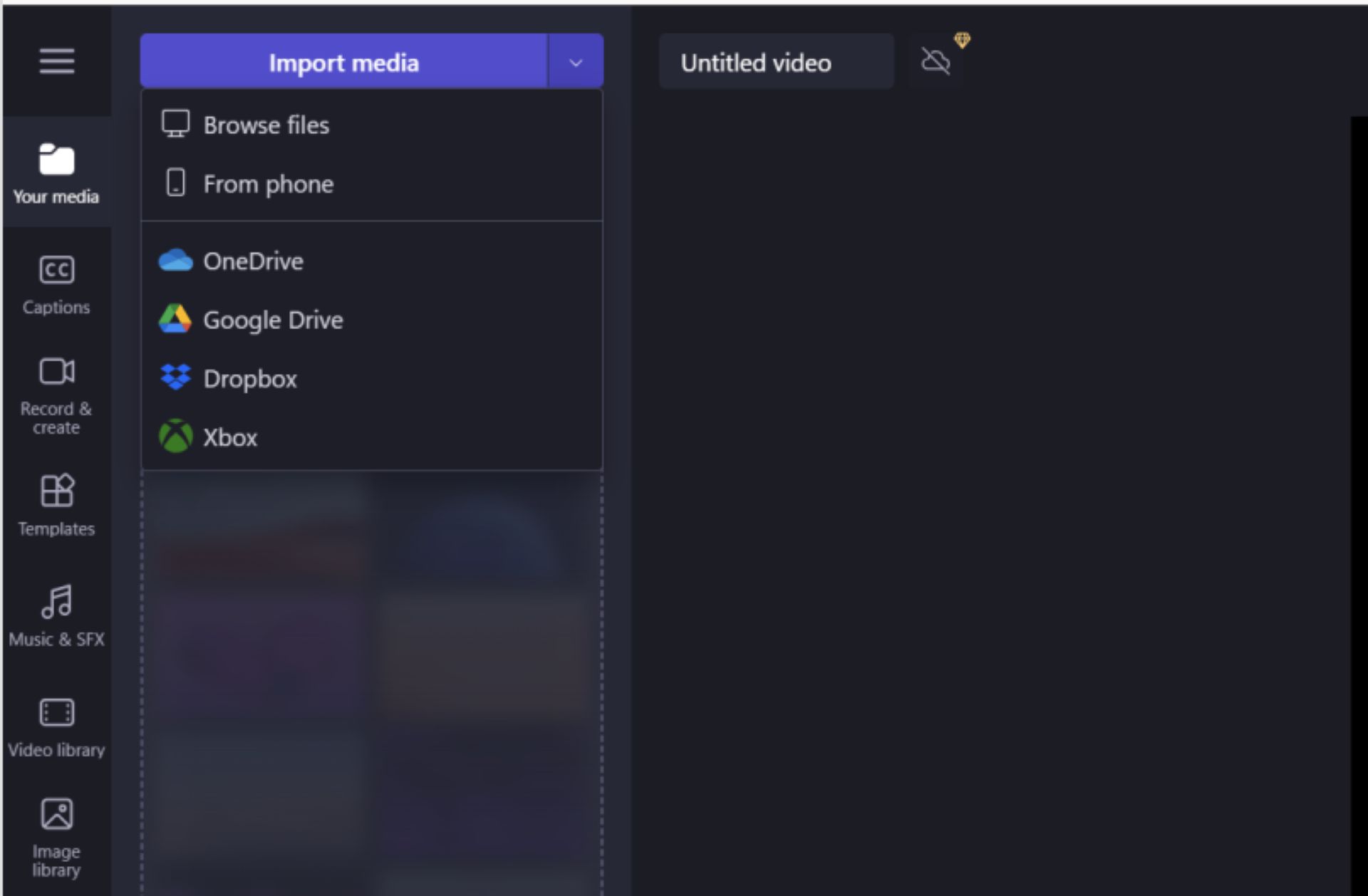
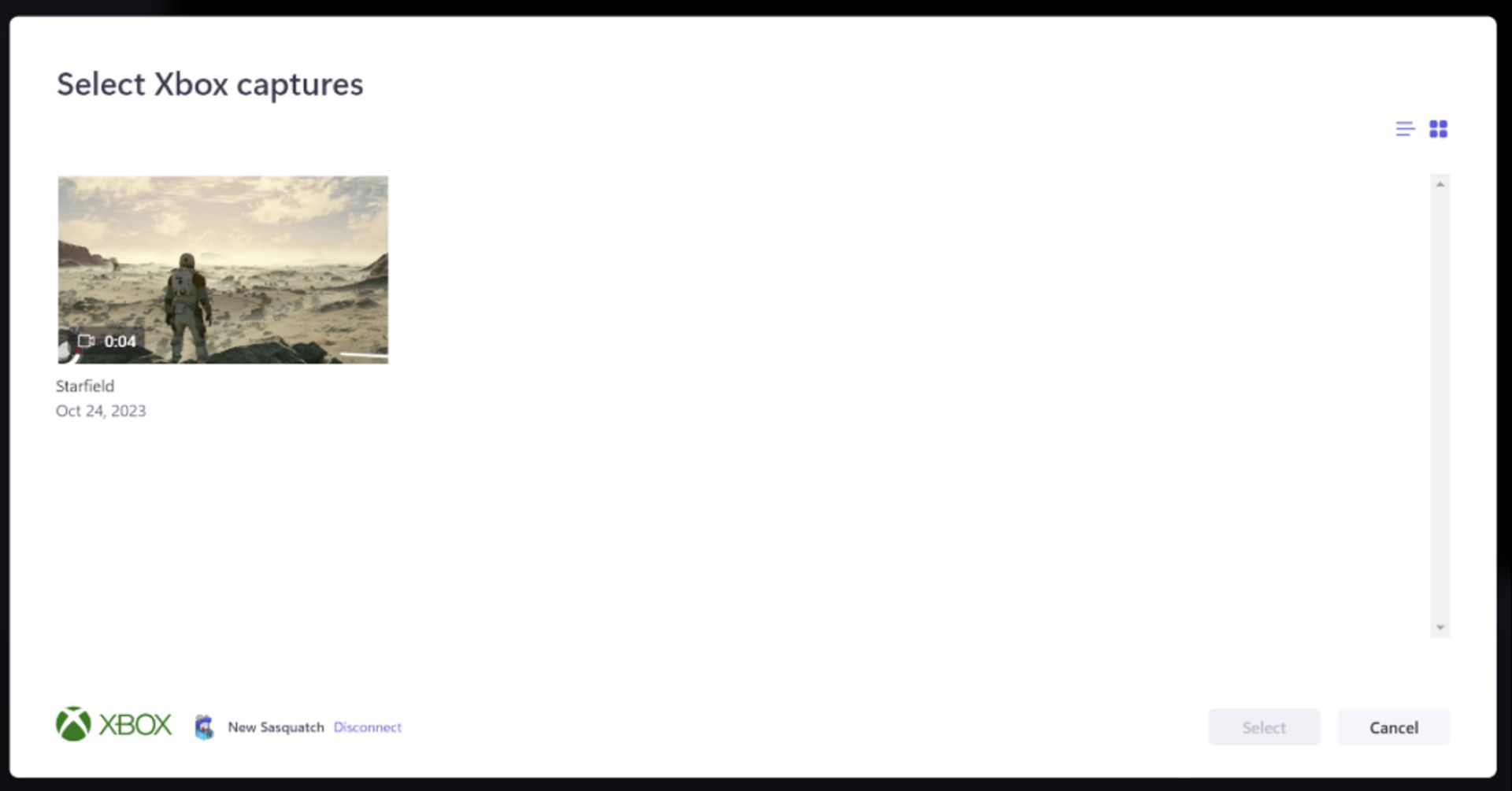
Now you will be able to easily import your game captures from the Xbox network directly to Microsoft Clipchamp, the built-in video editor for your Windows PC and browser. From Clipchamp, you’ll see a new “Xbox” option in the import panel. After you sign-in to the Xbox network, you’ll be able to select and import game captures into Clipchamp for editing. Once imported, you’re ready to create videos of your epic gaming moments by trimming, cropping, adding text, transitions, and other effects. Afterward, you can easily share these videos with your friends, family, and followers.


Choose your preferences to share diagnostic data across any Xbox device
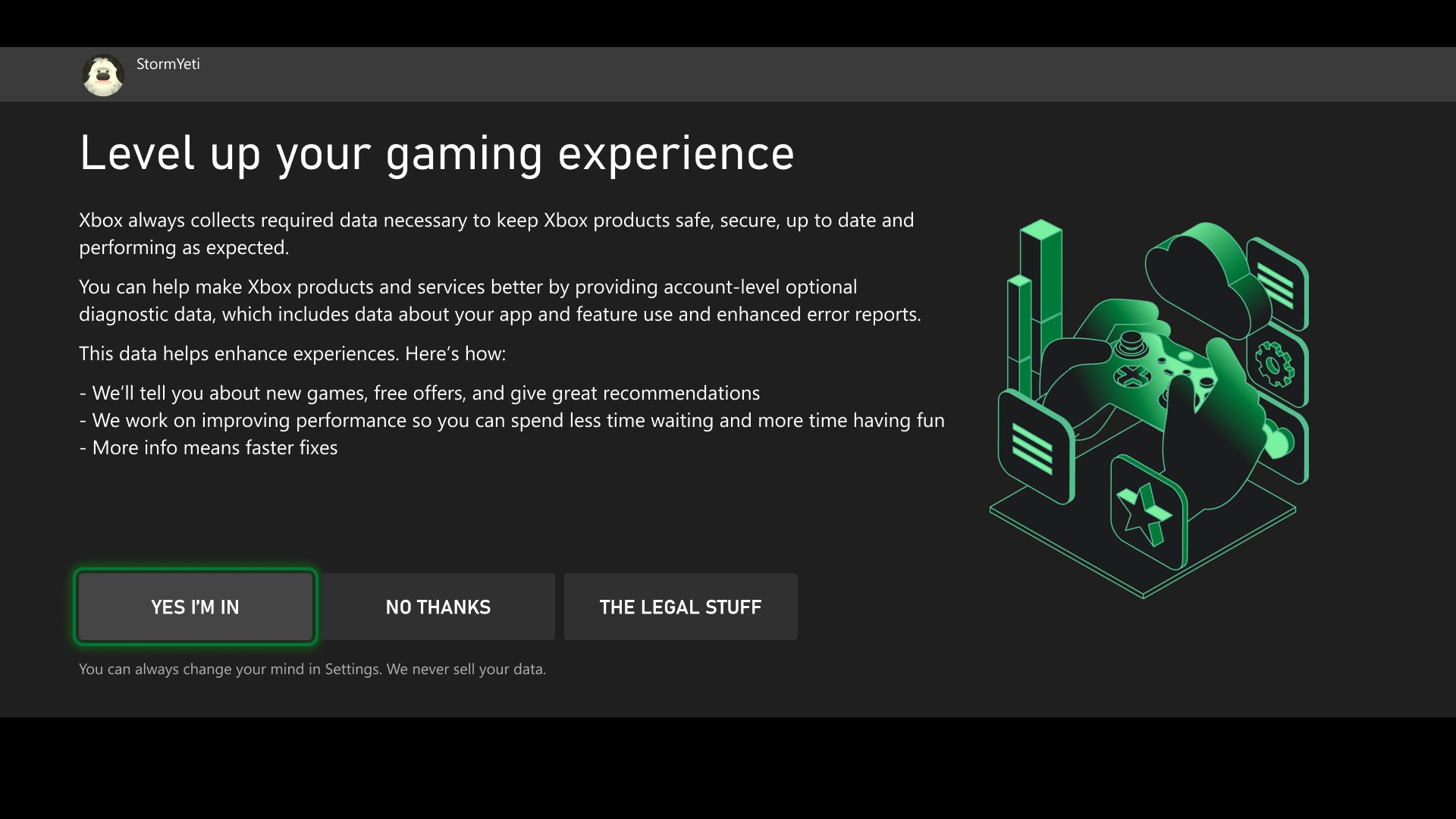
Offering choice is a priority, and we’ve built our existing controls to provide you with preferences. If you choose to share your optional diagnostic data, it helps Xbox further improve your console experience. Examples of optional diagnostic and usage data include app and feature use, enhanced error reporting to help provide console performance, troubleshooting, and more.

Starting this week, Xbox is updating the optional diagnostic data controls to be account-based, so once you select your preferences on one gaming device, you won’t need to do it on any other gaming device, including Xbox consoles, Xbox Cloud Gaming (beta), PC, and mobile. You’ll get a prompt to choose your settings when you sign in or set up a new account and will be able to manage your settings from any Xbox gaming device.

To view your optional diagnostic data settings at any time, press the Xbox button to open the guide, and then go to Settings > Account > Privacy & online safety > Data collection. For more information about diagnostic data in Xbox, and how to control what data you provide, go to Manage settings for optional data sharing.

Jump in a game with your friends from your profile – experiment
We’re experimenting with making it easy to see what your friends are playing and jump into a game together. From your profile page, you’ll be able to invite friends to a party and join a game. As we roll this out, a random subset of users will be able to give it a try.


DON'T FORGET TO SHARE:

Tuesday, September 5, 2023

NEWS: The Xbox September Update is Coming Soon

Team Xbox is continuing to make Xbox better, refining our experiences and delivering brand-new features based on your feedback. This update is bringing you the highly requested ability to stream your Xbox gameplay to your Discord friends! Additionally, they are updating the variable refresh rate for Xbox Series X|S consoles, giving you new places to view and redeem Rewards, and providing new wish list notifications to track your games. They are continuing their commitment to safety on our platform by rolling out Xbox voice reporting, which allows you to report inappropriate in-game voice chat. On PC, we have some great updates that allow you to easily navigate your library and track the countdown to a game launch.


Stream your games from your Xbox to your Discord friends
We heard that you wanted more Discord features! Starting this week, you can stream gameplay directly from your Xbox to your Discord friends. With a simple click on “Stream your game,” your Discord friends can now watch as you play your favorite console games.

To get started, first link your Discord account. Then you can join voice channels from your Discord servers directly from your Xbox console. To navigate there, press the Xbox button on your controller to open the guide, scroll to Parties & chats, and select Discord. Then scroll through your available Discord servers, jump into a voice channel with friends, and share your gameplay!!

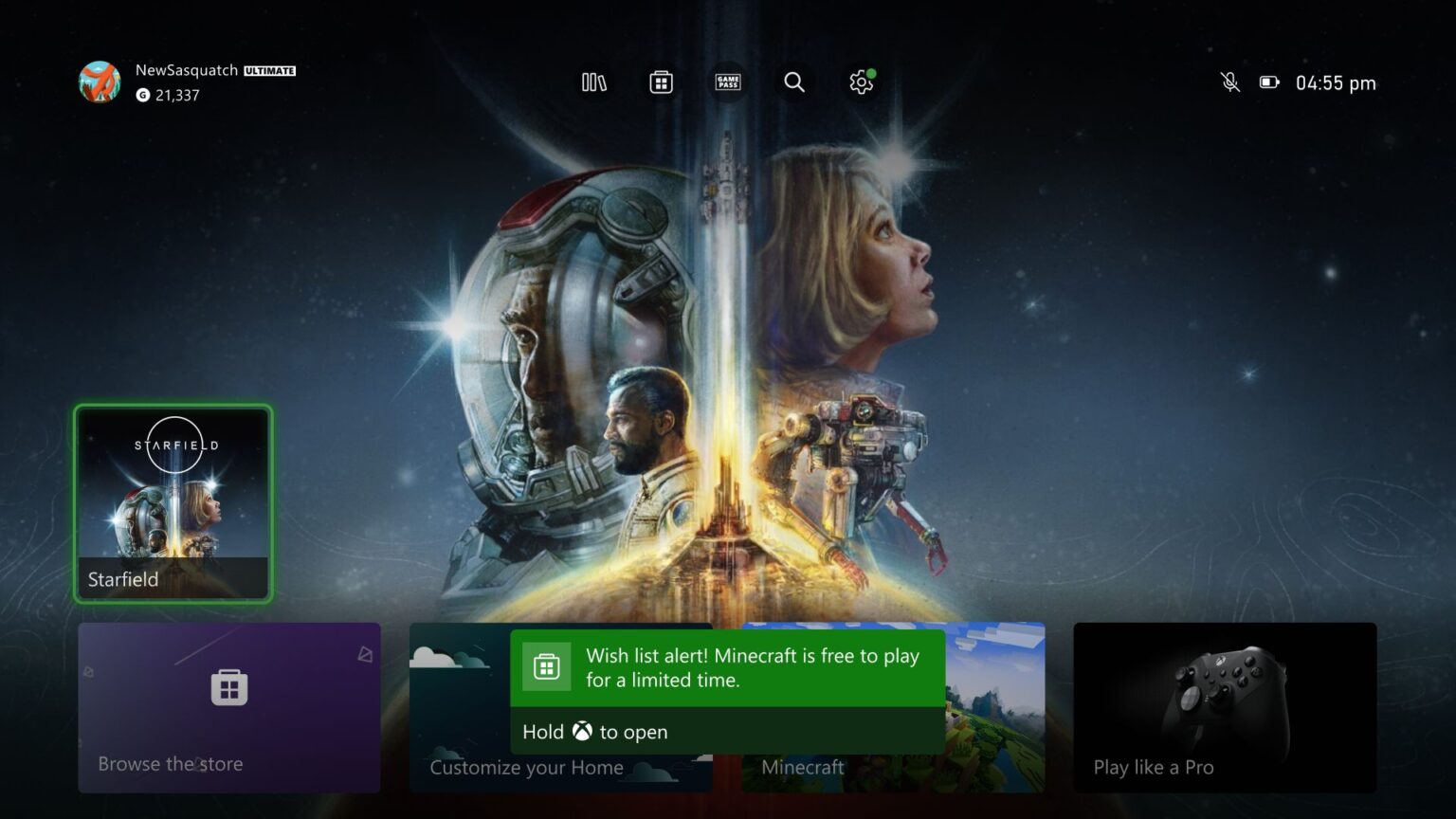
This feature is out just in time for Starfield! Share as you make your custom character, uncover new planets, build some amazing ships, and discover all there is in Bethesda’s amazing new universe. Be sure to join the official Bethesda Discord channel to stay up to date on the Starfield launch and more!

Whether you are planning to stream Starfield or any of your other favorite games, it is easy to get started and have fun with your friends cheering you on.

Variable Refresh Rate (VRR) update for Xbox Series X|S consoles
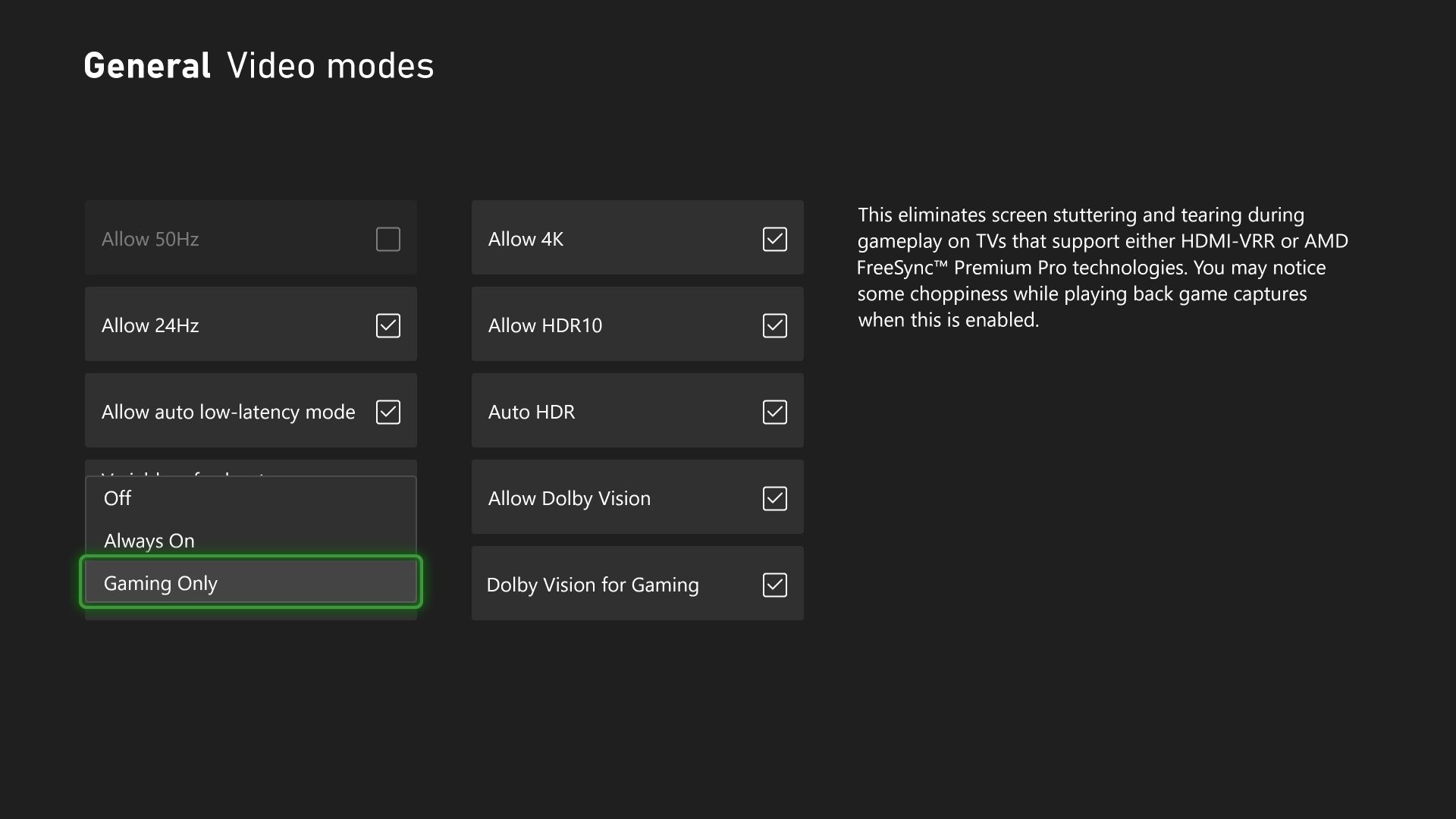
Variable Refresh Rate (VRR) allows your TV or monitor to dynamically adjust its refresh rate based on the frame rate of the content you’re viewing to give you a smooth, artifact-free experience while you game. However, if you’re using your Xbox Series X|S for entertainment experiences, you may not always want VRR enabled.
Starting this week, you can choose how you want VRR enabled on your Xbox Series X or Series S console. To select your option, go to General > TV & display options > Video,and then go to the dropdown menu for VRR. You can select if you want VRR to be “Always On,” “Gaming Only,” or “Off.”


New places to view and redeem Rewards
Rewards are now easier to find on your Xbox with the new Rewards tab. You can jump to them quickly by pressing the Xbox button to open the guide, choosing Profile & system, selecting your profile, and then choosing My Rewards, where you’ll find your Xbox Game Pass Quests.

Additionally, you can now find the Redeem Rewards catalog directly from the Rewards tab in your profile. To check it out, open the guide and go to Profile & system > your profile > My Rewards.

CLICK READ MORE TO SEE WHAT ELSE IS INCLUDED IN THIS UPDATE