
Friday, September 27, 2024
Wednesday, September 25, 2024
SYSTEM UPDATE: Xbox September Update – Game Bar Compact Mode Now Available & More

We’re continuing to bring new ways to make Xbox better based on your feedback. This month’s update has brand-new experiences across PC gaming, Xbox apps, consoles and more. Read on for all the details:
Xbox Consoles
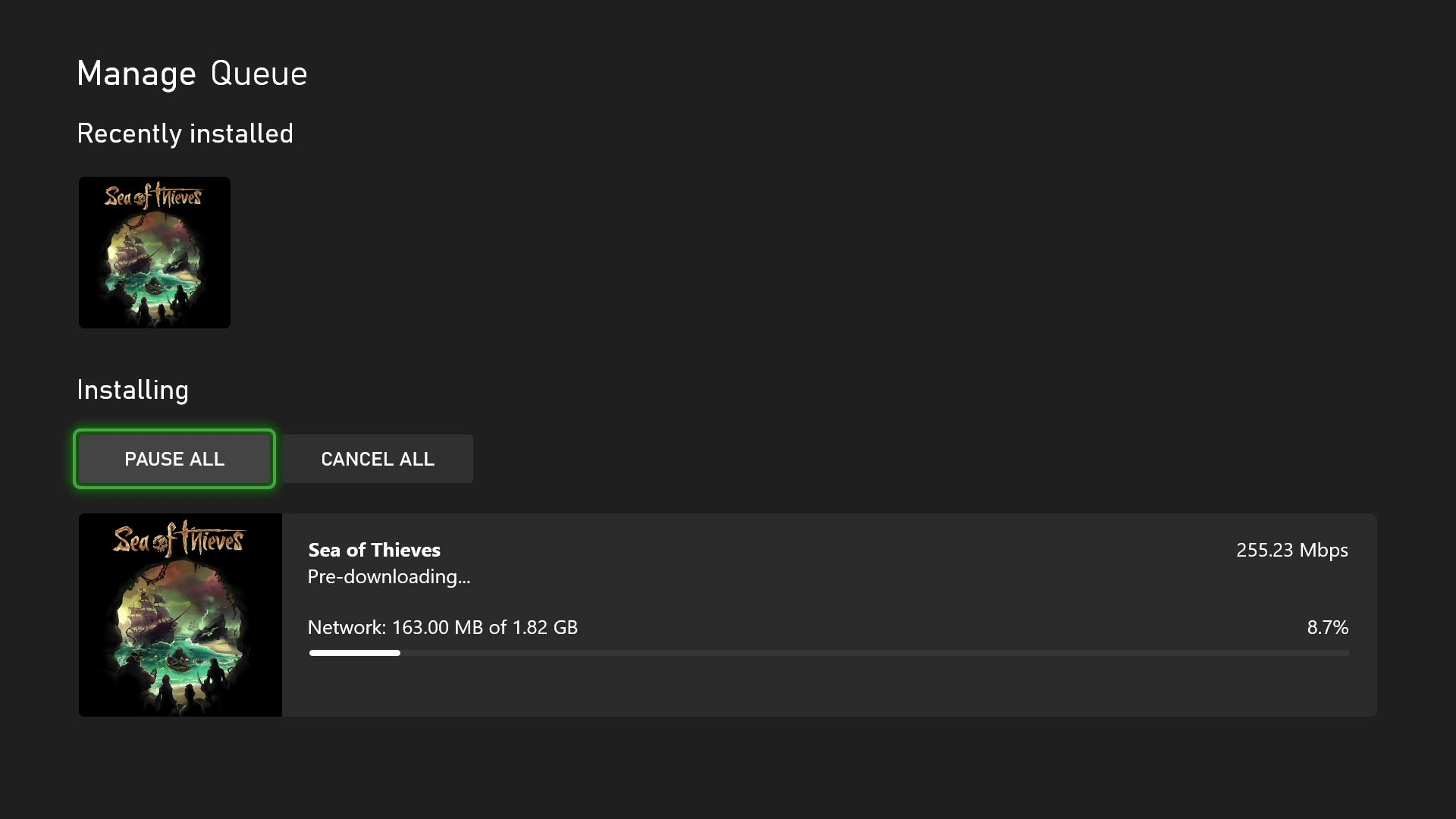
Pre-download Your Games and Start Playing When the Update Is Live
No more waiting for game updates to download. Now you can jump in and start playing right when the update goes live. To start using this new option on your console go to My Games & Apps > Manage > Updates where you’ll be able to see all available pre-downloads. This feature is supported by some of your favorite games now, including Sea of Thieves, Minecraft, Cassette Beasts – and expect many more titles to support it soon.
New Wish List Notifications for Free Play Days and More
Is your wish list up to date? Because it’s about to get even more helpful. Your wish list already lets you keep track of your most wanted games, Free Play Days, add-ons and more, and notifications will help you keep track of when those long-awaited games pop up. With the new update, when a game on your wish list is released, enters the Game Pass library, or becomes available as part of a Free Play Day promotion, you will now receive console notifications. These notifications can be enabled or disabled per your preference in your wish list notification settings.
PC Gaming
Game Bar Compact Mode Is Now Available for All PC Players on Windows.
In August, we announced that Game Bar Compact Mode, a new mode optimized for smaller screens and Windows handhelds, was available to Xbox Insiders.
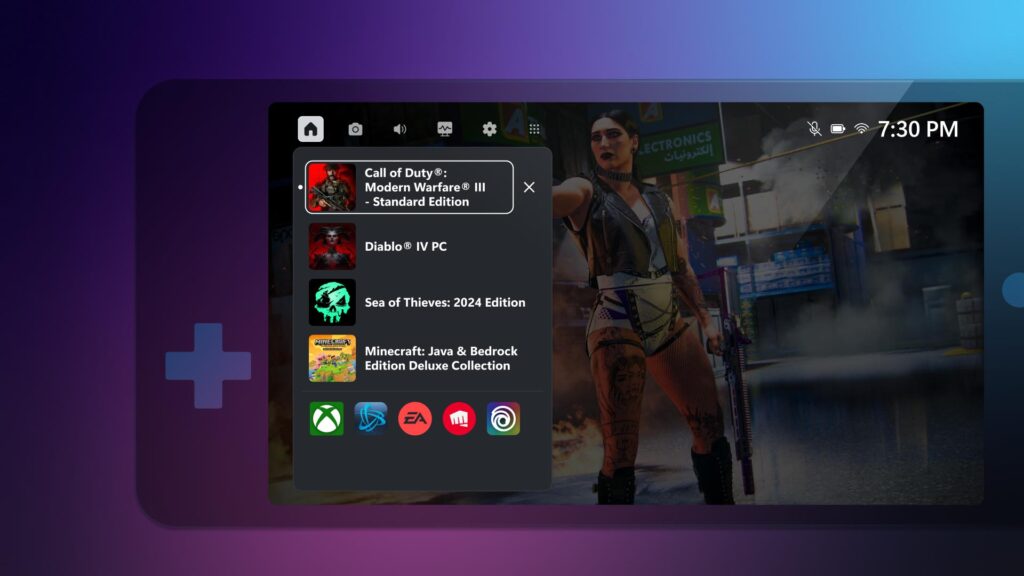
Today, we’re excited to share that all PC players can now enjoy Game Bar Compact Mode on their favorite Windows devices. You can view recently played games, access common game launchers and other gaming utilities, and explore the Widget Store, where you can discover and manage widget applications.
With Compact Mode enabled, access to widgets and navigation is simplified to ensure you can get to the content you want as easily as possible on smaller screens. Compact Mode is also optimized to navigate with a controller, and you can quickly switch between widgets with left and right bumpers (LB/RB).
We also added a new feature in Game Bar Compact Mode to allow you to quit a game that is running by going to the Home widget, selecting the game and pressing close – giving you a faster option than quitting from the game itself or navigating out to your desktop. To turn on Compact Mode, go to Game Bar Settings and, under the General tab, switch on the Compact Mode toggle.
We’re just getting started with Game Bar and can’t wait to share new improvements such as modernizing the look and feel and adding support for virtual keyboard navigation with future updates. You can learn more about Game Bar Compact Mode by visiting the feature overview page.
More Game Management Options Coming Your Way Via the Xbox App on PC
As we announced back in August, we are continuing to enhance game management experiences in the Xbox app on PC. This time, we have made additional improvements to save you download space and time managing your library of games on PC.
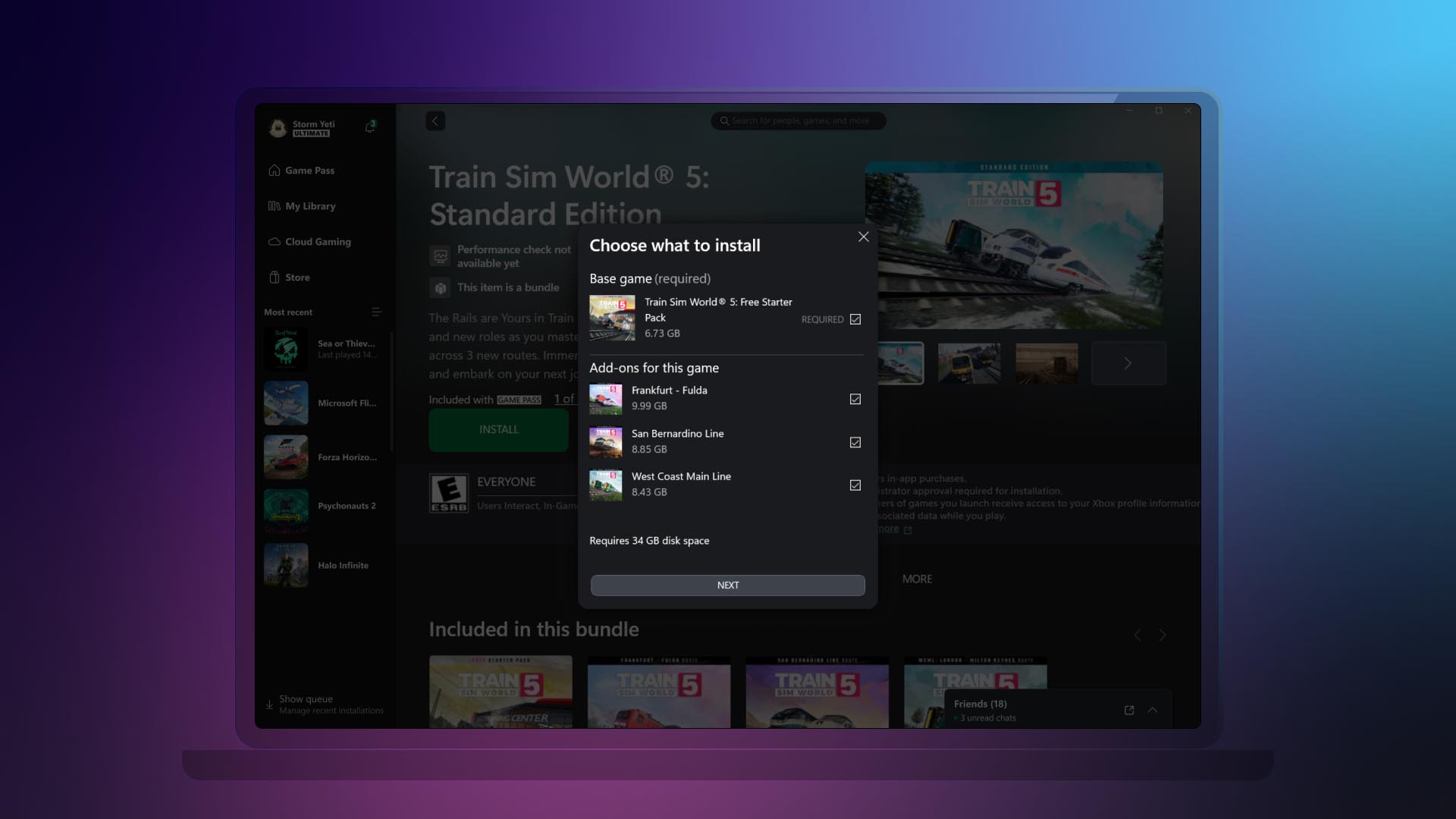
- Easily view and install all add-ons upon game installation.
Now you can view and install all add-ons related to the game that you are installing, regardless of when you acquired them or if they were part of the same bundle. This helps you see all content related to the game you are installing at a glance, instead of having to navigate the app to see and install the different add-ons or content tied to the game you want to play.
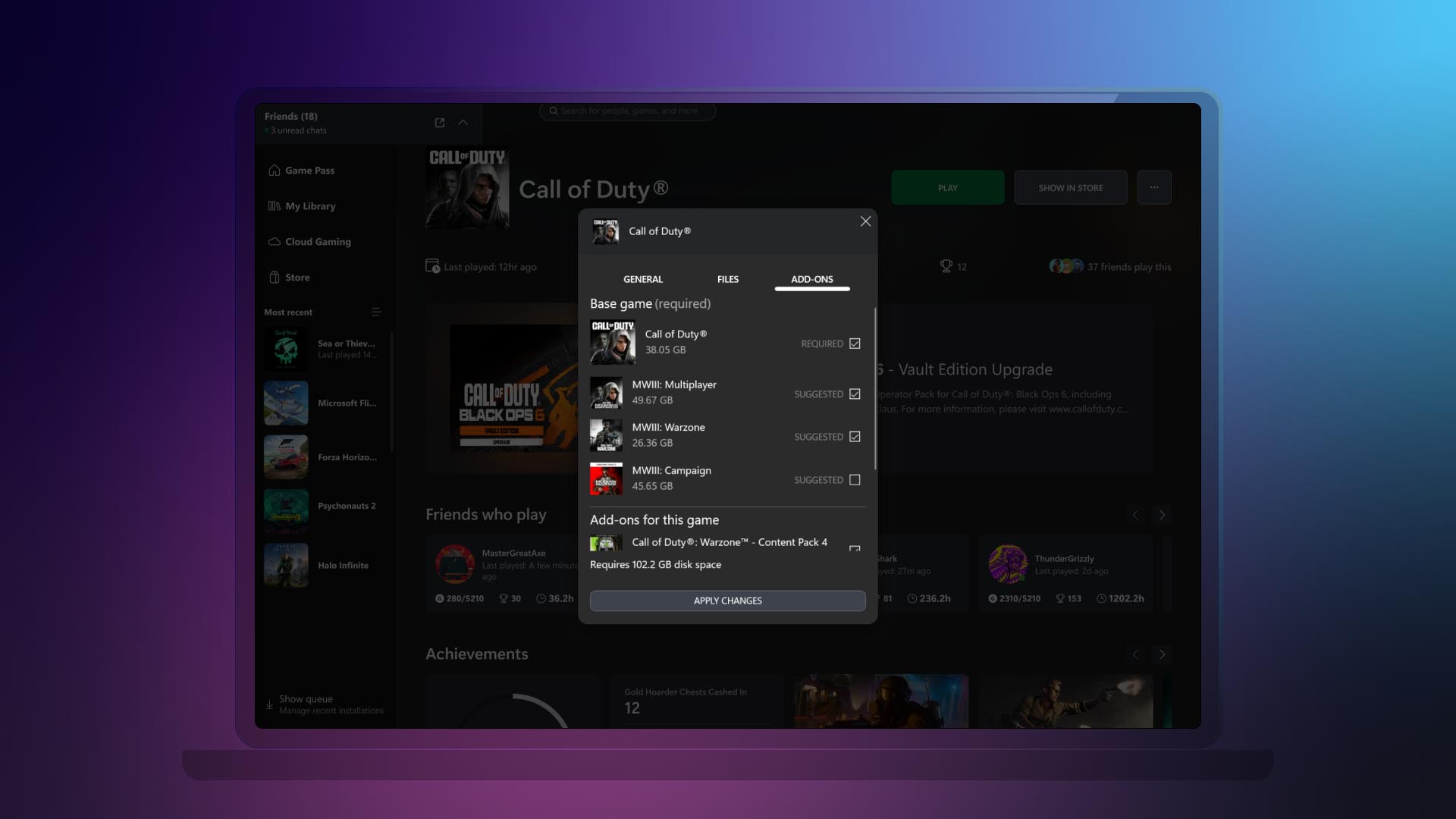
- Ability to manage all your game content in one place.
If your installed game has add-ons or additional content, we’ll display it all in one place. This is also beneficial to manage any additional content you might have acquired after you added a game to your collection. To access this new view, right-click on any game that you have installed either going to your library or the left navigation panel. Then click on “Manage” and go to the new “Add-ons” section.
Saturday, September 21, 2024
Friday, September 13, 2024
Thursday, September 12, 2024
NEWS: New Xbox Friends and Followers Experience

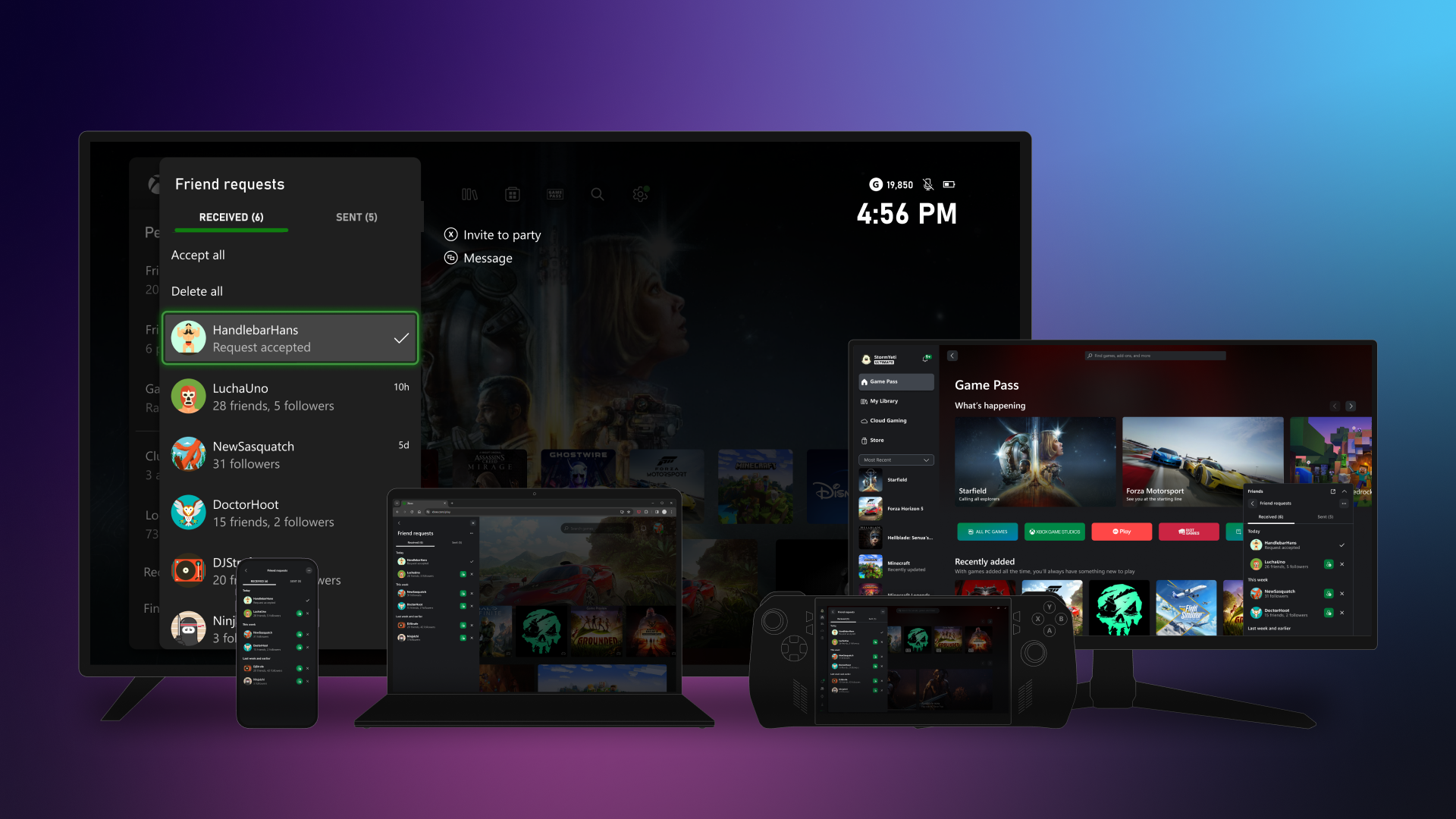
Friends and followers
We’re thrilled to announce the return of friend requests! Now, you can easily send, accept, or delete friend requests, making it simpler to connect with others. Friends are now a two-way, invite-approved relationship, giving you more control and flexibility. Meanwhile, following someone remains a one-way connection, allowing you to stay updated with their shared content, whether it’s another player, club, or game.
Getting started is easy
Existing friends and followers will update automatically with this change. You’ll stay friends with people who had also added you as a friend previously and continue following anyone who hadn’t.
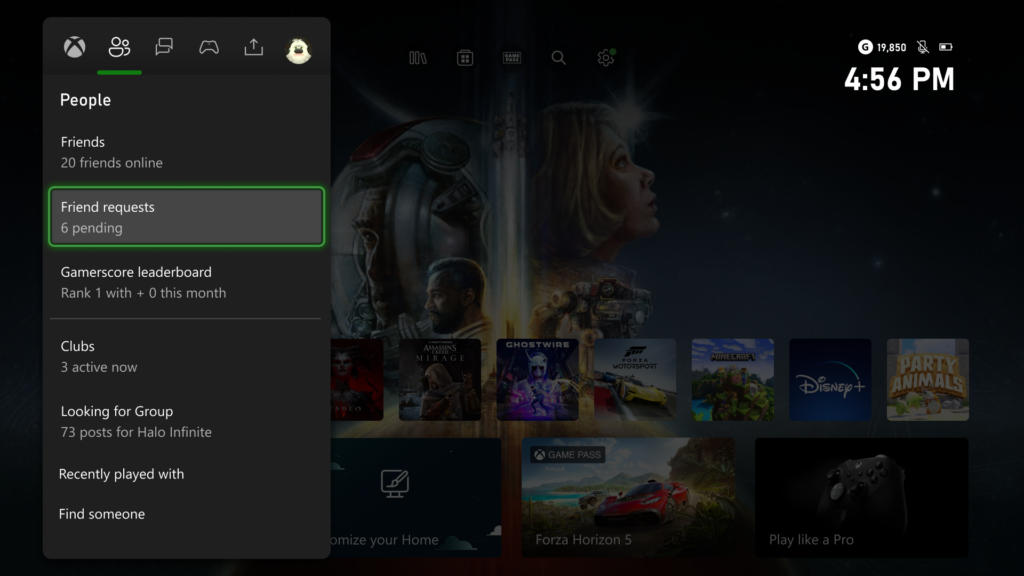
To start managing your friends and followers on Xbox consoles, press the Xbox button to open the guide and head to the People tab. Here, you can find all your existing friends in the Friends list, accept (or delete) new friend requests, or find someone new and send a friend request of your own.
It’s just as easy from all the devices you’re already using! Starting with Xbox consoles, Windows PCs and handheld devices, and coming to the rest of your devices later, you’re never far from your friends.
Managing your social experience
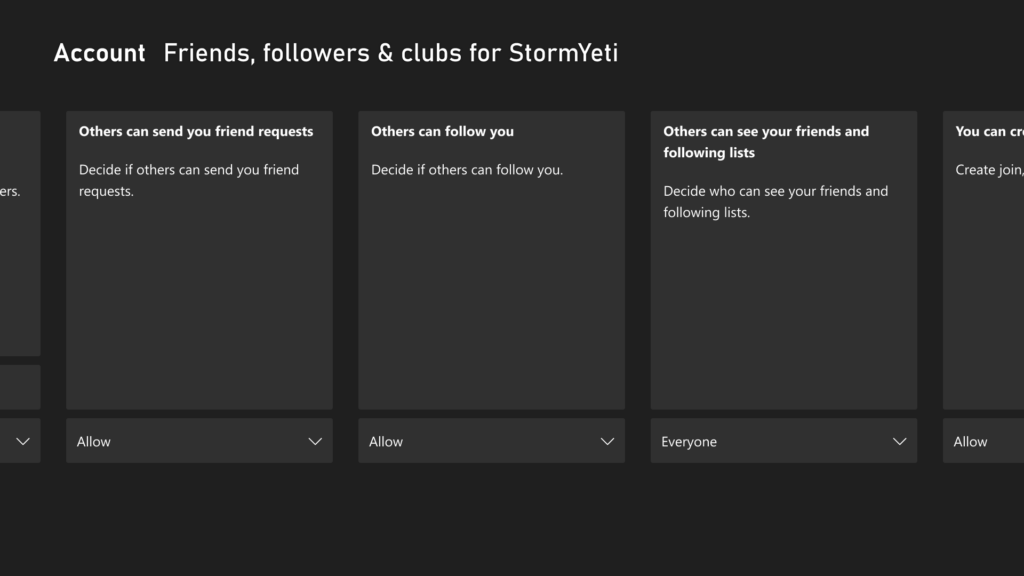
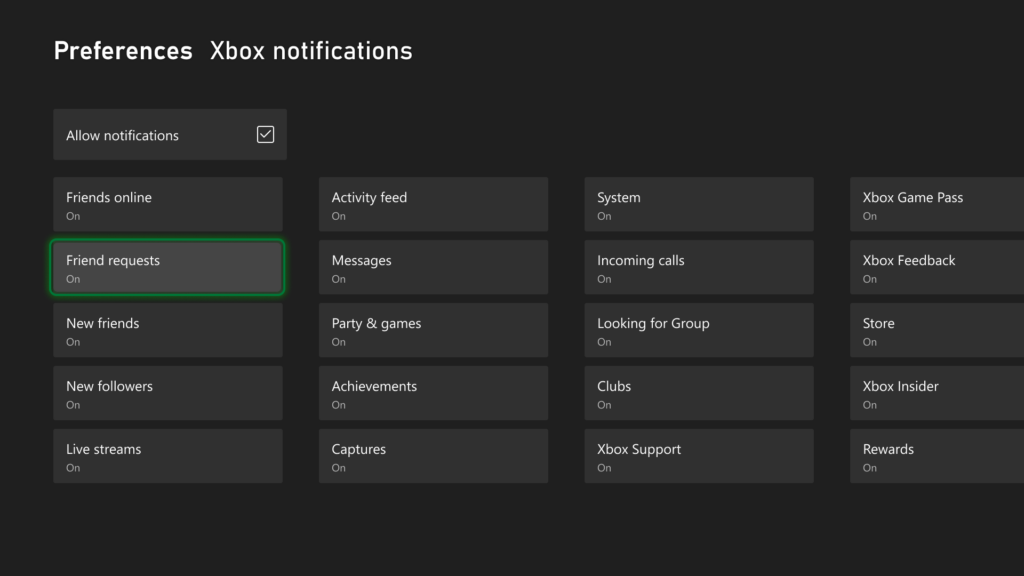
With these updates, we are also adding new privacy and notification settings, letting you decide who can send you friend requests or follow your account and which notifications you receive.
You can manage who can send you friend requests, or follow your account, directly from your Xbox console by navigating to Settings > Account > Privacy & online safety > Xbox privacy, then select View details & customize > Friends, followers & clubs to customize your settings. You can also update your notification preferences on Xbox consoles from Settings > Preferences > Notifications.
Additionally, you can manage your settings online by navigating to Privacy & online safety and signing in. Here, you can customize all your privacy settings, then select Submit when you’re done.
To learn more about managing your settings, visit: Manage Xbox online safety and privacy settings.
DON'T FORGET TO SHARE:
Friday, September 6, 2024
Tuesday, September 3, 2024
Friday, August 30, 2024
Wednesday, August 28, 2024
SYSTEM UPDATE: Xbox August 2024 Update Is Rolling Out with Updates to Cloud Gaming, Consoles, PC Gaming, and Accessories

Team Xbox is bringing new ways to make Xbox better based on your feedback. This month’s update has brand-new experiences across Xbox Cloud Gaming (Beta), consoles, PC gaming, and wireless controllers.
Xbox Cloud Gaming
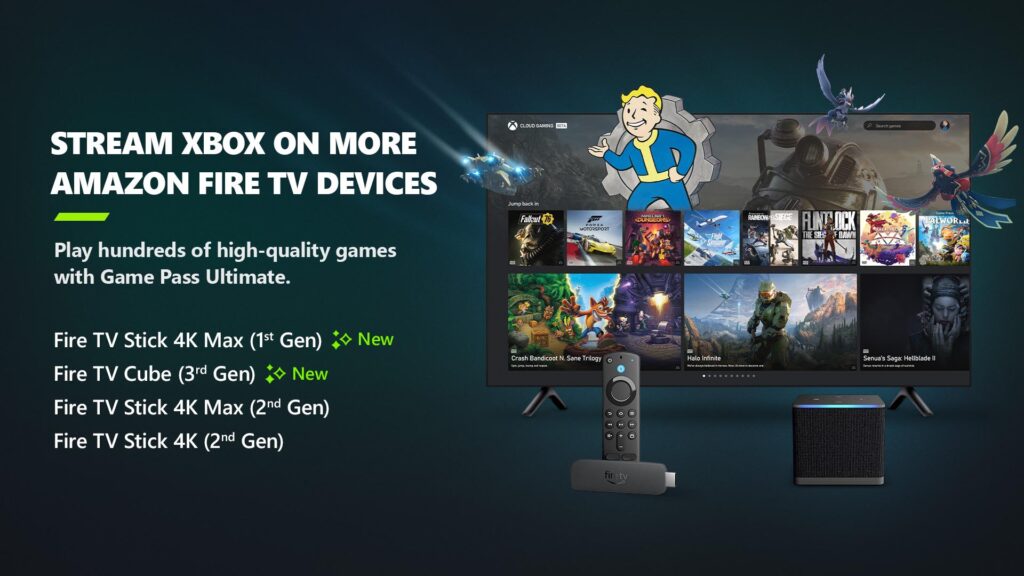
Xbox app on Fire TV now available on Fire TV Stick (1st Gen) and Fire TV Cube (2nd Gen)
Earlier in the year, Xbox announced a collaboration with Amazon where Xbox Game Pass Ultimate members in over 25 countries can play games directly from the Xbox app on select Fire TV devices via cloud gaming, giving people even more choice in how they play their favorite games. Now, alongside the Fire TV Stick 4K Max (2nd Gen) and Fire TV Stick 4K (2nd Gen), the Xbox app on Fire TV is available for customers with a Fire TV Stick 4K Max (1st Gen) and Fire TV Cube (3rd Gen). This expansion offers players even more choice in how they play their favorite games on devices they already own.
Players will have the opportunity to play current games in the Game Pass Ultimate catalog. To get started, download the Xbox app on your eligible Fire TV device via the Amazon Appstore. Once you install and open the app, you’ll be prompted to sign in with your Microsoft account. If you’re already an Xbox Game Pass Ultimate member, you’ll have instant access to stream and play any of the hundreds of cloud-enabled titles in the Game Pass Ultimate library.
Not a member yet? You can easily sign up for Xbox Game Pass Ultimate through the app.
Then, all you have to do is connect a compatible Bluetooth controller and you’re ready to start gaming! The Xbox Wireless Controller, Xbox Adaptive Controller, DualSense or DualShock 4 controllers all work seamlessly. Once connected, you’re all set!
Xbox Consoles
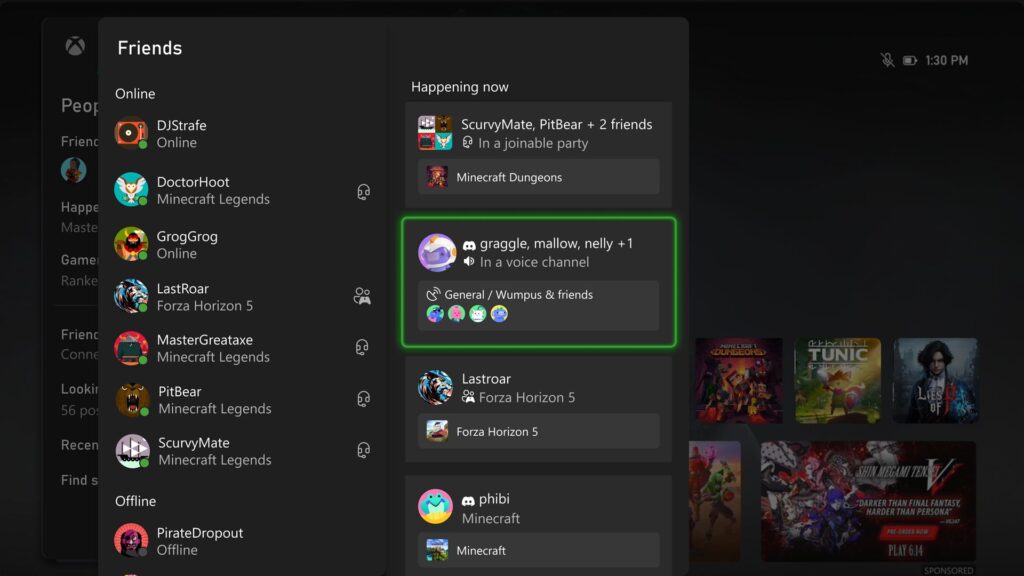
Happening Now – Find your Discord friends and channels from your Xbox
It’s now easier to get updates when one of your Discord friends is playing, chatting, or streaming. Now you can jump into voice chat with them or watch their stream – all on your Xbox console, without having to use the Discord app on PC or mobile.
If your Xbox and Discord accounts are linked, you can opt-in to have your Discord friends included in your Friends list on the Xbox guide by re-linking your accounts. Once you relink your Xbox profile and Discord account, head to the Friends list of the Xbox guide.
Your Discord friends will show up on the right side under “Happening now” whenever they’re playing a game or chatting in Discord voice.
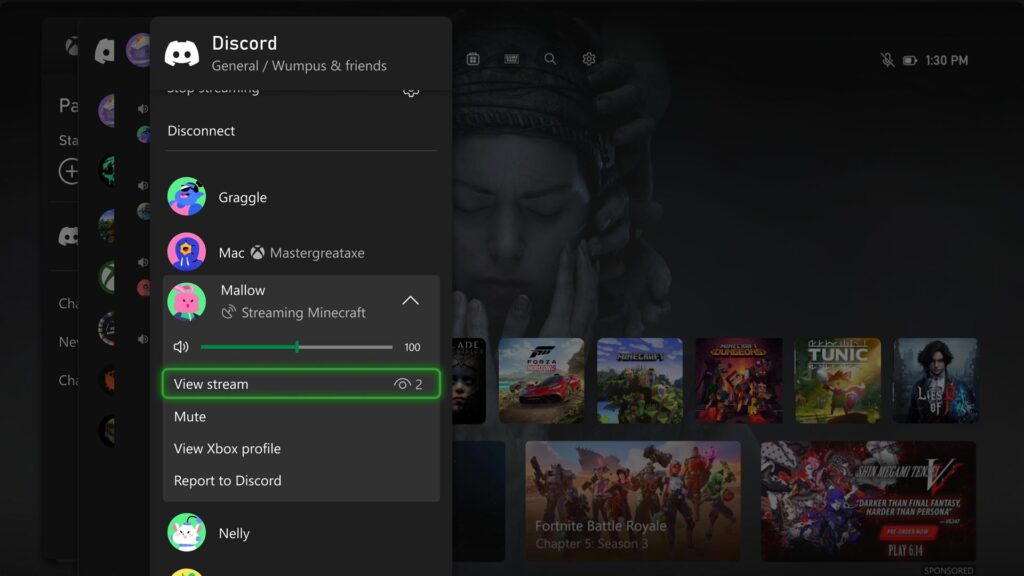
Watch Discord streams on your Xbox console
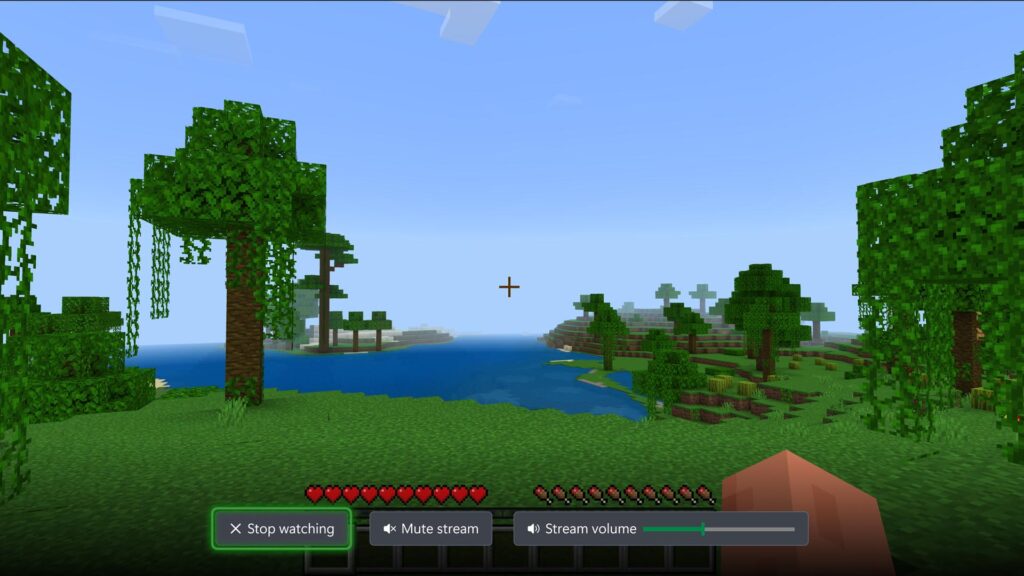
You can now watch anyone who is streaming directly on your Xbox console when you’re connected to a Discord call or in a voice channel! Are you having an epic moment you want to share? You can stream your gameplay to your Discord friends, too.
Sunday, August 25, 2024
Subscribe to:
Posts (Atom)