Welcome to XboxIssues

Welcome. I decided to make this blog after being a Xbox Ambassador for a number of years.

If you don't know an Ambassador is a Volunteer that Microsoft uses to help ease the load on the actual hard working support people.

I noticed that alot of the questions I would get could easily be solved by using Microsofts Xbox.com site.

Since some of the help articles may be hard to find, understand or the issue may be called something different in the gaming community making it more difficult to solve, I've decided to make this blog to make it easier for fellow gamers to get xbox assistance, news and all things Xbox.

If you have any Xbox related question you can find the answer to feel free to contact me on YouTube, twitter or in the comments.

Tuesday, October 8, 2019

SYSTEM UPDATE: October 2019 Xbox Update Delivers New Features

October is here and we know many gamers are already spending quality time with their favorite horror games (we won’t judge if you turn the brightness up). But never fear, we’re here to share lots of new features and improvements with the October 2019 Xbox One Update, which begins rolling out to everyone today. This month’s update unveils new Family Settings options to balance your family’s screen time, Wish List notifications, improvements to the Mixer viewing experience on Xbox One, the ability to refer Xbox Game Pass titles to friends, and even more improvements based on your feedback. Read on for a breakdown on each new feature and update.


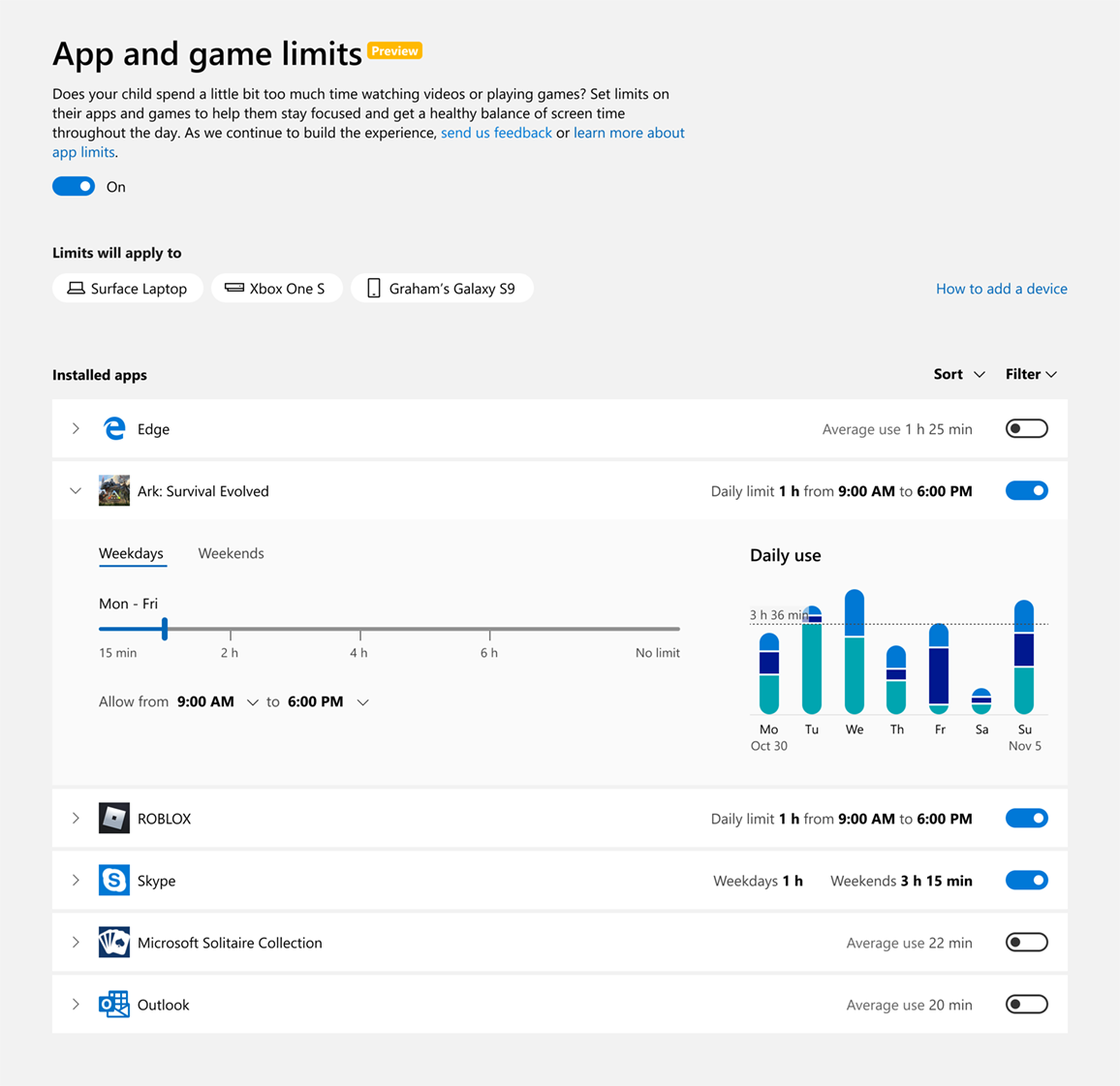
App and game limits for Family Settings
With the October 2019 Xbox Update, we’re taking additional steps to improve our existing family settings that work across Xbox One and Windows devices. We’re giving parents more control over what their children see and interact with on the devices in your home, which is part of our commitment to make gaming a fun, inclusive, and safe experience for everyone. For us, that means offering tools that provide choice so families can create the right balance of screen time in their lives.

With the new app and game limits feature, we introduce two new key elements to screen time:Parents can now set how much time their children spend within specific apps or games in addition to the total time spent on a device. Parents have the added option to set limits at the app or game level, enabling you to be more specific with how your kids are spending their time with technology.
The app and game limits you set will apply across Windows devices and Xbox One. We want to provide families the convenience of setting this up once, and letting it carry over across your child’s devices. This means one hour of a specific game or app per day is one hour of that game or app – no trying to sneak in extra screen time by switching from one device to another.
Check out today’s Family Settings announcement for a full overview.

Wish List notifications
We’re excited to see everyone enjoying the Wish List feature on the Microsoft Store! The October 2019 Xbox Update enhances this feature with notifications to alert you when an item in your Wish List has a price discount. The new Wish List notifications will make sure you never miss a great deal on games you want. Check out and update your current Wish List here.


Mixer viewing improvements
Mixer is integrating even further into the Xbox One experience with the October update. We’ve built a full Mixer viewing experience right into the dashboard with a focus on speed and simplicity. Viewers will no longer have to navigate to a separate app to enjoy Mixer streams, so getting to the content you want to watch has never been easier! Simply click the stream you’d like

Recommend an Xbox Game Pass title
Games are more fun when shared with friends. Xbox Game Pass for Console has a curated library of over 100 high-quality games, so you may find a gem that you want to share with your friends. You can now recommend a game from Xbox Game Pass for Console directly to your friend via a message or to your whole community via your activity feed or share to a club. Your friends will be able to easily get to the page for the games you recommend and can start downloading right away if they are an Xbox Game Pass member.

Recent Players improvements
Thanks to your feedback, we’ve made significant improvements to the Recent Players experience, making the service more reliable and allowing you to connect with the gamers you play with instantly. We understand the popularity of this feature and know it can be especially helpful with large-scale multiplayer games. You can now more quickly and easily engage with your Recent Players, whether you are sending a message, inviting players to a party, or adding them to your Friends List.

Under-the-hood game update improvements
Players can jump into their favorite games even faster with the October update. We’ve added improvements to automatic game updates, significantly reducing when you encounter the “update required” screen when launching a title.

Events app
Later this month, you may notice the Events app installed on your console. With Events, we will be introducing new ways for gamers to discover and be reminded of events happening within your favorite Xbox games or gaming communities such as a start of a new season or in-game holiday events. We’ll have more to share soon about how we plan to evolve this feature, so stay tuned for future announcements.

More flexible Capture Settings and Capture & Share experiment
The “Allow game captures” setting now has multiple options, giving you more control over your game capture experience. Previously, game capture could either be enabled or disabled in Settings, with certain games automatically recording memorable moments when this feature was enabled. With the October update, you may now select between “Captures by me,” “Captures by me or games,” or “Don’t capture” settings, providing you more choice over how you build your highlight reel.
In addition to the above, some people may also see an experimental update we are making to improve the Capture & Share experience. For now, we’re rolling out an improved “Capture & Share” tab for a limited portion of the Xbox One audience to gauge interest and collect feedback. We’re eager to hear their feedback before we share more.

The renamed “Capture & Share” Guide tab aims to improve usability by elevating your three capture options, “Record what happened,” “Start recording,” and “Capture screenshot,” to the top of the screen as well as allowing you to quickly revisit your last capture. When you’re ready to share, the following “Share to” menu has also been updated to focus more on what you want to do with your content – quickly and easily share it with your friends, the world via Twitter or your Xbox Activity Feed, or save it in your collection for safekeeping.


Please Don't Forget To Share:

NEWS: Introducing App and Game Limits for Family Settings

The new school year is well under way, and as families continue to balance homework and after school activities with screen time, Xbox is here to help. We’re continuously studying ways to improve children’s safety online and to give you, their parents or guardians, the tools to help ensure their well being throughout their online interactions in the digital world.

Late last year, we detailed the many easy-to-use features built into your Microsoft account to give you peace of mind with family settings for screen time limits, purchase limits, content filters, and privacy settings.


Today, we’d like to share with you some of the additional steps we’ve taken to improve our existing family settings. We’re giving you more control over what your children see and interact with on the devices in your home, which is part of our commitment to make gaming a fun, inclusive, and safe experience for everyone. For us, that means offering tools that provide choice so families can create the right balance of screen time in their lives.


Improved Family Settings
We’ve updated our existing family settings to now include app and game limits to cap how much time your children can use specific apps or games. You can activate this feature across the devices tied to your child’s account, which is connected to your Microsoft family group. Creating a family group is an easy and important first step! The feature is currently available in preview release, and we are eager to hear your feedback so we can continue to refine the experience for your family.

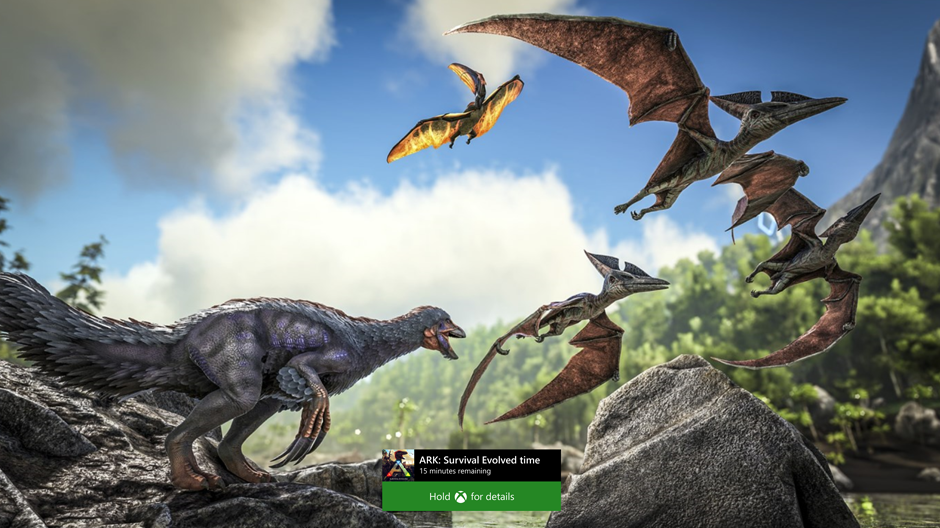
For example, you can choose to set one hour of game time for Ark: Survival Evolved each day and two hours for Netflix. Prior to this, you could set broad screen time limits (three hours on Xbox One), whereas now you can determine what specific apps or games are playable or not playable within that timeframe. These app and game limits are shared across Xbox One, Windows 10, and Android via Microsoft Launcher devices and work on all child and teen accounts. You may be wondering about accessing websites through a browser. While the new app and game limits only apply to apps and games – which does not include the app’s website – you can choose to filter websites through the currently available family settings.

Meeting the Needs of Parents Today
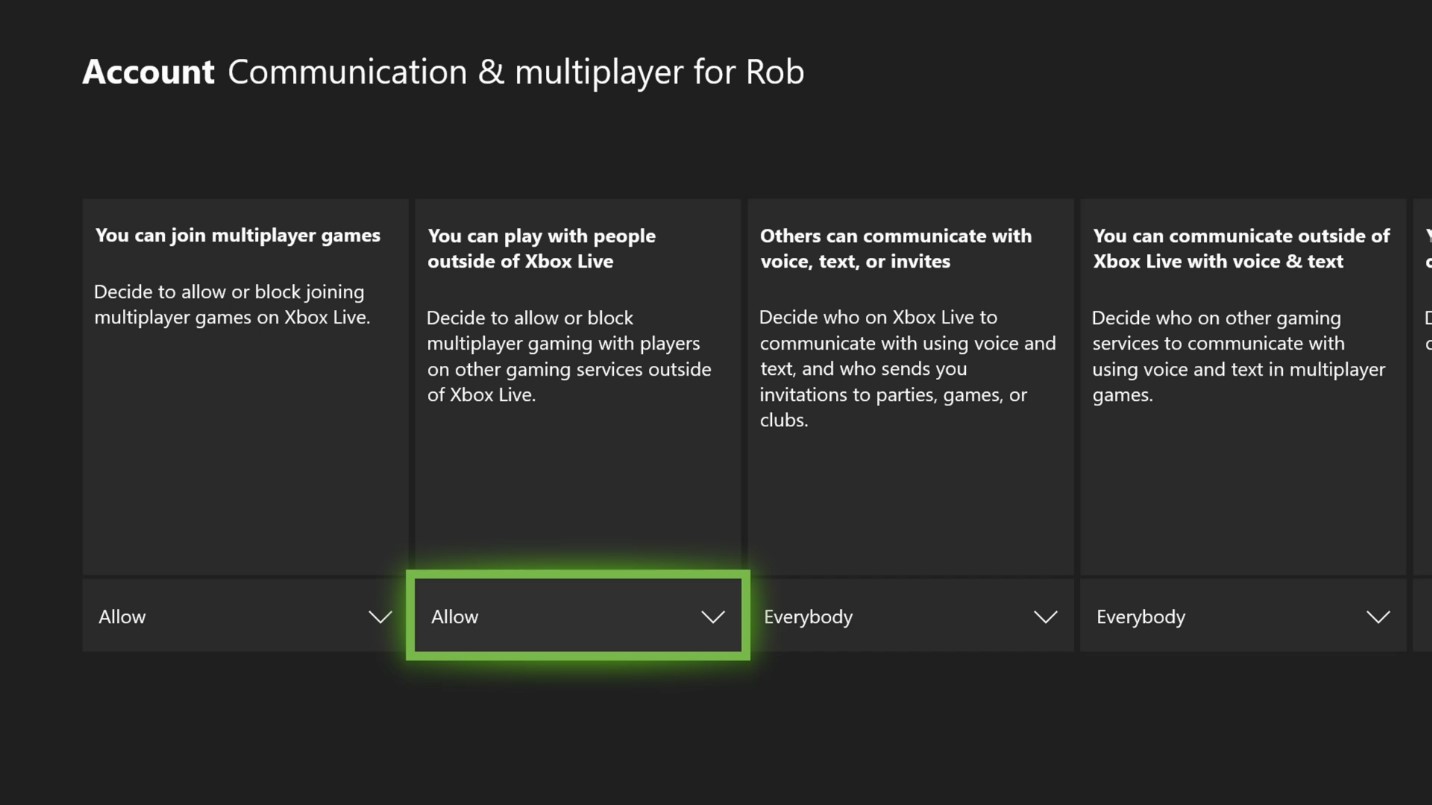
In the past year, we’ve also updated family settings on Xbox to empower parents and guardians to enable or block their child’s access to play or communicate with players on other networks. You can modify this setting in supported games on any child or teen account (defaulted to off for child accounts). These features can be found under your Microsoft account on Windows 10 or Xbox One. Simply select the account you’d like to update, and then enable or block cross-play/cross-network communication.

These cross-play settings are currently available for Fortnite, Rocket League, Dauntless and Call of Duty: Modern Warfare and we expect other games will enable them, as well.

We’ve also made it easier to set up a child account on Xbox One. You now only need to add your e-signature to provide consent for your child to have a Microsoft account — credit cards are no longer required for verification.

It’s important to us to continually update our family settings to ensure they fit the unique needs of families today.


Balancing Work and Play
Every Microsoft family account can choose to receive a weekly activity report — sent to both you and your child — which contains an overview of how much time was spent on apps, games, and websites. The activity reports provide transparency in how your children are engaging with Xbox One, Windows 10 devices and Android running with Microsoft Launcher and empower you to set limits and features that you feel are the best fit for your family.

When your child reaches the end of their screen time permitted for a specific app or game, they have the option to request additional time, which you can choose to allow or deny through your Microsoft account.

You know what’s best for your family; no technology can ever replace that. The right tools can help make parenting easier and family settings on Xbox does this by putting parents in control of what your children can access across the platform.

Please Don't Forget To Share:

Tuesday, October 1, 2019

NEW RELEASES: Here are Your New Xbox One Release for Tuesday October 1, 2019

Here is the newly released Xbox One game for Tuesday October 1st, 2019


Please Don't Forget To Share:

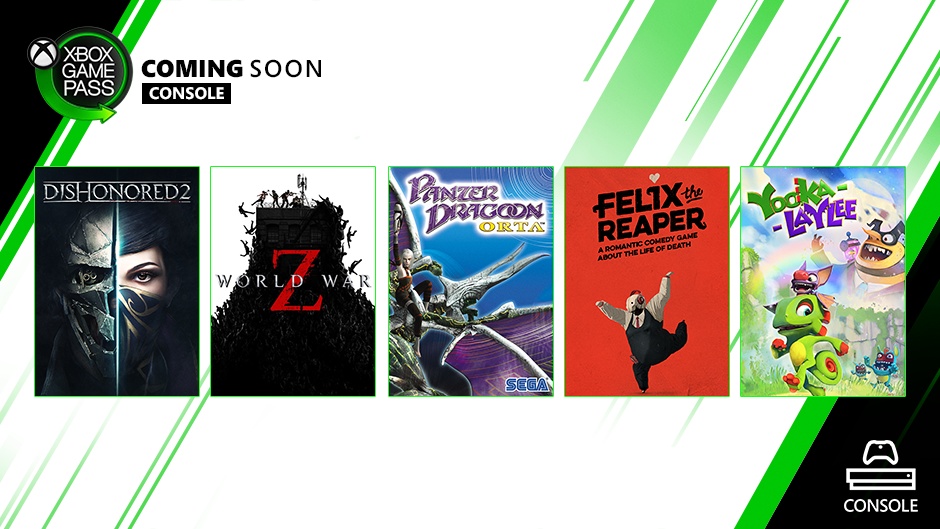
XBOX GAME PASS: Coming Soon To Xbox Game Pass For Console October

More games coming to Xbox Game Pass in October. See the list of titles and the dates they’ll be added below and check out our Xbox Game Pass Instagram and Twitter accounts. Also, be sure to check out our Xbox Game Pass mobile app so you can discover and download new games immediately when they become available.

Reminder: One of the most-anticipated titles The Outer Worlds is coming to Xbox Game Pass for Console and PC on October 25. So mark your calendars!


Now, let’s look at all the new games coming to Xbox Game Pass for Console:


October 3

Dishonored 2 – Xbox One X Enhanced
Reprise your role as a supernatural assassin in Dishonored 2, the follow-up to Arkane Studio’s award-winning, first-person action blockbuster, Dishonored. Play the game your way in a world where mysticism and industry collide. Combine your character’s unique set of powers, weapons, and gadgets leaving the choice in your hands on how to eliminate your enemies and survive in this game’s dangerous world.

World War Z – Xbox One X Enhanced
A heart-pounding, co-op third-person shooter for up to four players featuring swarms of zombies as you fight for survival amid an undead apocalypse. As the end looms, a hardened few bands together to defeat the horde and outlive the undead. You can also fight other players for survival across several intense player vs player vs zombies modes to complement the co-op campaign.

Yooka Laylee
From open-world platformer veterans Playtonic, explore huge, beautiful worlds, meet (and beat) an unforgettable cast of characters, and horde a vault-load of shiny collectibles as buddy-duo Yooka (the green one) and Laylee (the wisecracking bat with the big nose) embark on an epic adventure to thwart corporate creep Capital B and his devious scheme to absorb all the world’s books… and convert them into pure profit.

October 17

Fallout: New Vegas – Backward Compatibility Title
Welcome to New Vegas. It’s the kind of town where you dig your own grave prior to being shot in the head and left for dead…and that’s before things really get ugly. It’s a town of dreamers and desperados being torn apart by warring factions vying for complete control of this desert oasis. It’s a place where the right kind of person with the right kind of weaponry can really make a name for themselves… and make more than an enemy or two along the way.


Felix the Reaper – Day One Premiere
From Daedalic comes the quirky Felix the Reaper, a 3D shadow manipulation puzzle adventure game of dance, dying people, and dangerous love. Felix dances his way through this game with ease and moves that make you consider joining in. But don’t let his moves fool you; he’s still a killer.

Panzer Dragoon Orta – Backward Compatibility Title
As the young girl Orta, ride upon the back of a fearsome dragon as you fight to save the world from destruction. Fly over spectacularly hostile terrain, engage in high speed aerial combat, and attack imperial strongholds with multiple weapons and various dragon forms in this classic Xbox title.


Please Don't Forget To Share:

Thursday, September 26, 2019

FREEBIES: Xbox Live Games With Gold October 2019

For the month of October, Xbox Live Gold members will receive four new free games – two on Xbox One and two on Xbox 360 – as part of the Games with Gold program. You can play both Xbox 360 titles on your Xbox One with Backward Compatibility.

*Titles are available as free downloads for qualifying Xbox Live Gold members in all markets where Xbox Live is available. Some regions may offer different titles depending on market availability.


On Xbox One, Xbox Live Gold members can download TEMBO THE BADASS ELEPHANT ($14.99 ERP) for free during the month of October. Friday the 13th: The Game ($19.99 ERP) will be available as a free download from October 16th to November 15th.


On Xbox 360, starting October 1st, Disney Bolt ($9.99 ERP) will be free for Xbox Live Gold members through October 15th. Then on October 16th, Xbox Live Gold Members can download NINJA GAIDEN 3: Razor’s Edge ($29.99 ERP) for free through October 31st.

Please Don't Forget To Share:

HOW TO: Get started with Xbox for Google Assistant (Console Preview OS)

Based directly on feedback from Xbox fans, Microsoft is pleased to announce the public beta of the Xbox Action for Google Assistant! Please tell them what you think or if you're running into any issues in the comments here. The team would love to hear your feedback.

With the release of the Xbox Action for Google Assistant, you can now interact with your Xbox One in even more ways using just your voice, including the ability to turn your console on and off, launch games and apps, play and pause videos, and more, from the Google Assistant and Home-enabled devices, as well as the Google Assistant apps on Android and iOS.


The new Xbox Action for Google Assistant releases to public beta on Xbox One today and is available to all customers in English during the beta period. Google and Xbox are working together to expand language support before launching more broadly to the Xbox community later this fall.

Here’s how to get started with the beta:

1.  Join our Google Group with the Google Account you intend to use: Join Here
2.  Sign into your Xbox
3.  In the Google Home app for iOS or Android:
     1.  Tap “+ Add”
     2.  Tap “Set up device”
     3.  Tap “Have something already set up?”
     4.  Search for and select “[beta] Xbox"
4.  Sign in with the Microsoft account you use on Xbox
5.  Follow the instructions to link your Xbox and give it a device name
   **(If no devices are found, try enabling the Digital Assistants setting on your console (Settings    Kinect & Devices > Digital Assistants)***

Once you’re all set up, here are a few actions you can try to get you started with controlling your Xbox One with Google Assistant:

  • “Hey Google or Ok Google, play Gears 5 on Xbox.”
  • “Hey Google or Ok Google, turn on Xbox.”
  • “Hey Google or Ok Google, turn off Xbox.”
  • “Hey Google or Ok Google, launch YouTube on Xbox.”
  • "Hey Google or Ok Google, pause on Xbox."
  • “Hey Google or Ok Google, resume on Xbox."
  • “Hey Google or Ok Google, volume up on Xbox.”
  • “Hey Google or Ok Google, take a screenshot on Xbox.”

You’ll notice the default device name for Xbox consoles is "Xbox"; however, you can change the device name for your smart home commands at any time in the Google Home and Assistant apps if you have more than one Xbox in your home. When triggering an action, just use the device name you set in your commands. For example, you would say, “Hey Google, turn on Basement Xbox.”

Over the coming weeks as you begin to check out this feature, we’d love to hear from you so you can help us test and refine this new capability. Your feedback is invaluable in helping us shape the experience for all gamers on Xbox. We will also continue to improve on this experience following release and will be listening to your feedback to help determine how we expand our capabilities in the future.

Here's the full command list if you want to explore more:

Please Don't Forget To Share:

Wednesday, September 25, 2019

NEWS: Project xCloud Public Preview

Our vision for Project xCloud is to empower the gamers of the world to play the games they want, with the people they want, anywhere they want. We’re building this technology so gamers can decide when and how they play. Customers around the world love the immersive content from Xbox in their homes and we want to bring that experience to all of your mobile devices.


Since announcing Project xCloud just under a year ago, we’ve been on a journey to create, develop, and prepare the technology for gamers. A big step for us was opening up the program to Microsoft employees – since then I’ve enjoyed seeing people’s excitement and hearing the stories of how they play. At home, I’ve been using Project xCloud to play Sea of Thieves with my kids while they’re playing on the console and PC. Around the office, I’ve seen our team having an amazing time playing Halo 5: Guardians tournaments and Gears 5 campaign on nothing more than a phone or tablet. We saw the same joy of gaming as we shared the experience with fans at E3 and gamescom, and now we’re ready for what’s next.

Today we’re inviting the community to take the next step with us and join the Project xCloud (Preview), coming this October to the United States, United Kingdom and Korea.

Public preview is a critical phase in our multi-year ambition to deliver game streaming globally at the scale and quality of experience that the gaming community deserves and expects. It’s time to put Project xCloud to the test in a broader capacity, with a range of gamers, devices, network environments and real-world use-case scenarios, and this is where you come in. At Xbox, we’ve made it a priority to engage with all of you to help in the creation process. We now want you to play with us and share your feedback on Project xCloud so we can iterate and improve, week after week. Join us, have fun playing, share your stories and feedback, and be part of the journey.

Here’s what to expect from the Project xCloud public preview and how you can register to
participate:

Register for Project xCloud Review:  HERE


Please Don't Forget To Share:


NEW RELEASES: Here are your Xbox One & Play Anywhere New Releases for Tue & Wed Sept 24-25 2019

Here are your Xbox One & Windows 10 Play Anywhere new Releases for Tue & Wed Sept 24-25 2019


Please Don't Forget To Share: