

Friday, January 31, 2025
Friday, January 24, 2025
Tuesday, January 21, 2025
Friday, January 17, 2025
Wednesday, January 15, 2025
NEWS: Introducing More Ways for Players to Repair their Xbox Consoles, Reduce Waste and Save Energy

At Xbox, we’re continuing to improve how we design, build, distribute, and use our products to reduce our environmental impact and help us reach Microsoft’s goal of being a zero waste, carbon negative, and water positive company by 2030. Finding ways to reduce the environmental footprint of gaming not only helps the environment but also creates benefits for our collective community of players.We’ve heard from players that they want more options for support when their Xbox consoles need repair. Today, we’re expanding our repairability program, giving players even more options to get their Xbox Series X|S console options – the Xbox Series S – 1TB in Robot White, Xbox Series X – 1TB Digital Edition in Robot White, and Xbox Series X – 2TB Galaxy Black Special Edition – fixed should they ever need to, while also reducing and preventing waste. -Joe Skrebels, Xbox Wire Editor-in-Chief

Expanding Repairability, Updating Console Packaging and Reducing Plastic Waste
Players will soon have more options for support when considering in-person repairs for the three Xbox Series X|S console options. On January 20, uBreakiFix by Asurion will become the first Xbox Authorized Service Provider to repair Xbox consoles at its nearly 700 participating store locations across the U.S. In-person Xbox console repairs were previously only possible through the Microsoft Store, which means players will now have even more ways to repair their consoles, separate from Microsoft’s own support channels. Players should check with their local uBreakiFix by Asurion store to confirm participation in this repairability program.
Additionally, replacement components for the three Xbox Series X|S console options are now available for purchase via the Microsoft Store and replacement console parts are also now available for purchase online via the Microsoft Repair Hub on iFixit. With the purchase of replacement components previously limited to controller parts and only available through the Microsoft Store, these additional repair options allow players to choose the repairability solution that works best for them, even if their console is out-of-warranty.
By expanding the number of ways players can get support and repair for their Xbox consoles, we also help extend the longevity of Xbox devices, reduce waste, promote re-use, and ultimately reduce our environmental impact.
Providing more options for repair isn’t the only way Xbox is reducing plastic waste. At Microsoft, our goal is to eliminate single-use plastics from our packaging by 2025. Packaging for the three Xbox Series X|S console options are now fully paper and fiber-based, eliminating all single-use plastics.
CLICK READ MORE to Continue Reading
Friday, January 10, 2025
Tuesday, January 7, 2025
Monday, January 6, 2025
NEWS: Game Pass Quests Arrive on Your PC

Rewards with Xbox are our way of, well, rewarding you for your love of gaming, and today we’re thrilled to announce new ways for players to earn points. From expanding Quests to PC Game Pass, to reimagining the Game Pass Quests you use to earn points, to weekly Rewards for all Xbox players 18 and older, there are lots of new ways to earn points through your play time.
Lastly, today we’re sharing an important update on earning Rewards with Xbox. This update aligns more closely with our continued commitment to foster positive, age-appropriate gaming experiences by making points earned through play activities available only to players 18 years and older.
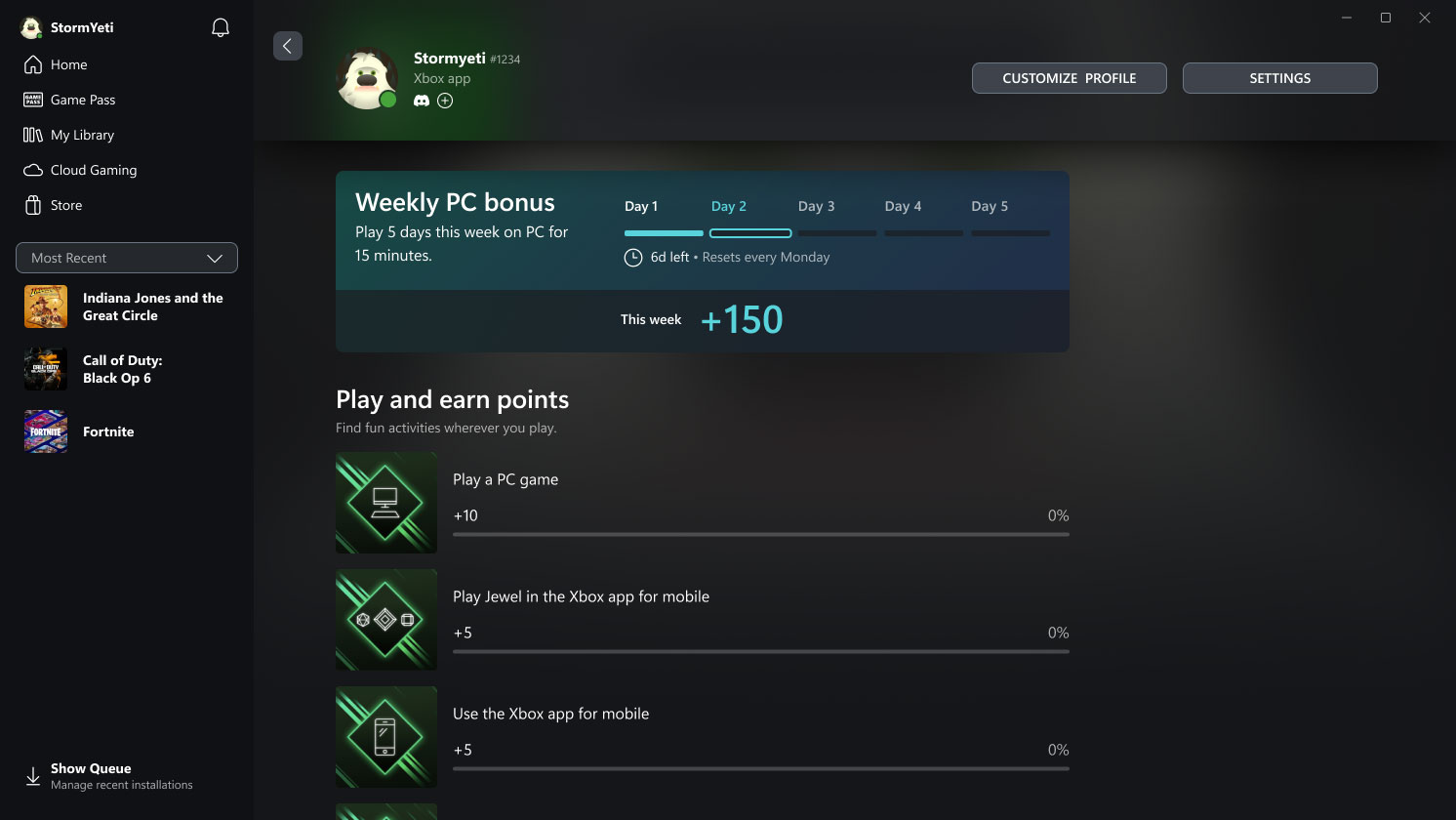
Game Pass Quests Arrive on Your PC
Previously exclusive to Game Pass Ultimate members, Quests unlock opportunities to earn even more Rewards with Xbox. Starting to roll out on January 7, Quests are also available for PC Game Pass members. Now you have more ways to earn Rewards points on PC in addition to console and mobile. The new Game Pass Quests will also launch in Japan, bringing the region the full Rewards with Xbox experience.
If you’re an active Xbox Game Pass Ultimate or PC Game Pass member 18 years or older, starting to earn is simple:
- Explore the new Quests by navigating to your Xbox profile and accessing the Rewards Hub, which is available across console, the Xbox app on mobile, and the Xbox app on Windows PC.
- Earn points by playing your favorite games with Game Pass.
- Claim your points on the Rewards Hub.
Once you’ve earned enough, redeem your points for Xbox gift cards to use for games, in-game content, donations to your favorite causes, and more.
As part of these changes, minimum playtime is required to earn points through gameplay. For now, Quests are only available for titles in the Game Pass catalog, and this does not include PC games that require third party launchers or are played on Battle.net. Check Xbox.com/Rewards for more details.
Friday, December 13, 2024
NEWS: Support Virtual Agent is Here to Help

After a successful Insider testing period, we’re delighted to announce that Support Virtual Agent is now rolling out to all players in the US. We’d like to thank Insiders for their help in testing and providing feedback for this new feature.
Support Virtual Agent is an AI-powered feature built to help Xbox players more efficiently solve their support-related gaming issues, and it is rolling out to select Xbox Insiders on support.xbox.com today. Support Virtual Agent can quickly access information from support.xbox.com to answer questions relevant to Xbox console and game support issues. Xbox Insiders located in the United States and with English selected as their preferred language can begin previewing the Support Virtual Agent today by visiting support.xbox.com while signed into an account that is registered with the Xbox Insider Program.
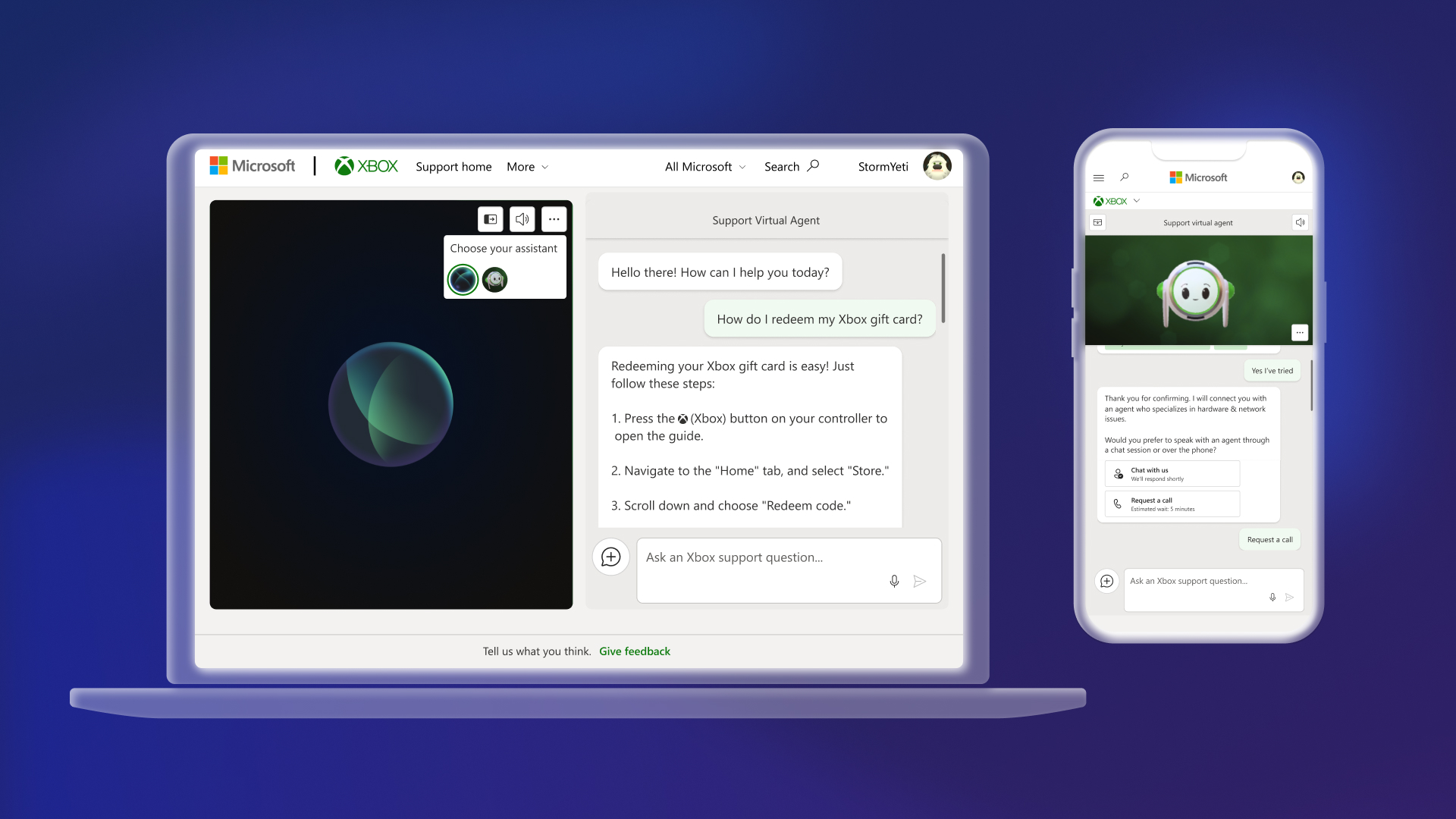
We value the feedback from Xbox Insiders for this preview experience and any feedback received will be used to improve the Support Virtual Agent. As you interact with the Support Virtual Agent, you can provide feedback via the “thumbs up” or “thumbs down” button on each of the responses or provide feedback directly via the “Give feedback” button at the bottom of the page.
How to Use Support Virtual Agent
Starting today, Xbox Insiders will see the Support Virtual Agent on the “Contact us” page on support.xbox.com. Sign in with the same account you registered with the Xbox Insider Program, then you’ll see a new option to ask our new Support Virtual Agent a question.
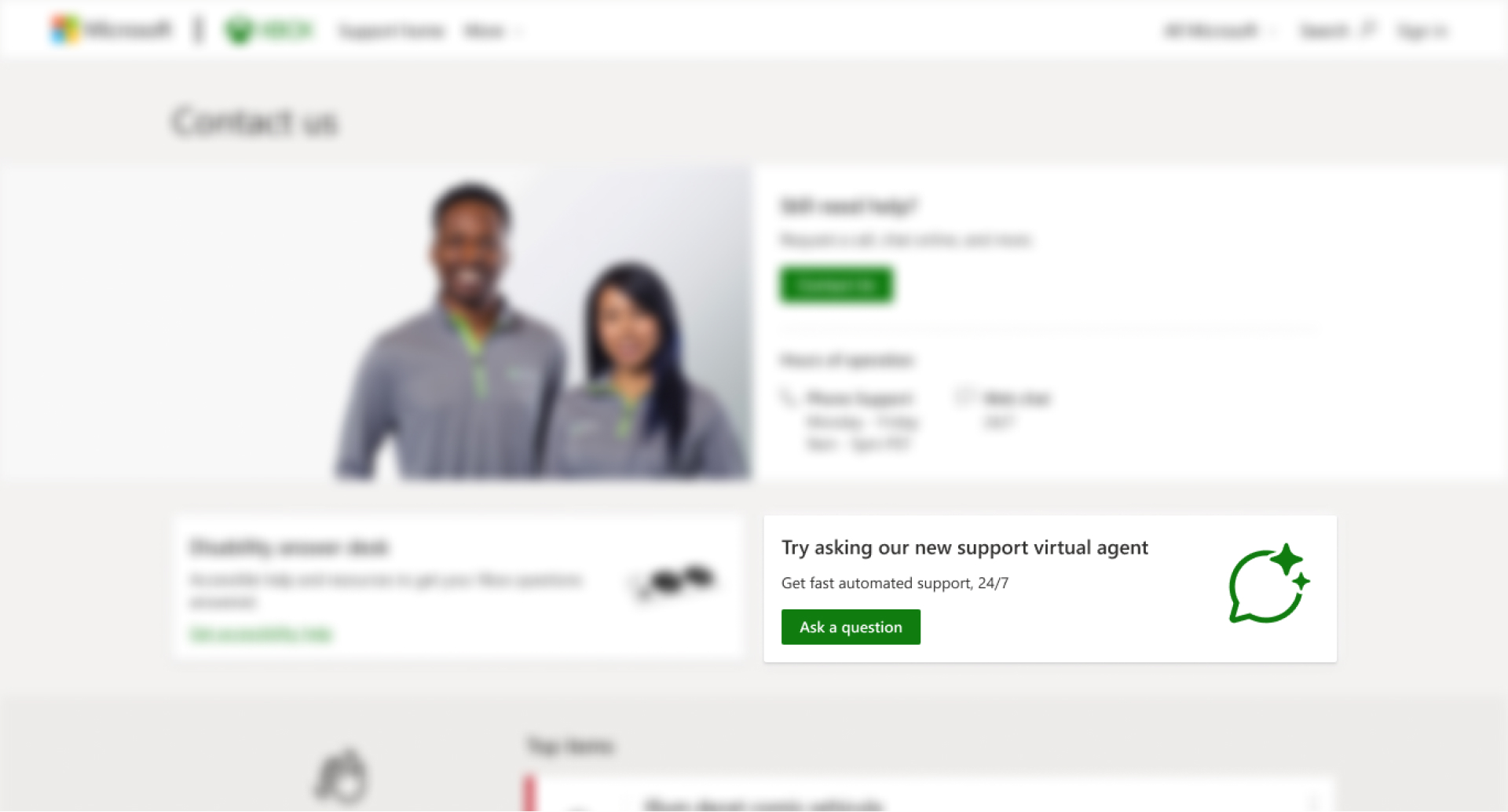
Once you click on “Ask a question,” you will see the Support Virtual Agent launch in a new browser window. You can ask the agent questions via text or voice, and it will answer with relevant information from support.xbox.com. If the Support Virtual Agent cannot solve the issue, you can request to speak with a live support agent as long as it is within Xbox Support’s normal hours of operation.
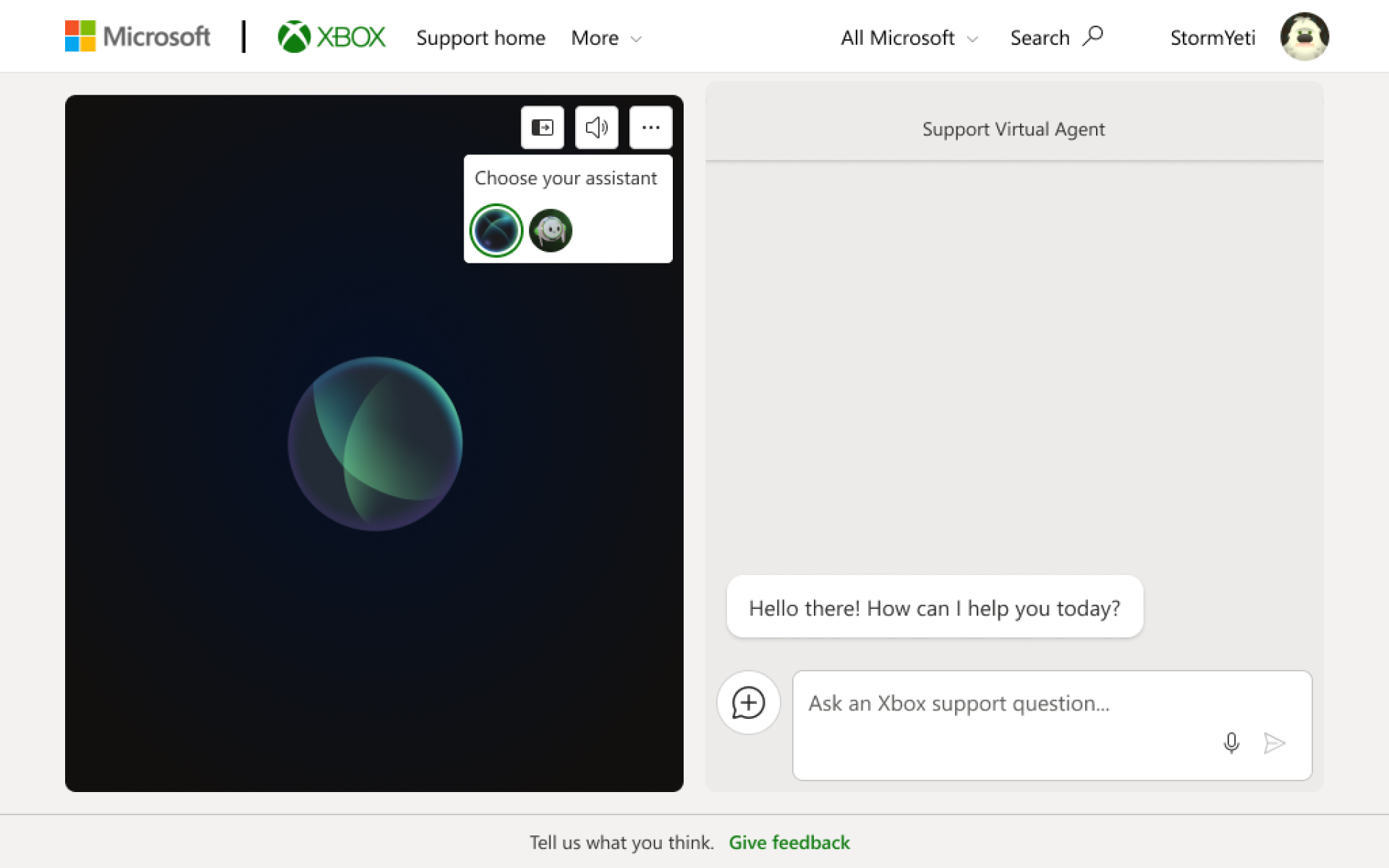
During this preview, you can also customize your support experience by clicking on the ellipsis menu icon and choosing between two different Support Virtual Agents.
Subscribe to:
Posts (Atom)