Welcome to XboxIssues

Welcome. I decided to make this blog after being a Xbox Ambassador for a number of years.

If you don't know an Ambassador is a Volunteer that Microsoft uses to help ease the load on the actual hard working support people.

I noticed that alot of the questions I would get could easily be solved by using Microsofts Xbox.com site.

Since some of the help articles may be hard to find, understand or the issue may be called something different in the gaming community making it more difficult to solve, I've decided to make this blog to make it easier for fellow gamers to get xbox assistance, news and all things Xbox.

If you have any Xbox related question you can find the answer to feel free to contact me on YouTube, twitter or in the comments.

Wednesday, November 14, 2018

UPDATE: November 2018 Xbox Update With Keyboard/Mouse Support Rolling Out Today


Following an info-rich X018 event with a ton of announcements, Microsoft is releasing some new Xbox One features that start rolling out today. The November 2018 Xbox Update adds new ways to play some of your favorite games with mouse and keyboard support, more console interaction with Xbox Skill updates, listen to your favorite songs with the new Amazon Music app, and the ability to find your games faster than ever via improved Search. Here’s a rundown of what’s new:


Mouse and Keyboard Support for Xbox One

As revealed by Phil Spencer on the September episode of Inside Xbox, the November update brings mouse and keyboard support to Xbox One! With support for mouse and keyboard, developers can now choose to add mouse and keyboard support for their games on Xbox One. This enables both developers and players with more choice on how they want to play.

Announced at X018, Fortnite will be one of the first titles to support mouse and keyboard input, matchmaking players using the same input together with one another to ensure a fair and fun experience for everyone. Fortnite’s support for keyboard and mouse launches alongside previously announced Warframe via today’s update, with Bomber Crew, Deep Rock Galactic, Strange Brigade, Vermintide 2, War Thunder and X-Morph Defense adding support in November, and Children of Morta, DayZ, Minion Master, Moonlighter, Vigor, Warface, and Wargroove adding support in the future.

Additionally, we’re partnering with Razer to offer gamers a premiere mouse and keyboard experience through an all new Razer-created ‘Designed for Xbox’ mouse and keyboard. Built from the ground up for gaming on Xbox One and Windows 10, it will come equipped with a dedicated Xbox key, and support for the new Xbox Dynamic Lighting capability – enabling immersive game-controlled lighting effects.

Try out mouse and keyboard in some of your favorite games today and be sure to tune into CES in January to learn more about the ‘Designed for Xbox’ mouse and keyboard coming from Razer.

Xbox Skill for Cortana and Alexa Updates
Launched in the U.S. last month, the Xbox Skill for Cortana and Alexa allows gamers to get more done using just their voice. This feature will continue to grow and improve over time, based on fan feedback. Coming this week, we have the first set of updates:

  • Alexa Beta for the U.K. (EN-GB): The Xbox Skill for Alexa is now in Beta for all Xbox gamers in the U.K. with the addition of U.K. English voice recognition. To get started with Alexa, just say, “Alexa, open Xbox.”
  • Cortana improvements: In the U.S, the Xbox Skill for Cortana becomes easier to use. Cortana will automatically discover and pair your Xbox, so there’s no need to login. Just say “Hey Cortana, pair my Xbox” to any Cortana device (mobile phone or Harmon Kardon Invoke speaker). Try your favorite commands, like “Hey Cortana, start Netflix” or “Hey Cortana, pause my Xbox.” Get started with the latest Cortana on Android or Cortana on iOS app this week.
  • New Commands added: In response to fan feedback, we’re adding a few new commands to both the Cortana and Alexa skill. Now, you have the ability to fully close a game or app via “Quit [game or app name]” or use your assistant as a controller with our new navigation mode. This lets you use your voice to hit the “A” button or navigate around your console (e.g. up, down, left, right, A button, B button). Just say “Start navigation mode” or “Press [button name]” to try it out!

 Amazon Music app comes to Xbox One
Amazon Music is launching a brand-new app for Xbox One in the U.S. on Nov. 14th, with availability in more countries coming soon. The Amazon Music app for Xbox enables Amazon Music Unlimited subscribers to stream more than 50 million songs and thousands of playlists and stations through their Xbox One family of devices. Prime members can also use the app to stream more than two million songs and hundreds of playlists and stations at no additional cost to their membership with Prime Music. Download the new Amazon Music app from the Store today!
Search Expansion

We’re expanding search to include results from Xbox Assist and games you have “Ready to Install” or currently own as part of your memberships, including Xbox Game Pass, EA Access, and more! This makes it easier than ever to find the game you are looking for and start playing.

These updates are available because of the Xbox Insiders who have helped shape these features, so big thanks to all of you for your valuable input. If you’d like to help create the future of Xbox and get access to early features, download the Xbox Insider Hub app on your Xbox One or Windows 10 PC today. You can also visit the Xbox Insider Blog here for the latest release notes and to learn more. Enjoy the November 2018 Xbox Update and happy gaming!


SOURCE


Please Don't Forget To Share:

Tuesday, November 13, 2018

BACKWARDS COMPATIBILITY: Three Final Fantasy Games Backwards Compatible today

As announced a little while ago, three Classic Xbox 360 Final Fantasy games are going to be added to the backwards compatible collection on the Xbox One Today.

FINAL FANTASY XIII, FINAL FANTASY XIII-2, & LIGHTNING RETURNS: FINAL FANTASY XIII are coming to Xbox One Backward Compatibility today and will be Xbox One X enhanced


Thirteen days of fates intertwined reveal a truth beyond reckoning. Do you have the courage to face your destiny?


The unfolding drama of FINAL FANTASY XIII, released in 2010 and selling six million copies worldwide, continues in FINAL FANTASY XIII-2. Explore a richly developed world featuring both new and familiar faces, and an exciting and highly developed strategic battle system. In this ongoing saga, the future is about to change...


Lightning, the star of the FINAL FANTASY XIII series, is poised to face her ultimate challenge. Experience a new game world, a new battle system, and extended customization features. The epic FINAL FANTASY XIII tale is coming to a thrilling finale, but every facet of the game has been revamped to deliver an original gaming experience. The world will end in 13 days. Once again, its fate rests on the shoulders of one woman.


Don't Forget To Share:

NEW RELEASES: HITMAN 2 Xbox One

Travel the globe and track your targets across exotic sandbox locations in HITMAN™ 2. From sun-drenched streets to dark and dangerous rainforests, nowhere is safe from the world's most creative assassin, Agent 47.

Prepare to experience the ultimate spy thriller story; your mission is to eliminate the elusive Shadow Client and unravel his militia, but when 47 learns his target's true identity and the truth about his past, it changes everything.

HITMAN™ 2 introduces new ways to play, new game modes and new features, including the new Sniper Assassin mode with franchise first co-op play.


Please Don't Forget To Share:

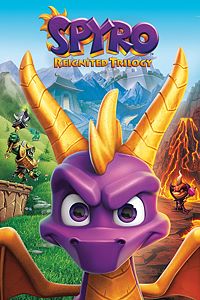
NEW RELEASES: Spyro Reignited Trilogy Xbox One

The original roast master is back! Same sick burns, same smoldering attitude, now all scaled up in stunning HD. Spyro is bringing the heat like never before in the Spyro™ Reignited Trilogy game collection. Rekindle the fire with the original three games, Spyro™ the Dragon, Spyro™ 2: Ripto's Rage! and Spyro™: Year of the Dragon. Explore the expansive realms, re-encounter the fiery personalities and relive the adventure in fully remastered glory. Because when there’s a realm that needs saving, there’s only one dragon to call.


Please Don't Forget To Share:

Wednesday, November 7, 2018

HOW TO: Find and Install Purchased or Uninstalled DLC on Xbox One

So you just purchased DLC in the Microsoft Store or on Xbox.com. You decided to start the game and check out the much anticipated DLC maps or add-ons, but wait:  it appears the the DLC you just spent hard earned money on is not working, what should you do?

After you redeem a code online, or buy content, if you have "Keep My Games and Apps updated" on in the system settings it should be installed automatically on the Xbox One you have set as your home console, sometimes it does not install, If Not,

Use the instructions here to manually install them later or on a non-home console, or after you have deleted or uninstalled them.

Note: To access your downloads, make sure you're signed in with the Xbox account you used to purchase and download the content. 

HERE IS:  How To Find and Install Purchased or Uninstalled DLC on Xbox One


Please don't forget to share:

Tuesday, November 6, 2018

NEWS: Updated Shopping Cart and Wish List coming to the Microsoft Store

We work hard to improve the shopping experience in the Microsoft Store, and are always looking for ways to improve the discoverability and purchase of the products and services we sell.  Today, we are excited to announce that customers can begin using our improved Shopping Cart and later this week, our new Wish List – two of the most-requested features from our fans.


Shopping Cart

As we mentioned previously, we’ve extended the existing Shopping Cart to work with games and apps for the Xbox One and Windows 10 PCs.  Today, the feature is once again available for testing.  Whether you’re shopping for games or apps for Xbox One and/or Windows 10 PCs, hardware or accessories, the improved Shopping Cart means you only have to go through checkout once.

How to add a game or app to the Shopping Cart:


  1. Head to the Microsoft Store on Windows 10 PCs, online or on Xbox One (Xbox Insiders only)
  2. Navigate to the product details page for the item you wish to add to your cart
  3. Look for the “Add to Cart” button underneath the “Buy” button
  4. Select the “Add to cart” button
  5. To view your Shopping Cart, select the “Shopping Cart” button at the top of the Store navigation
  6. To remove an item from your Shopping Cart, navigate to that particular item on your Shopping Cart, and select “Remove”
  7. Ready to check out?  Click on the “Checkout” button to the right of your cart to complete your order.


Not ready to purchase a particular item? Navigate to that item in your Shopping Cart and select “Save for later.”  We’ll remove that item from your cart and save it in a handy location right below the Shopping Cart itself for future reference.

Additionally, the updated Shopping Cart is persistent and works across Microsoft Store on Xbox One, Windows 10 PCs and online. So, if you add or remove an item from your cart in one store, those changes will be reflected in the others.

Xbox Insiders can begin using the improved cart today, and shortly after Windows Insiders can begin testing the feature.  In a few weeks, all customers using the Microsoft Store on Xbox One, Windows 10 PCs and online can start using it.

Wish Lists

Later this week, customers can begin using the new Wish List feature, which supports all physical products and digital games and apps in the Microsoft Store.  The Wish List is  persistent and works across the Microsoft Store on Xbox One, Windows 10 PCs and online, so if you’re shopping on the Microsoft Store on your Xbox and add a digital game to your wish list, that game will appear in your Wish List in the Microsoft Store on Windows 10 PCs and online.

Sale pricing and badging is also supported within the Wish List, so customers will quickly be able to see when items on their Wish List go on sale.

How to add items to your Wish List:


  1. Head to the Microsoft Store on Windows 10 PCs, online or on Xbox One (Xbox Insiders only)
  2. Navigate to the product details page for the item you wish to add
  3. Look for the “Wish List” button underneath the “Buy” button
  4. Select the “Wish List” button
  5. To view your Wish List, activate the pull-down menu at the top of the Store navigation, and select the “Wish List” option
  6. To remove an item from your Wish List, navigate to that particular item on your Wish List, and select “Remove”
  7. A customer’s Wish List can be kept private or made public and shared with others.


How to share a Wish List:


  1. Click on the “Settings” link in the wish list
  2. Select “Make the wish list public”
  3. Then, click on the “Share” button to share with friends and family
  4. Note: On Xbox, customers will be able to share their public wish list with a list of their Xbox Live friends.


The Wish List feature will be initially be made available to all customers in all supported markets using the Microsoft Store on Windows 10 PCs and online, as well as to our Xbox Insiders.  The Wish List will be available to all Xbox customers in a few weeks.

Thanks to the fans who provided suggestions and feedback regarding these features on both the Windows Feedback Hub app and the Xbox Ideas site.  And we’d like to give a special shout out to our Xbox and Windows Insiders who tested the previous iteration of the new cart. Please don’t hesitate to let us know how we can continue to improve your shopping experience.  Thanks!

SOURCE


Please Don't Forget To Share:

NEW RELEASES: Grip Xbox One

GRIP is a high octane, hardcore combat racer, packing ferocious speed and armed to the teeth with heavy weapons.

Evolved from the age of street racing, the world of GRIP is brutal and cut-throat to the core. To win the race is never enough, greatness comes from the journey and the trail of merciless destruction you unleash upon your rivals along the way.

Scale walls, ceilings and anything else you can get your tyres on to... as you master tantalising tracks, tricks and perform mind-blowing stunts to race your way across the cosmos. Customise your vehicle, utilise devastating weapons and exploit a destructible environment to ensure not only victory, but the complete annihilation of your opponents.

Harnessing gravity defying physics alongside a bristling arsenal of outlandish weapons, GRIP delivers the fastest, most competitive racing experience ever. Featuring a killer soundtrack, furious speeds and intense action, GRIP is guaranteed to generate unforgettable gaming moments - online or offline - with nail-biting split screen racing and tournaments.

• Hit speeds of up to 767mph on floors, walls and ceilings
• Race your way through 17 tracks across a host of 4 exotic planets
• Pick-up 9 power-ups and weapons, from shields and turbos, to missiles and explosive darts.
• Compete with offline split screen and online multiplayer
• Face off alone or team up in 5 Arena battle maps
• Beat the clock in 19 point-to-point Carkour runs.
• Single player campaign included
• Roster of 15 armoured cars to suit your style


Please Don't Forget To Share:

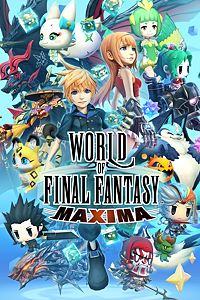
NEW RELEASES: WORLD OF FINAL FANTASY MAXIMA Xbox One

Expanding the horizons of FINAL FANTASY
A tale of many encounters and the birth of a new world

Originally released in October 2016, WORLD OF FINAL FANTASY is now available on Xbox One as the powered-up FINAL FANTASY Maxima! Beloved characters from FF lore (Champions) and a multitude of capturable monsters (Mirages) appear in this fun and exciting adventure. This new and enhanced version of WORLD OF FINAL FANTASY also features the Avatar Change system, which allows the protagonists, Reynn and Lann, to fight as Champions. Fight your way through exhilarating battles as legendary FINAL FANTASY heroes!


Please Don't Forget To Share:

NEW RELEASES: Carnival Games Xbox One

Carnival Games brings the party back for the entire family! With both fan-favorite and brand-new mini-games all in one package, Carnival Games offers fun for everyone and can be played alone or with up to three others. Hit home runs, pile the highest stack of cakes, and take your horse to the finish line. 20 total mini-games will have you and your friends stepping right up to win again and again!

• A FUN VARIETY OF CARNIVAL GAMES FOR EVERYONE: Like a real-life county fair, Carnival Games bursts with exciting mini-games that you can play over and over. Classic mini-games such as shooting basketballs (“Swish”) and taking down unfriendly clowns (“Clowning Around”) are joined by brand new attractions like flying drone racing (“Light Speed”) and cosmic bowling (“Cosmic Strike”). With 20 total games Carnival Games is a fantastic time for all.

• A MULTIPLAYER PARTY: Bring your family and friends in on the fun for a true Carnival Games party. Up to 4 players can participate simultaneously, bumping up the level of excitement and competition in all 20 carnival mini-games.

• PLAY, WIN, GET REWARDS: Play games, win tickets, and trade them in for new outfits for your carnival guest characters. Dress them up to match your style or be as wild as you can with wacky headgear, shirts and bottoms.


Please Don't Forget To Share:

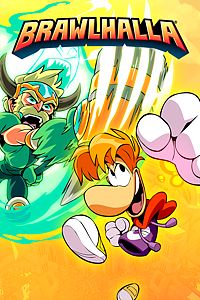
NEW RELEASES: Brawlhalla Xbox One

Brawlhalla is an epic free-to-play platform fighting game. Join casual free-for-alls, queue for ranked matches, or make a custom room with your friends. Millions of players. Frequent updates. Over thirty unique characters. Come fight for glory in the halls of Valhalla!
Brawlhalla is a free-to-play platform fighting game featuring both online and local competition as well as single-player and co-op modes.

Join an eternal battle arena where the greatest warriors in history brawl to prove who's the best that ever was, is, or will be.
The Legend Rotation of six free to play characters rotates every week, and you can earn gold to unlock more Legends by playing any online game mode.

Purchase the Founders Pack for exclusive beta content, and immediate access to all current legends and every legend we add in the future of Brawlhalla. Forever!

Brawhalla will always be 100% free to play, with no pay-to-win advantages."


Be sure to see our list of every Xbox One free to play game HERE: https://xboxoneguide.blogspot.com/2017/11/free-to-play-listing-of-all-xbox-one.html


Please Don't Forget To Share: