Welcome. I decided to make this blog after being a Xbox Ambassador for a number of years.
If you don't know an Ambassador is a Volunteer that Microsoft uses to help ease the load on the actual hard working support people.
I noticed that alot of the questions I would get could easily be solved by using Microsofts Xbox.com site.
Since some of the help articles may be hard to find, understand or the issue may be called something different in the gaming community making it more difficult to solve, I've decided to make this blog to make it easier for fellow gamers to get xbox assistance, news and all things Xbox.
If you have any Xbox related question you can find the answer to feel free to contact me on YouTube, twitter or in the comments.
Seek your fortune in the most treacherous Horizon expansion yet, where you will conquer extreme terrain, lightning storms, and perilous roads in search of hidden treasure. Embark on a new campaign, solve Treasure Hunt riddles, and carve your own path in new Trailblazer PR Stunts. Tackle the island’s twisting mountain switchbacks, ocean cliffside roads and rough terrain in 10 exciting new cars including the 2019 Lamborghini Urus, 2017 Ram Rebel TRX Concept, and the 2018 BMW M5. Earn 24 Achievements and 500 GS.
So you just purchased DLC in the Microsoft Store or on Xbox.com. You decided to start the game and check out the much anticipated DLC maps or add-ons, but wait: it appears the the DLC you just spent hard earned money on is not working, what should you do?
After you redeem a code online, or buy content, if you have "Keep My Games and Apps updated" on in the system settings it should be installed automatically on the Xbox One you have set as your home console, sometimes it does not install, If Not,
Use the instructions here to manually install them later or on a non-home console, or after you have deleted or uninstalled them.
Note: To access your downloads, make sure you're signed in with the Xbox account you used to purchase and download the content.
HERE IS: How To Find and Install Purchased or Uninstalled DLC on Xbox One
In order to share games or DLC with another Xbox One you simply change Home Console Settings.
For Example: Gamer A will log in to Gamer B's Xbox One and make that Xbox his home console. Then Gamer B will login to Gamer A's Xbox One and make that his home console.
This will only work for digital downloads not disk based games or physical copies.
Reminder: It is against TOS, Code of Conduct and really not a good idea to give you login information to a 3rd party, so you should do this in person.
Note You can designate only one console as your home Xbox.Scroll left from Home to open the guide.
Press the Xbox button to open the guide.
Go right and Highlight the Settings Gear
Scroll down and select Settings
Scroll down and select Personalization and on the right select My Home Xbox
Review the information, and then do one of the following:
Select Make this my home Xbox to designate the console as your home Xbox.
Select This is not my home Xbox to remove the designation.
Can I change my home Xbox console to a different console?
You can change which console is your home Xbox up to five times during a one-year period. This period works on a rolling basis, starting the moment you change your home Xbox for the first time. If you reach your limit of home console changes for the year, you’ll get a message letting you know the next available date you can change it.
For the month of June, Xbox Live Gold members will receive four new free games – two on Xbox One and two on Xbox 360 – as part of the Games with Gold program. You can play both Xbox 360 titles on your Xbox One with Backward Compatibility.
Also this month there is a free DLC content pack for Xbox One.
*Titles are available as free downloads for qualifying Xbox Live Gold members in all markets where Xbox Live is available. Some regions may offer different titles depending on market availability.
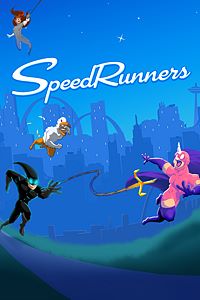
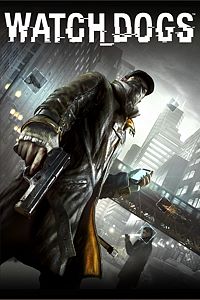
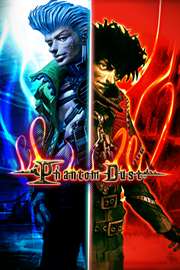
On Xbox One, Xbox Live Gold members can download SpeedRunners ($14.99 ERP) for free during the month of June. Watch_Dogs ($29.99 ERP) will be available as a free download from June 16th to July 15th. Additionally, to celebrate the new release of Phantom Dust, Gold members get a free multiplayer content DLC pack for Phantom Dust starting June 1st, which includes a variety of valuable skills and abilities to help you defeat your enemies in the re-release of this original Xbox classic.
On Xbox 360, starting Thursday, June 1st, Assassin’s Creed III ($19.99 ERP) will be free for Xbox Live Gold members through June 15th. Then on June 16th, Xbox Live Gold Members can download Dragon Age: Origins ($14.99 ERP) for free through June 30th.
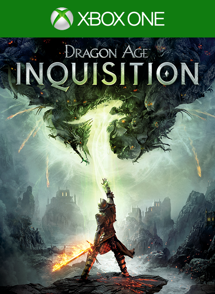
In this new adventure, playable within the Dragon Age: Inquisition campaign, you will fight new adversaries, gain epic weapons and armor, and solve one of Thedas’ greatest mysteries. Go underground to reveal the source of mysterious earthquakes threatening Thedas. Enter the Deep Roads to battle monstrous darkspawn, bloodthirsty creatures that dwell beneath the surface of Thedas. Explore ancient dwarven ruins and cavernous dungeons infested with deadly enemies to find the cause of dangerous, worsening earthquakes. Descend deeper underground to discover a hidden world and face a powerful entity. Requires Dragon Age: Inquisition
Purchase Dragon Age: Inquisition – The Descent (DLC)
Brand new content for Halo: The Master Chief Collection is available today. Remnant, a re-imagined version of the Halo 2 multiplayer map Relic, will be added to the multiplayer of Halo 2: Anniversary as part of a free game content update. And the fan-favorite Halo 3: ODST campaign, enhanced and running in 1080p and 60fps for the first time is also launching today. The Halo 3: ODST campaign will be free to eligible consumers who logged in to their Xbox Live account and played Halo: The Master Chief Collection between Nov. 11, 2014 and Dec. 19, 2014.
Eligible players will receive a download code that can be redeemed for the campaign of Halo 3: ODST through Halo: The Master Chief Collection.
The Halo 3: ODST campaign will be available as downloadable content for Halo: The Master Chief Collection through the Xbox Store for $4.99 (coming soon).
For more details about the Halo 3: ODST Campaign and Remnant Multiplayer Map for Halo 2: Anniversary